Sites that open in a new tab Edge Chromium
Solved
NeiaYea
Posted messages
4
Registration date
Status
Member
Last intervention
-
pistouri Posted messages 19010 Registration date Status Contributor Last intervention -
pistouri Posted messages 19010 Registration date Status Contributor Last intervention -
Hello.
I am using Microsoft Edge (Bing) and recently, websites have started opening in a new tab. I want to disable this feature, in other words, stay on the same tab when I click on a site. I looked in the settings and options, but I can't find this function.
Can you help me? What should I do in this situation?
I am using Microsoft Edge (Bing) and recently, websites have started opening in a new tab. I want to disable this feature, in other words, stay on the same tab when I click on a site. I looked in the settings and options, but I can't find this function.
Can you help me? What should I do in this situation?
2 answers
-
pistouri Posted messages 19010 Registration date Status Contributor Last intervention Ambassador 8 732
Hello,
1- This darn search engine Bing opens links in a new tab, same with a new tab.
Some will say it's good, others won't.
If you want your sites to open in the current page, you need to modify the search engine and set, for example, the search engine Google.
The option is well hidden in the Edge (Chromium) settings.
The procedure:
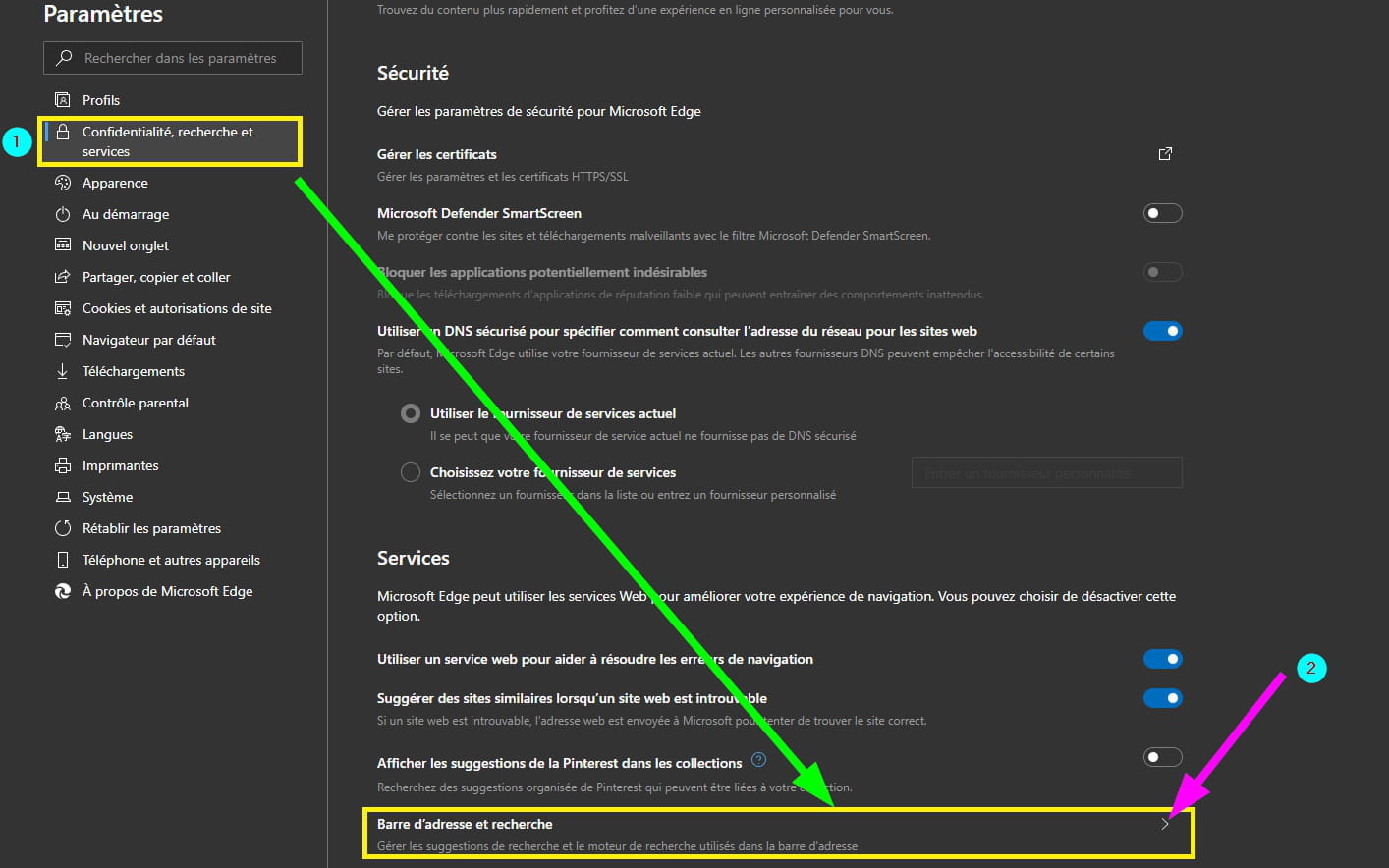
Open Edge, go to the small vertical dots located at the top right.
Click on the line --►Settings
In the left menu, click on the line --►Privacy, search and services
Scroll all the way down the page to the section -►Services
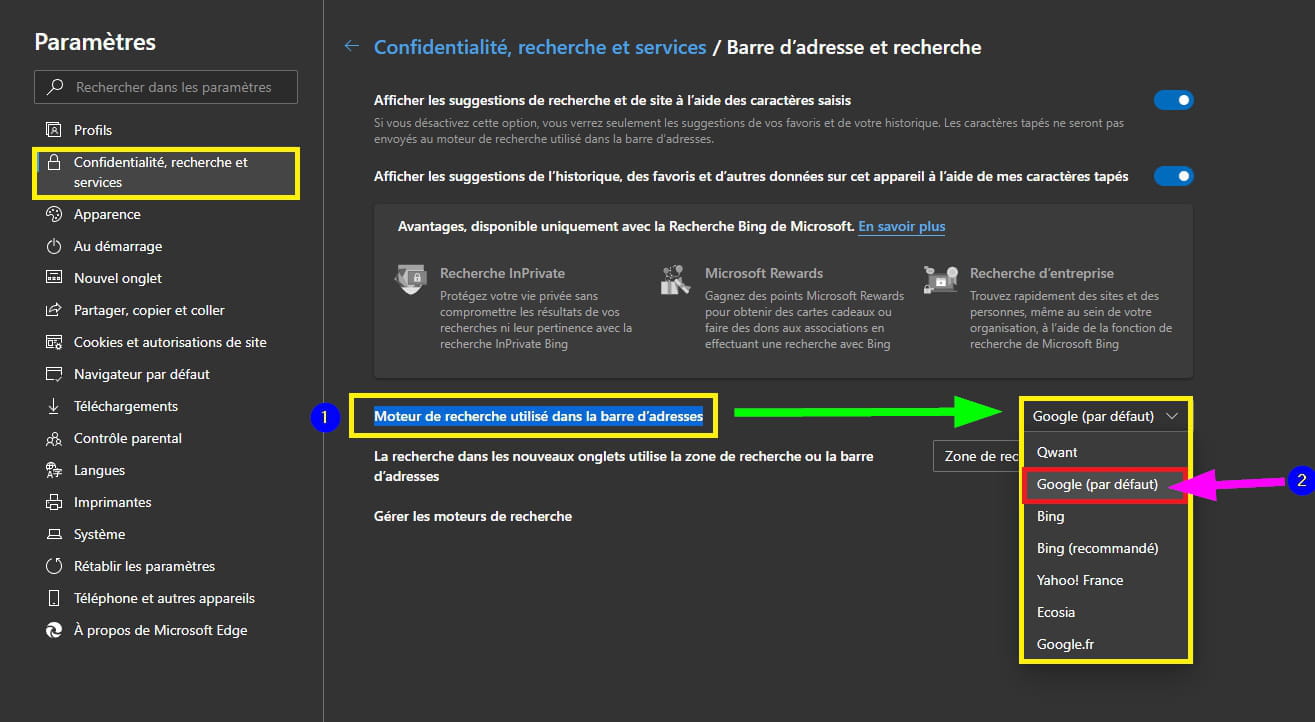
Click on the line -►Address bar and search
Next to the line -►Search engine used in the address bar
Select -► Google (default)
Imperative:
Close Edge and restart it to apply the modification.
Another quicker way:
Clear everything in the address bar and copy/paste ==► edge://settings/search
Then press Enter on your keyboard.
2- Work around the Bing search engine when opening a link in a new tab or on this post
3- uBlock ad blocker
It will give you fewer ads on sites.
Don't forget to allow extensions if you don't have the request in the form of a dialogue box.
Clear everything in the Edge address bar and copy/paste ==► edge://extensions/
At the bottom left, highlight the line ==► Allow extensions from other stores
Also add the extension ==► I don’t care about cookies
A+
-
pistouri Posted messages 19010 Registration date Status Contributor Last intervention Ambassador 8 732
Happy for you.
Have a nice day.
--
scalpel