Screen Resolution Issue: Black Bars
Solved
Zeldev
Posted messages
2
Status
Member
-
Kobuddha Posted messages 46 Status Member -
Kobuddha Posted messages 46 Status Member -
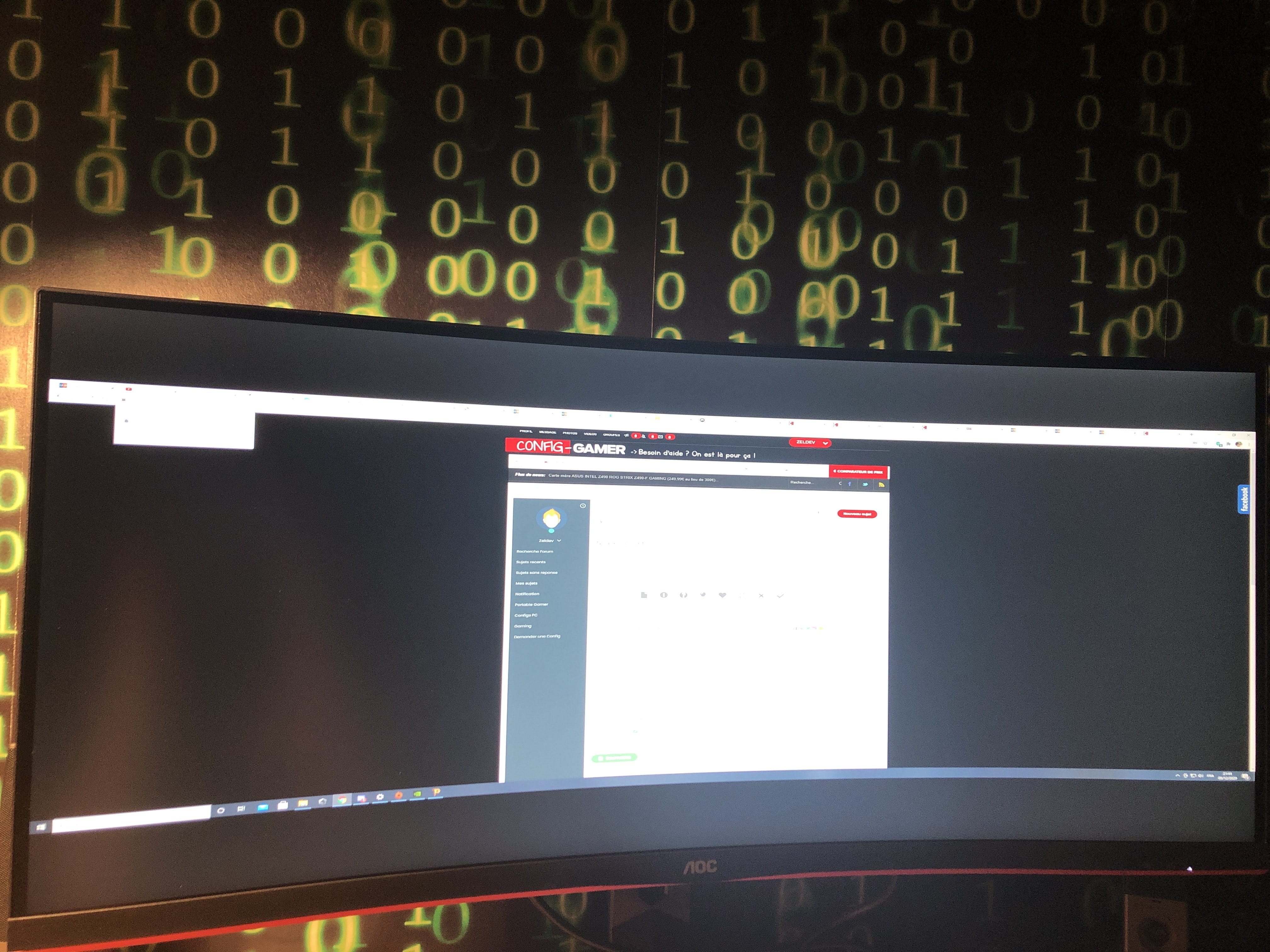
Hello, I changed my screen and bought an AOC CU34G2X/BK monitor, and I have a problem with the resolution. At first, everything was fine; I had set the resolution to 3440x1440 (the resolution of my screen), but then I changed the resolution a couple of times, and when I switched back to 3440x1440, two black bars appeared at the top and bottom of the screen. The only way to remove these bars is to set my resolution to 2560x1440 or 3840x2160 (or lower resolutions).
However, this problem does not happen with games, which display correctly in 3440x1440 without black borders. I would like to know if anyone knows how to remove these black bars so that this resolution displays full screen like it did at first.
I have attached a photo of my screen with these bars.
However, this problem does not happen with games, which display correctly in 3440x1440 without black borders. I would like to know if anyone knows how to remove these black bars so that this resolution displays full screen like it did at first.
I have attached a photo of my screen with these bars.
Related links:
- Black screen and unable to turn off the PC?
- Screen resolution after Windows 8.1 update
- Display issue, black screen.
- Black band on each side of an LG Flatron w2241S computer screen resolved
- Two vertical black bars on the sides of the screen reduce the display.
- Black band at the bottom of the PC screen
3 answers
-
Good evening,
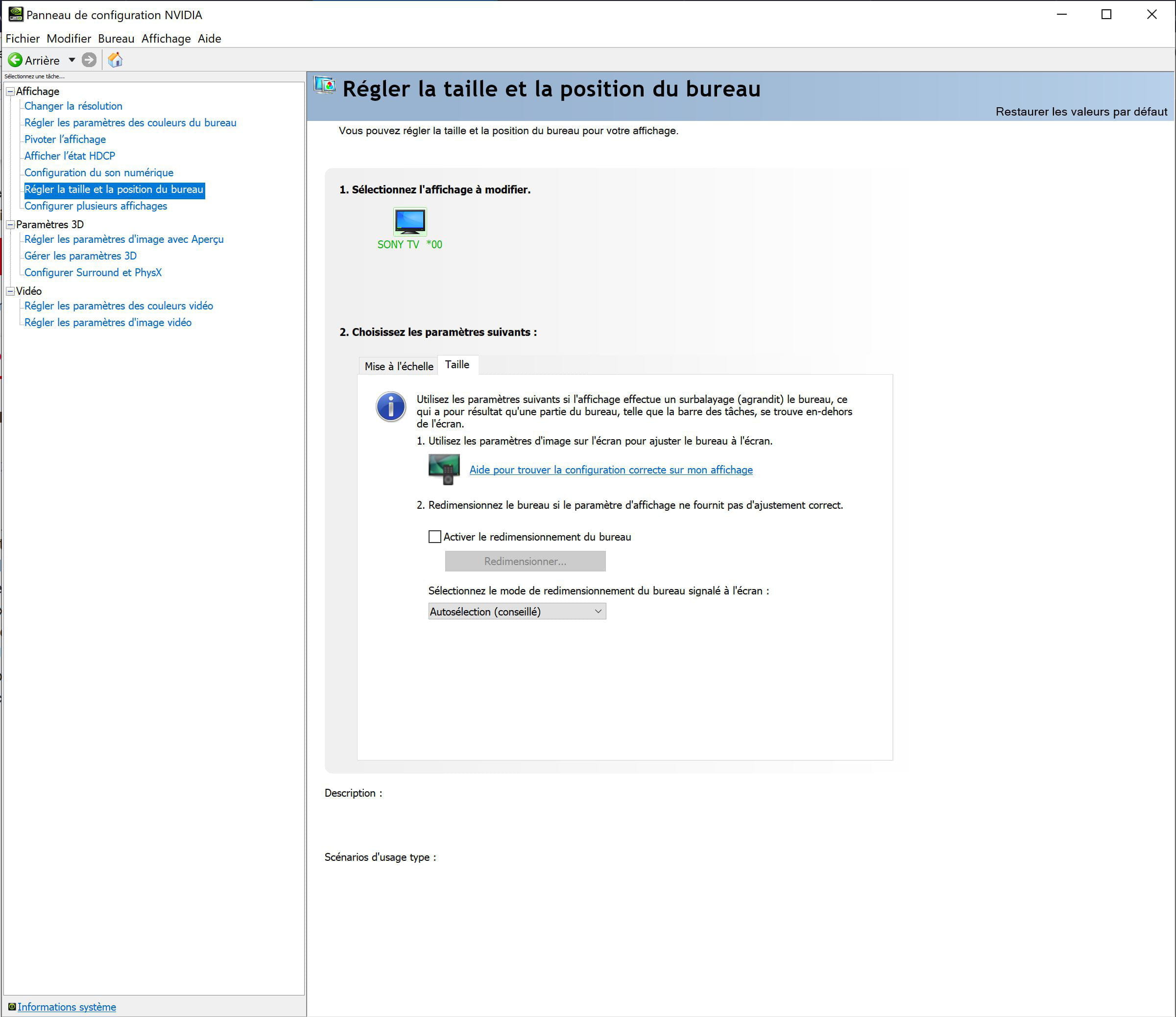
If your graphics card is managed by Nvidia, you can go here in the Nvidia control panel and normally adjust the resolution manually:
-
Hi,
The problem resolved itself; the maximum quality of my screen had automatically changed to 3840x2160 in the display settings, and it reverted back to 3440x1440 by itself without me doing anything.
So, the problem is solved for now, hoping it doesn't happen again. -
Okay, we'll see if the issue returns during the next startup or graphics driver update; otherwise, it seems like we should first check the monitor settings!
Feel free to close the topic if everything is fine!