Putting MP3 music on cassette tape?
AyameSucrose
Posted messages
5
Status
Member
-
AyameSucrose Posted messages 5 Status Member -
AyameSucrose Posted messages 5 Status Member -
Good evening!
So here it is, I’m sending you this message because I don’t know who to address...
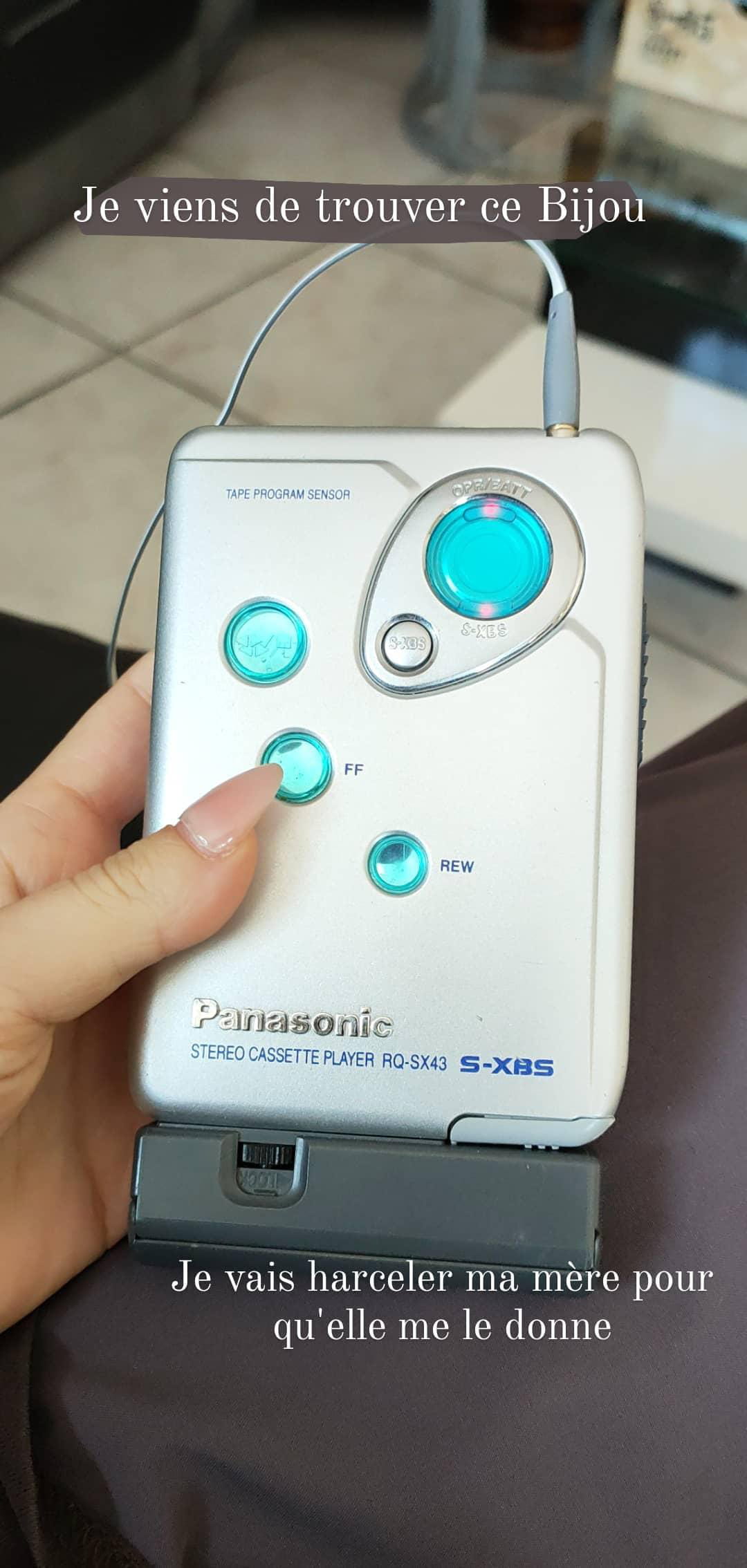
My mom wanted to sell her walkman, which I strongly opposed in order to keep it: it’s a family heirloom. It works wonderfully, the cassette inside does too, and I'm delighted.
However, I only have one cassette. I have others, but they’re blank. I would like to put my music on these blank tapes, but they are on my PC, USB stick...
Do you know how I could transfer my mp3 files onto an audio cassette?
I’ve done a lot of research on the internet and asked many people; the only converters that exist digitize cassettes into MP3 format, not the other way around.
Otherwise, I would need a male jack cable with a double male RCA connector. I would then need the Audacity software, a hi-fi system (to hold the cassette) and then perform some manipulations...
I must admit that for a literary graduate of nineteen, this doesn’t make sense to me, and I don’t have an old hi-fi system available.
The latest messages on this topic in this forum date back to 2010/2011... I hope that new solutions have been found since then?
Do you know of an easier method? Can you help me?
Musically,
Emy.
So here it is, I’m sending you this message because I don’t know who to address...
My mom wanted to sell her walkman, which I strongly opposed in order to keep it: it’s a family heirloom. It works wonderfully, the cassette inside does too, and I'm delighted.
However, I only have one cassette. I have others, but they’re blank. I would like to put my music on these blank tapes, but they are on my PC, USB stick...
Do you know how I could transfer my mp3 files onto an audio cassette?
I’ve done a lot of research on the internet and asked many people; the only converters that exist digitize cassettes into MP3 format, not the other way around.
Otherwise, I would need a male jack cable with a double male RCA connector. I would then need the Audacity software, a hi-fi system (to hold the cassette) and then perform some manipulations...
I must admit that for a literary graduate of nineteen, this doesn’t make sense to me, and I don’t have an old hi-fi system available.
The latest messages on this topic in this forum date back to 2010/2011... I hope that new solutions have been found since then?
Do you know of an easier method? Can you help me?
Musically,
Emy.
5 answers
-
Good evening,
No need for complicated procedures, let alone Audacity.
You connect the male-to-male stereo mini-jack cable between the headphone output of your PC and the microphone input of the walkman.
You need to do a few tests to adjust the output level of the PC so that it doesn't saturate the automatic input level of the walkman.
The only problem, and a significant one: since this connection cuts off the speakers, how do you know if the song is finished to stop the walkman between tracks?
You could buy a Y-cable (two euros?) and listen through headphones, but that's still inconvenient.
Another solution: create a playlist in any audio software (Windows Media Player, iTunes, etc.) that will queue the songs. However, you need to calculate the total time so that it matches the length of the cassette.
By doing this, you won't even need to listen to what you're recording, and the cassette will stop on its own at the end.
Edit:
Fmq's post, which I salute, makes me doubt. I can't remember if there is an external microphone jack on the early Sont models. If not, the same method applies but by recording on another tape recorder.
Best regards-
Good evening,
Thank you very much for your response. I was certain there was another way!
I can make a playlist on Youtube... Or I could use audio software, no worries!
It's a 90-minute cassette, but it seems that it actually lasts a bit longer since a cassette allows AT LEAST 90 minutes. Well, that's more than enough!
On my PC (MSI), it has a normal jack, not mini. Well, if you mean the sound output where I usually plug in my headphones...?
Also, once the playlist is ready and everything is connected: how do I record on this little tape?
Thank you very much!- I think what you call a normal jack is actually a mini-jack (3.5 mm), same diameter for the microphone and the headset (if you have two sockets) because I don't know of any PC with jack inputs (6.5 mm).
We still need to check, as jeepee says, if you have a microphone input on the Walkman (I couldn't see it in the photos online).
-