
Calculating a total
Solved
CrazyMan66684
Posted messages
2
Status
Member
-
CrazyMan66684 Posted messages 2 Status Member -
CrazyMan66684 Posted messages 2 Status Member -
Hello,
I would like to calculate the total price to be paid for each person.
It would be =(J4*H4)+(J5*H5)+(J6*H6)+ ...for Camille
But I would like to find a formula to:
- Avoid manually adding each row
- Be able to move from Camille's total to Fanny's total with the same formula (shift the J column without shifting the H column, which contains the prices)
Best regards T.
Configuration: Windows / Chrome 85.0.4183.83
I would like to calculate the total price to be paid for each person.
It would be =(J4*H4)+(J5*H5)+(J6*H6)+ ...for Camille
But I would like to find a formula to:
- Avoid manually adding each row
- Be able to move from Camille's total to Fanny's total with the same formula (shift the J column without shifting the H column, which contains the prices)
Best regards T.
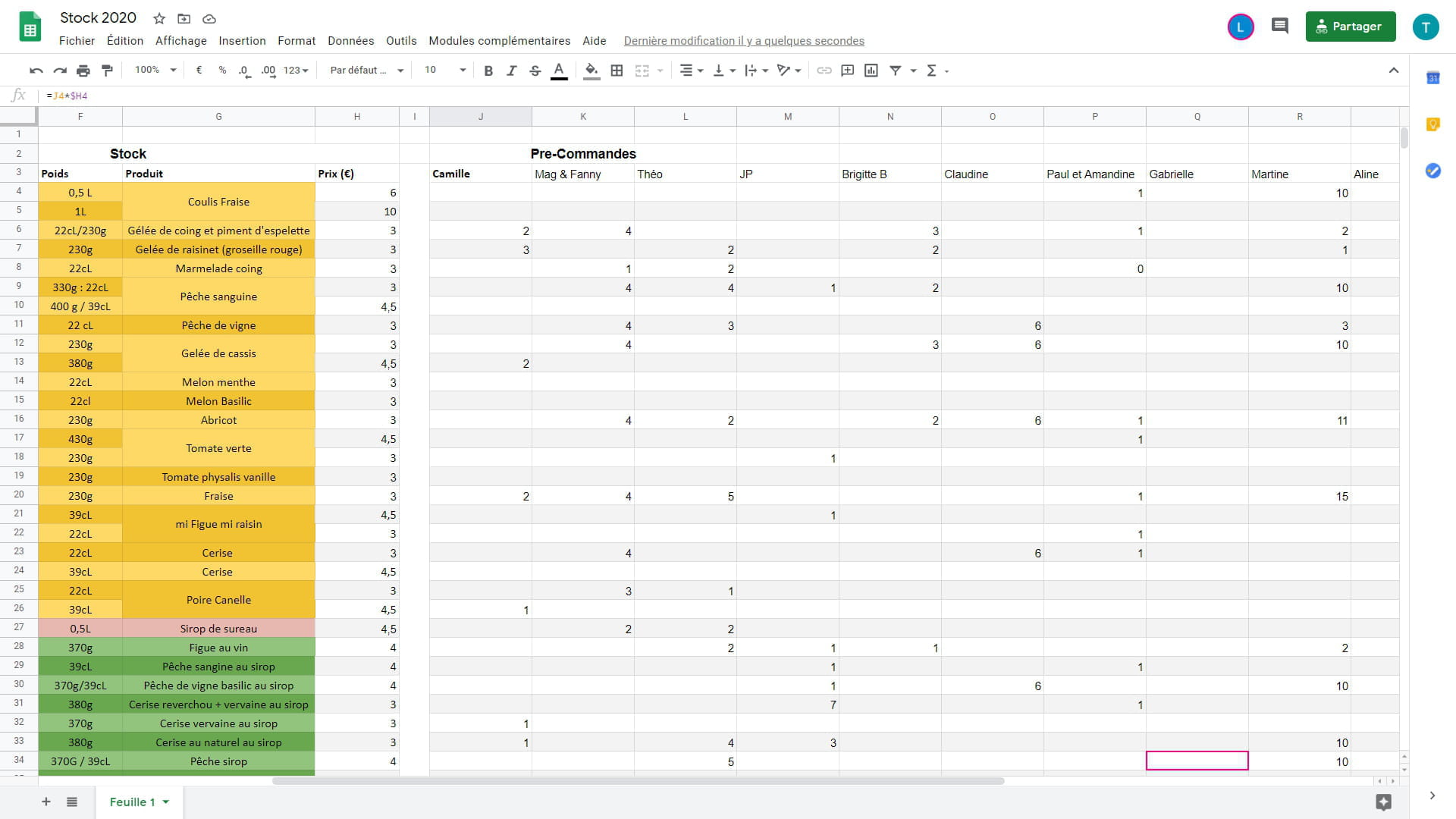
Configuration: Windows / Chrome 85.0.4183.83
2 answers
-
Hello,
Can you try the SUMPRODUCT formula:
=SUMPRODUCT($H4:$H34*J4:J34)
When dragging it, the price column won't move.
To conquer without risk is to triumph without glory.
Pierre Corneille, Le Cid -
Hello
At the bottom of column J
=SUMPRODUCT(($H$3:$H$50)*(J3:J50))
Then extend it to the right
Best regards
Via
--
"Imagination is more important than knowledge." A. Einstein

