Sudden performance loss sensations on my PC
Solved
iNekluarZ
Posted messages
17
Status
Member
-
iNekluarZ Posted messages 17 Status Member -
iNekluarZ Posted messages 17 Status Member -
Hello everyone,
To make a long story short, I have a strong feeling that my computer, as mentioned in the title, has suffered a significant loss of performance, in games, during startup, when launching a page, etc. My computer has a configuration that I think is more than adequate and is also very recent (last Christmas). Here’s my setup: Processor: AMD FX 8300 EIGHT CORE 3.30 GHz
- 16GB of RAM
- Graphics Card: NVIDIA GEFORCE RTX 2060
I don't know much about this, and I've been told that it’s possible a virus could be responsible for a potential slowdown of my machine, but I'd like to be sure before considering this possibility.. My girlfriend, who has a generally less powerful setup and bought hers around the same time as mine, has no issues..
Thank you in advance for your advice, and feel free to ask me for details if you think you're on the right track!
To make a long story short, I have a strong feeling that my computer, as mentioned in the title, has suffered a significant loss of performance, in games, during startup, when launching a page, etc. My computer has a configuration that I think is more than adequate and is also very recent (last Christmas). Here’s my setup: Processor: AMD FX 8300 EIGHT CORE 3.30 GHz
- 16GB of RAM
- Graphics Card: NVIDIA GEFORCE RTX 2060
I don't know much about this, and I've been told that it’s possible a virus could be responsible for a potential slowdown of my machine, but I'd like to be sure before considering this possibility.. My girlfriend, who has a generally less powerful setup and bought hers around the same time as mine, has no issues..
Thank you in advance for your advice, and feel free to ask me for details if you think you're on the right track!
6 answers
-
Good evening,
Is it a laptop or a desktop PC?
When did the performance loss start?
How does it manifest? (FPS drops, loading latency, ...?)
Did it come on gradually or is there a specific date?
Three things:
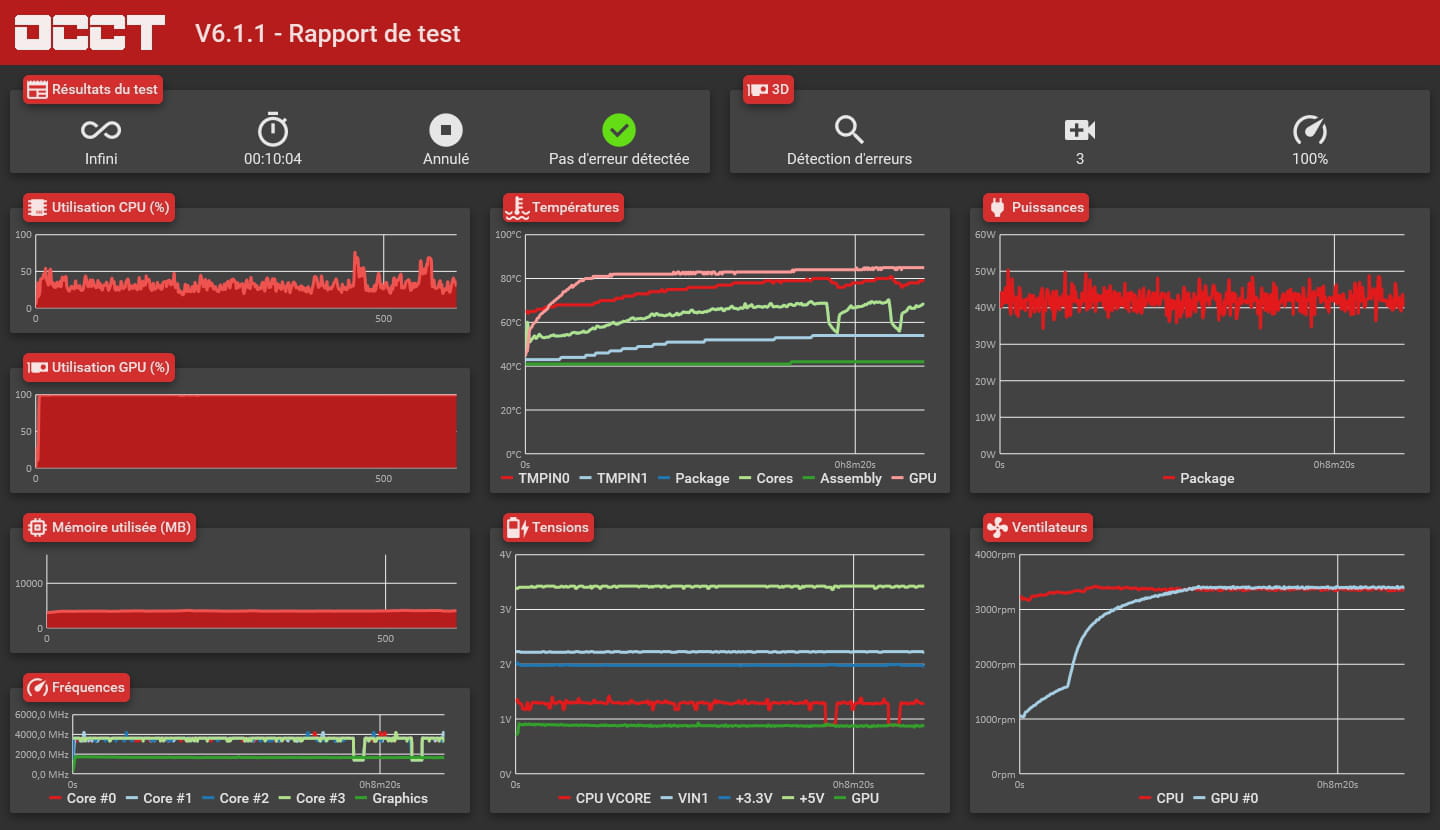
1 - Maintaining the machines gives new life to them: vacuuming the inside of the PC, cleaning the heatsink, the fans, all of that... It's like doing the dishes: there’s no fan club for doing it, but we can appreciate when it's clean. An overheating processor is less efficient. It might make sense to install an application to check the temperature of your monitored components (especially the CPU).
2 - Hard drives filled to the brim also limit your PC's cognitive abilities (especially C). It's always worth checking that.
3 - Antivirus software generally answers the virus question (at least that's what a flat-earther told me) but viruses are rarely the primary cause of PCs slowing down...
Keep us updated. -
Hello,
Very recent but the FX 8300 is from 2012
--
If your PC is doing anything weird, the culprit is between the chair and the keyboard => YOU -
Thank you for your response. Indeed, I maintain it very regularly; it's a desktop PC. I actually contacted the customer service of the place where I bought it because the overheating issue seemed to me to be a problem, and they told me after some tests that the GPU temperature was normal. The slowdown happened suddenly yesterday when I turned my PC back on after a month and a half away. Performance issues occur with FPS drops when I play, for example: Assassin's Creed Odyssey runs at a constant 60-65 FPS, and sometimes there is a drop to 20 FPS for a good 10 seconds before the FPS return. Also, a small note: when I touch the back of my PC, it is very hot... but I was told the temperature was normal according to the customer support guy... so, well... it doesn't make any sense.
-
-
-
-
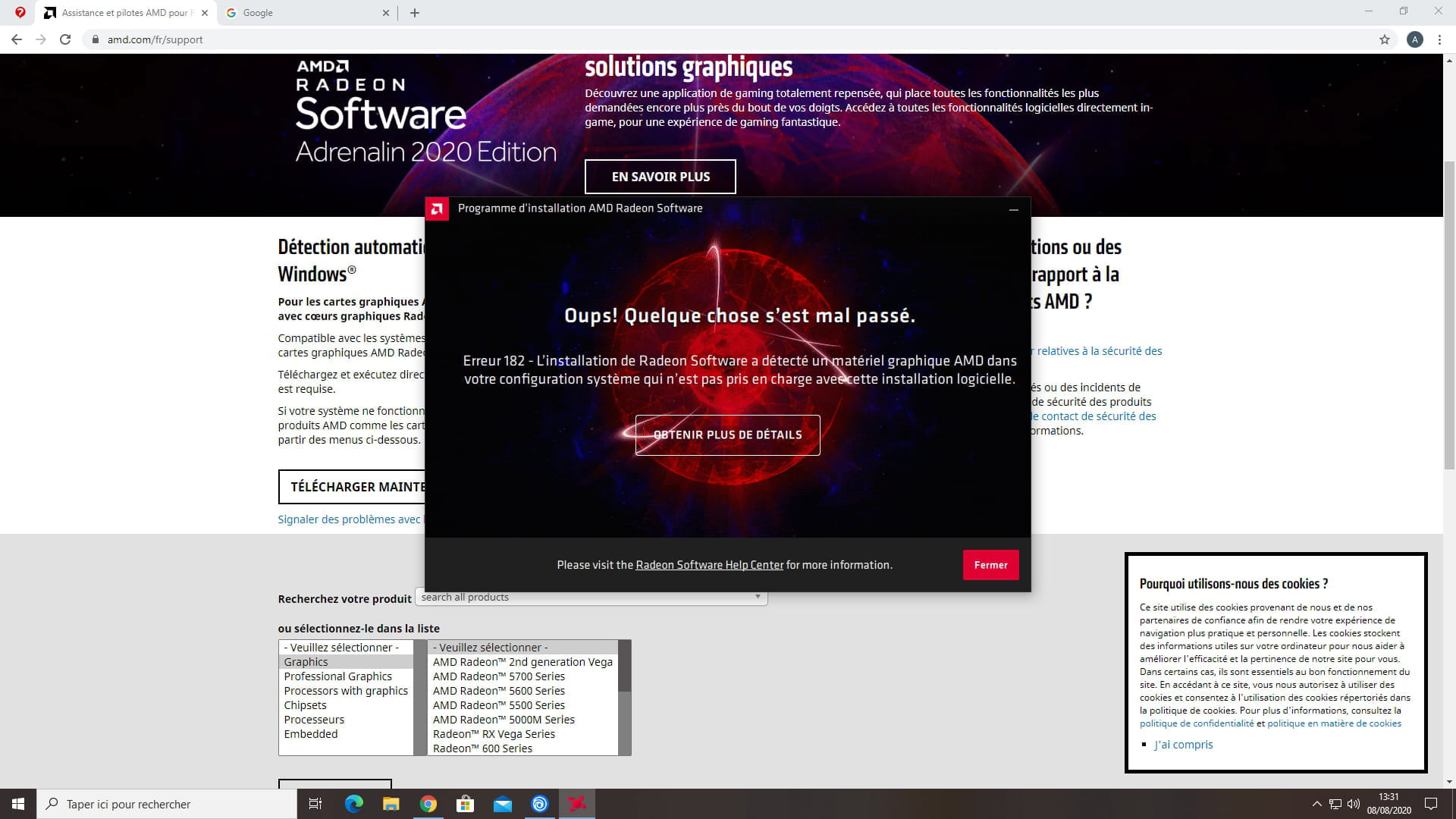
Sorry, I didn't see that you had responded. Try installing this, restart the PC, and then rerun the CPU test.
https://www2.ati.com/drivers/amd-chipset-drivers_18.10_0830.exe -
-
The link I gave you apparently doesn't work, check this one
https://www.amd.com/en/support/chipsets/amd-7-series-chipsets/760g -
-
-
Perform a complete Glary Utilities scan; it can help
Install a utility that checks CPU, GPU, and hard drive temperatures. If overheating, clean the PC thoroughly (but clean the dust in any case =).
Ensure proper airflow in the case and good ventilation.
Also check the health status of RAM sticks if it's a desktop PC: there are utilities for that.
--
"Failing to plan is planning to fail"