Tour LDLC
titicrominet
Messages postés
727
Statut
Membre
-
titicrominet Messages postés 727 Statut Membre -
titicrominet Messages postés 727 Statut Membre -
Bonjour, cher internaute
Je viens vers vous concernant une tour LDLC gaming, la semaine passé a fait plusieurs mise en sécurité écran bleu vu ne sais pas pourquoi vu pas ma tour mais celle de mon beau fils donc n'a pas vu le pourquoi, ce que j'ai fais sais soufflé pour bouger toute la poussière pas mal, je pensais avoir trouver le soucis en la soufflant surchauffe ça été un moment et de nouveau écran bleu maintenant ne sais toujours pas le pourquoi..
Comment savoir ce qui pourrais faire planté le pc ? es qu'il existe un programme pour voir le problème ? périphérique clavier-souris-casque micro-ou d'autres choses connecté par usb ? ou alors matériels ?
Merci d'avance pour votre aide.
Marc
Je viens vers vous concernant une tour LDLC gaming, la semaine passé a fait plusieurs mise en sécurité écran bleu vu ne sais pas pourquoi vu pas ma tour mais celle de mon beau fils donc n'a pas vu le pourquoi, ce que j'ai fais sais soufflé pour bouger toute la poussière pas mal, je pensais avoir trouver le soucis en la soufflant surchauffe ça été un moment et de nouveau écran bleu maintenant ne sais toujours pas le pourquoi..
Comment savoir ce qui pourrais faire planté le pc ? es qu'il existe un programme pour voir le problème ? périphérique clavier-souris-casque micro-ou d'autres choses connecté par usb ? ou alors matériels ?
Merci d'avance pour votre aide.
Marc
3 réponses
-
Bonjour,
télécharge whocrashed, fait une analyse et post le résultat-
voici sorry retard et l'anglais perdu je ne sais exporté le ficher du fait un copier collé
--------------------------------------------------------------------------------
Welcome to WhoCrashed (HOME EDITION) v 6.65
--------------------------------------------------------------------------------
This program checks for drivers which have been crashing your computer. If your computer has displayed a blue (or black) screen of death, suddenly rebooted or shut down then this program might help you find the root cause of the problem and a solution.
Whenever a computer suddenly reboots without displaying any notice or blue (or black) screen of death, the first thing that is often thought about is a hardware failure. In reality, on Windows a lot of system crashes are caused by malfunctioning device drivers and kernel modules. In case of a kernel error, many computers do not show a blue or black screen unless they are configured for this. Instead these systems suddenly reboot without any notice.
This program will analyze your crash dumps with the single click of a button. It will tell you what drivers are likely to be responsible for crashing your computer. It will report a conclusion which offers suggestions on how to proceed in any situation while the analysis report will display internet links which will help you further troubleshoot any detected problems.
To obtain technical support visit www.resplendence.com/support
Click here to check if you have the latest version or if an update is available.
Just click the Analyze button for a comprehensible report ...
--------------------------------------------------------------------------------
Home Edition Notice
--------------------------------------------------------------------------------
This version of WhoCrashed is free for use at home only. If you would like to use this software at work or in a commercial environment you should get the professional edition of WhoCrashed which allows you to perform more thorough and detailed analysis. It also offers a range of additional features such as remote analysis on remote directories and remote computers on the network.
Please note that this version of WhoCrashed is not licensed for use by professional support engineers.
Click here for more information on the professional edition.
Click here to buy the the professional edition of WhoCrashed.
--------------------------------------------------------------------------------
System Information (local)
--------------------------------------------------------------------------------
Computer name: DESKTOP-34ENMU2
Windows version: Windows 10 , 10.0, build: 18363
Windows dir: C:\windows
Hardware: MS-7B98, Micro-Star International Co., Ltd., Z390-A PRO (MS-7B98)
CPU: GenuineIntel Intel(R) Core(TM) i5-9600K CPU @ 3.70GHz Intel8664, level: 6
6 logical processors, active mask: 63
RAM: 17112272896 bytes (15,9GB)
--------------------------------------------------------------------------------
Crash Dump Analysis
--------------------------------------------------------------------------------
Crash dumps are enabled on your computer.
Crash dump directories:
C:\windows
C:\windows\Minidump
On Sat 13-06-20 15:38:05 your computer crashed or a problem was reported
crash dump file: C:\windows\Minidump\061320-18296-01.dmp
This was probably caused by the following module: ntoskrnl.exe (nt+0x1C23A0)
Bugcheck code: 0x139 (0x3, 0xFFFFB38D9F52D080, 0xFFFFB38D9F52CFD8, 0x0)
Error: KERNEL_SECURITY_CHECK_FAILURE
file path: C:\windows\system32\ntoskrnl.exe
product: Microsoft® Windows® Operating System
company: Microsoft Corporation
description: NT Kernel & System
Bug check description: The kernel has detected the corruption of a critical data structure.
The crash took place in the Windows kernel. Possibly this problem is caused by another driver that cannot be identified at this time.
On Sat 13-06-20 15:38:05 your computer crashed or a problem was reported
crash dump file: C:\windows\MEMORY.DMP
This was probably caused by the following module: mwac.sys (mwac+0x15D03)
Bugcheck code: 0x139 (0x3, 0xFFFFB38D9F52D080, 0xFFFFB38D9F52CFD8, 0x0)
Error: KERNEL_SECURITY_CHECK_FAILURE
file path: C:\windows\system32\drivers\mwac.sys
product: Malwarebytes Web Protection
company: Malwarebytes
description: Malwarebytes Web Protection
Bug check description: The kernel has detected the corruption of a critical data structure.
A third party driver was identified as the probable root cause of this system error. It is suggested you look for an update for the following driver: mwac.sys (Malwarebytes Web Protection, Malwarebytes).
Google query: mwac.sys Malwarebytes KERNEL_SECURITY_CHECK_FAILURE
On Sat 13-06-20 12:35:28 your computer crashed or a problem was reported
crash dump file: C:\windows\Minidump\061320-20796-01.dmp
This was probably caused by the following module: ntoskrnl.exe (nt+0x1C23A0)
Bugcheck code: 0x139 (0x3, 0xFFFFAE87901AD080, 0xFFFFAE87901ACFD8, 0x0)
Error: KERNEL_SECURITY_CHECK_FAILURE
file path: C:\windows\system32\ntoskrnl.exe
product: Microsoft® Windows® Operating System
company: Microsoft Corporation
description: NT Kernel & System
Bug check description: The kernel has detected the corruption of a critical data structure.
The crash took place in the Windows kernel. Possibly this problem is caused by another driver that cannot be identified at this time.
--------------------------------------------------------------------------------
Conclusion
--------------------------------------------------------------------------------
3 crash dumps have been found and analyzed. A third party driver has been identified to be causing system crashes on your computer. It is strongly suggested that you check for updates for these drivers on their company websites. Click on the links below to search with Google for updates for these drivers:
mwac.sys (Malwarebytes Web Protection, Malwarebytes)
If no updates for these drivers are available, try searching with Google on the names of these drivers in combination with the errors that have been reported for these drivers. Include the brand and model name of your computer as well in the query. This often yields interesting results from discussions on the web by users who have been experiencing similar problems.
Read the topic general suggestions for troubleshooting system crashes for more information.
Note that it's not always possible to state with certainty whether a reported driver is responsible for crashing your system or that the root cause is in another module. Nonetheless it's suggested you look for updates for the products that these drivers belong to and regularly visit Windows update or enable automatic updates for Windows. In case a piece of malfunctioning hardware is causing trouble, a search with Google on the bug check errors together with the model name and brand of your computer may help you investigate this further.- ok, pas de soucis le copier/coller c'est très bien.
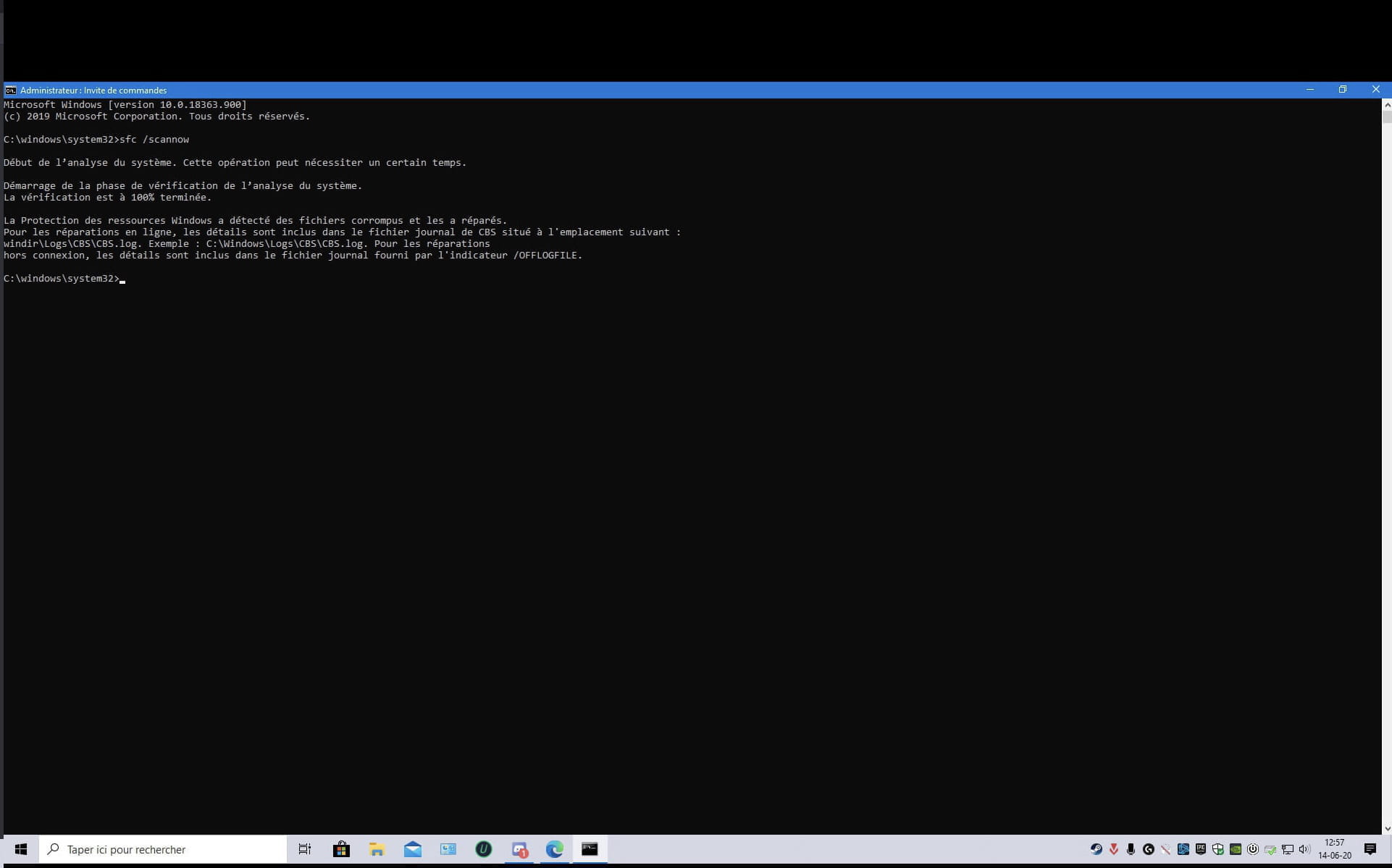
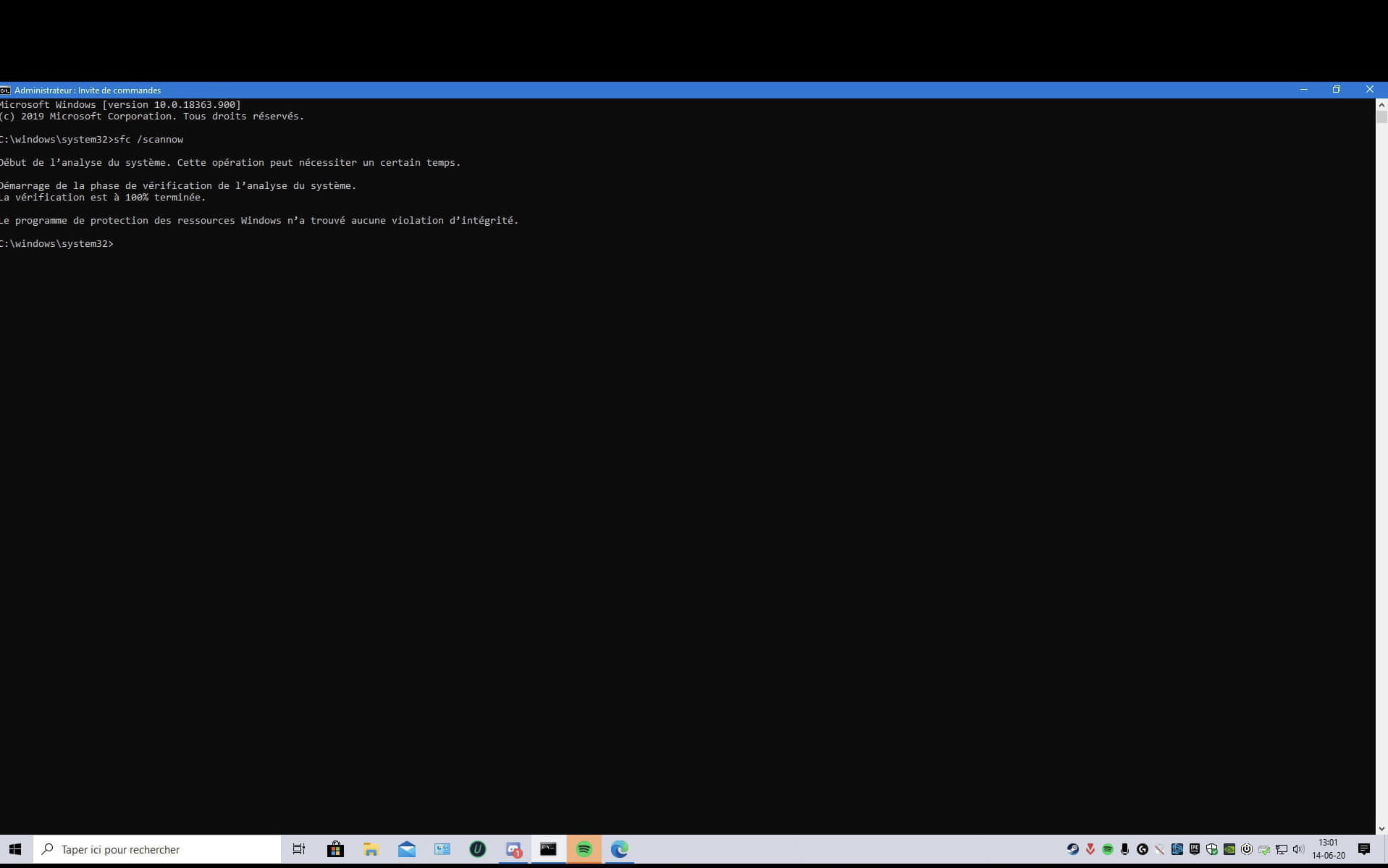
vas dans le menu démarrer en bas à gauche, cherche CMD, dessus fais clic droit > exécuter en tant qu'administrateur
dans la fenêtre qui s'ouvre tape :
sfc /scannow
valide avec entrer
une fois finis redémarre
si toujours le même problème, retourne dans le cmd et tape :
chkdsk /f c:
il te dira que ce n'est pas possible tout de suite et si tu veux le faire au prochain démarrage, tape o et valide puis redémarre
-
-
Bonjour, Jumulka
Je te remercie pour ton retour.
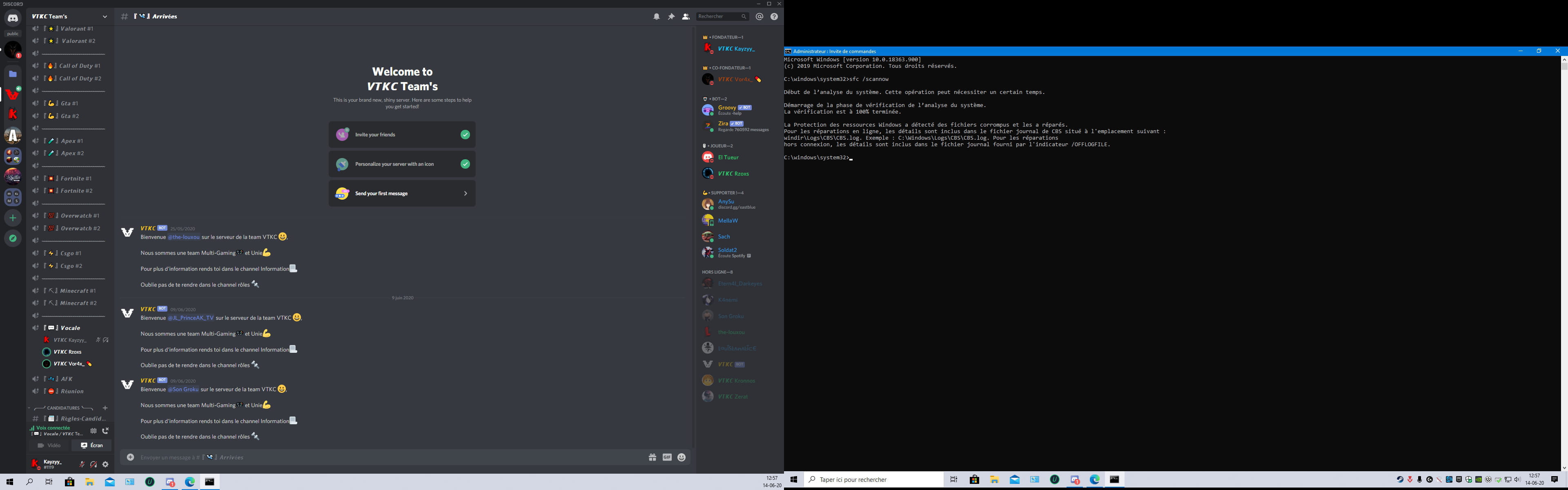
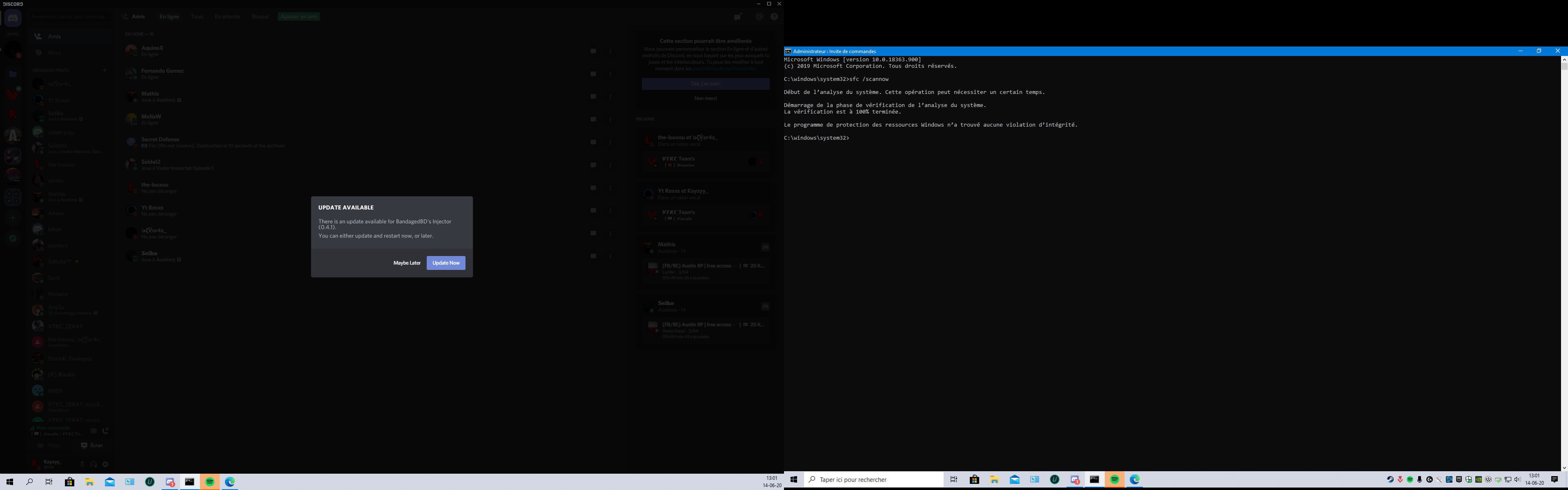
voici capture d'écran sorry vu double écran.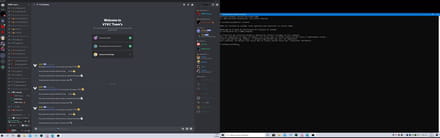
je suppose que la deuxième intervention si la tour refais un bug...
L'erreur du bios faut pas en tenir compte ? et l'autre erreur ?
merci-
Bonjour, pas besoin de montrer son Discord. La capture d’écran de CMD suffit déjà
-
-
-
-
-
-
"L'erreur du bios faut pas en tenir compte ? et l'autre erreur ? "
quel erreur du bios et quel autre erreur ?
pourquoi être aller dans le bios ?
faire la maj bios n'est pas du tout nécessaire-
bonsoir, jumulka
Je te remercie pour ton retour, ok pas tenir compte du bios, et l'autre erreur sur l'analyse malwarebyte et une autre vu trois répertorié.
J'ai fais l'analyse suggéré sur ton post et j'ai fais analyse windows defender si pas de menace vu joue en ligne..
Après l'analyse de defender cela c'est mis sur l'écran du bios et ça été une galère pour en sortir
-