My PC crashes consistently after installing graphics drivers.
XxTitan500
Posted messages
12
Status
Member
-
kaneagle Posted messages 86302 Registration date Status Moderator Last intervention -
kaneagle Posted messages 86302 Registration date Status Moderator Last intervention -
Hello everyone,
Three days ago, I was casually playing with my new graphics card that I had received about a month ago; it's brand new. At the end of my session, I closed my game and turned off my PC normally, but yesterday morning, for an unknown reason, the computer refuses to start Windows (the PC crashes after the BIOS screen and my keyboard turns off). After searching online, I see that the problem might come from a graphics driver, so I uninstall the graphics card using DDU in safe mode (that’s the only way to access the desktop). Once that’s done, my PC restarts and I can access the desktop normally, but when I try to reinstall any graphics driver from the AMD website, my PC shows a black screen towards the end of the installation, and even the shutdown button (simple press) doesn’t respond, along with forced restart options; I have to force shut down (long press). But when I restart the computer, the problem is the same as before...
Please help me!!!
My configuration:
i5-8400 @2.8GHz
Radeon Sapphire RX 5600 Xt Pulse 6Go
16Go Ram 2400MHz in CAS 15
Motherboard Msi B360M PRO-VDH BIOS updated
Windows 10 64bit Pro version
Three days ago, I was casually playing with my new graphics card that I had received about a month ago; it's brand new. At the end of my session, I closed my game and turned off my PC normally, but yesterday morning, for an unknown reason, the computer refuses to start Windows (the PC crashes after the BIOS screen and my keyboard turns off). After searching online, I see that the problem might come from a graphics driver, so I uninstall the graphics card using DDU in safe mode (that’s the only way to access the desktop). Once that’s done, my PC restarts and I can access the desktop normally, but when I try to reinstall any graphics driver from the AMD website, my PC shows a black screen towards the end of the installation, and even the shutdown button (simple press) doesn’t respond, along with forced restart options; I have to force shut down (long press). But when I restart the computer, the problem is the same as before...
Please help me!!!
My configuration:
i5-8400 @2.8GHz
Radeon Sapphire RX 5600 Xt Pulse 6Go
16Go Ram 2400MHz in CAS 15
Motherboard Msi B360M PRO-VDH BIOS updated
Windows 10 64bit Pro version
14 answers
-
Try this version --> AMD
Right-click on the driver --> displaypackage1........
Select --> 7Zip
Choose --> extract to "displaypackage1......\"
Go to Device Manager
Right-click on the device
Update driver
Browse my computer ......
Browse
Select the unzipped driver folder --> displaypackage1......
OK, next
Restart.
--
Human beings are at their best when things are at their worst. -
Hello,
Press Windows + R
Type --> devmgmt.msc and OK.
Provide the hardware identification number of the device
Look at this --> Find a device's identification number
Post the number in your next message.
--
Human beings are at their best when things are at their worst. -
Well, after an afternoon in the wind, I can't even access safe mode anymore, it doesn't offer it to me???
I was told to format my SSD and do a clean reinstall of everything, but I honestly don't know how to go about it. I downloaded Windows onto a USB stick as I was told, but after that, I'm not really sure what to do... -
Check out this tutorial -->> How to install Windows 10 <<--
--
Human beings are at their best when things are at their worst. -
Download and install --> 7Zip 64 bits
Download this driver --> AMD 20.4.2 (479 mb)
Right-click on the driver --> win10-radeon-software-adrenalin-2020-edition-20.4.2-apr23.exe
Select --> 7Zip
Choose --> extract to "win10-radeon-software-adrenalin-2020-edition-20.4.2-apr23\"
Go to the device manager
Right-click on the device
Update driver
Browse my computer ......
Choose from a list of drivers...
Have Disk
Browse
Go to the unzipped driver folder --> win10-radeon-software-adrenalin-2020-edition-20.4.2-apr23
Folder --> Packages
Folder --> Drivers
Folder --> Display
Folder --> WT6A_INF
Select the file --> C0354308.inf and OK.
Restart.
--
Human beings are at their best when things are at their worst. -
Unfortunately, it didn't work, I got another black screen, and the reboot failed again, I'm desperate...
So the problem is hardware-related? -
In the device manager
Is the AMD card alerting?
--
Human beings are at their best when things are at their worst. -
Try this one --> AMD (19.10.1)
Right-click on the driver --> win10-64bit-radeon-......exe
Select --> 7Zip
Choose --> extract to "win10-64bit-radeon-......\"
Go to the device manager
Right-click on the device
Update driver
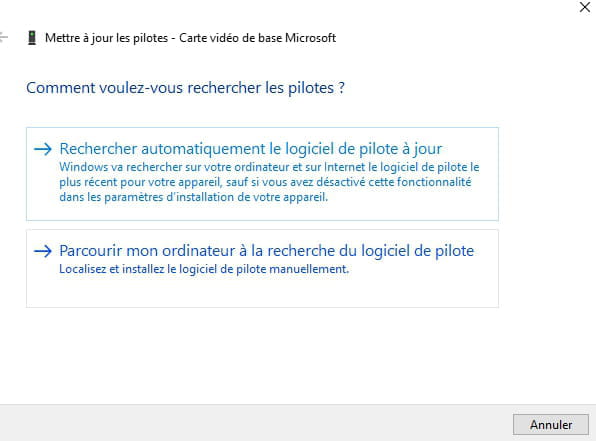
Browse my computer ......
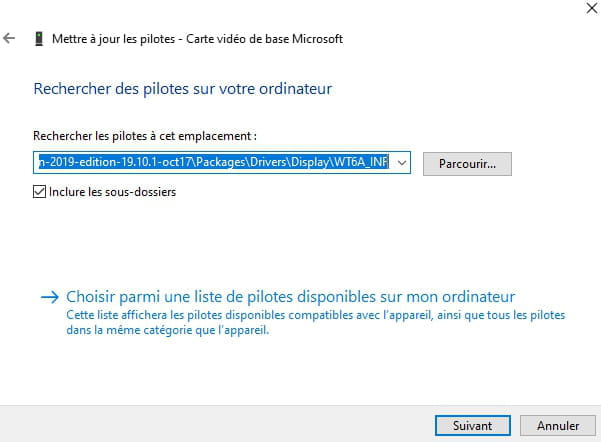
Browse
Go to the unzipped driver folder --> win10-64bit-radeon-......
Folder --> Packages
Folder --> Drivers
Folder --> Display
Select the folder --> WT6A_INF
OK, next
Restart.
-
My graphics card is not on the list of cards compatible with this driver.
-
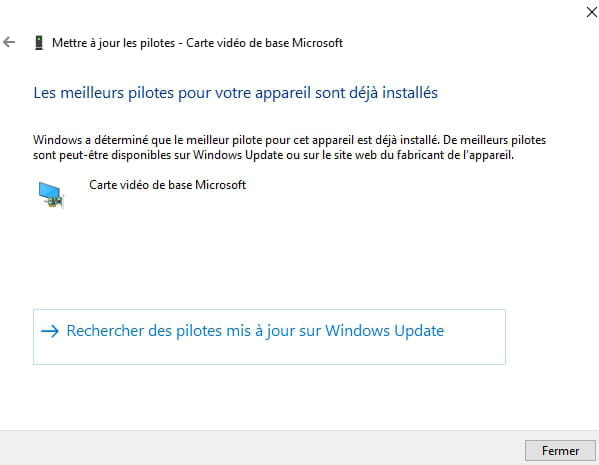
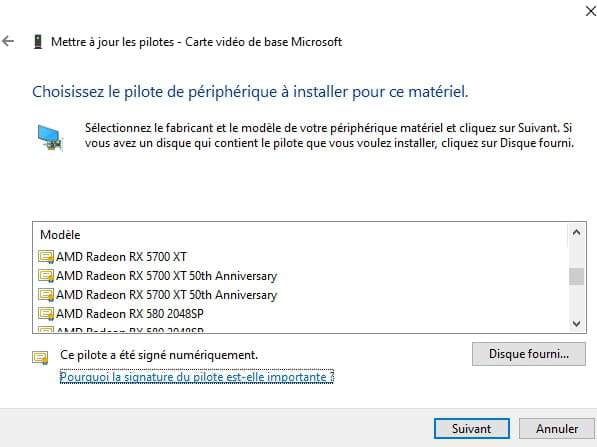
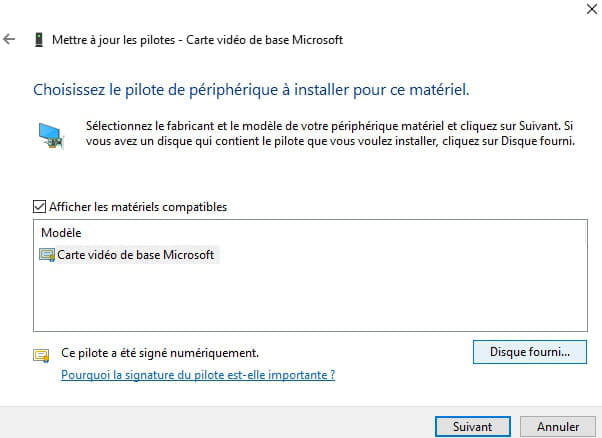
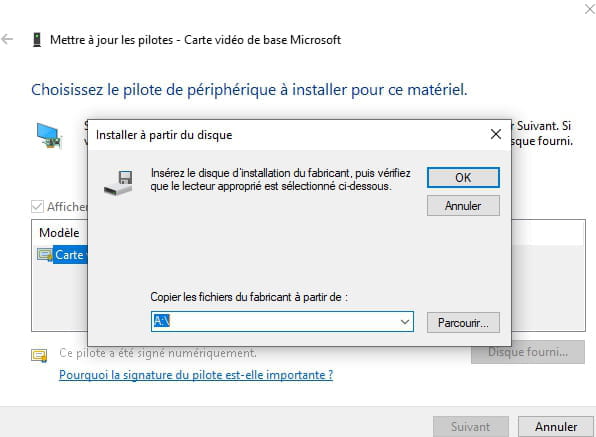
When I do exactly what you told me, I get this:
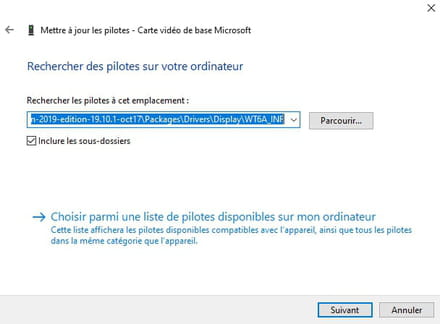
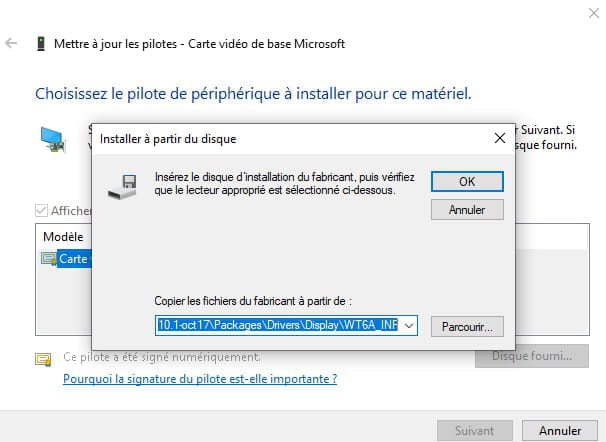
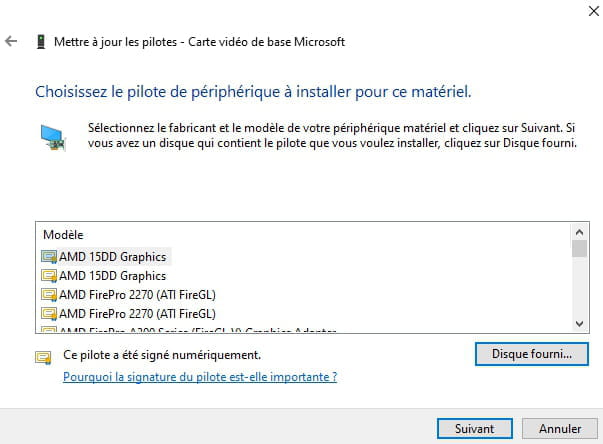
and then this:
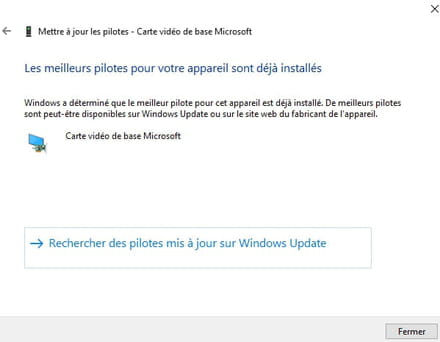
-
Go to Device Manager
Right-click on the device
Update driver
Browse my computer ......
Choose from a list of drivers...
Have Disk
Browse
Go to the extracted driver folder --> win10-64bit-radeon-......
Folder --> Packages
Folder --> Drivers
Folder --> Display
Folder --> WT6A_INF
Select the file --> C0347413.inf and OK.
Restart.
-
I have no choice, the provided disk prompts me to select a file, but once I choose one, it returns me to this same window. If I do not choose anything, the first name on the list is selected by default.
-
Did you follow the procedure correctly?
Right-click on the device
Update driver
Browse my computer......
-->> Choose from a list of drivers... <<--
Provided disk
Browse
etc...
--
Humans are at their best when things are at their worst -
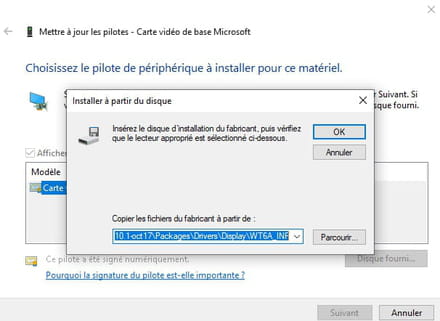
Click on --> Browse
--
Human beings are at their best when things are at their worst