Crashing PC
luckydu43 Posted messages 4503 Registration date Status Member Last intervention -
Hello everyone
my PC
Device name Shiva
Processor AMD Ryzen 9 7950X 16-Core Processor (4.50 GHz)
Installed RAM 32.0 GB (31.1 GB usable)
Graphics card AMD Radeon RX 7900 XT (20 GB)
AMD Radeon(TM) Graphics (486 MB)
Storage 938 GB of 2.73 TB used
Device ID 2329DA4E-7546-44EE-BBA0-0C47132A5F82
Product ID 00330-80000-00000-AA120
System type 64-bit OS, x64-based processor
Touch input and pen support Touch input or pen support is not available on this display
Edition Windows 11 Pro
Version 25H2
Installed on 03/05/2026
OS build 26200.9168
Feature pack Windows Feature Experience Pack 1000.26100.344.0
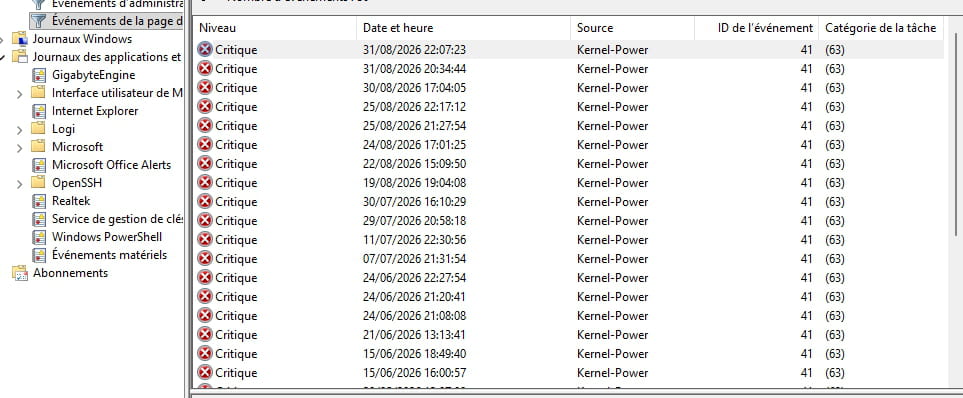
for some time, my PC crashes in games
on Call of Duty and even more so on the new one
I suspect a graphics card problem
thanks
4 answers
-
Hello
...and I suspect a power supply problem.
The CPU and GPU are very power-hungry. Not shocked if it hits 1000W in game.
The MAMAA have no oil but they have data!
Can you feel my Big Data?
Sacrifice a few liberties for more security and you lose THEM ALL.
ALL YOUR DATABASE ARE BELONG TO US -
Motherboard X670E AORUS MASTER (AM5)
for the power supply
Gamemax GS 850G V25
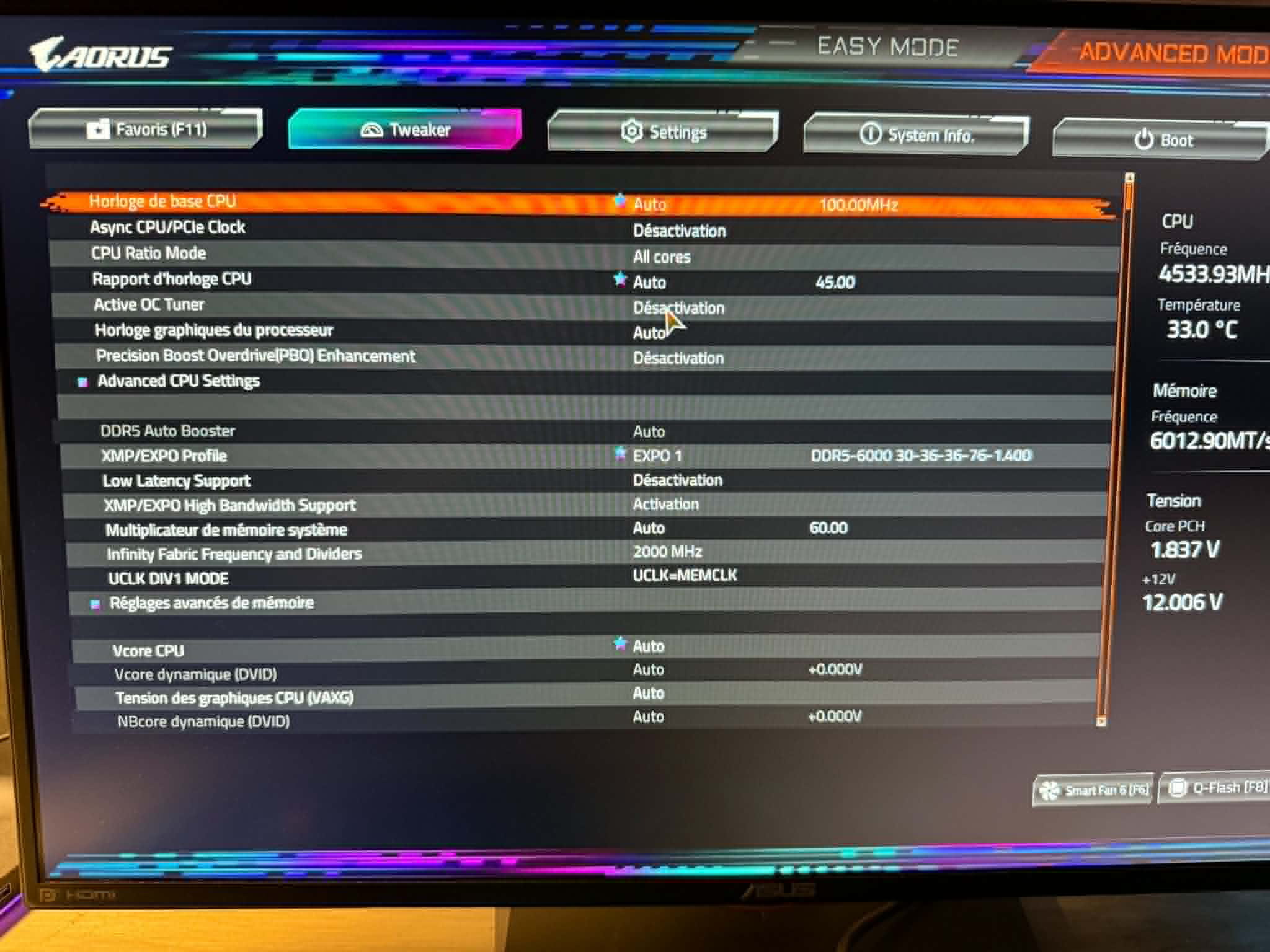
CPU not overclocked
(auto OC profile in BIOS) how to view this
-
-
Try merging the posts, at the risk of an answer getting buried between two questions.
I’m replying to #2 and #3.
#3 Send the maximum details from the "Details" tab
#2: The power supply remains a candidate, already one branded power supply recently did this kind of stuff on the forum (but I won't find the link with those damn date updates with the botched AI), so this non-standard power supply from a brand with a history of problems... I hope it can be covered by warranty or return to avoid wasting time. For me the only credible candidate, but the Details tab might make me investigate a bit more if I see other things
-
-
I just ran an OCCT test on the power supply; the PC crashes after 20 seconds.
How to run the power test in OCCT
- Download and open OCCT on your computer.
- Go to the Test section of the main menu.
- Select Power mode (power supply), which pushes both the CPU and the GPU to maximum.
- Monitor temperatures and real-time graphs on the interface.
- Click Start to begin the stress test.
- Stop the test immediately if the PC shuts down, restarts, or if temperatures exceed safety limits (around 90-100°C). A clean cut often indicates a defective or undersized power supply.
I don’t know if I can get an OCCT report
- I don’t know if I can get an OCCT report-
< p>850W nominaux, you wouldn't have tapped them with OCCT from your config
In hindsight, the 1000W I told you were pessimistic, 800W would suffice so 850W should be enough.
She is not too small on paper.
"A clean cut often indicates a defective or too weak power supply""the pc crashes after 20 seconds"

-