Sylver Crest USB 2.0 Video Grabber
denco01
Posted messages
11
Status
Member
-
Bontemps58 Posted messages 2 Status Member -
Bontemps58 Posted messages 2 Status Member -
Hello,
Quick question..... How to make an device that works perfectly (with the appropriate driver installed) appear IN Windows Explorer...... (if that's feasible ?????)
This device is a USB video capture key from Sylver Crest USB 2.0 Video grabber, useful for digitizing my VHS tapes from a VHS player to my PC (Win 10) using PowerDirector 7 that came with the key. This device appears in the Device Manager under the name ITE Video capture device and works perfectly according to the Device Manager, but it does not show up in Explorer. Therefore, it is difficult for me to provide a source, an access path for my editing software which does not directly recognize the key.
I have looked at various tutorials, but found nothing related to my issue.
Do you have a solution please? Thank you, good evening.....
Configuration: Windows / Firefox 74.0
Configuration: Windows / Firefox 74.0
Quick question..... How to make an device that works perfectly (with the appropriate driver installed) appear IN Windows Explorer...... (if that's feasible ?????)
This device is a USB video capture key from Sylver Crest USB 2.0 Video grabber, useful for digitizing my VHS tapes from a VHS player to my PC (Win 10) using PowerDirector 7 that came with the key. This device appears in the Device Manager under the name ITE Video capture device and works perfectly according to the Device Manager, but it does not show up in Explorer. Therefore, it is difficult for me to provide a source, an access path for my editing software which does not directly recognize the key.
I have looked at various tutorials, but found nothing related to my issue.
Do you have a solution please? Thank you, good evening.....
Configuration: Windows / Firefox 74.0
Configuration: Windows / Firefox 74.0
6 answers
-
Hello,
I also have this equipment and I don't understand your problem?
Are you using PowerDirector? If so, just go to "capture" and it will recognize your source which you can choose: camcorder, TV, webcam, etc...
And then you can do your editing with "edit"
Moreover, this device will not show up in the explorer because it is not a storage device like a USB stick or a hard drive.
See you! -
Hello,
I understand that the drive does not appear in the explorer... That's what I didn't know!
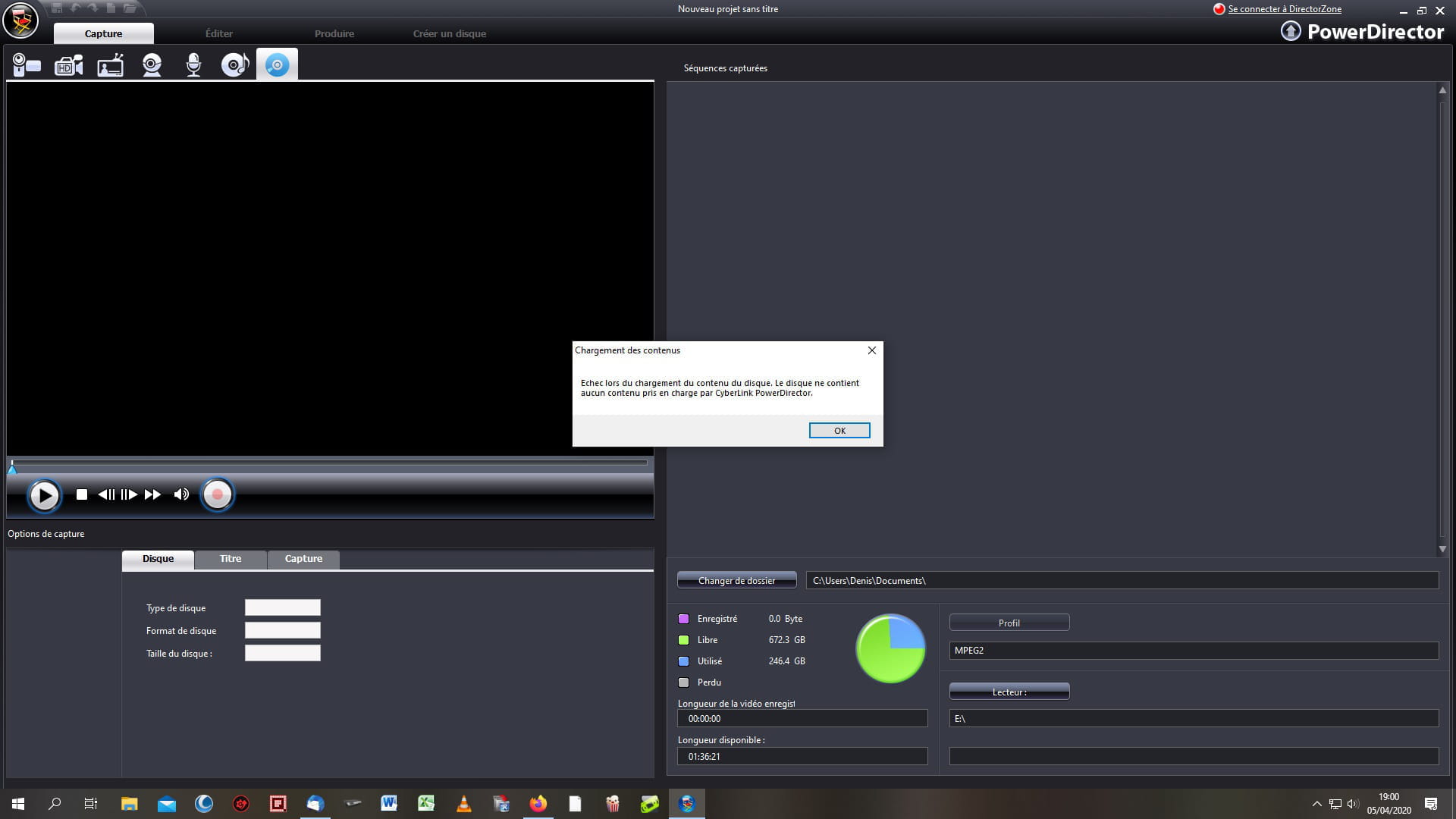
However, in Power Director 7, when I click on "capture," Power Director 7 defaults to "disk" and the rest is greyed out... so I have no other options!
Could it be a codec issue??? I don't know much about video.
Thank you for your response, -
Hello,
can you take a screenshot for me??
thanks.
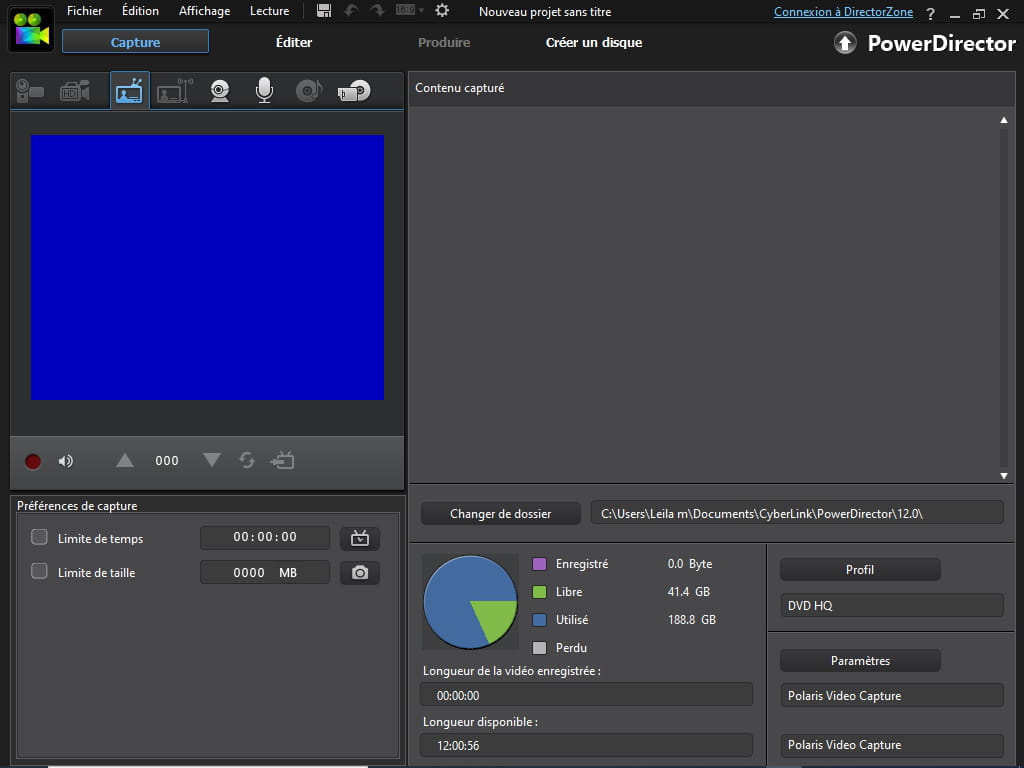
Normally, PowerDirector recognizes the source as a TV signal like this:
@+ -
Hello,
Here is the screen I get on startup of PowerDirector. Only the disk is highlighted and the other icons are greyed out for a reason I don't understand.....What's going on ??????
Thank you for your help. -
Hello,
Thank you very much for your contribution.... it works! -
Good evening,
Super cool, I'm happy for you !!!!
Good evening !!
See you later