Problem changing username
Solved
David47
-
desmessages -
desmessages -
Hello,
I have an issue with my daughter's new computer running Windows 10. I would like to change the user account name. During use, she was prompted to change the name (wrong manipulation? or request from Windows?). The new name she entered does not work, and I would like to change it. Information can be easily found (even on your site) and there are video tutorials, but there seems to be a problem that I can't identify on her computer. There is only one session, which is logically an administrator.
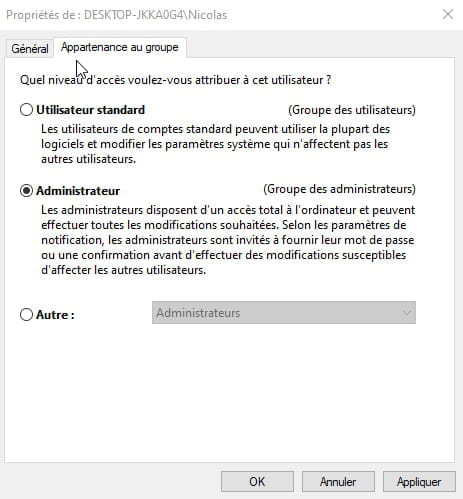
Firstly, when I right-click on "Start," the "Control Panel" option does not appear like in all the tutorials I've found. (This information might be important to identify the problem) The old way, I find the Control Panel, I click on "User Accounts," then again on "User Accounts." I clicked on "Change the account type," but I'm not given the option to change the account name! This option does not appear on the screen like in all the tutorials.
Do you have any idea how to solve my problem?
Thank you in advance.
David
I have an issue with my daughter's new computer running Windows 10. I would like to change the user account name. During use, she was prompted to change the name (wrong manipulation? or request from Windows?). The new name she entered does not work, and I would like to change it. Information can be easily found (even on your site) and there are video tutorials, but there seems to be a problem that I can't identify on her computer. There is only one session, which is logically an administrator.
Firstly, when I right-click on "Start," the "Control Panel" option does not appear like in all the tutorials I've found. (This information might be important to identify the problem) The old way, I find the Control Panel, I click on "User Accounts," then again on "User Accounts." I clicked on "Change the account type," but I'm not given the option to change the account name! This option does not appear on the screen like in all the tutorials.
Do you have any idea how to solve my problem?
Thank you in advance.
David