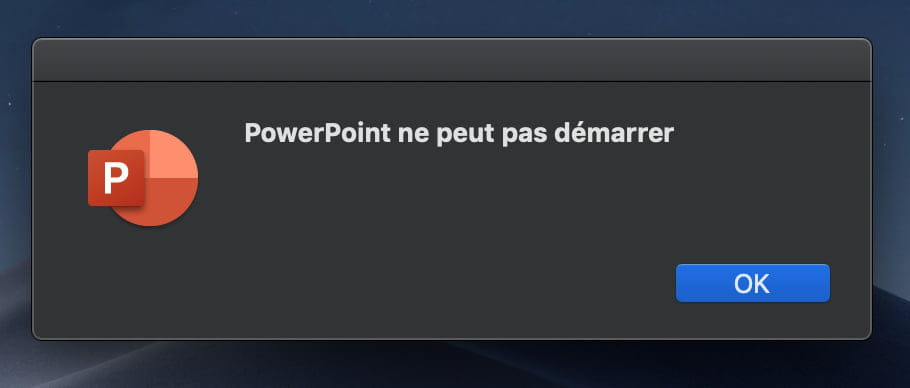
"PowerPoint cannot start"
Solved
Eldariia
Posted messages
33
Status
Member
-
Eldariia Posted messages 33 Status Member -
Eldariia Posted messages 33 Status Member -
Hello everyone,
I've been having an issue for a few months with my PowerPoint application... for no apparent reason since I haven't changed much on my computer in the meantime (it seems to me).
It keeps showing me the message "PowerPoint cannot start." I just uninstalled and reinstalled the software using my school email account that gives me access to the entire suite for free, but the problem persists.
I can only open my files in read-only mode and I'm unable to work properly.
Can you please help me resolve this issue?
Thanks in advance!
Configuration: Macintosh / Chrome 76.0.3809.132
I've been having an issue for a few months with my PowerPoint application... for no apparent reason since I haven't changed much on my computer in the meantime (it seems to me).
It keeps showing me the message "PowerPoint cannot start." I just uninstalled and reinstalled the software using my school email account that gives me access to the entire suite for free, but the problem persists.
I can only open my files in read-only mode and I'm unable to work properly.
Can you please help me resolve this issue?
Thanks in advance!
Configuration: Macintosh / Chrome 76.0.3809.132
2 answers
-
Eldariia :
The latter shows me the following message: "PowerPoint cannot start".
I can therefore only open my files in read-only mode.
I'm having a hard time following. If you can't launch PowerPoint, how do you have your documents in read-only mode? Which version of Office are we talking about? What update level? What version of macOS? What do you observe if you test in a session with a new macOS user account created for the occasion or the "Guest" account, for example?
Do Word or Excel work normally?
Eldariia :
I just uninstalled and reinstalled the software from my school email account, which gives me free access to the entire suite, but the problem persists.
Uninstalling/reinstalling applications is a sport that isn't often practiced on Mac. It's indeed quite rare for the source of the problem to lie within the application files; it's most often (99.9%) in the current user account (settings, configurations, extensions...) that it happens. Therefore, you end up with the same situation after reinstallation, or even worse if it wasn't done properly. So we prefer to start by identifying the source of the problem... ;-)
Hello to you!
Bernard-
Hello, thanks for your messages!
Yes, all my other software from the suite works perfectly.
I get this error message that pops up and then indeed PowerPoint opens anyway, but I can't interact with the document in question. Just a few months ago, I was still able to edit my slides even though PowerPoint was already glitching by showing me this error message... I also noticed that I can no longer open 2 PowerPoints at the same time. If that helps you understand where the problem comes from?
Normally, I have the latest version of PowerPoint since the update tool finds nothing, and I’m on macOS Mojave Version 10.14.6!
Aaaaah... I didn't know that! -
-
So, the problem lies in the settings and configurations of the usual user account.
First step to try: go to the folder ~/Library/Containers and delete the folder com.microsoft.Powerpoint. If that doesn't work better, check the folder ~/Library/Group Containers/UBF8T346G9.Office/User Content/Startup/PowerPoint and see if there are extensions that may have installed themselves "on their own" (especially Adobe tools are suspected)...
Let’s remember that, by default, the folder ~/Library (the Library of the user account - not to be confused with the one at the root of the hard drive or the one in /System) is hidden. It can be accessed from the “Go” menu in Finder by holding down the “Option” key.
You can also request that this folder no longer be hidden in the “Presentation Options” of the “Home” folder of the user account (the one with the small house icon). Or, more simply, create a shortcut in the sidebar of Finder windows.
NB "the latest version" is not a precise answer. Check through the “PowerPoint” menu > “About Microsoft PowerPoint” where the version information is clearly provided. -
I couldn't give you a more precise answer regarding my version of PowerPoint because the menus weren't working when I tried to click on them, I did my best, sorry...
-> Version 16.29.1
It works like before now, meaning I can use and edit my PPTs again (so thank you), but the error message still appears before opening the app or any document, and I still can't open two at the same time to work on them
Do you have any other suggestions? (I've tried your two techniques) -
-
-
Hello,
In the meantime, does your school account allow you to access the PowerPoint online?
All Office applications can be found at https://www.office.com.
Try logging in with your school account there.
Best regards