
Internal Storage: Others
Solved
ChariduP
Posted messages
5706
Registration date
Status
Contributor
Last intervention
-
Paulbismuth -
Paulbismuth -
Hello everyone,
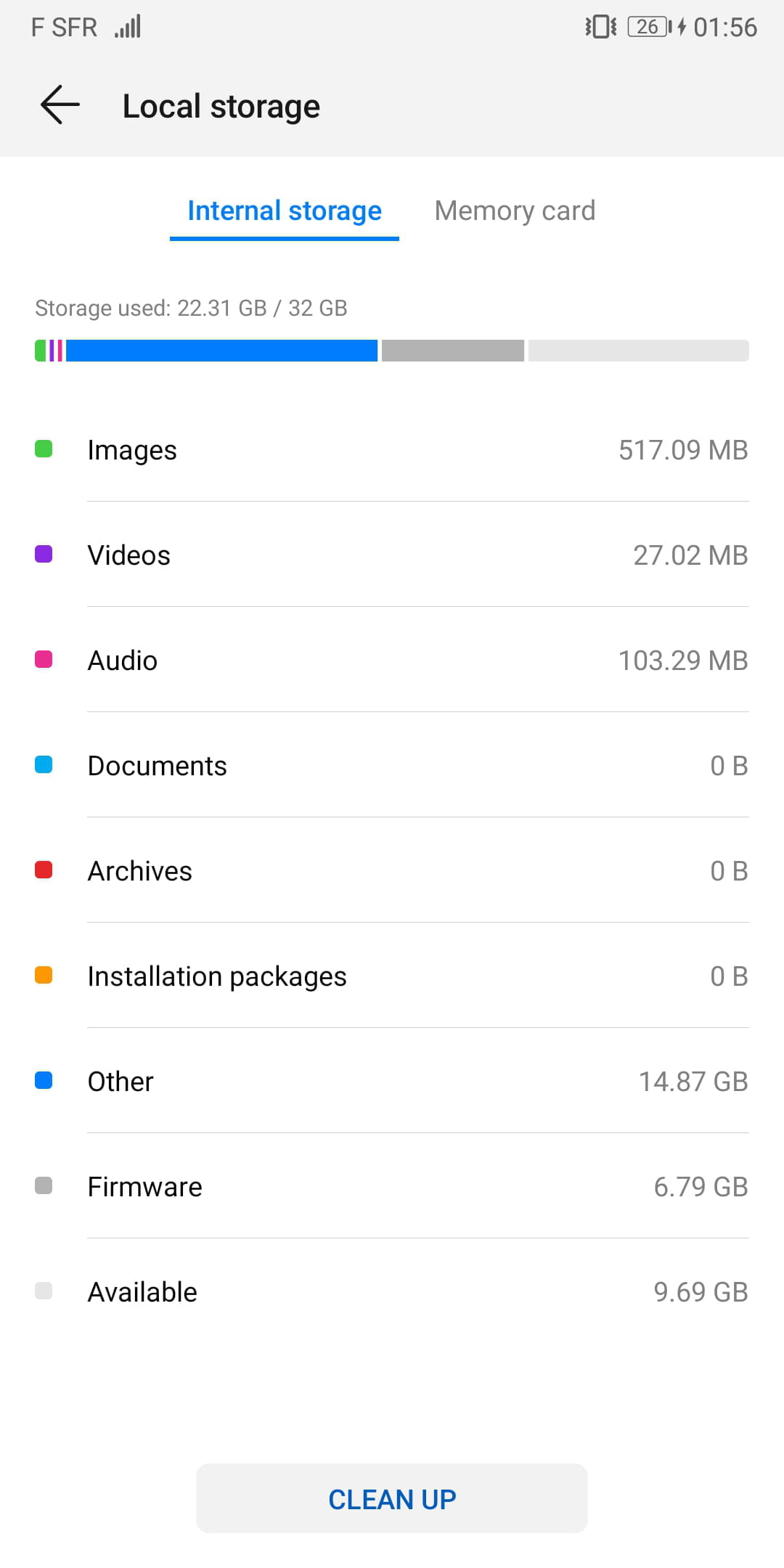
While checking the storage space on my phone, I realize that I have almost 15 GB in the "Other" category.
I have already deleted the cache from my phone's partition.
I also downloaded a file explorer that hasn't solved my problem despite enabling the "hidden files" option.
It is quite frustrating to have 7 GB for the Firmware on one layer and then 15 GB used somewhere I don't know.
I would like this category to be at 0 GB.
Hoping you can solve my problem :)
Phone model: Huawei P-Smart
EMUI 9.1
Screenshot:
Thank you,
ChariduP - Have a nice day :)
CCM Contributor
While checking the storage space on my phone, I realize that I have almost 15 GB in the "Other" category.
I have already deleted the cache from my phone's partition.
I also downloaded a file explorer that hasn't solved my problem despite enabling the "hidden files" option.
It is quite frustrating to have 7 GB for the Firmware on one layer and then 15 GB used somewhere I don't know.
I would like this category to be at 0 GB.
Hoping you can solve my problem :)
Phone model: Huawei P-Smart
EMUI 9.1
Screenshot:
Thank you,
ChariduP - Have a nice day :)
CCM Contributor

