Hard drive failure, Windows reinstallation
Solved
Aurelien13340
Posted messages
74
Status
Member
-
Donasol -
Donasol -
Hello everyone.
I have an all-in-one Lenovo PC with Windows 8. The hard drive has damaged partitions, I've tried everything but nothing works.
Anyway, I want to replace the hard drive in this PC, can someone guide me?
I suppose I need to install the Windows 8 ISO file on a USB stick and go through the BIOS? I don't think it's that simple, that's why I need help.
I have an all-in-one Lenovo PC with Windows 8. The hard drive has damaged partitions, I've tried everything but nothing works.
Anyway, I want to replace the hard drive in this PC, can someone guide me?
I suppose I need to install the Windows 8 ISO file on a USB stick and go through the BIOS? I don't think it's that simple, that's why I need help.
3 answers
-
Hello,
yes with a USB key,
Follow this tutorial that explains how to install Windows 8: how to install Windows 8.
All the steps are provided from A to Z with tips at the end to secure Windows 8.
The steps are basically:- Download the Windows 8 installation ISO: https://www.microsoft.com/fr-fr/software-download/windows8
- Prepare an installation medium on a USB key or DVD.
- Boot from it by changing the boot sequence and indicating the USB key or DVD: How to boot the computer from a USB key
- Let yourself be guided to install Windows 8.
- During the partition phase, create the main partition and format it.
- Proceed with the installation on this main partition.
- Format it and follow the instructions and the tutorial to reinstall Windows 8.
-
Good evening and thank you.
Here is what I did
I didn't modify my hard drive since it seems to be good...
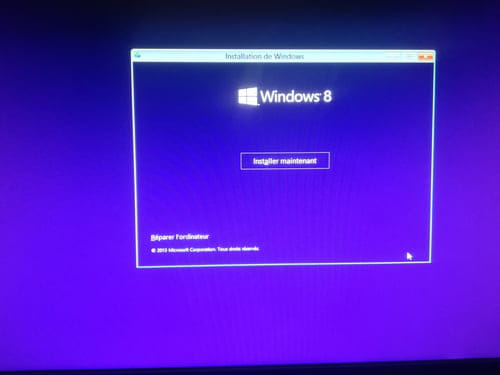
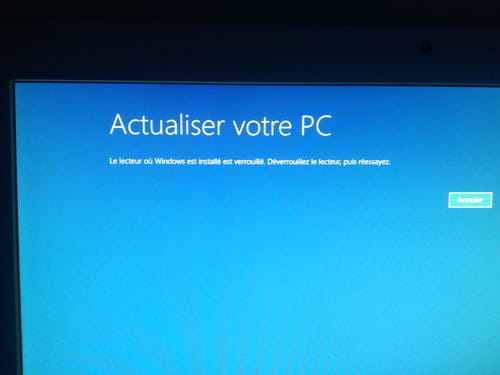
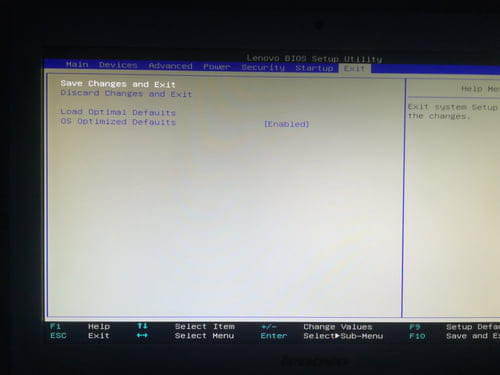
I downloaded Rufus and the ISO file, accessed the Windows installation interface and tried to repair Windows but it doesn't work. I took photos of the BIOS settings and the Windows message:
Do you have the solution? Should I format my hard drive and do the same thing again? The Windows key is, I believe, recorded somewhere in the PC
-
-
-
-
-
Hello
before changing the hard drive
test the hard drive with "crystal disk info "-
Hello, and thank you
I just tested it and it is correct, in fact I suspect a problem because when starting on its original PC I have 2 messages: "lenovo service partition has been destroyed" and "unable to display the script file..;"
So I tried partition restoration software, booting from the BIOS but nothing worked.
That's why I want to reinstall everything. -
-
-
vieu bison boiteu Posted messages 44334 Registration date Status Contributor Last intervention Ambassador 3 592
Hello Aurelien13340I suppose you need to install the Windows 8 ISO file on a USB drive
yes
see you later
--
no link on the web page in English, I already steal enough by myself