How to reset/format the C drive from BIOS?
xPurple117
Posted messages
112
Registration date
Status
Member
Last intervention
-
venus.rachel1 Posted messages 14 Status Member -
venus.rachel1 Posted messages 14 Status Member -
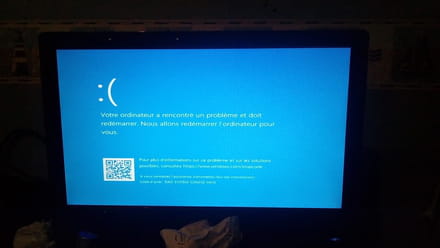
Hello, a friend of mine gets this message when he starts his PC. He tells me that, in his opinion, it's a virus.
What should I do? I thought about formatting his C drive, but I don't know how to do it. Do I just need to go into the BIOS? Or is there a function key to press during startup?
He has an MSI B450M PRO M2 motherboard and Windows 10 64-bit Pro (his PC is not from a manufacturer; it was assembled by TopAchat with the configomatic)
Here is an attached screenshot
Thank you
What should I do? I thought about formatting his C drive, but I don't know how to do it. Do I just need to go into the BIOS? Or is there a function key to press during startup?
He has an MSI B450M PRO M2 motherboard and Windows 10 64-bit Pro (his PC is not from a manufacturer; it was assembled by TopAchat with the configomatic)
Here is an attached screenshot
Thank you

3 answers
-
Hi,
Did you fiddle with msconfig?
Here’s the procedure to reset or reinstall Windows 10 from installation media.
In both cases, you won’t lose your user data, but applications will be removed.
Create the Windows 10 installation USB drive:
Do this if you don't have one.
From a working computer:- Download the Windows 10 installation ISO: https://www.microsoft.com/fr-fr/software-download/windows10 (other download methods: https://www.malekal.com/telecharger-iso-windows/ ).
- Create the installation media with Media Creation Tool, more information: https://www.malekal.com/windows-10-media-creation-tool/
On the crashed computer, you need to boot from the Windows 10 installation USB drive to launch the installer, to do this:- Boot from it by changing the boot sequence and indicating the USB drive or DVD: How to boot the computer from USB drive
If the USB doesn’t work, try making another one with Rufus: how to download Rufus - see this tutorial for details: how to create a Windows installation USB drive
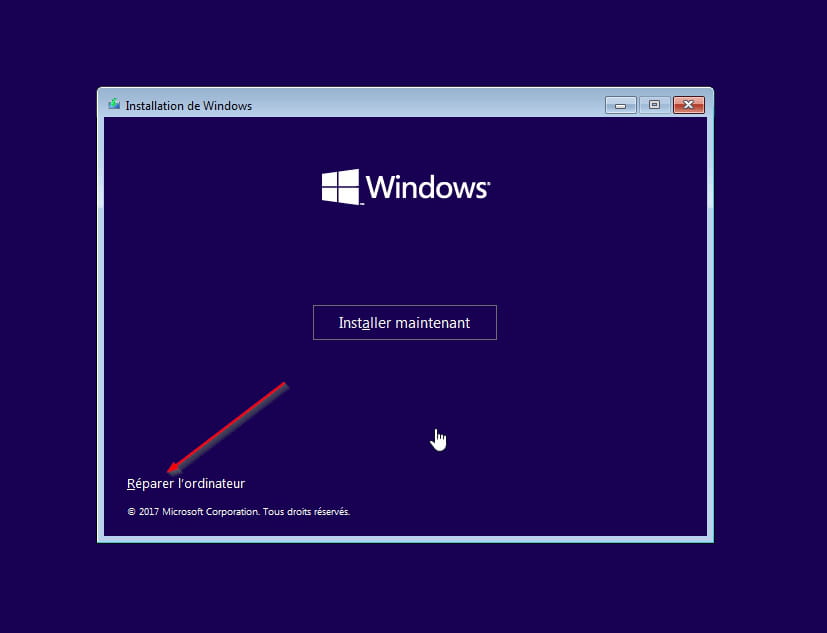
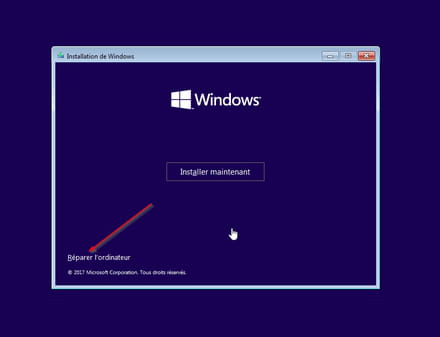
Method 1 - Reset Windows to fix issues:- Go to Repair your computer at the bottom left
- Troubleshoot then reset the PC
Keep your data, applications will be uninstalled.
Method 2 - Reinstall Windows 10 without formatting
If that doesn’t work, boot again from the Windows 10 installation USB drive.
Follow this tutorial explaining how to install Windows 10: how to install Windows 10.
All steps are given from A to Z with tips at the end to secure Windows 10.- Let yourself be guided to install Windows 10.
- Choose customize (not upgrade)
- During the partition phase, select the main partition and click next.
- The installer will inform you that Windows is already present and offer to move it.
- Follow the Windows installation procedure using the above tutorial.
Make sure not to format.
~~
In both cases, user data will be copied to the Windows.old folder.
Once Windows is installed, I recommend following these tips for properly configuring and using Windows: Tips after reinstalling Windows.
-
Hi, you can't format the disk using the BIOS menu.
To format it, you need to remove the hard drive and use it as an external hard drive to format it with another working PC... -
You can recover the data but with another PC.
Connect the hard drive to another PC and go into one of the partitions of the hard drive.
Where Windows and its components are, go into Users and from there, you will see:
_Desktop
_Downloads
_Music
_Videos
_Pictures
Copy all the files that are in these folders above and create a folder where you will copy and paste the files.
Do you understand?