Colorimetry Issue
abm3
Posted messages
12
Status
Member
-
abm3 Posted messages 12 Status Member -
abm3 Posted messages 12 Status Member -
Hello,
I must have made a mistake in InDesign, but I've noticed a problem every time I apply a color to a rectangular block.
For example, I want to apply a bright pink (#d900a6), and once I enter this value, my rectangle takes on a duller, more violet pink color! In fact, every time the colors appear duller and darker.
And when I double-click on the color icon, the reference has automatically changed to #bb398d.
In my opinion, it must be a minor settings issue, but I admit I can't seem to find the solution! If someone could help, it would be great; I need it for work, and it's quite urgent...
Thanks in advance :)
I must have made a mistake in InDesign, but I've noticed a problem every time I apply a color to a rectangular block.
For example, I want to apply a bright pink (#d900a6), and once I enter this value, my rectangle takes on a duller, more violet pink color! In fact, every time the colors appear duller and darker.
And when I double-click on the color icon, the reference has automatically changed to #bb398d.
In my opinion, it must be a minor settings issue, but I admit I can't seem to find the solution! If someone could help, it would be great; I need it for work, and it's quite urgent...
Thanks in advance :)
6 answers
-
I've finally found the solution!
So, you need to go to Edit - Transparency Blend Space and set it to RGB instead of CMYK as I mentioned earlier, and then when you export your PDF, you need to go to "Output" and select "no color conversion."
Normally, whether it's the PDF or printed version, the colors should be true.
I hope this works for you too, Mythium06! -
In the "Edit/Colors" menu, check the "color management rule"
This influences the document colors when importing an external element.-
-
-
-
-
Vous devez choisir "Document InDesign CC2018" si vous souhaitez enregistrer votre document dans le format standard d'InDesign pour cette version. Si vous avez l'intention de créer un modèle à partir de ce document, vous pouvez choisir "Modèle InDesign CC2018". Le format IDML est utilisé principalement pour assurer la compatibilité avec des versions antérieures d'InDesign, donc choisissez-le uniquement si vous devez ouvrir le fichier dans InDesign CS4 ou une version antérieure.
-
-
No one can help me solve this problem...? I'm always bothered whenever I import a photo. I think it must be something so simple, it annoys me not to find the solution, plus I can no longer use InDesign properly obviously :(
-
I don’t know if this can help, but I realized that when I import a JPEG image, nothing changes, however, it’s when I insert a PNG image on the same page that the color fades!
-
Hello,
I think I have the same type of problem. I'm having big issues with my colors and I'm struggling as well. Do you have the same issue with red?
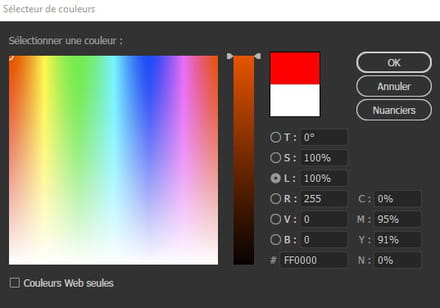
And the same goes for whether the images are in png or jpg, they don't react the same way. If anyone has an answer to that, I'm also interested. -
Look for differences when importing 48-bit PNG images.