Audio issue: sound card faulty?
Solved
gaellema
Posted messages
3
Registration date
Status
Member
Last intervention
-
gaellema Posted messages 3 Registration date Status Member Last intervention -
gaellema Posted messages 3 Registration date Status Member Last intervention -
Hello,
I have a problem with my computer: there is no sound, and it shows "no audio output device detected" with a little red cross on the speakers.
I've found a lot of topics on this and I've tried reinstalling the Realtek driver, disabling the device (which only appeared when I selected "show hidden devices") which made it disappear (I'm not sure if that's normal but I don't know much...), I've tried restarting the audio service in the task manager... Nothing works...
Could my sound card be faulty? (it's not detected in the configuration, but I don't know if it's because it's included in the motherboard? How to check?)
I'm a bit lost... Does anyone have an idea of the problem (because a computer without sound is not very practical...)
I'll provide the configuration of my computer: http://speccy.piriform.com/results/jQTnfrWzTKFdoq3kVSQFITn
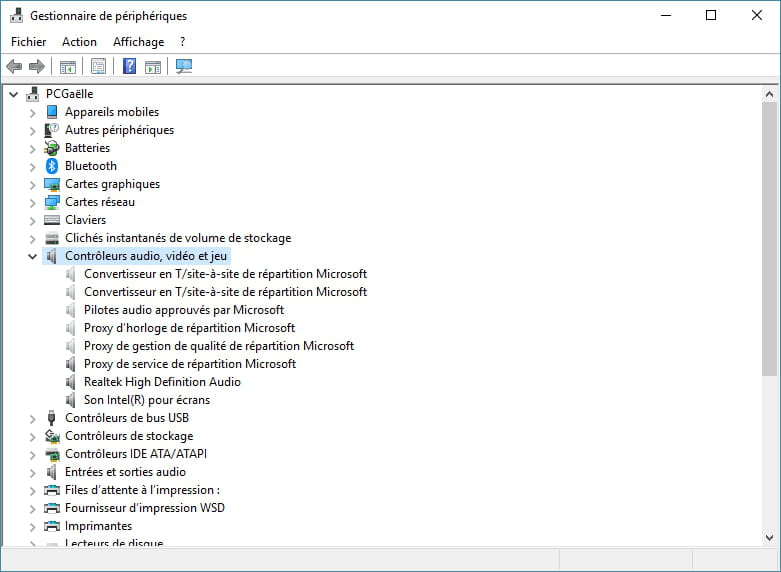
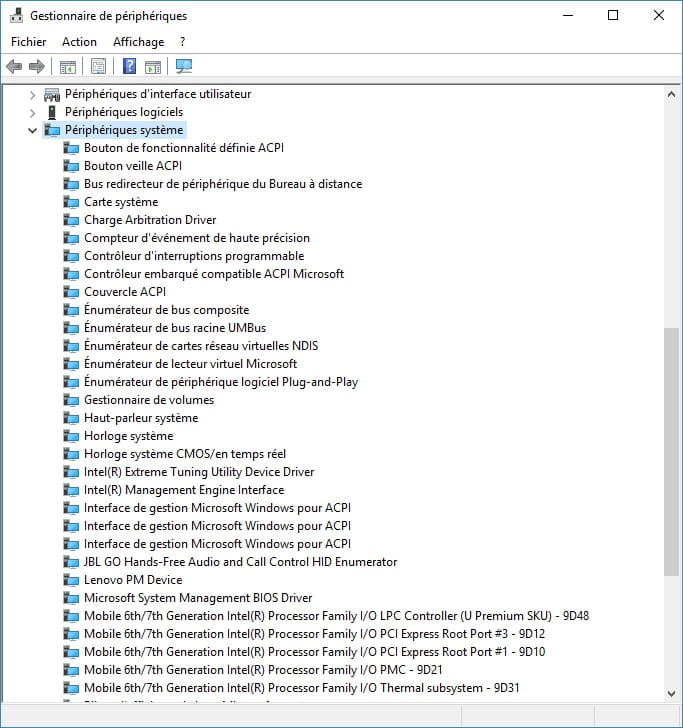
and the device manager:

Thank you in advance and a lot!!
I have a problem with my computer: there is no sound, and it shows "no audio output device detected" with a little red cross on the speakers.
I've found a lot of topics on this and I've tried reinstalling the Realtek driver, disabling the device (which only appeared when I selected "show hidden devices") which made it disappear (I'm not sure if that's normal but I don't know much...), I've tried restarting the audio service in the task manager... Nothing works...
Could my sound card be faulty? (it's not detected in the configuration, but I don't know if it's because it's included in the motherboard? How to check?)
I'm a bit lost... Does anyone have an idea of the problem (because a computer without sound is not very practical...)
I'll provide the configuration of my computer: http://speccy.piriform.com/results/jQTnfrWzTKFdoq3kVSQFITn
and the device manager:

Thank you in advance and a lot!!