Bad condition (B8) on CrystalDiskInfo
Patapoo
Posted messages
14
Registration date
Status
Member
Last intervention
-
Jojolaguitare Posted messages 12012 Registration date Status Member Last intervention -
Jojolaguitare Posted messages 12012 Registration date Status Member Last intervention -
 Hello, I am reaching out to you once again to get an answer to my problem. I acquired a small 16 GB SSD (second-hand) and CrystalDisk diagnoses its condition as bad while every characteristic detail has a blue dot. However, it has a fairly high number of power cycles (2668) and is connected via an adapter in SATA (it is originally M.2 and my motherboard doesn't have a port like that). Is this a problem with CrystalDisk or does my SSD really have a "health" issue?
 Thank you for your future responses.
2 answers
-
Hi,
Go get a refund quickly.
The SSD is nearing the end of its life.
It's not going to hold up much longer.
Never buy used computer hardware because you don’t know what you might get.
This time, you were unlucky.
The seller knew very well what the condition of the SSD was when he sold it.
Also run HDtune to see if red is dominant.
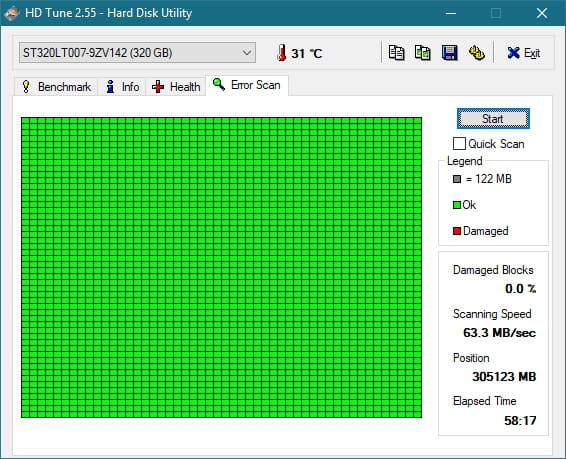
When a hard drive or SSD is functioning well, it looks like this.
-
-
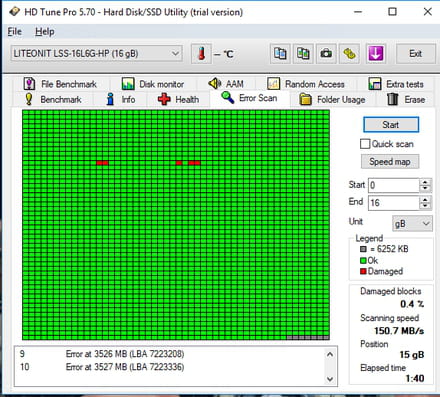
Scan completed, does it look like this? Would you have a verdict to give? I would like to install an OS on it, is it dangerous?
Thank you.- Honestly, I would avoid an OS on it.
After Bad comes Caution and usually it's already too late.
In reality, it's the opposite. Caution is yellow... and red is bad. And when it's red, it's not good.
Moreover, since it's a small 16GB SSD, even an OS wouldn't fit on it... way too small. Not to mention that, with 16GB, if some chips are already problematic, there’s little chance that other chips will be available to replace the defective ones in order to maintain the advertised capacity...
-
-
-
Hello.
The image shows damaged clusters. TRY repairing the SSD via the command chkdsk /f/r in the command prompt. (Press windows + R and type CMD then OK.
Be careful of the space between k and / In the window that opens, confirm your choice by responding Y then press Enter.
After the check disk, run a test with HD Tune again. If the result is the same or worse, your SSD will inevitably be nearing the end of its life.
See you . . .
--
There’s no point in running; you have to leave on time . . .