Image video pad display time
Hello,
I created a video montage on VideoPad with a lot of photos and a few short videos. The video is too long and I would like to reduce the display time of each photo from the current 3 seconds to 2.00 seconds. I tried through tools-options-multimedia files but the changes do not apply. What is the correct method?
Thank you for your help
Configuration: Windows / Chrome 67.0.3396.99
I created a video montage on VideoPad with a lot of photos and a few short videos. The video is too long and I would like to reduce the display time of each photo from the current 3 seconds to 2.00 seconds. I tried through tools-options-multimedia files but the changes do not apply. What is the correct method?
Thank you for your help
Configuration: Windows / Chrome 67.0.3396.99
2 answers
-
Hello,
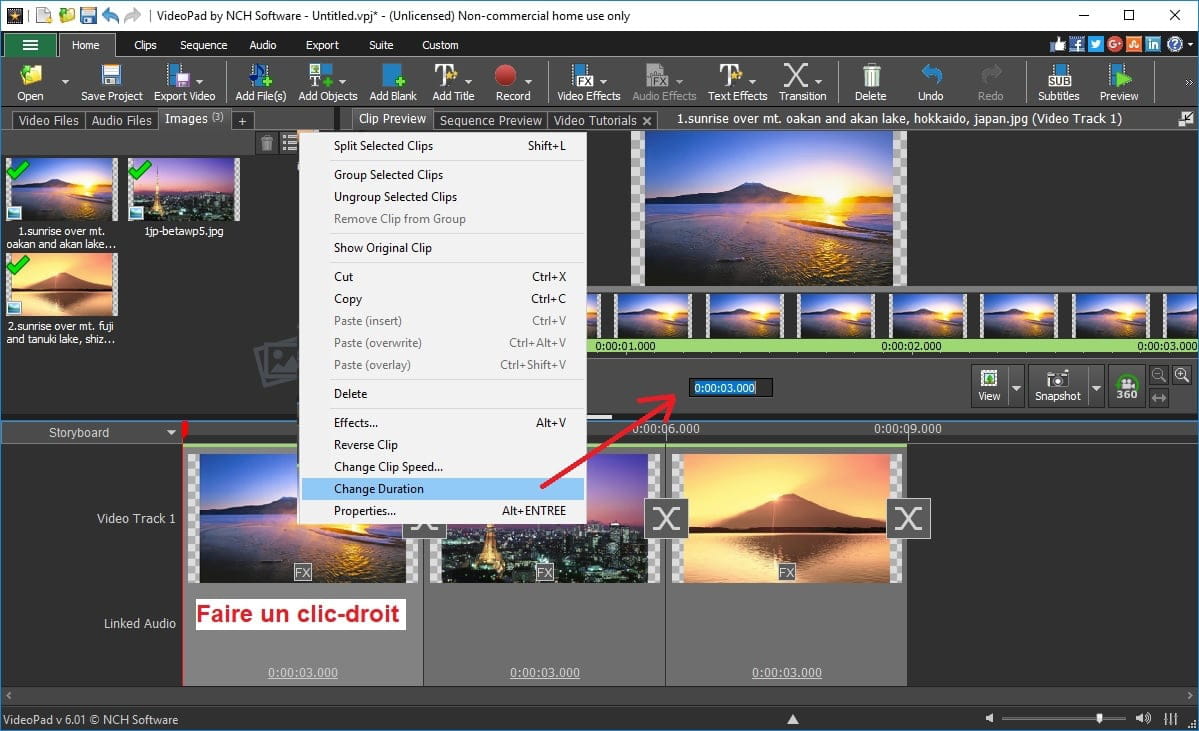
Right-click on the image, then change the duration and set it to 2 seconds. To select all images on the timeline, press Ctrl + A.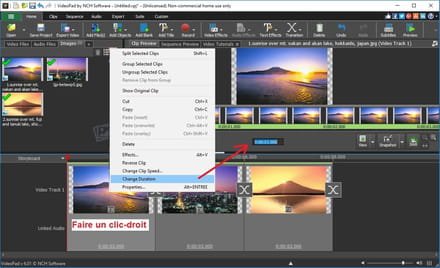
If you want your images in your projects to always have an exposure duration of 2 seconds, configure the software for that by going through Options before starting your new project, otherwise do it case by case.
Also check the online help in French if necessary, for example (personally, I use the English version): http://help.nchsoftware.com/help/fr/videopad/win/
Best regards
--
Long live Bobo! ~ Little fish will grow big ~ -
hello, I don't practice, but by checking the "split" tab which cuts the files at the point where you place the cursor
on my software, I place the mouse cursor on the file with the left button to shorten or lengthen the file
check in "project settings" if there is a default display time parameter offered for photos, for titles, for transitions
here's a tutorial
https://www.youtube.com/watch?v=hKc7f-mkHxI
https://www.youtube.com/watch?v=iW8OL9aE7Fg
"the donkeys change their minds, not the fools"
remember to mark your message as "resolved" if that's the case