Password denied when session is open
mathoche81
Posted messages
2
Status
Member
-
Anonymous user -
Anonymous user -
Hello,
As a new owner of a MacBook Air with macOS Sierra (version 10.12.6), I'm experiencing a bug concerning my password.
I've done all possible searches on the forum and online, but none provide an answer that seems to work for me.
When I start the Mac, it prompts me to log in, I enter my password, and the session opens without any problem. However, when I try to open my session after sleep, the password is refused. Similarly, when I want to simply install an application (e.g., Google Chrome) or change a setting where the password is required, it is always rejected. Furthermore, my account is in admin mode, and I don't understand what the issue is!! Thus, it's impossible to change this password to resolve the problem.
Can you please help me???
Have a good day and thanks to everyone.
As a new owner of a MacBook Air with macOS Sierra (version 10.12.6), I'm experiencing a bug concerning my password.
I've done all possible searches on the forum and online, but none provide an answer that seems to work for me.
When I start the Mac, it prompts me to log in, I enter my password, and the session opens without any problem. However, when I try to open my session after sleep, the password is refused. Similarly, when I want to simply install an application (e.g., Google Chrome) or change a setting where the password is required, it is always rejected. Furthermore, my account is in admin mode, and I don't understand what the issue is!! Thus, it's impossible to change this password to resolve the problem.
Can you please help me???
Have a good day and thanks to everyone.
2 answers
-
Good evening,
If your Mac is only used by you, why did you check the "password" box for login in the system preferences/"Users & Groups"?
You just need to modify it, and you won't have these problems anymore.
Apple menu/System Preferences/Users & Groups/account/if the lock is closed, click on it to open + administrator password/Options, modify as per your choices, then close the lock with a click.
--
When it’s urgent, it’s already too late (Talleyrand)
When all else fails, read the manual ;) -
Hello,
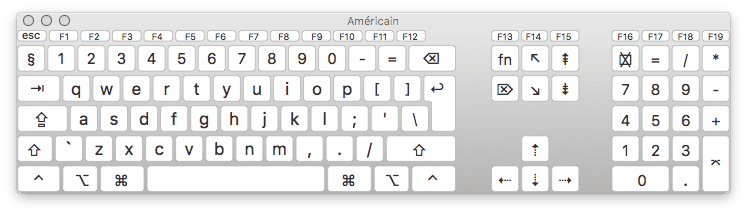
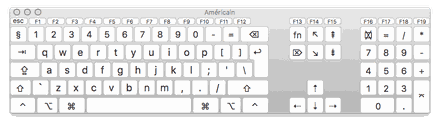
it looks like a keyboard in X mode at the login screen, then switches to Y mode once the session is open. (Azerty vs Qwerty for example).
Wrong keyboard type selected in system preferences once in the session?
or an issue with Caps Lock?
You should try entering the password imagining it was typed from a keyboard different from the one in the session.
example in qwerty
--
Always provide your complete system configuration - exact model of the computer, exact OS version.