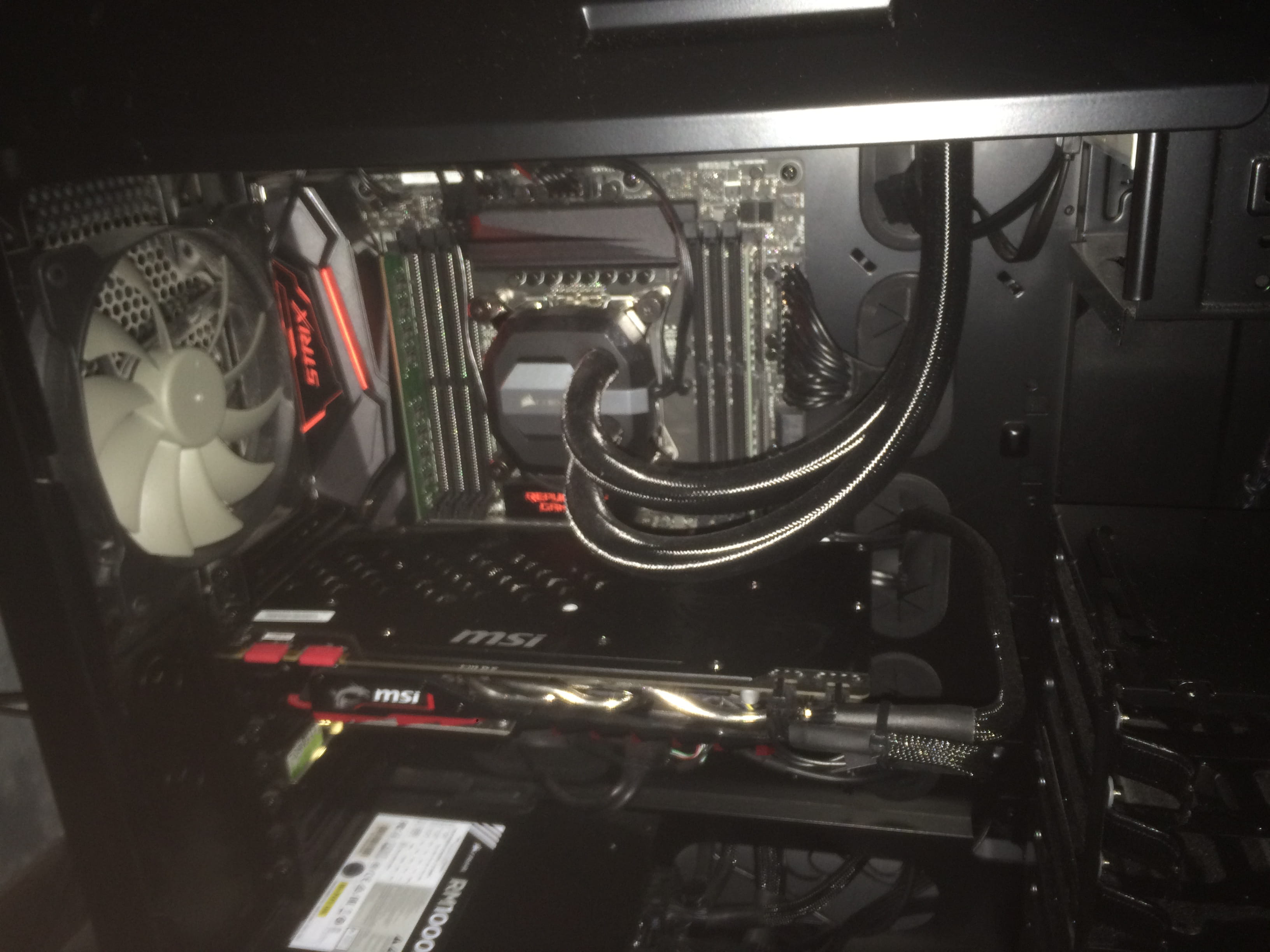
Broken fan blade
sherokee43
Posted messages
238
Registration date
Status
Member
Last intervention
-
sherokee43 Posted messages 238 Registration date Status Member Last intervention -
sherokee43 Posted messages 238 Registration date Status Member Last intervention -
Hello,
Well, I'm not going to beat around the bush. While looking at my motherboard with my lamp, I touched the rear fan of my tower (I'm really clumsy) and broke one of the blades. So, two questions: can I glue it back together with super glue or something else, or is that a bad idea? And otherwise, do you know if the warranty would cover it?
Thank you for taking the time to respond to me...
Well, I'm not going to beat around the bush. While looking at my motherboard with my lamp, I touched the rear fan of my tower (I'm really clumsy) and broke one of the blades. So, two questions: can I glue it back together with super glue or something else, or is that a bad idea? And otherwise, do you know if the warranty would cover it?
Thank you for taking the time to respond to me...
6 answers
-
Good evening,
Come on, you're joking :-)... right??
This kind of accessory costs... almost nothing... honestly, can you imagine sending your tower back for a simple fan???
Just buy one and replace it... and don't think about gluing it back, that would only cause vibrations
https://www.ldlc.com/informatique/pieces-informatique/ventilateur/c4714/
--
Don't forget to mark your post as "resolved" once the issue is fixed. Thank you. -
And don't forget to unplug your broken fan, your PC won't die for such a small thing :-)
Otherwise, just to be clear, you're not talking about the CPU cooler, are you??
Don't forget to mark your post as "resolved" once the issue is fixed. Thank you. -
If I remember correctly, it's the Corsair H100i v2
Is this the system you have on your PC?
WATER COOLING
--
Don't forget to mark your post as "resolved" once the issue is fixed. Thank you -
Hello, just turn off the PC and the power supply switch, then disconnect the "3 pins" from the fan hub without any worries in favor of another one (why not a quieter and more efficient one)
As for your cooling system (Corsair H100i v2), it should be mounted on the top or the front of your case. -
Hello everyone,
@ Sherokee43, you're creating 2 threads for the same issue, stick with the first post, the day isn't over ^^.
https://forums.commentcamarche.net/forum/affich-34424743-question-remplacement-ventilateur -


 ,
,
well, this is the fan, you can see the cable to the right of the Corsair case, it's the one from the fan (the small black one has 3 wires)
let me know if you want more detailed photos-
No, it's fine for the photos.. so more fear than harm, I thought you had broken a blade on the CORSAIR radiator fan.
In your case, it's not a big deal, you just need to turn off the PC and unplug the fan.
Its purpose is just to remove the hot air from inside the case.
Still, think about replacing it, check the diameter and get a fan with a 3-pin connector.
Have a nice evening. -
-