"Your computer has encountered a problem and needs to restart..."

MR_SNAKE_23
Posted messages
14
Status
Member
-
Malekal_morte- Posted messages 178136 Registration date Status Moderator, Security Contributor Last intervention -
Malekal_morte- Posted messages 178136 Registration date Status Moderator, Security Contributor Last intervention -
Hello, I've been having a recurring problem for a week.
After about an hour (more or less), my PC crashes and a blue screen with a smiley face and a QR code appears on my screen:
 _"your computer has encountered a problem and needs to restart...", and then my PC restarts normally and goes back to the Windows 10 home page.
How can I fix this problem?
P.S: A few months ago, I had the same issue and had to reinstall Windows 10, so it would be nice if there is another solution available.
Configuration:</bold> Windows / Chrome 55.0.2883.87</config>
After about an hour (more or less), my PC crashes and a blue screen with a smiley face and a QR code appears on my screen:
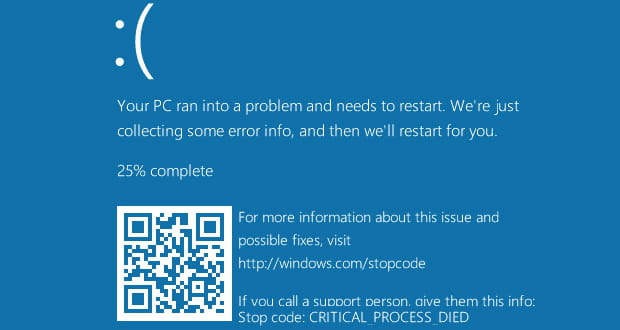 _"your computer has encountered a problem and needs to restart...", and then my PC restarts normally and goes back to the Windows 10 home page.
 How can I fix this problem?
P.S: A few months ago, I had the same issue and had to reinstall Windows 10, so it would be nice if there is another solution available.
Configuration:</bold> Windows / Chrome 55.0.2883.87</config>
3 answers
-
You can start with the advanced recovery options, you will find all the methods here: The advanced recovery options of Windows.
Normally, if the computer fails to boot twice in a row, Windows will enter repair mode and boot into these system recovery options.
If that's not the case, you'll need to use a recovery drive.
Please press a key to continue the disinfection...