
USB drive renamed to "Untitled"
Lukha
Posted messages
18
Status
Member
-
Cpt-N3mo Posted messages 386 Status Member -
Cpt-N3mo Posted messages 386 Status Member -
Hello,
My apologies in advance for any repetitions; I noticed that the same issue has been discussed elsewhere, but I'm not sure it's exactly in the same circumstances, so I'll go ahead and try again... Please be lenient!
My USB key was working perfectly on my Mac until now. But since the last restart of the computer (with the key still plugged in), it appears as "Untitled," and I can't access the files on it.
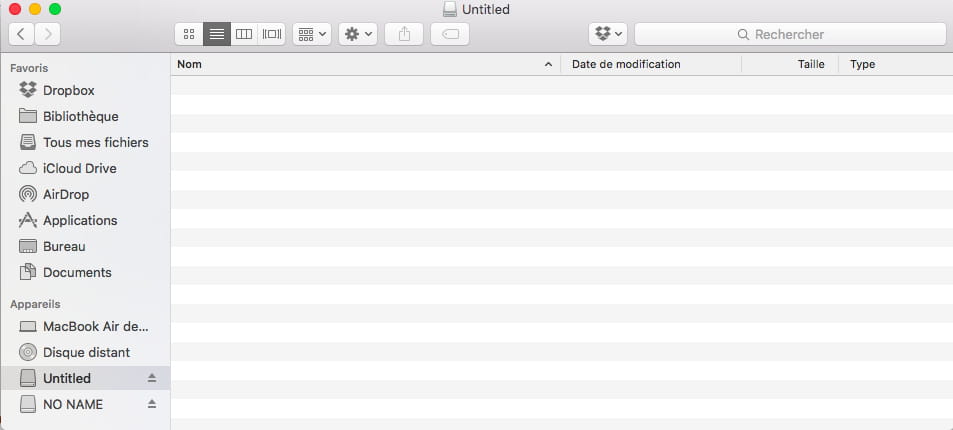
In Finder, it simply shows as "Untitled," with no files inside... :(
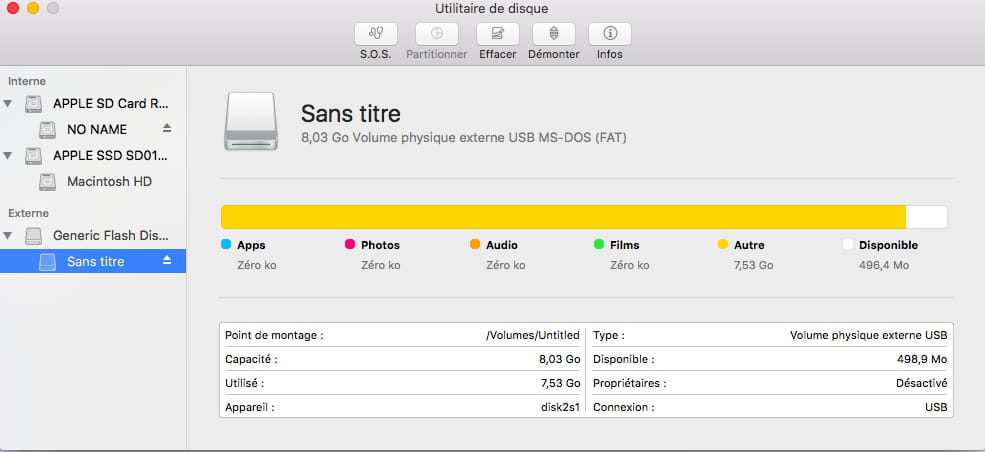
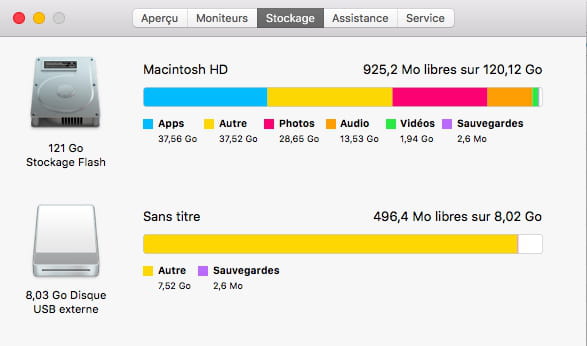
In the Storage window as well as in Disk Utility, it appears to not be empty, even though the files are no longer visible (see photos above).
 .
.


I have used this key occasionally on a PC, but I used it again on a Mac in the meantime with no issues...
What do you specifically recommend?
Is it recoverable? Before needing to format, I would like to recover what’s on it if possible.
Thank you very much in advance for your insight..
Lucas
Configuration: Mac OS X (10.11.6) / Safari 9.1.2
My apologies in advance for any repetitions; I noticed that the same issue has been discussed elsewhere, but I'm not sure it's exactly in the same circumstances, so I'll go ahead and try again... Please be lenient!
My USB key was working perfectly on my Mac until now. But since the last restart of the computer (with the key still plugged in), it appears as "Untitled," and I can't access the files on it.
In Finder, it simply shows as "Untitled," with no files inside... :(
In the Storage window as well as in Disk Utility, it appears to not be empty, even though the files are no longer visible (see photos above).
 .
. 
I have used this key occasionally on a PC, but I used it again on a Mac in the meantime with no issues...
What do you specifically recommend?
Is it recoverable? Before needing to format, I would like to recover what’s on it if possible.
Thank you very much in advance for your insight..
Lucas
Configuration: Mac OS X (10.11.6) / Safari 9.1.2
1 answer
-
Hello Lucas,
You can try to repair your USB key by going to "Disk Utility", selecting your key, and clicking on SOS. It will repair whatever needs to be fixed!
If it works, great, you'll be able to access your data again.
Otherwise, there are other ways...
What format is your key? (information you can check by right-clicking and then selecting "Get Info")
Cpt
--
Even a broken clock shows the right time twice a day.