SSD Replacement
Solved
neotraxo
Posted messages
2
Status
Member
-
didier -
didier -
Hello everyone,
I'm reaching out to you because I'm completely stuck on this topic.
I have a LENOVO Yoga 300-11 BY with 32 GB of SSD as of today.
I just bought a 480 GB SSD, but surprise, when taking apart the PC, I do have the slot, but:
- I can't find the old 32 GB SSD
- I do have a free slot to install an SSD with a connector named SATA-CONN1, but I don't have a cable.
Could you please help me understand why I can't find the old SSD in the device and, more importantly, where I can buy the connector to connect the SSD to the motherboard?
I would have said a lif connector, but that seems even smaller.
Also, it's clear that I can put a circuit between the SSD and the battery, but I can't find anything online, even when searching with our best friend Google.
Thank you so much in advance for your help, I'm really struggling and this is important to me.
Thank you
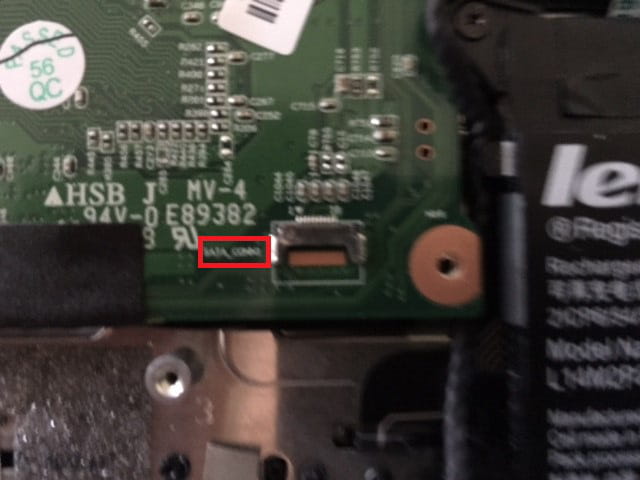
You can clearly see the pin for the motherboard connection, the slot intended for an SSD, and the empty space for a circuit, right?

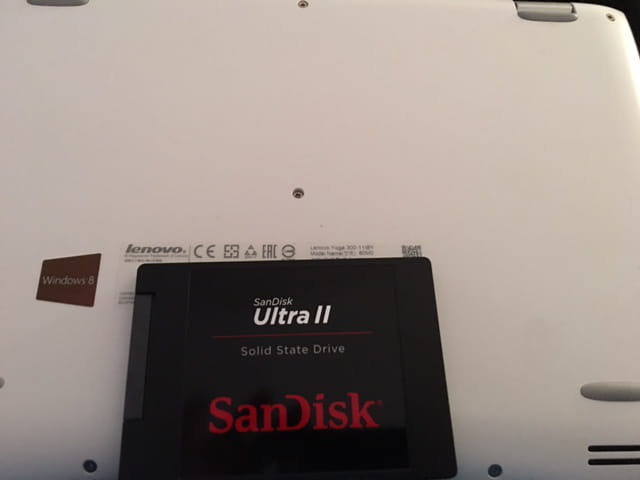
The back of the device and the SSD

The connectors on the motherboard

I should specify that currently, the PC is running with a 32 GB SSD.. but I don't know where it is..
Where can I buy the necessary connectors, please?
If possible, with links because I'm really lost. :(
I'm reaching out to you because I'm completely stuck on this topic.
I have a LENOVO Yoga 300-11 BY with 32 GB of SSD as of today.
I just bought a 480 GB SSD, but surprise, when taking apart the PC, I do have the slot, but:
- I can't find the old 32 GB SSD
- I do have a free slot to install an SSD with a connector named SATA-CONN1, but I don't have a cable.
Could you please help me understand why I can't find the old SSD in the device and, more importantly, where I can buy the connector to connect the SSD to the motherboard?
I would have said a lif connector, but that seems even smaller.
Also, it's clear that I can put a circuit between the SSD and the battery, but I can't find anything online, even when searching with our best friend Google.
Thank you so much in advance for your help, I'm really struggling and this is important to me.
Thank you
You can clearly see the pin for the motherboard connection, the slot intended for an SSD, and the empty space for a circuit, right?

The back of the device and the SSD
The connectors on the motherboard
I should specify that currently, the PC is running with a 32 GB SSD.. but I don't know where it is..
Where can I buy the necessary connectors, please?
If possible, with links because I'm really lost. :(
4 answers
-
Hello,
I might be late to the game, but I spoke with a technician from Lenovo (regarding an issue with the loss of the touchscreen function that can only be resolved after a factory reset)
I took the opportunity to ask if it was possible to add a hard drive, and he confirmed that yes, you need to order:
- a cable from the Lenovo services shop and its reference is: 5C10J08424 (HDD Cable B Flex3-1120)
- the hard drive mounts with reference: 5B40J08368 (HDD Bracket B Flex3-1120)
- possibly screws with reference: 5S10J08332 (Screw Pack B Flex3-1120) I can't find these online, but elsewhere; however, considering the shipping cost far exceeds the price of the screws, I'm wondering if they are necessary (special format or size) or if I can find them elsewhere in stores.
I also found a procedure (in German) for transferring the system to the new hard drive:https://wolf-u.li/5557/lenovo-yoga300-11-auf-ssd-umruesten
He also confirmed that the chip is soldered to the board and that it makes sense that we can't see it
Other useful information:https://bayton.org/2016/02/lenovo-yoga-300-11iby-hard-drive-upgrade/
https://forums.lenovo.com/t5/Lenovo-Yoga-Series-Notebooks/Yoga-300-11iby-upgrade-to-ssd/td-p/2203887
That's it
P.S. Can you (if you are still following the topic) reply to me regarding the screws, thanks :-) -
The cable costs around €60
but once your SSD is installed, you can no longer see the original one and you no longer have the touchscreen function. -
Hi.
The Lenovo likely has an "eMMC" type SSD > it's a flash memory chip (like in MMC cards) that is "embedded" (hence the e in "eMMC") > this chip is probably soldered onto the motherboard...
As for the other slot, I don’t know for now (check the documentation that came with the Lenovo) but I will look into it.
Basically, if the SSD is eMMC, it can't be changed...
See you later
--
If you need anything, just let me know!... -
http://www.ebay.fr/itm/Lenovo-Yoga-2-11-Festplatten-Adapter-HDD-cable-SATA-SEAGET-NEU-NEW-/272274967074?hash=item3f64da4a22:g:oIEAAOSw-4BXYT6B
it's expensive but it should be compatible