Connecting Panasonic SC-HT400 / PHILIPS TV / FREEBOX REVOLUTION
Solved
Ebony06
Posted messages
23
Status
Member
-
STARGATE43 Posted messages 13754 Registration date Status Contributor Last intervention -
STARGATE43 Posted messages 13754 Registration date Status Contributor Last intervention -
Hello,
Panasonic SC-HT400
PHILIPS TV
FREEBOX
I would like to connect my amplifier to the TV.
Could you please help me with this connection?
HDMI on the TV & Freebox
No HDMI on the amplifier
Below are the connectors and cables I have:


Thank you for your help.
Configuration: Windows 7 / Chrome 39.0.2171.95
Panasonic SC-HT400
PHILIPS TV
FREEBOX
I would like to connect my amplifier to the TV.
Could you please help me with this connection?
HDMI on the TV & Freebox
No HDMI on the amplifier
Below are the connectors and cables I have:


Thank you for your help.
Configuration: Windows 7 / Chrome 39.0.2171.95
10 answers
-
Good evening,
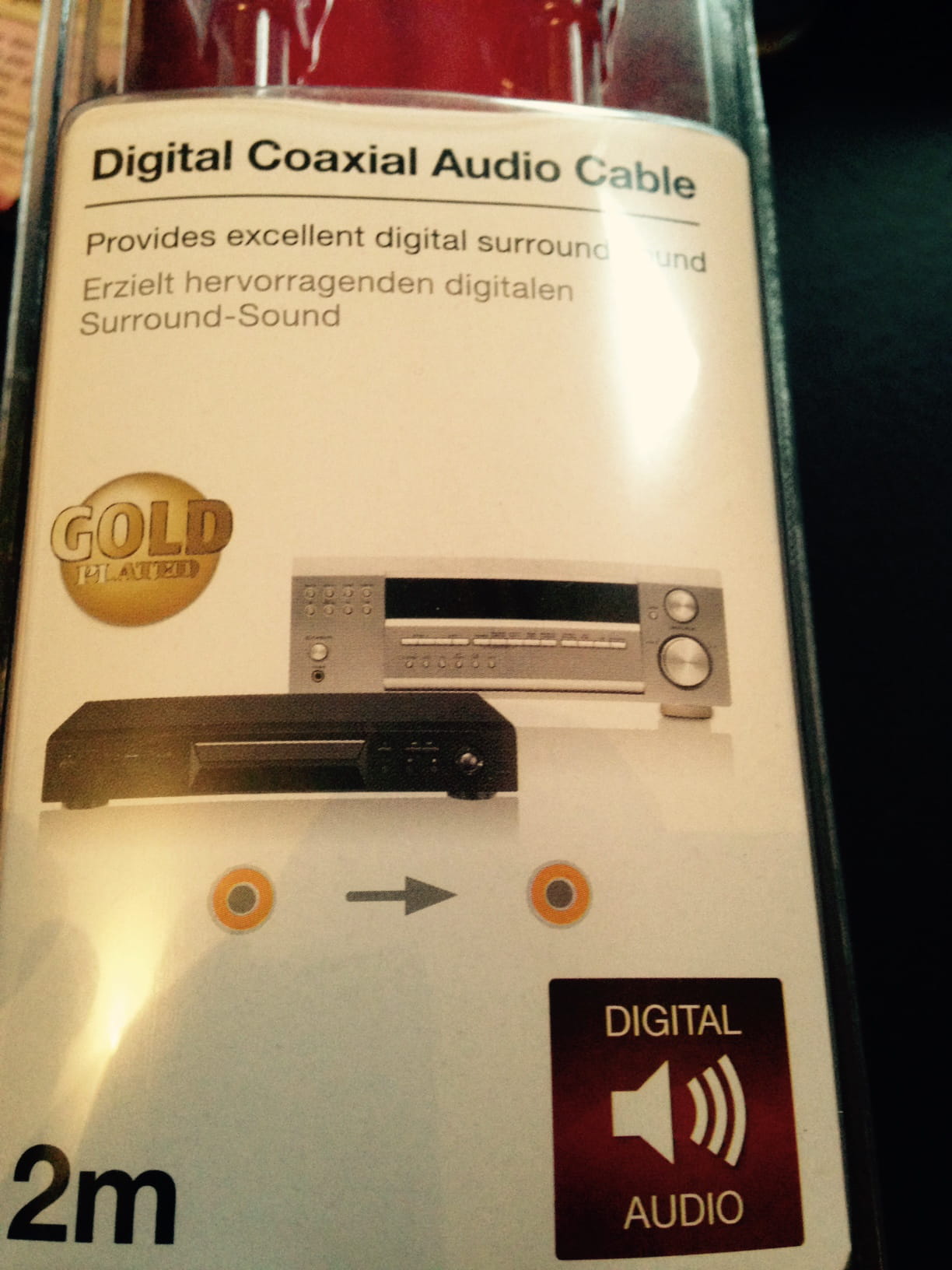
It's quite simple, your TV has a DIGITAL COAXIAL audio output and your amplifier has a DIGITAL COAXIAL input, you just need to connect them with a DIGITAL COAXIAL cable.
Example: http://www.clubic.com/prix-comparer/coaxial-numerique/
Best regards ;-)
--
--> NO PROBLEMS, ONLY...SOLUTIONS <--
Alcohol doesn’t solve anything, that said, neither does water or milk ;-) -
Good evening STARGATE43,
Thank you for the promptness of your response.
I will buy the cable tomorrow and let you know.
Best regards -
With the upcoming holidays, they are also opening on Sunday, at least for the major brands present in the Hypermarkets!
-
Hello STARGATE43,
It seems that I didn’t take the right cable, because there is no sound from the TV in the amplifier.


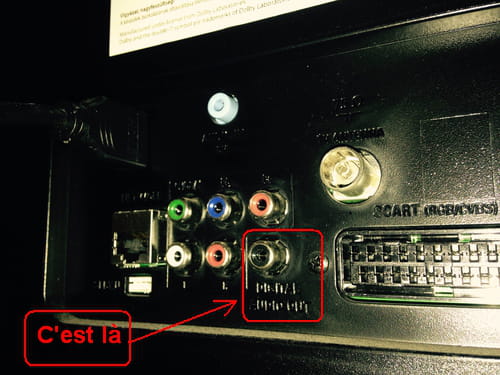
Which coaxial output on the TV is the right one? I don't see anything labeled.
Thank you for your help. -
Hello,
This is indeed the right cable, the place where you need to insert the plug is the black RCA jack labeled "DIGITAL AUDIO OUT", which is the digital audio output.
And on the amplifier, it's the orange RCA jack "DIGITAL IN COAXIAL".

Best regards ;-)
If these idiots had wings, there would be many who would be squadron leaders ;-) -
Connection made! But unfortunately still nothing
grrrr...obviously the problem comes from the configuration of my TV


-
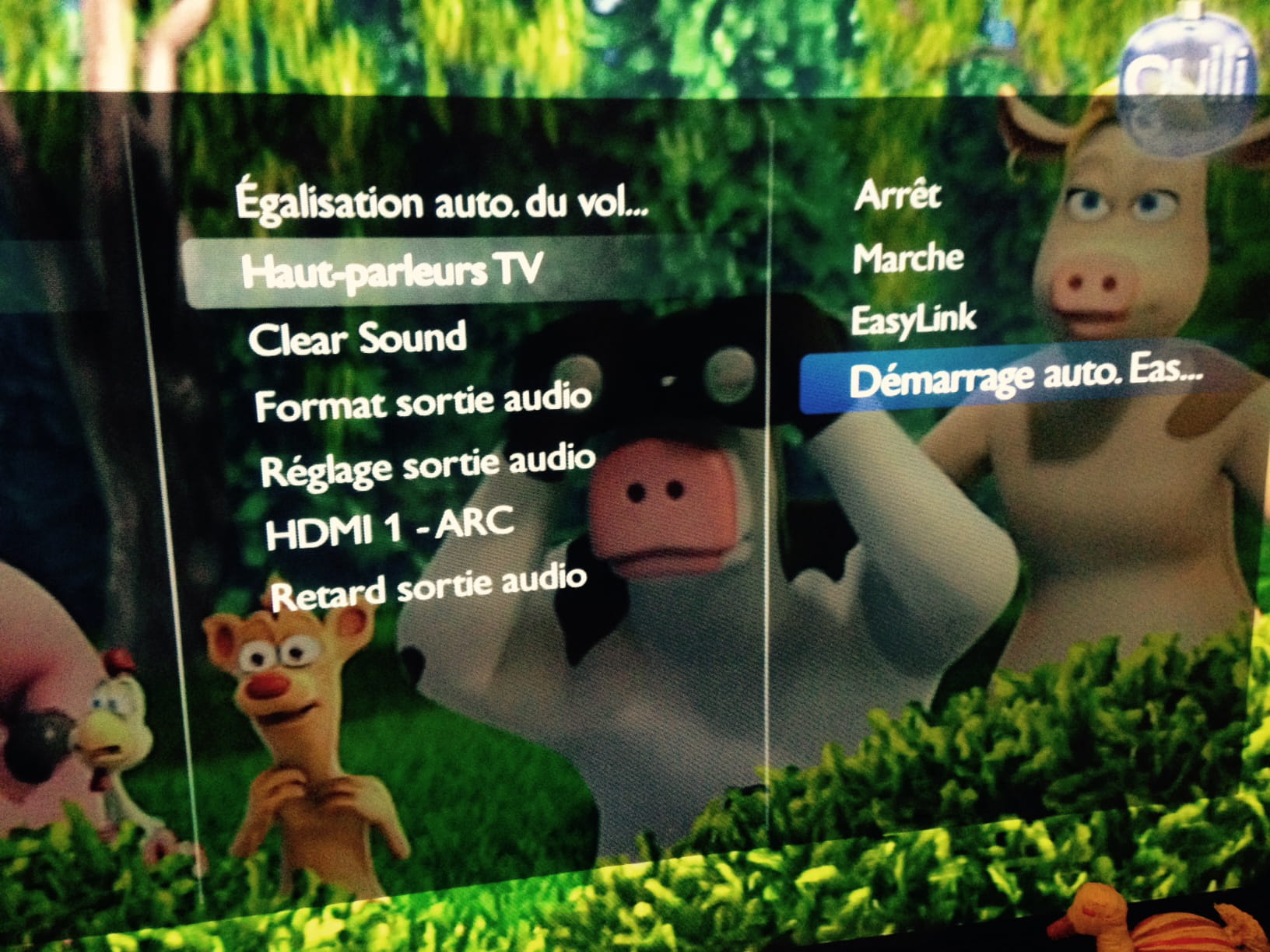
Not knowing all the TV models by heart, there is one parameter that is very often the same, which is to select "External Speakers," which generally causes the sound to go through the optical or coaxial output of the TV; this is usually found in the sound settings by default.
But there is certainly some configuration to be done at the amplifier level; I don't think it automatically switches to the digital audio input.
If you still have the manuals for both devices, they should help you set everything up.
Here is one, it's a downloadable PDF from the Philips website:
--> https://download.p4c.philips.com/files/4/46pfl3208h_12/46pfl3208h_12_dfu_fra.pdf
Best regards ;-)
If these idiots had wings, there would be many who would be squadron leaders ;-)-
At the bottom right of page 65 of the PDF, here is what concerns the speaker cut-off
Setting the television speakers
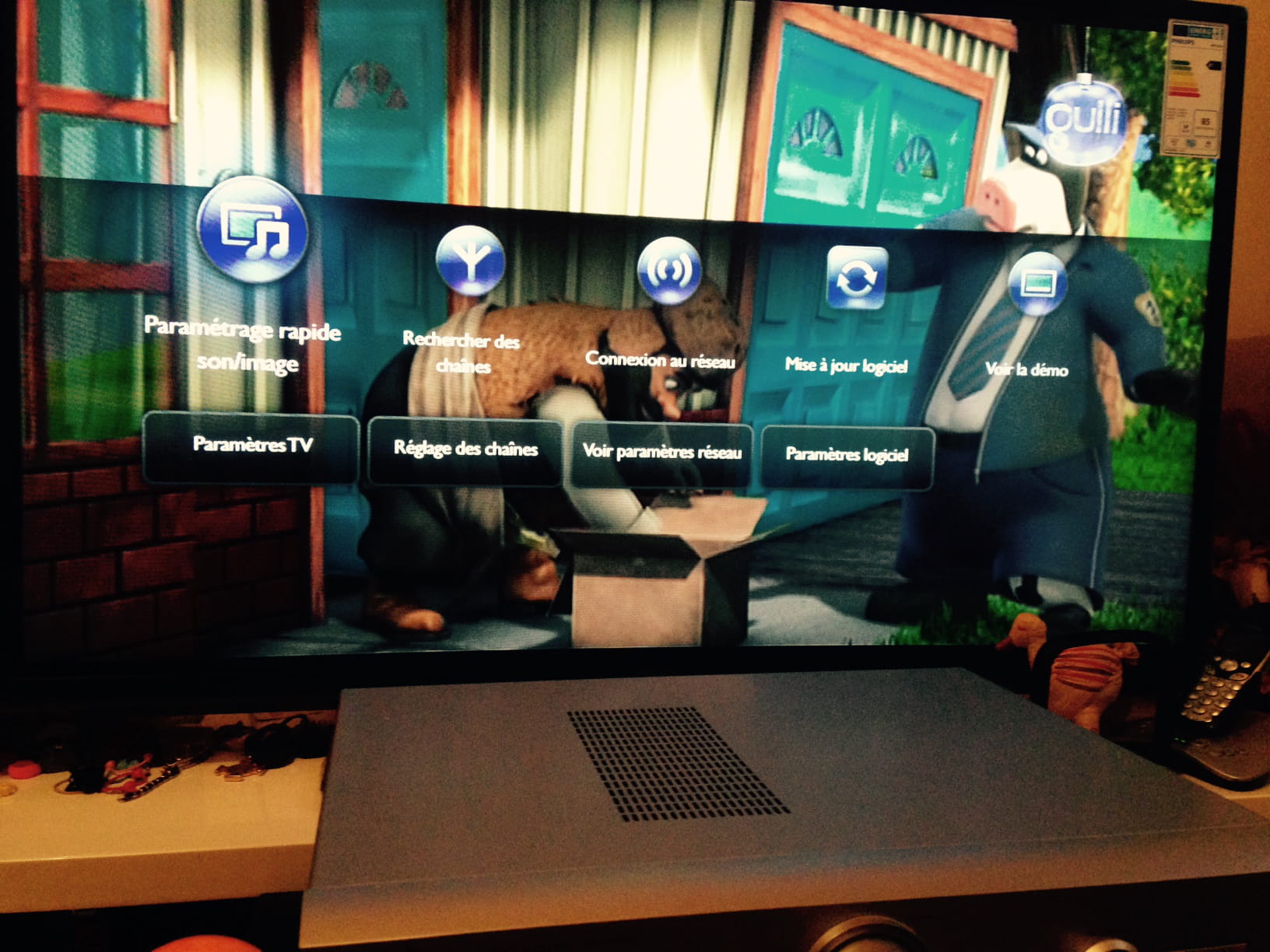
1. Press the HOME button.
2. Select [Settings] > [TV Settings] > [Sound] > [Advanced] > [TV Speakers].
3. Select an option, then press the OK button.
[OFF] : disable the television speakers.
I assume that by doing this, the TV will switch to digital output.
-
-
Hello LesPoupettes2,
Thank you for your advice.
I’ve turned off the sound on the TV as instructed.
Still nothing from the speakers of the amplifier.
I made sure to check that my amplifier is working fine by switching to the Tuner: Perfect!
It’s as if the amplifier is not recognized as a device by the TV.
I will continue my research...
Thank you -
Good evening everyone,
Just to let you know, I finally managed to send the analog audio signal from the Freebox to my amplifier. The sound remains of good quality.


Thank you all, especially STARGATE43 & LesPoupettes2.
Best regards -
Well, that's great then ;-)
It was a pleasure ;-)
Best regards and happy holidays ;-)
--
--> NO PROBLEMS, ONLY...SOLUTIONS <--
Alcohol solves nothing; that said, neither does water or milk ;-)