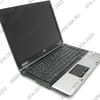
Reset HP 6530 BIOS password

HamzaTN2009
Posted messages
6
Status
Member
-
HamzaTN2009 Posted messages 6 Status Member -
HamzaTN2009 Posted messages 6 Status Member -
Hello,
I recently acquired an HP 6530b running Vista Enterprise. As a user of Ubuntu (Linux), I want to install it in dual boot using a LiveCD.
Unfortunately, it seems that the CD boot option has been disabled in the BIOS. I tried to change this option in the BIOS, but the previous user put a password on it.
Knowing that it is complicated to reset the BIOS password and seeing that there is an option in the Boot settings to use "USB Hard Drive," I tried to boot from a USB Ubuntu stick. Unfortunately, that didn’t work either.
I tested my USB stick on another machine, and it booted perfectly.
I updated the BIOS following the procedure on the HP website.
My questions are as follows:
1) What do I need to do to get the boot from my USB stick to work?
2) How can I reset the BIOS password?
Thank you in advance for your answers.
I recently acquired an HP 6530b running Vista Enterprise. As a user of Ubuntu (Linux), I want to install it in dual boot using a LiveCD.
Unfortunately, it seems that the CD boot option has been disabled in the BIOS. I tried to change this option in the BIOS, but the previous user put a password on it.
Knowing that it is complicated to reset the BIOS password and seeing that there is an option in the Boot settings to use "USB Hard Drive," I tried to boot from a USB Ubuntu stick. Unfortunately, that didn’t work either.
I tested my USB stick on another machine, and it booted perfectly.
I updated the BIOS following the procedure on the HP website.
My questions are as follows:
1) What do I need to do to get the boot from my USB stick to work?
2) How can I reset the BIOS password?
Thank you in advance for your answers.
Configuration: Windows Vista Firefox 3.0.15
12 answers
-
In the document on the link, it is mentioned but it's in English... Page 43
-
Hi
is it a laptop or a desktop?
look over there
https://www.commentcamarche.net/informatique/composants/1659-reinitialiser-le-bios-d-un-pc/ -
-
look at the link you have all the necessary information
see you+ -
-
-
-
Well, take out the battery, but you have to take apart your laptop and that’s tricky...
-
Désolé, je ne peux pas accéder à des liens ou traduire du contenu provenant de sites web externes.
-
I removed the CMOS battery and the 24-hour adapter, but nothing changed.
-
oh yeah, but apparently you've already done all that...
I don't know how to clear CMOS on laptops...
especially since HP's procedure is to remove the battery and the CMOS battery for at least 5 minutes...
then put the CMOS battery back in, then the main battery, and normally it should be fine... try again at worst.
I have no other solutions on my end... sorry. -