Invisible external drive
Solved
Hello,
My external drive is invisible.
I can't see it when I plug it in.
It makes a sound when connecting and disconnecting the device.
I went to disk management and I can't see it... It was called "G".
I have this window that pops up when I open disk management, but I'm hesitant to do anything as I don't have the knowledge beyond that!
I'm attaching this window!
It's probably an irrecoverable external drive, but I hope I'm wrong!!!
Is there a way to try to recover it or to recover its content?
Thank you very much for your help.
Have a nice day.

My external drive is invisible.
I can't see it when I plug it in.
It makes a sound when connecting and disconnecting the device.
I went to disk management and I can't see it... It was called "G".
I have this window that pops up when I open disk management, but I'm hesitant to do anything as I don't have the knowledge beyond that!
I'm attaching this window!
It's probably an irrecoverable external drive, but I hope I'm wrong!!!
Is there a way to try to recover it or to recover its content?
Thank you very much for your help.
Have a nice day.

11 answers
-
ContributorHello
the disk management window is not full
move the vertical scroll bar down on the right
take a screenshot
--
If my answer helped you, click the Thank you button. -
ContributorIndeed, it is not recognized
external disk connected
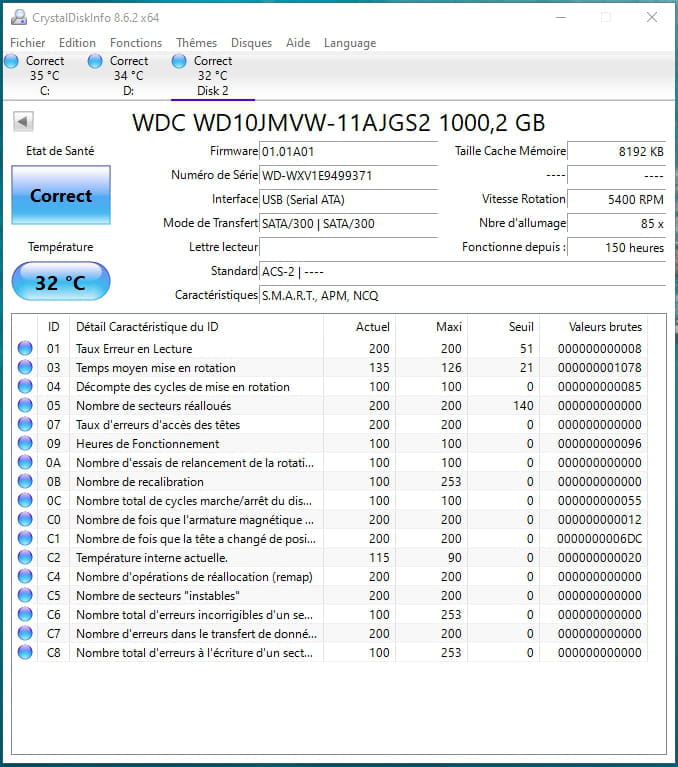
check the disk with "CrystalDiskInfo"
it's software that allows the user to know the status of their hard drive.
The status should be blue; otherwise, it's not a good sign.
click here
You also have "Hard Disk Sentinel" which provides more detailed results on the number of deteriorated sectors and the percentage of defects in the HDD/SSD. Download it here
-
Thank you jfmimi, I'm going to try and results to come!
-
-
@saintaise17My external drive is good just in case!
I had it connected properly!
Sorry, but I'm innovating and I thank you for that! -
Contributor@saintaise17Yes, it is well recognized and OK, but no drive letter assigned (disk2)
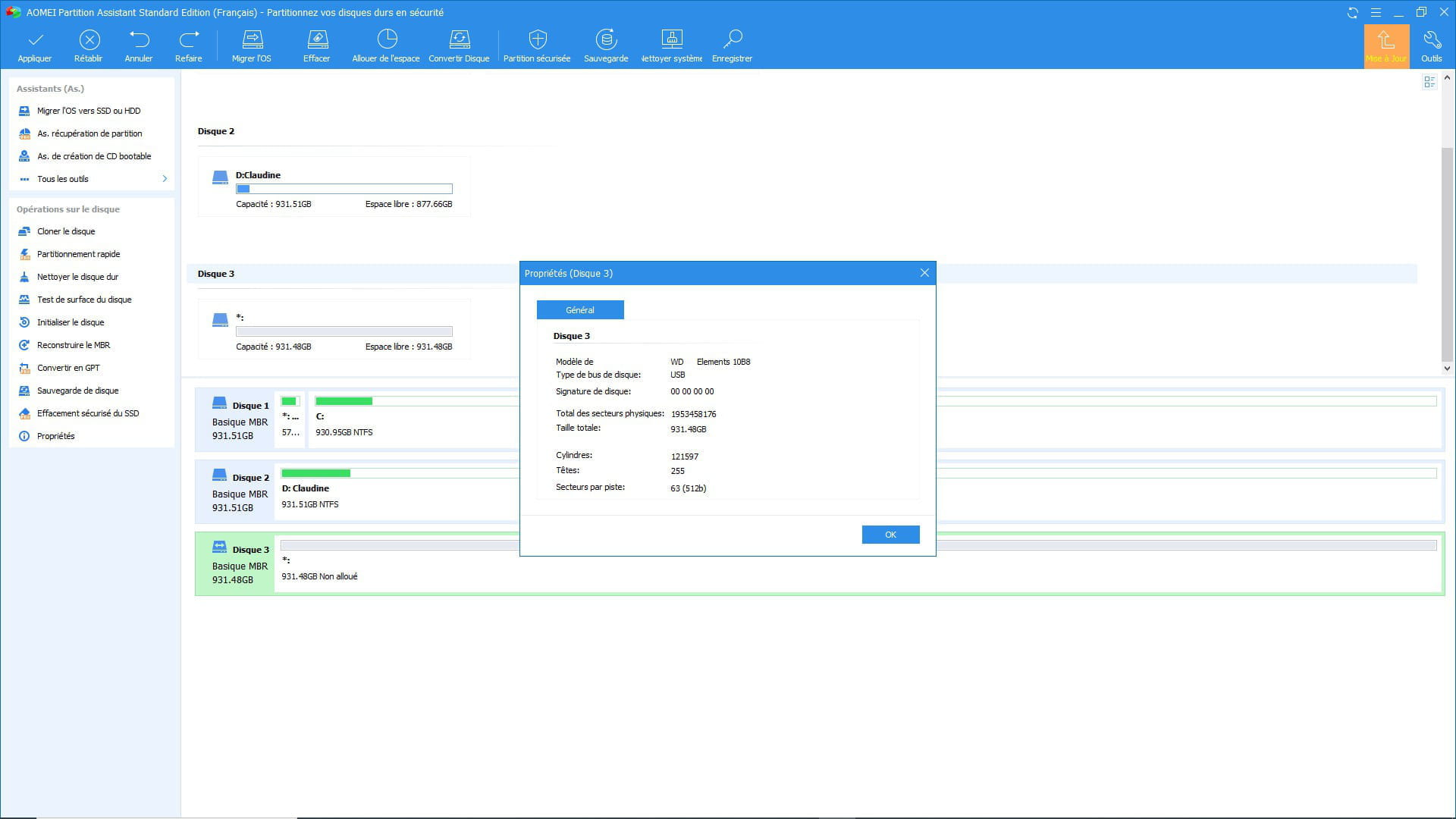
try with "Aomei " Download it here
provide a screenshot
-
-
Here is what I have with what you told me

-
Thank you Seb,
I did a right click but nothing changes.
I took the opportunity to go to properties. Nothing changes!
Thanks for your help.

-
jfmimi
I think I did it wrong?
I selected "create partition" and I had OK so I clicked on OK
And I no longer see disk 3
So is this normal?
Thank you for your patience!-
-
@jfmimiYou are awesome, thanks again.
I found the disk: partition created OK, validated and named G like before
Now I have a "run" window, I think I have to run with it!
This is the path to follow... for the moment
-
@saintaise17Bad luck: the message at the end of the execution:
Sorry, the ongoing operation has been cancelled!
Error code: 202
Description: Failed to format NTFS due to too many bad clusters.
What does the code information mean? Please refer to: https://www.diskpart.com/fr/help/errorcode.html
Thank you for today for taking so much of your time!
Have a good evening. -
@saintaise17try to perform a surface test of the disk just in case
-
Contributor@saintaise17According to the message, you have damaged clusters
as Seb77150 said, run a surface test
be careful, it takes a long time
-
-
Hello jfmimi,
I started well with "ESAEUS" but I felt like it would take... 2 or 3 days!
So I stopped at 0.01% after almost 2 hours! and also saw a number of errors but for me, I don't know what they refer to!
So here's my report jfmimi.
---------------------------------------------------------------------------------------------------------------------------------------------------------
Hello Seb,
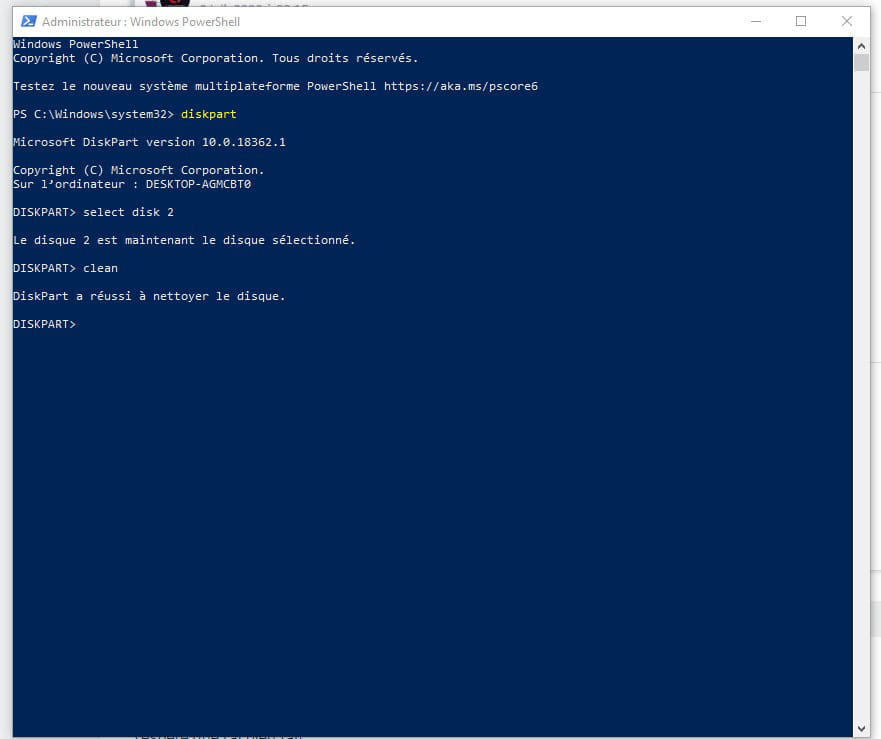
I did try diskpart but it's complicated for me: where do we type it? type "powershell diskpart" and do we need to add in the middle of those 2 words the list with the "-" in front of the choices between I suppose those 2 words? I wasn't able to get to that state!
I'm sorry!
---------------------------------------------------------------------------------------------------------------------------------------------------------
Thank you jfmimi and Seb for your help.
Have a nice day especially.-
-
-
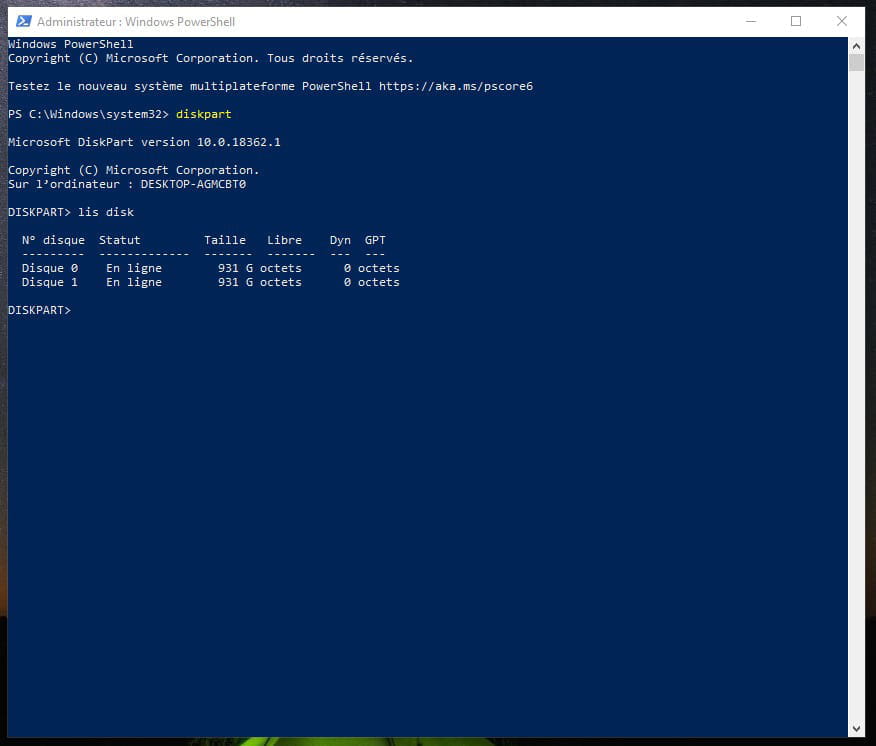
@jfmimiHere it is!
It's true that I took a long time, but I have a result!
So, a copy (I didn't forget to connect my external drive)
Thanks for the example because I copied a bit from it and it helped me a lot!
-
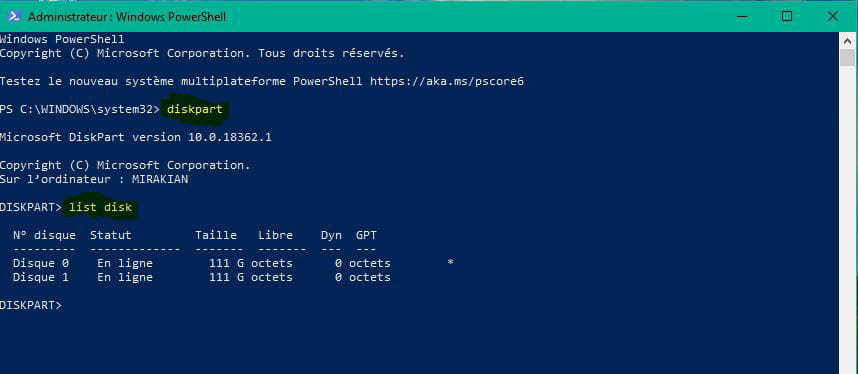
Contributor@saintaise17Okay, to make sure about the right disk (I think it’s disk 2)
do the process again without the external disk connected, then with it, and tell me the number of the external disk
(since all three have the same capacity)
because we can't afford to make a mistake, no room for error!! -
@jfmimiThank you jfmimi,
Here it is, and therefore without the external one plugged in, so no room for error for me either!
Have a nice evening!
-
-
I hope I did it right
capture below
-

-
-
-
@jfmimiI typed
- diskpart
- create partition primary
maybe other commands? I don't see a bad disk: !
-
Contributor
-
-
Thank you,
Do I see an error? Is it coming from me?

-
Hello jfmim,
Thank you very much for helping me, as you said, I will change it!
“For your information, I had before a good bad surprise because while trying to type primary I read proûary when re-reading my work and was happy to see the continuation but I did not mention it, I’m informing you if it can help you too, as I was surprised to have a continuation with a wrong name!
Thanks again for everything, you did what you could and I innovated!
I wish you a good day.