All-in-one PC search
Hello, I’d like some advice for buying a new PC. I don’t know much about it, and I want to keep to a maximum of 600 euros, a normal PC, not a gaming one, for general browsing. Lenovo seems like a good brand, but I’d really like to hear opinions from knowledgeable people. Bought in several installments on Amazon or Cdiscount... thank you
2 answers
-
Hello,
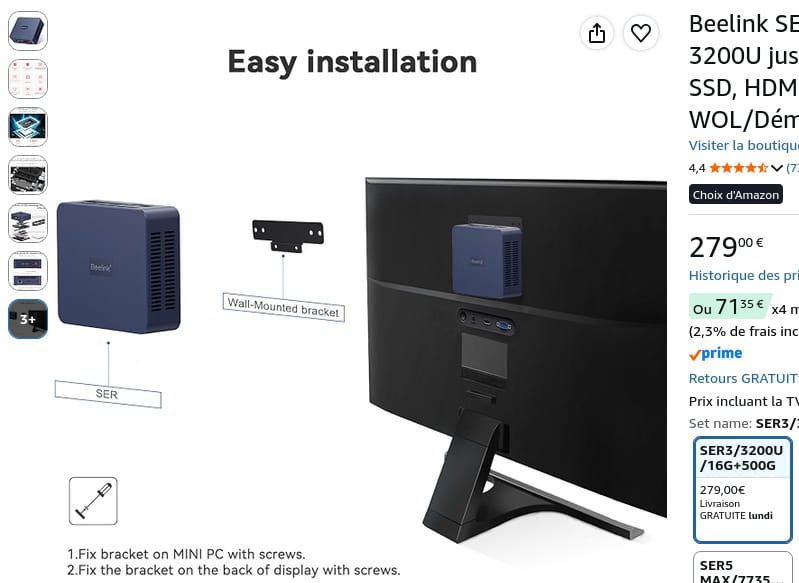
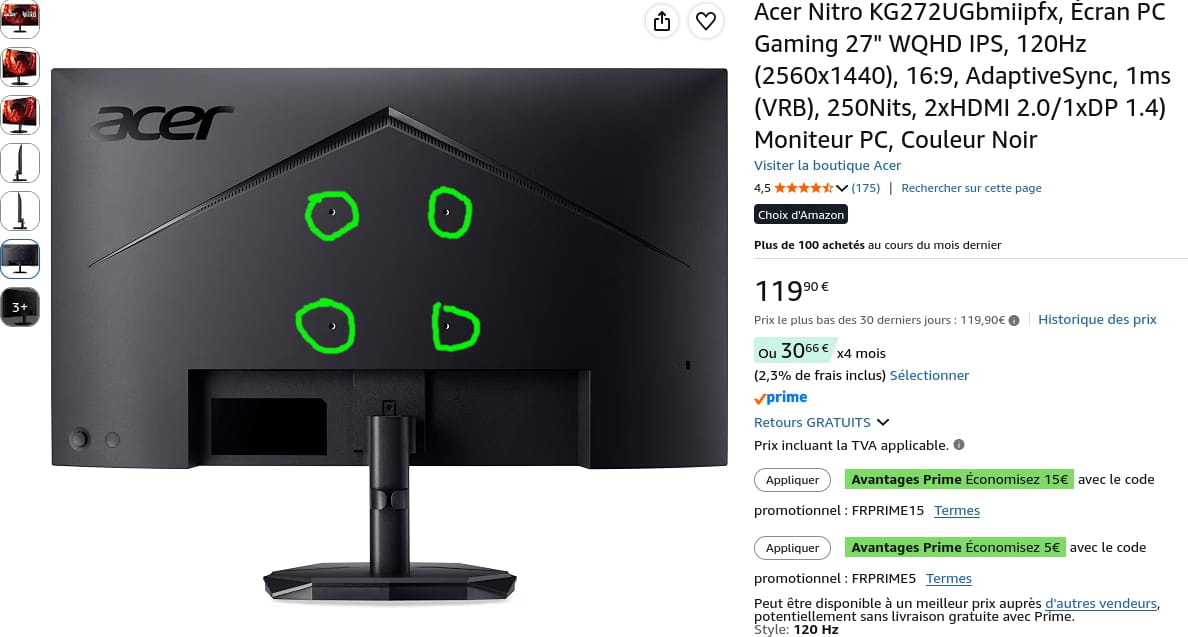
The best option in terms of flexibility is to buy a good monitor and a mini PC with a mount at the back of the screen. The advantage is that you can change the SSD, Wi-Fi card, and sometimes the RAM if needed, and dust the cooling system. Access is simple, and if you ever want just a small desktop PC or a unit next to the TV, that’s possible.
But you need to consider your IT knowledge; everything centers on this. It’s truly the most important thing, which will allow you to master both software and hardware environments.
Install other systems like Linux Mint on more modest and cheaper configurations, use open-source software that doesn’t track you and doesn’t make you dependent on paid solutions, etc...
PC gamers, that’s a slip of the tongue; they are普通 PCs, but often flashy with lots of unnecessary lights and components geared toward 3D that are very expensive, and at €600 in any case it’s impossible.-
-
-
@brucine
You were right.
-
@Winux01
do you recommend buying that then?
computer knowledge isn’t great, I usually come to the forum when I need something.
as for software to install like Linux Mint and open-source software, for example, I don’t know this kind of software at all, I’m really a beginner, I know that here we can help find what I need!!
afterward, how do I know if my PC needs more RAM or something else?
I would really like us to advise me on a purchase and what to do and install on it, like software, etc...
-
Contributor
-
-
If there is a way to extend, abandon Windows 11 for Linux Mint if you have the courage, and if you are handy, replace the hard drive with a 2.5" SSD of the same format from Crucial, PNY or Samsung.
Otherwise to stay with a Windows 11 that performs well:
Beelink SER5 Mini PC, AMD Ryzen 5 5500U (6 Cores 12 Threads up to 4.3GHz), 16GB RAM 480GB SSD, 4K@60Hz up to 3 Screen Display (HDMI/DP/Type-C), BT5.2, Wi-Fi6
+
Acer Nitro KG272UGbmiipfx, 27" WQHD IPS Gaming Monitor, 120Hz (2560x1440), 16:9, AdaptiveSync, 1ms (VRB), 250Nits, 2xHDMI 2.0/1xDP 1.4) PC Monitor, Black https://amzn.eu/d/0eU5ZiJW
-
-
@gaetan250386An operating system is downloaded as a disc image (.iso), then with a program like Rufus, this image is installed onto a bootable media by selecting the BIOS configuration prerequisites of the PC from which you want to install the new system. Then the USB key (the bootable media) is selected at startup of the PC instead of the hard drive with your Windows session, so that you land on the USB key's installer which, depending on what you want, will either overwrite, or occupy a second space on the internal storage of the machine in addition to Windows on the hard drive or, soon, your new SSD, for which the latter will be blank, with no Windows.
As a 2.5-inch SSD to replace traditional 2.5-inch hard drives, there are the PNY CS900, the Crucial BX500, and Samsung (the best) EVO 870. -
@Winux01
okay, my turn to play now, thank you very much
-
@gaetan250386
It's up to you to choose the model with the amount of data you want, but be careful not to pick incompatible models, for example with the EVO 970, which is an NVMe SSD that cannot be installed in your PC.
Your format is 2.5' SATA.
-
@Winux01Crucial BX500 SSD SATA de 1 To 2,5" interne, jusqu’à 540 Mo/s, compatible avec ordinateur portable et de bureau (PC), 3D NAND, accélération dynamique de l’écriture - CT1000BX500SSD101
Is this one good?
-