PC compatible, but Windows 11 update not possible.
- Double-check official requirements: ensure your CPU, RAM, storage, TPM version 2.0, Secure Boot, and other prerequisites match Microsoft’s stated criteria.
- Update BIOS/UEFI and drivers from the PC manufacturer’s site to the latest verified versions.
- Run Windows Update troubleshooter and check for pending updates or driver blocks in the Update history.
- Temporarily disable or adjust BIOS settings only if you are confident (e.g., enabling Secure Boot, TPM 2.0; do not disable security features without knowing consequences).
- Ensure your edition/ licence supports Windows 11 and that your PC meets the minimum storage and RAM thresholds.
- Check for known compatibility blocks: some OEM tools or enterprise configurations may block upgrading even with “green” checks in the PC Health Check app.
- Create a tested backup and, if you must try a non-standard upgrade method, use an official Microsoft tool (Media Creation Tool) and follow Microsoft’s guidance precisely. Avoid bypass methods on a work device.
- If it’s a work PC, consult your IT department or policies before attempting changes that could affect security, compliance, or support.
If you’d like, provide:
- Your PC model and exact Windows 10 edition
- TPM and Secure Boot status (enabled/disabled)
- Recent BIOS version
- Any specific error messages you see during upgrade
I can tailor more precise steps based on those details.
10 answers
-
Contributor Ambassador
Hello
On a physically compatible PC, the BIOS in a mode not expected as described by Winux01 is a hypothesis, just like a system disk in MBR while Windows 11 expects GPT.
Install
Do an "export config pc" and post the resulting link here.
-
Contributor Ambassador
Hello
I see two reasons for the upgrade block:
- The free space on drive C is insufficient; only 50 GB remain. Upgrading from Windows 10 to Windows 11 will load a huge amount of data into cache, so at least 100 GB of free space on C is required.
- The processor. For me, 8xxx generations are not eligible for the 25H2 revision of 11 directly; you must first go through 24H2.
-
-
Contributor Ambassador@brucine
I’m not talking about day-to-day usage of Windows 11 with little free space; here we’re discussing the migration from Windows 10 to Windows 11.
To elaborate, I’m basing it on my experience; I’ve migrated dozens, if not more, of PCs from 10 to 11 in recent months, which has given me work (thanks Microsoft), with PCs that were base-compatible or not depending on the case.
With only 50GB of free space on C, I don’t even try, because even if it starts, it will crash one out of two times at the end and we waste an hour of tinkering for nothing.
Regarding the processor specifically, I ran into the problem with some i5 8600K: crashes when upgrading from Windows 10 to 11 25H2. On the other hand, by performing a step with the ISO in 24H2 and then via Windows Update to 25H2, it works. But don’t ask me why—that’s a finding I made on my own, because I struggled the first time I had the issue.
-
-
Hello,
Without more details, it will be difficult to find the anomaly; the first problem that could arise, despite having compatible components, is the partition table and the BIOS in legacy mode.
-
Moderator
Hello,
Take a capture of
WhyNotWin11.exe (Under Assets) -
here is for userDiag: https://userdiag.com/id/t2rsA39HMm
for WhynotWin11:
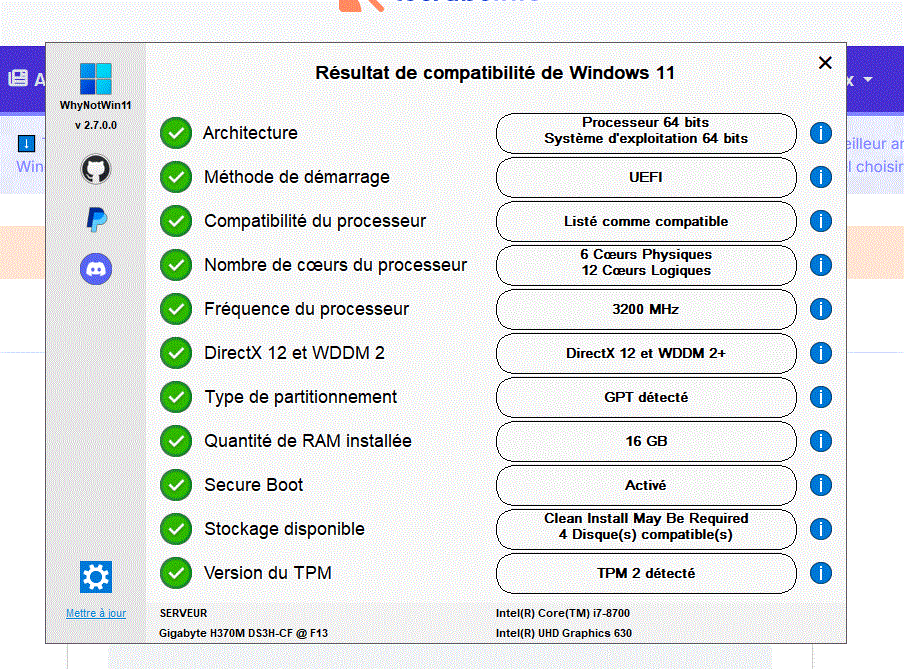
...
-
Moderator
Have you tried this method with the Windows 11 ISO file?
When you have the ISO file, right-click > Open with > Windows Explorer
Then click the setup.exe file
Follow the instructions to "install" without erasing everything, so that the checkmarks indicating you keep everything are indeed OK.
-
Okay, everything is fine, hardware and software, so why doesn't your system upgrade to Windows 11? Didn’t it offer it to you? Have you tried manually with an ISO image?
Your BIOS version is a bit old; if you update it, it will be better optimized for Win11, but you will have to reconfigure everything and the risk is low but not zero.
Similarly, during an upgrade, in case of rare problems it is advisable to make a backup, or at least copy your important files just in case.
-
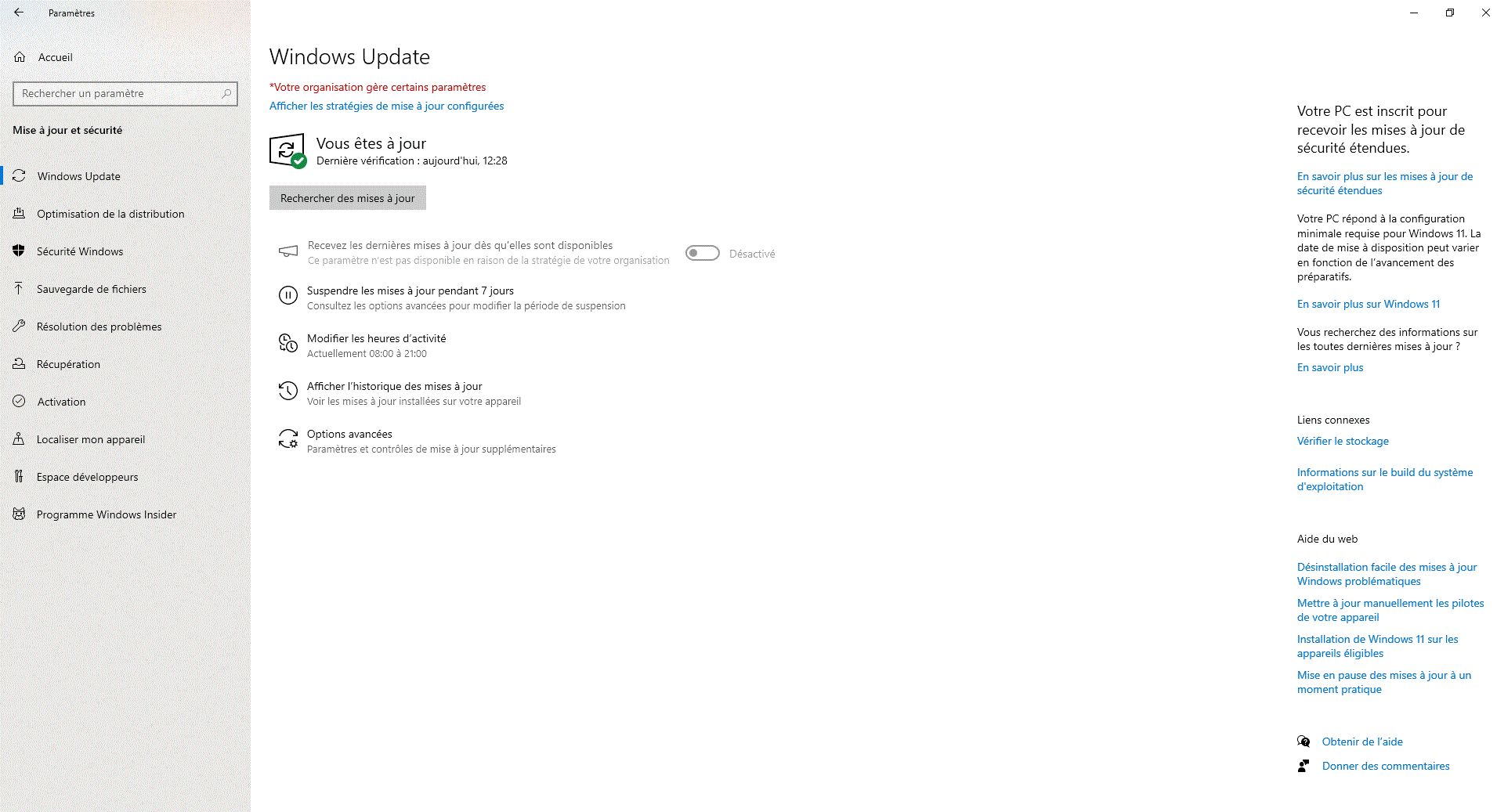
actually Windows doesn’t offer me to upgrade to W11.
I’m sending you a screenshot of Windows Update.
We see at the top this sentence that didn’t appear on the other PCs I easily upgraded to W10: "your organization manages certain settings"
We also see this sentence "your PC meets the minimum requirements to upgrade to Windows 11. The rollout date may vary depending on the progress of preparation"
And I don’t see anything coming...
-
The fable method is more tempting because it’s done in a single step. If that doesn’t work I’ll try the jfmimi method (provided I haven’t completely ruined things...)
Thank you. I’ll keep you posted next week, the PC is at the office...
-
Contributor Ambassador
Hello
For information
I'm returning to the post because I had trouble finding a Windows 10 PC registered to receive feature updates, so I could upgrade to Windows 11 via that path.
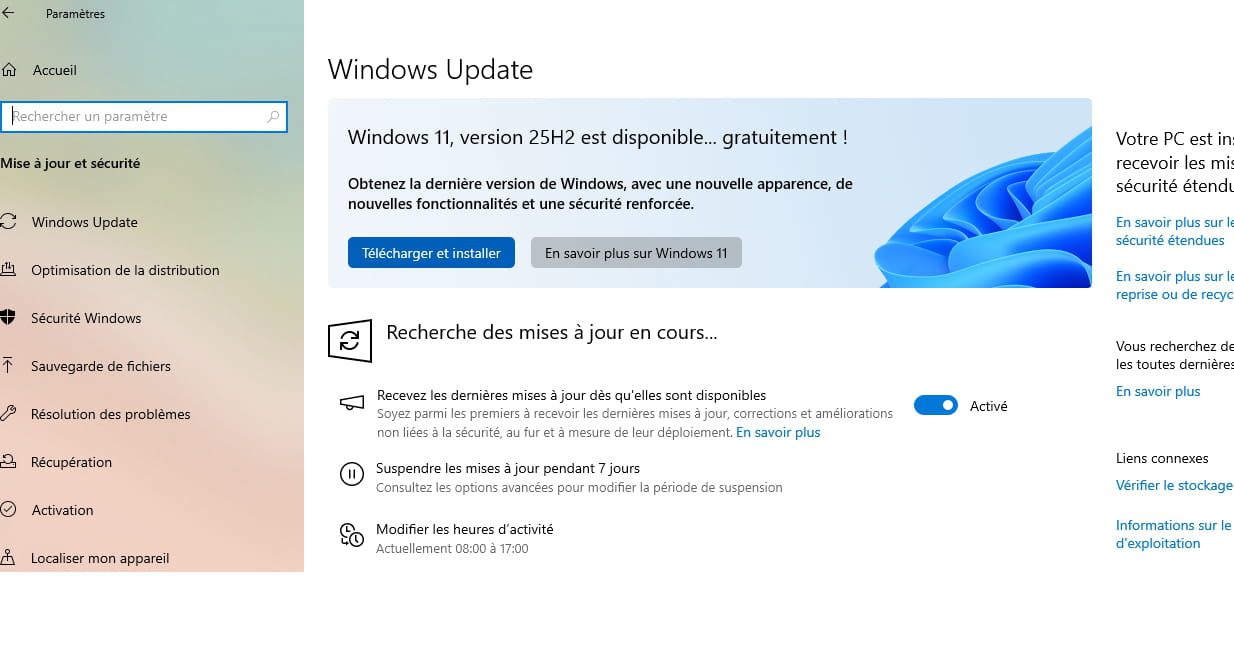
So done, the expected screen in Windows Update when on Windows 10 to proceed to Windows 11 through this method is this screen: