
USB drive reading problem on Philips micro hi-fi system
Hello everyone,
I’m asking for your help with a problem on my Philips MCD 179 micro hifi system.
The initial problem: everything works (CD, radio, etc.) except the USB port, which refuses to read my keys (formatted FAT 32, small capacities of 2GB/4GB, MP files only)
What I’m trying to do: I’m looking to perform a factory reset (RAZ) to see if it will unlock the USB controller.
My current block: I manage to enter the device’s Service Mode, the screen scrolling shows the firmware version: 1.23.12.VER, however once on this screen I am unable to validate the reset.
I have already tried all the classic methods found on the net and in support.
* Short press on stop (front panel or remote) during the scrolling
* Press on play, Pause, Source, Eject, etc....
* Key combinations (Stop + Source)
* Specific remote control keys (Subtitle, Angle, etc....)
* Prolonged power cuts.
Nothing happens, the device never switches to (RESET or NEW). Would someone have the ultimate trick or the exact validation code for this firmware version? (The service manual is available online if needed.)
Many thanks in advance for any light you can shed.
2 answers
-
Moderator
Hello,
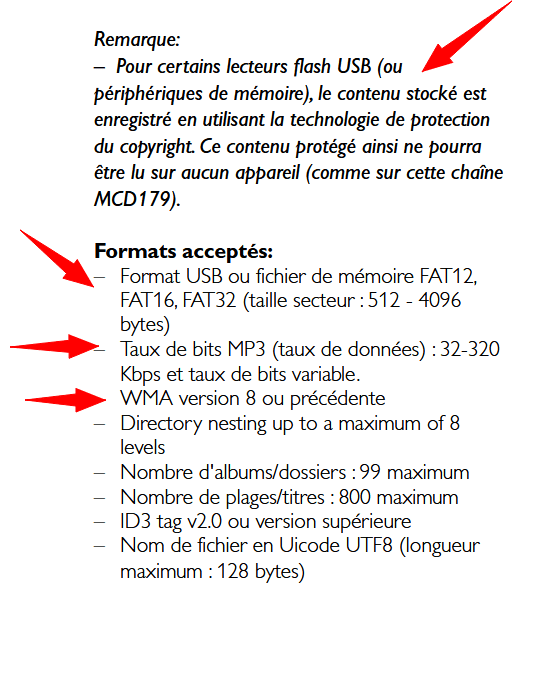
Excerpt from the notice on page 67
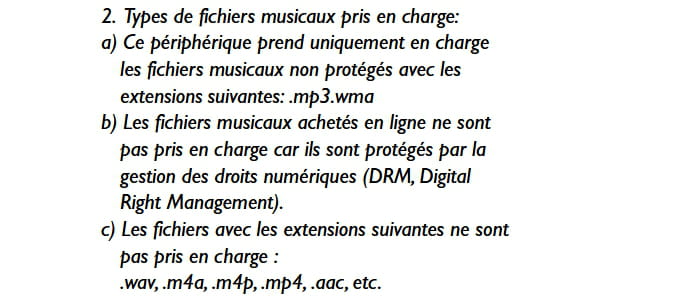
or still excerpt page 68
It's very hard to catch a black cat in a dark room.
Especially when it isn't there... -
Hello Baladur13,
Thank you for your information. You should know that the USB keys I use are normally all compatible with the player on the system, just a small note: my system is plugged in by itself, no TV or anything else.
Have a good day.
Jules 2100

