
Windows button not working anymore
SolvedGlobil Posted messages 27 Registration date Status Member Last intervention -
Hello, I’m on a Windows 11 laptop, the Windows button (start, etc.) no longer works.
I’m forced to right-click to shut down, sleep and more.
I’ve tried "Terminal (Administrator)" doesn’t work?
I no longer have access to the Settings.
Is it a recent Windows update? I’d like to do a restore, but nothing works anymore.
I still have internet, mailboxes.
Thank you for reading me and helping me, if possible?
Globil
4 answers
-
Hello
while waiting for the pros
a shortcut to shut down
create a new shortcut and put in the target
%SystemRoot%\System32\shutdown.exe -s -t 0
-
Hello, thank you for your help.
I managed to get everything working again, but it was very complicated.
All the tips involved the settings, problem, no access to the settings.
Command prompt asked for administrator permission, I couldn't manage that.
I asked 1) Task Manager to open, 2) right-click on the Windows "Terminal" (admin), 3) right-click on the Windows "System" button
I no longer remember exactly what worked to access the settings.
Finally, after hours of hassle, I managed to reset Windows without losing my documents.
Why did this fail? It is possible, an article from CCM explained that you could remove the Bing search engine, that's what I did, sometime later the failure!!
If this experience can help you.
See you later, looking forward to reading you
Clammo
-
Hello,
Thank you for the feedback and it’s good to hear that everything is in order.
Bing is the search engine of the Edge browser, which itself is an integral part of Windows. It’s wiser not to remove it but to use another engine if you prefer.
If everything is OK, please mark as "Resolved".
-
Hello,
These are the "additional links" and Windows system which, as soon as there is a search, are only searched by Bing, but for some time not necessarily by Edge anymore but by the default browser (provided of course that Bing has not been removed).
They are not strictly indispensable, but it’s a matter of taste for everyone; we may, I don’t know, have the same behavior in "home" software like Word, I can’t test because Word 2019 is at end of support and all internal help links are therefore non-operational, but same remark applies.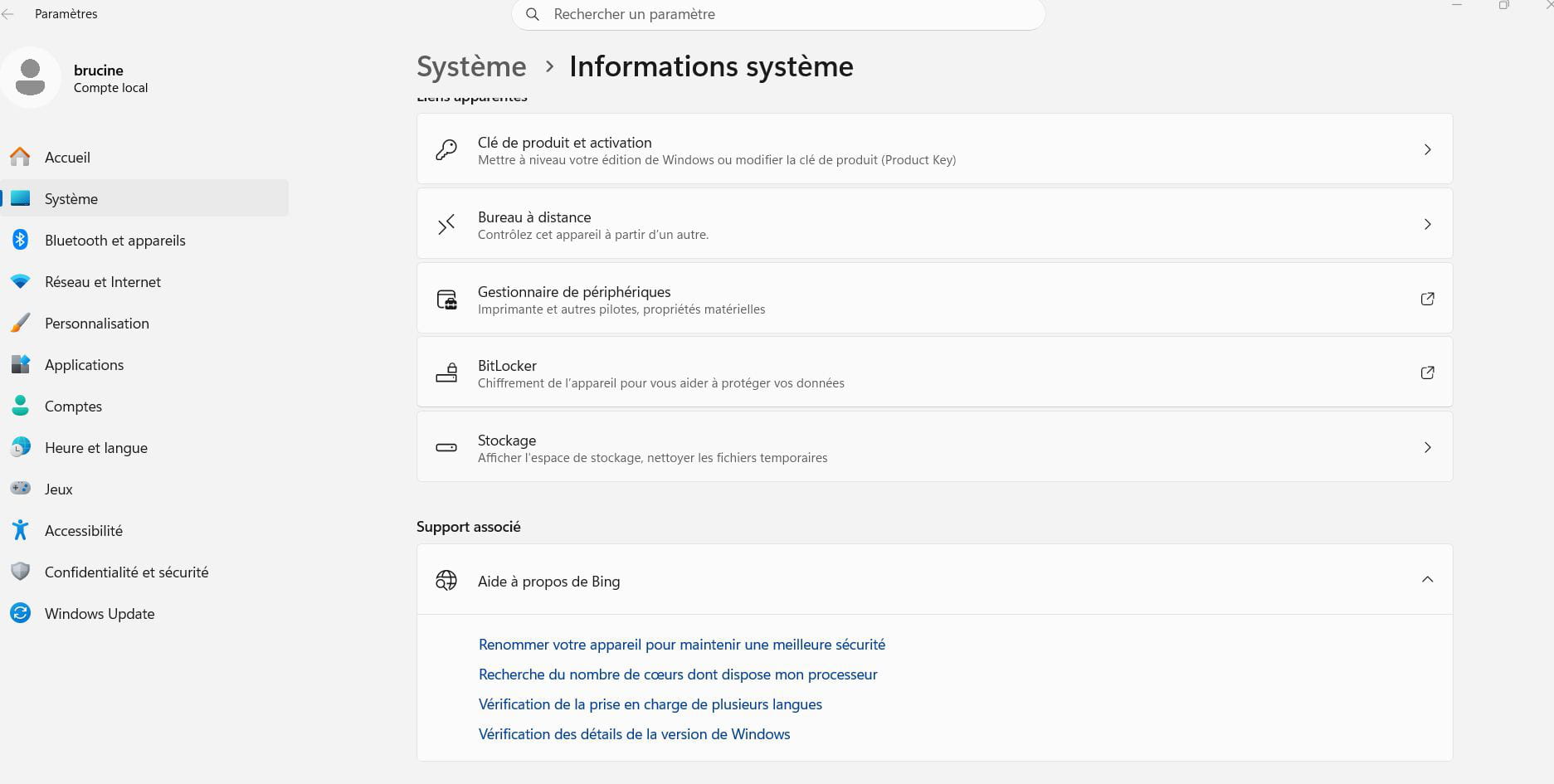
Hello, I forgot to write that the problem is resolved.
Thank you
-

