
Hardening CPU kernel?

erwan01 Posted messages 184 Registration date Status Member Last intervention -
During the installation of a new PC, and just after the installation, I wanted to check the "safe mode" on Windows 11 Home.
I think I made a manipulation error, because since then, in the "Device security" section
I reinstalled Windows 11, but I did not notice any change.
However, I did not encounter any difficulty starting the PC or using it. But the PC is barely a week old, and I think for the future it is better that it is configured properly.
Thanks for your help! have a good afternoon...
5 answers
-
Hello,
See with one click on "Kernel isolation"
-
Hello Kori-Kori,
thank you for your prompt response!
here is what the details of the kernel isolation are:
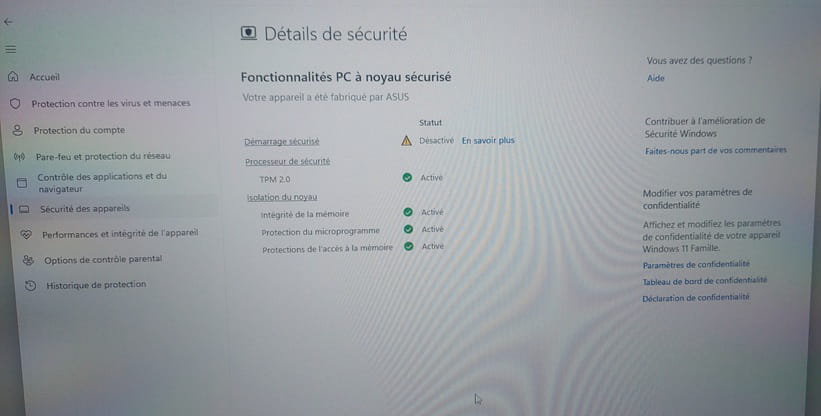
the secure boot is disabled.
and I am unable to enable it in the BIOS...
Just to see:
In "Run" type msconfig, okay
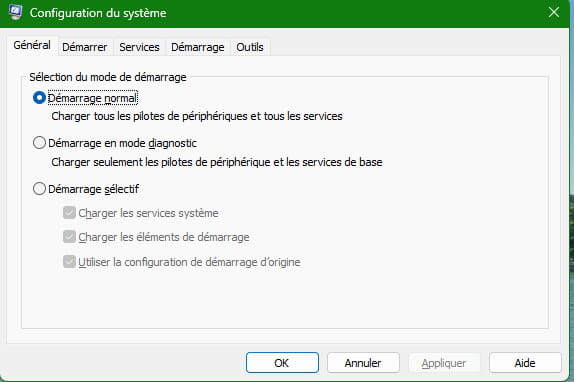
Secure boot appears to be inactive in the photo.
-
yes, it is inactive, and grey. It is therefore impossible to activate it
Regarding TPM 2.0, correction... I’m looking into it and I’ll get back to you
here is the Bios, different from the one displayed by Malekal..
however, I don't find quite the same information as on his.
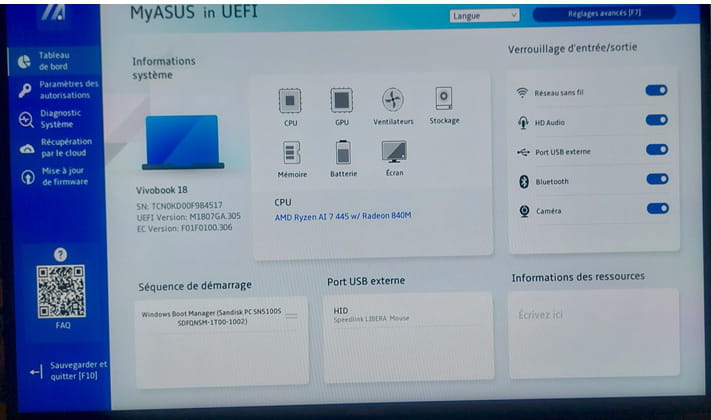
Advanced settings?
Try to find a secure boot tab
Handle with care, do not modify anything unless you are certain.
Hello,
I won’t touch anything, won’t apply kernel security, that blocks unsigned drivers I think, otherwise useless, more trouble than it’s worth, right?
I’ve always disabled DefenderDo you want to boot into Safe Mode with Windows 11?
There are at least four methods, I will list three
The first
To boot into WinRE you need to go to Settings > System > Recovery > Advanced startup > Restart now...
The first would be to boot into WinRE, then in Recovery, > Troubleshoot > Startup Settings > Safe Mode
The secondRight-click the Start button and select Windows PowerShell (Admin)
Type: CMD
Enter the command:
bcdedit /set {default} bootmenupolicy legacy
Then you can boot into Safe Mode by tapping the F8 key right before Windows starts.
The last
In case of a problem, you can force Windows to shut down by holding the power button for as long as needed three times in a row to enter Recovery Mode > Troubleshoot > Settings > Safe Mode-
-
Hello,
Check for bad BIOS settings though unlikely on a new PC.
https://www.asus.com/fr/support/faq/1049829/
A single incompatible hardware or software is enough to disable it; in the absence of installing these, it may happen that a driver is not compatible and the manufacturer has not updated it.
Otherwise, as in the case where the PC would contain old security certificates for Secure Boot that expired in spring 2026, verify that all Windows Update updates have been applied.
-
-
Good news!
First of all, Malekal's Bios presentation isn’t the same as the one I have on this new PC.
I think that on the provided link, it is the Pro version of the Bios, but this needs to be confirmed.
In any case, the instructions in this link didn’t bring anything extra.
On the other hand, I went into the Bios, then F7, and below the secure boot, always inactive, there is a line for "keys."
I reloaded these keys, and afterwards, everything returned to normal!
There you have the news of the day.
Have a good afternoon everyone, and thanks again!
-
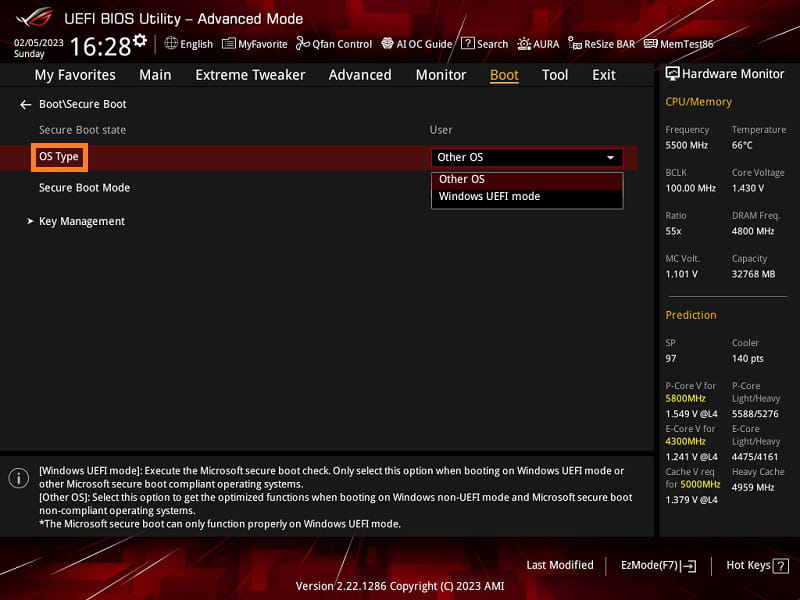
I took the screenshots I found in the link at <14> and that may indeed not reflect the reality of all Asus BIOSes.
I had also suspected the question of security certificates (which I had mentioned for Windows), but it is of course clear that they must be enabled in the BIOS, where they are present in Key Management in the menu, including in the screenshot in question, but I had not mentioned them because it is seemingly absurd that they would not be on a new PC.
-


