Infection possible
Solved
Hello. I have an old Acer computer that still runs on Windows 8. I uninstalled Avira because it was causing me problems. Since then, some programs like Outlook or my scanner no longer work. I get a message indicating that I am not the administrator, which is false, or that I do not have the necessary permissions.
I still have traces of Avira that I cannot remove, and with each update, it gets worse.
What can I do? Thank you in advance.
3 answers
-
Moderator
Hello .
To check if the PC is infected or not, follow these steps.
Download FRST.
Once downloaded, save FRST on the desktop, then right-click on FRST and choose Run as administrator, which will display this:
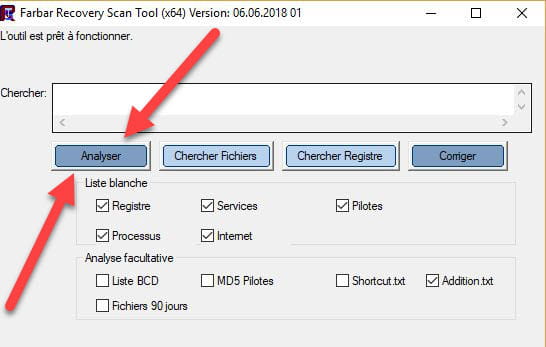

 Wait for the message the tool is ready to run to appear, then click Scan.
For your information:
 If opening FRST triggers an alert from Microsoft Defender, disregard it and click on More info, then Run anyway, see below.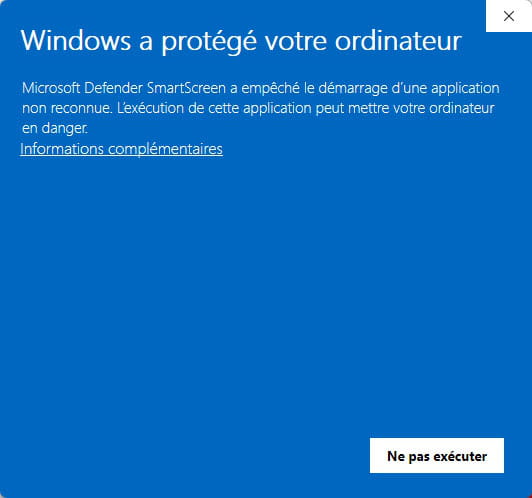
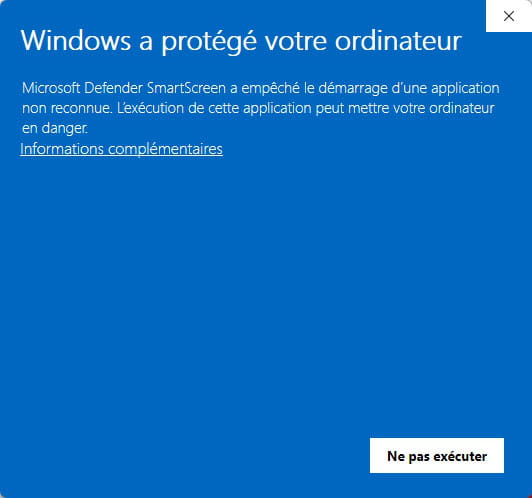

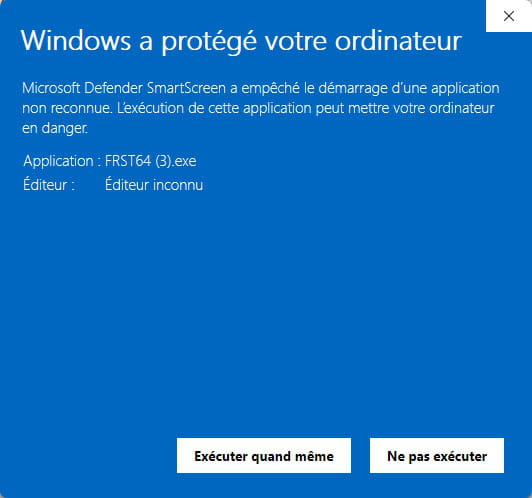
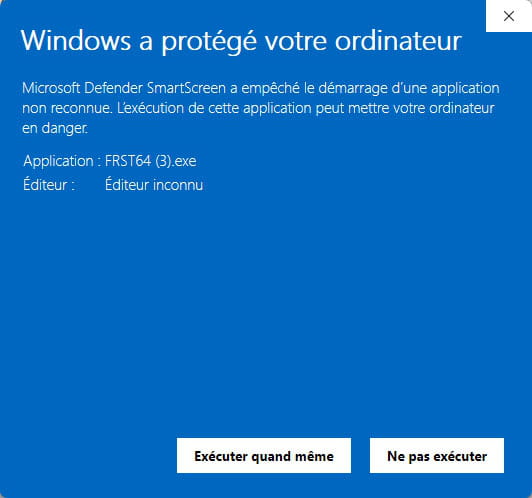
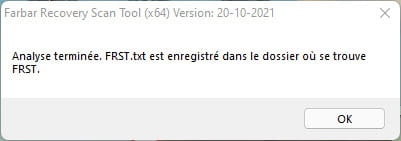
Important, wait for the messages saying that the scan is complete to appear.

At the end of the scan, the two reports FRST and Addition will be on the desktop.

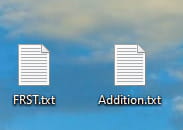

Send the FRST and ADDITION reports to https://pjjoint.malekal.com/.
Then, attach the two links generated by https://pjjoint.malekal.com/ in your response.
bazfile
Moderator/Security Contributor.
a hello, a response, a thank you are always appreciated. -
-
Moderator
.
It is not Windows 8 but Windows 7 sp1 that is installed on the PC; this system is completely outdated, and its support was abandoned in 2020, so since 2020 it is no longer updated, which inevitably causes bugs and software incompatibilities. Your system is becoming less and less secure and will continue to worsen.
If you want to keep your data and switch to a more recent system, I recommend upgrading to Windows 10, which still works quite well; its support was only discontinued last October. If you wish to upgrade to Windows 10, I advise you to read very carefully this page.
You can also switch to a Linux distribution, but everything will be deleted.
There are indeed remnants of Avira; to remove them and also eliminate orphan processes, do the following.
Procedure to be followed in the indicated order:
1- Open FRST as an administrator; to do this, right-click on FRST and select run as administrator
2 - Copy the entire script that is in the box below:Start:: CreateRestorePoint: CloseProcesses: CustomCLSID: HKU\S-1-5-21-1483495875-3736717681-2145386771-1000_Classes\CLSID\{4DF0C730-DF9D-4AE3-9153-AA6B82E9795A}\InprocServer32 -> no file path CustomCLSID: HKU\S-1-5-21-1483495875-3736717681-2145386771-1000_Classes\CLSID\{76D0CB12-7604-4048-B83C-1005C7DDC503}\InprocServer32 -> no file path CustomCLSID: HKU\S-1-5-21-1483495875-3736717681-2145386771-1000_Classes\CLSID\{B196B286-BAB4-101A-B69C-00AA00341D07}\InprocServer32 -> no file path CustomCLSID: HKU\S-1-5-21-1483495875-3736717681-2145386771-1000_Classes\CLSID\{C90250F3-4D7D-4991-9B69-A5C5BC1C2AE6}\InprocServer32 -> no file path ShellIconOverlayIdentifiers: [egisPSDP] -> {30A0A3F6-38AC-4C53-BB8B-0D95238E25BA} => C:\Acer\Empowering Technology\eDataSecurity\x86\PSDProtect.dll -> No file ContextMenuHandlers1: [Adobe.Acrobat.ContextMenu] -> {A6595CD1-BF77-430A-A452-18696685F7C7} => C:\Program Files\Adobe\Acrobat Reader DC\Acrobat Elements\ContextMenuShim64.dll -> No file ContextMenuHandlers1: [Cover Designer] -> {73FCA462-9BD5-4065-A73F-A8E5F6904EF7} => C:\Program Files\Nero\Nero 7\Nero CoverDesigner\CoverEdExtension.dll -> No file ContextMenuHandlers1: [EDSshellExt] -> {29FF7AB0-BE34-4992-A30B-53A9D86EE239} => -> No file ContextMenuHandlers4: [EDSshellExt] -> {29FF7AB0-BE34-4992-A30B-53A9D86EE239} => -> No file SearchScopes: HKU\S-1-5-21-1483495875-3736717681-2145386771-1000 -> DefaultScope {0633EE93-D776-472f-A0FF-E1416B8B2E3A} URL = SearchScopes: HKU\S-1-5-21-1483495875-3736717681-2145386771-1001 -> DefaultScope {0633EE93-D776-472f-A0FF-E1416B8B2E3A} URL = SearchScopes: HKU\S-1-5-21-1483495875-3736717681-2145386771-1001 -> {0633EE93-D776-472f-A0FF-E1416B8B2E3A} URL = SearchScopes: HKU\S-1-5-21-1483495875-3736717681-2145386771-1008 -> DefaultScope {0633EE93-D776-472f-A0FF-E1416B8B2E3A} URL = Toolbar: HKU\S-1-5-21-1483495875-3736717681-2145386771-1001 -> No name - {2318C2B1-4965-11D4-9B18-009027A5CD4F} - No file Handler: skype4com - {FFC8B962-9B40-4DFF-9458-1830C7DD7F5D} - No file FirewallRules: [{9B0838D0-7B2B-43C4-BB20-E9419430C8EE}] => (Allow) C:\Program Files\Microsoft\Skype for Desktop\Skype.exe => No file FirewallRules: [{D93796E8-5B93-4CE8-BD77-BDEC207ECECF}] => (Allow) C:\Program Files\Microsoft\Skype for Desktop\Skype.exe => No file HKLM\...\Run: [] => [X] HKLM\...\Run: [RTHDVCPL] => RtHDVCpl.exe (No file) HKLM\...\Run: [eDataSecurity Loader] => C:\Acer\Empowering Technology\eDataSecurity\x86\eDSloader.exe (No file) HKU\S-1-5-21-1483495875-3736717681-2145386771-1000\...\Run: [] => [X] HKU\S-1-5-21-1483495875-3736717681-2145386771-1000\...\Run: [GUDelayStartup] => "C:\Program Files\Glary Utilities 5\StartupManager.exe" -delayrun (No file) HKU\S-1-5-21-1483495875-3736717681-2145386771-1000\...\Run: [CCleaner Smart Cleaning] => "C:\Program Files\CCleaner\CCleaner.exe" /MONITOR (No file) HKU\S-1-5-21-1483495875-3736717681-2145386771-1000\...\Run: [CCleaner Monitoring] => "C:\Program Files\CCleaner\CCleaner.exe" /MONITOR (No file) HKU\S-1-5-21-1483495875-3736717681-2145386771-1000\...\Run: [ccleaner] => "C:\Program Files\CCleaner\CCleaner.exe" /AUTO (No file) HKU\S-1-5-21-1483495875-3736717681-2145386771-1001\...\Run: [Skype] => "C:\Program Files\Skype\Phone\Skype.exe" /minimized /regrun (No file) ShortcutTarget: Secunia PSI Tray.lnk -> C:\Program Files\Secunia\PSI\psi_tray.exe (No file) Task: {671EA8C7-FFEF-4C32-9C40-0C0D5E99EA33} - System32\Tasks\{8CE8B0C0-00DF-4E8F-8697-C2ACB43B2C65} => C:\Program Files\Skype\Phone\Skype.exe (No file) Task: {F9256EC2-A42A-46AC-B37D-199B329FC841} - System32\Tasks\AviraSystemSpeedupVerify => "C:\Program Files\Avira\System Speedup\setup\avira_speedup_setup.exe" /VERIFY /VERYSILENT /NOSTART /NODOTNET /NORESTART (No file) FF Plugin: @foxitsoftware.com/Foxit Reader Plugin,version=1.0,application/vnd.xdp -> C:\Program Files\Foxit Software\Foxit Reader\plugins\npFoxitReaderPlugin.dll [No file] FF Plugin: @foxitsoftware.com/Foxit Reader Plugin,version=1.0,application/vnd.xfdf -> C:\Program Files\Foxit Software\Foxit Reader\plugins\npFoxitReaderPlugin.dll [No file] S2 AviraFallbackUpdater; "C:\Program Files\Avira\Fallback Updater\Avira.Spotlight.FallbackUpdater.exe" FallbackUpdater=true (No file) (No file) S2 AviraOptimizerHost; "C:\Program Files\Avira\Optimizer Host\Avira.OptimizerHost.exe" (No file) (No file) S4 AviraSecurity; "C:\Program Files\Avira\Security\Avira.Spotlight.Service.exe" (No file) (No file) S2 EndpointProtectionService; "C:\Program Files\Avira\Endpoint Protection SDK\endpointprotection.exe" start EndpointProtectionService (No file) (No file) S3 EndpointProtectionService2; "C:\Program Files\Avira\Endpoint Protection SDK\endpointprotection.exe" start EndpointProtectionService2 (No file) (No file) S3 McComponentHostService; "C:\Program Files\McAfee Security Scan\4.1.482\McCHSvc.exe" (No file) (No file) S4 NBService; C:\Program Files\Nero\Nero 7\Nero BackItUp\NBService.exe (No file) (No file) U1 avgbdisk; no ImagePath S3 hwdatacard; system32\DRIVERS\ewusbmdm.sys (No file) R1 BdSentry; C:\Windows\System32\DRIVERS\BdSentry.sys [177144 2023-01-26] (BullGuard LTD -> Avira Operations GmbH) R1 netprotection_network_filter; C:\Windows\System32\drivers\netprotection_network_filter.sys [77336 2023-01-21] (Avira Operations GmbH -> Avira Operations GmbH) S2 rtp_filesystem_filter; C:\Windows\System32\DRIVERS\rtp_filesystem_filter.sys [191368 2023-01-30] (Avira Operations GmbH -> Avira Operations GmbH) S1 rtp_process_monitor; C:\Windows\System32\DRIVERS\rtp_process_monitor.sys [183584 2023-01-30] (Avira Operations GmbH -> Avira Operations GmbH) R1 rtp_traverse; C:\Windows\System32\DRIVERS\rtp_traverse.sys [58960 2023-01-30] (Avira Operations GmbH -> Avira Operations GmbH) C:\Program Files\Avira Task: {CC1A0FCF-1045-492A-8578-F41CA05D9E22} - System32\Tasks\Avira_FallbackUpdater => C:\Windows\System32\sc.exe [37376 2009-07-14] (Microsoft Windows -> Microsoft Corporation) -> start AviraFallbackUpdater Delayed=false Task: {849073BF-A92C-475F-A099-0D5743C14174} - System32\Tasks\Avira_Security_Update => C:\Windows\System32\net.exe [46080 2009-07-14] (Microsoft Windows -> Microsoft Corporation) Edge HKLM\...\Edge\Extension: [caiblelclndcckfafdaggpephhgfpoip] Edge HKLM\...\Edge\Extension: [emgfgdclgfeldebanedpihppahgngnle] Edge HKU\S-1-5-21-1483495875-3736717681-2145386771-1001\SOFTWARE\Microsoft\Edge\Extensions\...\Edge\Extension: [ahkjpbeeocnddjkakilopmfdlnjdpcdm] Edge HKU\S-1-5-21-1483495875-3736717681-2145386771-1001\SOFTWARE\Microsoft\Edge\Extensions\...\Edge\Extension: [elhpdacimkjpccooodognopfhbdgnpbk] Edge HKU\S-1-5-21-1483495875-3736717681-2145386771-1008\SOFTWARE\Microsoft\Edge\Extensions\...\Edge\Extension: [ahkjpbeeocnddjkakilopmfdlnjdpcdm] Edge HKU\S-1-5-21-1483495875-3736717681-2145386771-1008\SOFTWARE\Microsoft\Edge\Extensions\...\Edge\Extension: [elhpdacimkjpccooodognopfhbdgnpbk] CHR HKLM\...\Chrome\Extension: [caljgklbbfbcjjanaijlacgncafpegll] CHR HKLM\...\Chrome\Extension: [ccbpbkebodcjkknkfkpmfeciinhidaeh] CHR HKLM\...\Chrome\Extension: [efaidnbmnnnibpcajpcglclefindmkaj] CHR HKLM\...\Chrome\Extension: [flliilndjeohchalpbbcdekjklbdgfkk] CHR HKLM\...\Chrome\Extension: [makcojoppodhcgmmchohadhpkicoafka] Avira Fallback Updater (HKLM\...\Avira Fallback Updater) (Version: - ) Hidden Avira Security (HKLM\...\Avira Security_is1) (Version: 1.1.115.3317 - Avira Operations GmbH) Hidden Avira System Speedup (HKLM\...\Avira System Speedup_is1) (Version: 7.4.0.511 - Avira Operations GmbH) Hidden KLM\...\{68E1CCB4-4965-4713-BDEB-77F6D6C9BF9D}_is1) (Version: 1.0.2301.440 - Avira Operations GmbH & Co. KG) Hidden ContextMenuHandlers1: [SystemSpeedupFilesMenu] -> {14cb2bd0-2375-3d10-9b5d-5e18865c8959} => C:\Program Files\Avira\System Speedup\Avira.SystemSpeedup.UI.ShellExtension.DLL [2024-10-01] (Avira Operations GmbH -> Avira Operations GmbH) ContextMenuHandlers2: [ContextMenu] -> {ee10d625-cc60-30a4-b3df-4b349785be6b} => C:\Program Files\Avira\Security\Antivirus.ContextMenu\Antivirus.ContextMenu.DLL [2026-04-09] (Avira Operations GmbH -> Avira Operations GmbH) ContextMenuHandlers3: [ContextMenu] -> {ee10d625-cc60-30a4-b3df-4b349785be6b} => C:\Program Files\Avira\Security\Antivirus.ContextMenu\Antivirus.ContextMenu.DLL [2026-04-09] (Avira Operations GmbH -> Avira Operations GmbH) ContextMenuHandlers3: [ContextMenu] -> {ee10d625-cc60-30a4-b3df-4b349785be6b} => C:\Program Files\Avira\Security\Antivirus.ContextMenu\Antivirus.ContextMenu.DLL [2026-04-09] (Avira Operations GmbH -> Avira Operations GmbH) ContextMenuHandlers4: [SystemSpeedupFoldersMenu] -> {700866bb-c8e9-3e71-b359-abb28baed0e8} => C:\Program Files\Avira\System Speedup\Avira.SystemSpeedup.UI.ShellExtension.DLL [2024-10-01] (Avira Operations GmbH -> Avira Operations GmbH) ContextMenuHandlers5: [SystemSpeedupDesktopMenu] -> {0cab5786-30e8-3185-9b3b-ccefbf1b8afe} => C:\Program Files\Avira\System Speedup\Avira.SystemSpeedup.UI.ShellExtension.DLL [2024-10-01] (Avira Operations GmbH -> Avira Operations GmbH) HKU\S-1-5-21-1483495875-3736717681-2145386771-1001\Control Panel\Desktop\\SCRNSAVE.EXE -> HKU\S-1-5-21-1483495875-3736717681-2145386771-1008\Control Panel\Desktop\\SCRNSAVE.EXE -> EmptyTemp: End::3- Once the script is copied, click on Fix; FRST automatically takes the script that is in the clipboard.
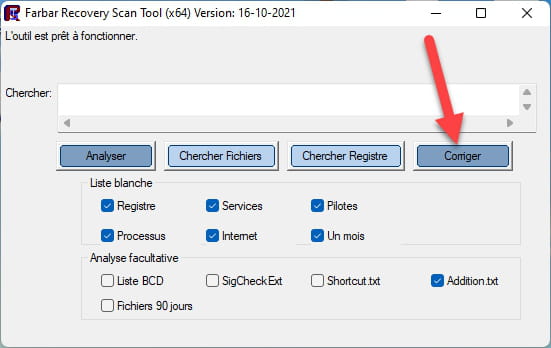

Allow the correction to take place; once it is finished, you will be asked to restart your PC. Do so as soon as prompted, see below.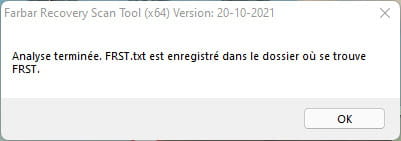
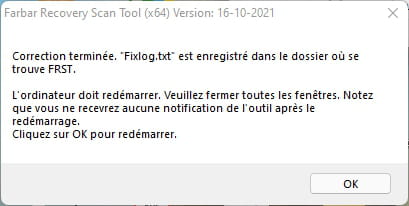

Then, once your computer has restarted:
4- You will have a Fixlog file on your desktop; then send this fixlog report to https://pjjoint.malekal.com/ or https://www.catupload.com/.Then provide the link generated by https://pjjoint.malekal.com/ or https://www.catupload.com/ in your response.
5- The Avira programs were hidden; the FRST script made them reappear, so uninstall the following programs:
Avira Fallback Updater
Avira Security
Avira System Speedup
Endpoint Protection SDK
It is possible that during uninstallation you will be told that the program no longer exists and that you are offered to remove the entry, so you delete the entry.
6- If you wish, all that remains is for you to upgrade to Windows 10.
bazfile
Moderator/Security Contributor.
A greeting, a response, a thank you are always appreciated.-
Hello.
Here is the requested link: https://pjjoint.malekal.com/files.php?id=20260620_o15d7o9m8k7
I am well aware of the obsolescence of my system and I have other computers. I only use this one very occasionally for simple tasks.
I will still migrate to Windows 10 since it's possible.
A big thank you for your support and help.
-
Moderator@nonoy54
You have run the FRST fix twice, the fixlog is OK.
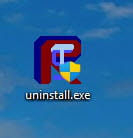
Uninstall FRST, rename the FRST file you downloaded to uninstall, then once the file is renamed, open it; the uninstallation will occur automatically via a PC restart.
-
-
Moderator
-