
AI and Gmail's Smart Features Gone
lutttinette Posted messages 2796 Registration date Status Member Last intervention -
Hello, in your very interesting article on "Gmail's AI will read all your messages unless you disable this option before October 10," you provide a path to follow... I have disabled the famous smart features on my phone.
When I wanted to do it last night on a second phone: it was impossible to find the section Smart features. And even on my first phone, I couldn't find them (for example, if I wanted to activate them one day). Can someone explain to me what happened? Or has Google removed this section? Thank you in advance.
1 answer
-
pistouri Posted messages 19010 Registration date Status Contributor Last intervention Ambassador 8 732
Hello,
On smartphone:
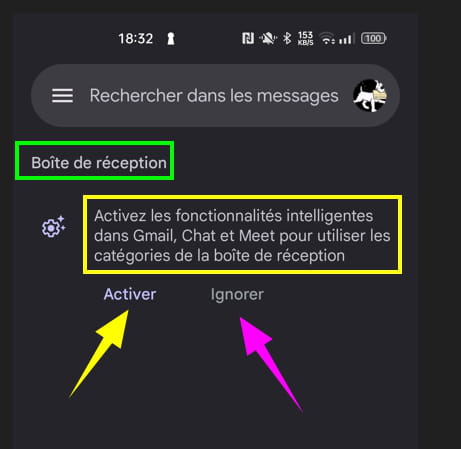
Logically, when going through the procedure for the first time to delete the Gmail AI, on a smartphone (the same goes for PC), a message in the 'inbox' of Gmail or on one's own Google account in the'inbox' will offer the option to ''activate'' or ''ignore'' the option.
If you click on ''ignore'', the message will no longer be visible next time in the Gmail inbox.
P.S:
Sometimes, the message appears again when sending a message upon reopening Gmail in the inbox.
Info:
Reinstalling the Gmail app from the Play Store might help (not tested at this time).
Same on PC:
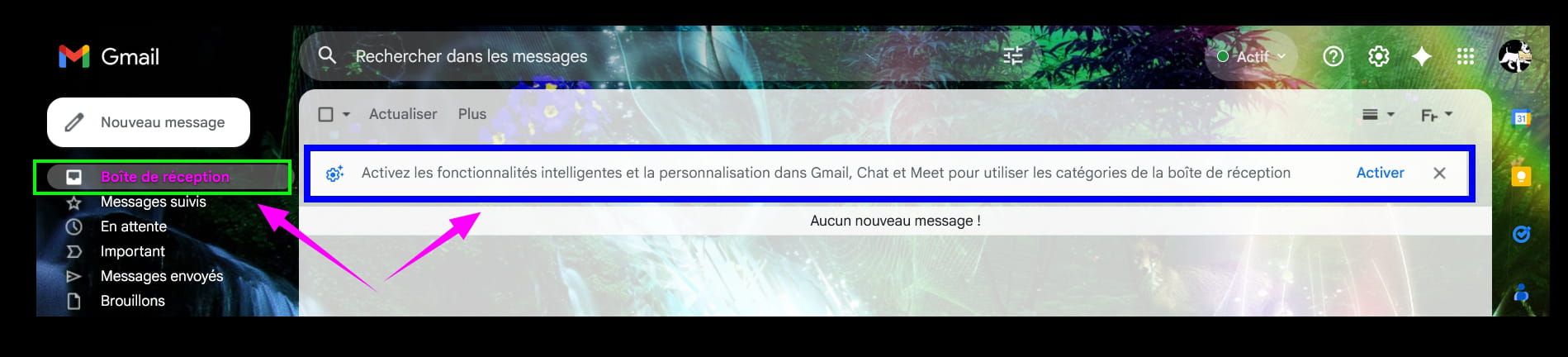
On PC, redo the inverse procedure from the CCM publication to see the message again.
https://www.commentcamarche.net/applis-sites/35921-gemini-gmail/
Find the Smart Features section:
On smartphone:
Open the Gmail app or in a browser and type ''Gmail''.
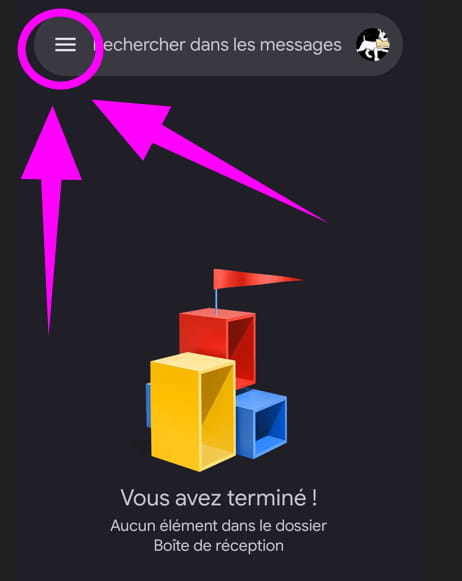
Once logged into the mailbox, click or tap on the 3 horizontal lines:
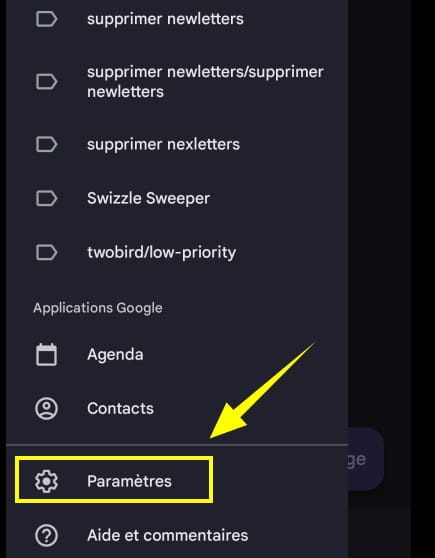
Scroll down in the menu at the very bottom and click or tap on ''Settings'':
Click or tap on your email account:
That ends with @gmail.com
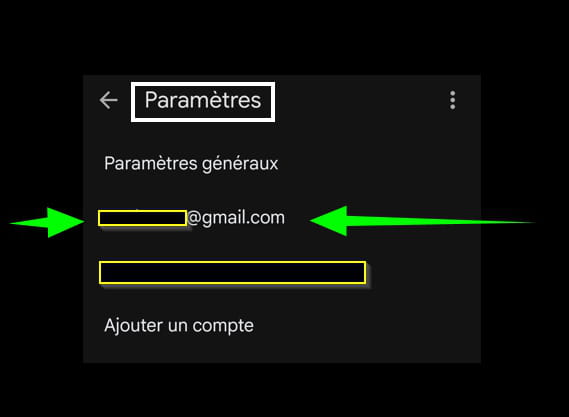
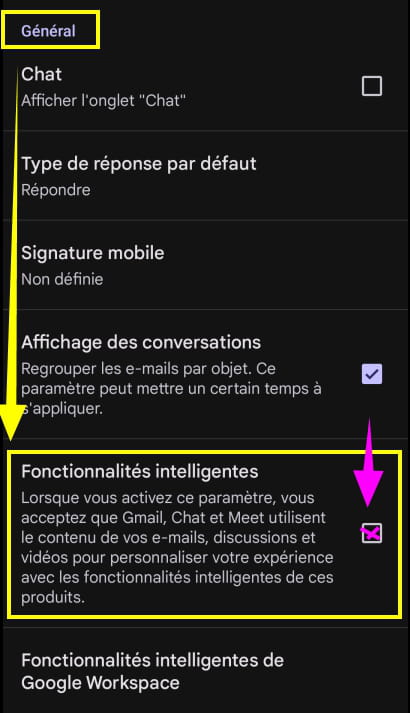
On the new page, scroll down to the ''General'' section.
You will find the option ''Smart Features''
Check the box to reactivate the option:
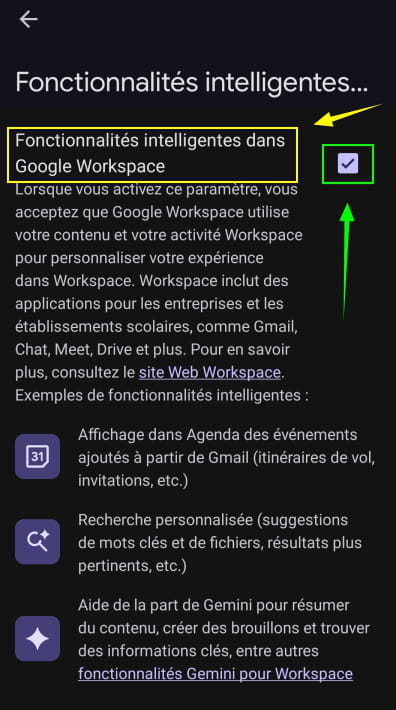
The same goes for the ''Smart Features in Google Workspace'' option if the procedure was applied (to the letter):
...
