
Windows 11, VB6 and Solidworks
Solved
Herve_be Posted messages 1182 Registration date Status Member Last intervention -
Hello,
Still using W7, I wrote a VB6 aquarium management program that is still working very well for many users on W10.
One of them installed W11; the program seems to work normally, however, a particular function opens the window below and then the next one.
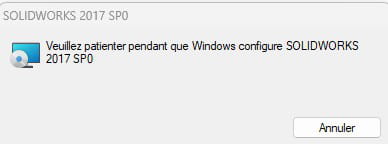
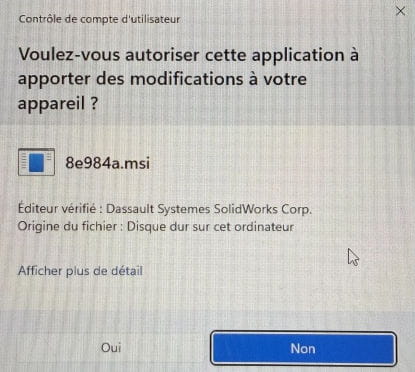
Solidworks is indeed installed, configured, and fully functional.
By clicking "cancel," this window closes and the VB6 program works normally.
What could be causing this message to appear?
Thank you in advance for your help.
5 answers
-
Hello,
It's normal, the UAC (User Account Control) in Windows 10 and 11 (which the user can disable if they wish) asks for permission for such software (here the installer) to make modifications in the Program, Windows, User folders, Registry...
Depending on its nature, the defense software can add another layer by asking for permission to create or modify files.
However, we don't see how your program is related to SolidWorks, which we assume is installed on the target computer and is paid (and very expensive).-
It is indeed normal for Windows to ask for permission to modify certain areas,
but it is not normal for a specific function of one program to trigger the configuration of another program
nor for this to happen with W11 and not with W10.I specify that the message regarding Solidworks does not appear upon starting the VB6 program, but by clicking on one specific button in a window of this VB6 program.
I don't know, I am not familiar with your program, I assume that if one of the components requires it to call on the SolidWorks configuration, there must be a reason for it.
I haven't done a point-by-point comparison, aside from of course disabling the UAC, I suppose the difference lies in the security center settings regarding application control and memory integrity, but if that's the case, it would be delicate to ask the user to test and disable the one that would cause problems to use the program without notifications.
-
-
Hello,
Personally, I worked on Catia V6, also developed by Dassault.
We asked Dassault to develop a module for a specific process. This module was supposed to be integrated into Catia via vb6 code.
This manipulation necessarily leads to a modification of the software configuration.
It is clear that Win7 and 10 did not concern themselves with admin rights because vb6 code can request admin execution, which cannot be possible under Win 11.
You feel that your program is working correctly either because your SolidWorks version is newer and it now integrates this module, or because you haven't yet called a method from this model that could cause you issues.
That said, you can right-click on your application's executable and give it admin rights.
-
Additional information: the module that wakes up Solidworks is the only one that declares and uses the GDI32 DLL (Graphical Device Interface), which manages graphical display, particularly for drawing polygons.
However, I don't see why the fact that it uses this library, as any program might do, could cause Solidworks to wake up. -
Additional information:
The Windows event viewer indicates that Ctl3d32.dll is missing from SysWOW64.
However, my VB6 software does not use this DLL, so I don't know "who" is requesting it.
It is located on my PC under W10 in the WinSxS directory, not in SysWOW64.-
Hello,
I still don't know anything about the background.
The dll can be in SysWOW64 or System32 depending on whether the program calling it is 64 or 32 bits.
It does not exist by default in Windows 11, unless the reason I can't find it is due to my having disabled applications.
It can be installed by third-party software or, unless I'm mistaken, by the Windows 3D viewer.
Its presence in WinSXS, which is just the application store, would then perhaps indicate that it is present there but not installed.
If that is the case, we can always reinstall it locally, from the Microsoft Store, by downloading it from a third-party site... or download and install this dll separately.
Dll "failures" are often complex stories, as the system simply returns an error on the first obstacle encountered, not excluding the possibility that after resolution, a second one may be found for various reasons like program incompatibility...
-
-
Copying Ctl3d32.dll to SysWOW64 without installing it solved the problem!
I still don't understand, but oh well.
