
TCP/IP network printer not accessible
Solved
contrariness Posted messages 17909 Registration date Status Member Last intervention -
Hello everyone
I am facing a new problem, my network printers are no longer accessible..
The computer they are installed on responds to ping, but the ports of the 2 main printers are not responding...
The printers are configured on ports 9101 and 9102.
I am querying them via Telnet (telnet 192.168.1.15.9102) and I get the response "Unable to open a connection to the host, on port 23, Connection failed."
I suspect there is a blockage somewhere....
"Unable to open a connection" would mean that it does not go out from port 23 or that it does not enter on port 910x??
What frustrates me is that it was working perfectly last week!
C.
4 answers
-
Hello,
it worked perfectly last week!Do a system restore and choose a date prior to the problem.
Windows + R
Type --> rstrui.exe and OK. -
Hello Kaneagle
Bad luck, I don't have a restore point that's old enough...!I've still managed to determine that this is an issue with W10 and not with the virtual printer's station.
With a PowerShell test, the port responds, and a "basic" ASCII print also goes through.
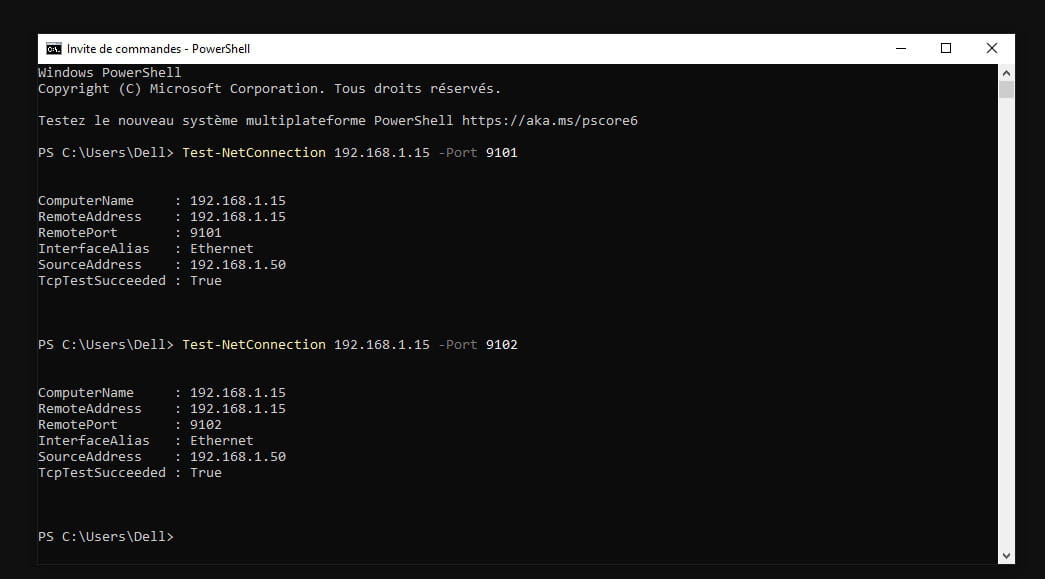
So it's happening in W10.
In the print troubleshooting section, W10 indicates that the remote station is not accessible.
I'm now looking into Windows Defender and NordVPN, which I believe installs network protection..
Is there not a log file in W10 with the errors and the events resulting from it?
C. -
Run an sfc:
Windows key + X
Select --> Windows PowerShell (admin) or Terminal (administrator)
Type --> sfc /scannow and hit enter
A system file check will be performed.---------------------------------------------------------------------------------------------------------
If the problem persists, you can wait for other opinions since I'm not an expert in this field.
-
I removed the printer, reinstalled it, disabled the VPN, and set an outgoing TCP rule for ports 9100-9102 in Windows Defender.
It finally printed, but I can't say it's coming out at lightning speed!
It's because of W10, as it's really smooth under W7 (on another workstation).. I'm still wondering why I switched to an OS for something like this.! oh yes, it was pre-installed on the new computer-
Hello,
It's funny, this coincidence at a time when everyone is making a drama about continuing to use "secure" Windows 10 without switching to Windows 11.
The operating system I preferred was Windows 2000, which simply did what we asked quickly and well.
Obesity is largely due to the constant stacking of new multimedia layers, but you might be able to remedy it to some extent by cleaning up the services, scheduled tasks, or autostarts that you don't use.Hello Brucine.
Lol.. it's out of necessity that I stick with old OS..
I have machines that work with SCSI cards and others with proprietary cards.. and under XP!!
It was already a hassle to find drivers to install under W10.
Fortunately, the publisher made an effort for those who have more recent machines with USB.. The printer driver is compatible, except that we send the print job to a port.
But I'm happy, my problem is solved...
It was a network cable issue.. One section was using UTC cable. Unshielded cable that was susceptible to interference from nearby power networks as well as transformers.. replacing it with STP cable resolved the issue.
I should have suspected it.. too many transmission errors, either it's delay or it crashes!C.
-

