
Remove the one start app
Hello,
an application has inserted itself into the Microsoft registry and I can't remove it.
2 answers
-
Moderator
Hello,
https://forums.commentcamarche.net/forum/affich-38145682-onestart-de-google-qu-est-ce#p38145699
Try Revo Uninstaller Free
https://www.revouninstaller.com/fr/revo-uninstaller-free-download/
And if that's not enough, or if you want to learn how to remove stubborn unwanted programs yourself:
https://forums.commentcamarche.net/forum/affich-38206831-alors-vous-voulez-supprimer-les-virus-vous-meme-comment -
Moderator
Hello .
Download FRST.
Once downloaded, save FRST to the desktop, then right-click on FRST and choose Run as administrator, which will show this:

 Wait for the message the tool is ready to operate to appear, then click on Analyze.
For your information:
 If you have a Microsoft Defender alert, ignore it, click on More info, then on Run anyway, see below.

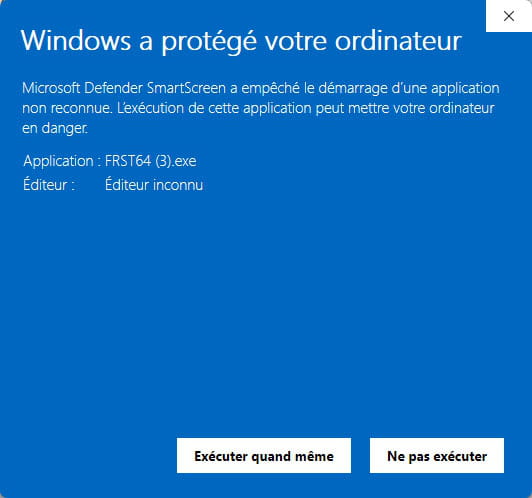
Note, wait for the messages saying that the analysis is complete to appear.


At the end of the analysis, the two reports FRST and Addition will be on the desktop.


Send the FRST and ADDITION reports to https://pjjoint.malekal.com/ or https://www.catupload.com/.
Then attach the two links generated by https://pjjoint.malekal.com/ or https://www.catupload.com/ in your reply.
bazfile
Moderator/Security Contributor.
A hello, a response, a thank you are always appreciated.

