
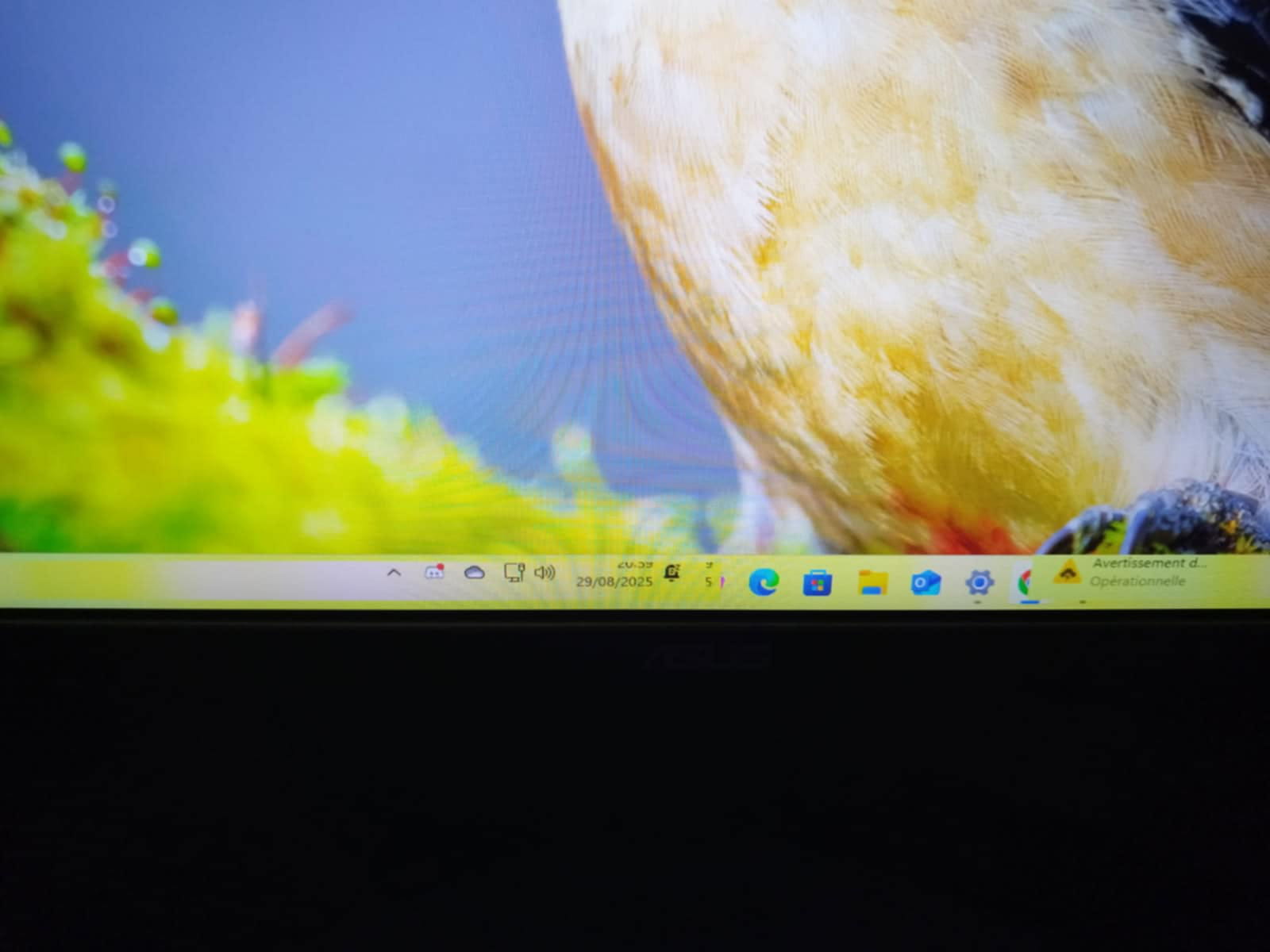
My Windows 11 taskbar distorts when my screen goes to sleep.
brucine Posted messages 25319 Registration date Status Member Last intervention -
Hello, I have a problem that I can't understand. I bought a new PC with an i9 14900k configuration and a 5090, as well as a new ASUS TUF Gaming VG279QM1A – 27" Full HD Gaming Monitor (1920x1080).
The issue is that when my screen goes to sleep, my Windows taskbar distorts, and I have to turn the screen off and on again to restore it to normal. Can you please help me? I can't find anything on this topic.
Best regards
6 answers
-
Hello,
Install the 5090 driver if you haven't already, but I doubt it's the only driver that's missing.
https://www.nvidia.com/fr-fr/geforce/drivers/results/254484/
Try the manufacturer's website for the motherboard in the Support > Drivers section. -
-
Try this Giveaway.
https://techno360.in/driver-booster-12-pro-free-6-month-license/
But be very careful during the installation, you need to decline at one point, and do not click install twice; during the progression, it offers another IOBit program, do not click "Install" during the installation, otherwise you will get unwanted software.
Then, it creates tasks with each use, but less if you disable the automation in the program settings.
Type Task Scheduler in the Windows search bar
And in the Task Scheduler Library, disable the scheduled IOBit tasks if you don’t want it to prompt you to install drivers.
If the Giveaway is no longer valid, it updates a maximum of 15 drivers for free in Free version, but at least it does that.
You should wait for the next giveaway to update more. -
Note: If I look at the problem from another angle, it could be the display driver that's glitching.
Uninstalling it can sometimes fix issues. -
The screen can't be the cause? I have never had a problem before this and when I have the distortion, the Windows taskbar is normal on my screenshot.
-
Hello,
By the way, it’s not a matter of the "Windows bar" but of changing the screen resolution after waking up (and not while in sleep mode, where by definition nothing is displayed).
As Fabul suggests, it could be a bug with the graphics card, its drivers, or its management software settings.
The issue is often seen in physical or virtual multi-screen configurations (where in the Windows System-Screen settings there might be a second configuration).
It is then possible that upon restart the system defaults to the integrated graphics chipset instead of the graphics card, which does not have a driver that supports the appropriate resolution, and that the device manager has retained a generic monitor driver in addition to the one dedicated to the monitor..., all of which could lead to the extreme case where the resolution after restart is only the generic Windows resolution of 640x480.
-
-
Hello, thank you for your clarification and advice. I actually have 2 graphics cards, one of which is in the processor. I just disabled it via the device manager, but I still have this problem; I don't understand... sometimes it even appears when I press alt+tab.
-
If in doubt, go to Settings-System-Screen.
Toggle if possible from 1 to 2 (if they are not duplicated), checking the screen resolution each time.
Go to advanced settings, successively select each of the screens in the top right, check the screen information and when available in the video card properties, modes, those that it can display.
-
