
Powershell Potentially Malicious Application Blocked
SolvedYouXI Posted messages 5 Status Member -
Hello, Bitdefender regularly sends me notifications of attacks blocked by PowerShell:
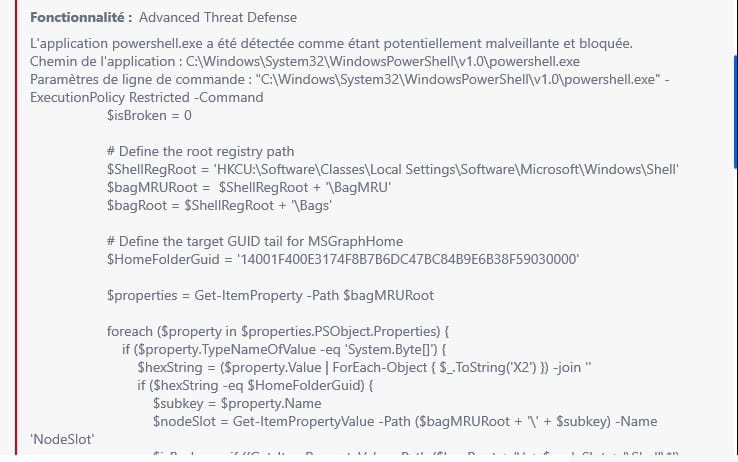
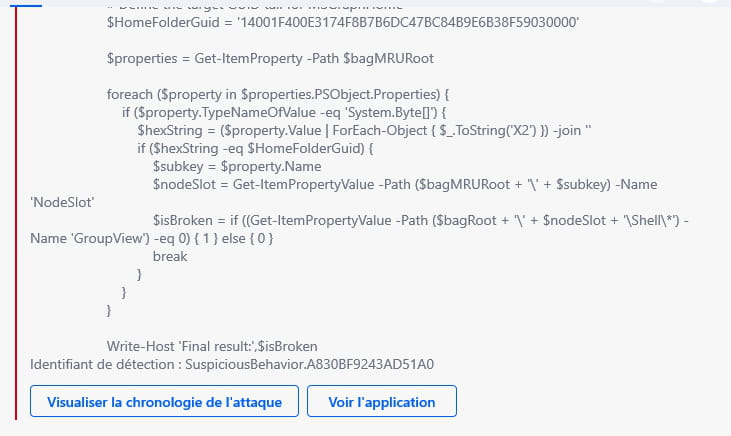
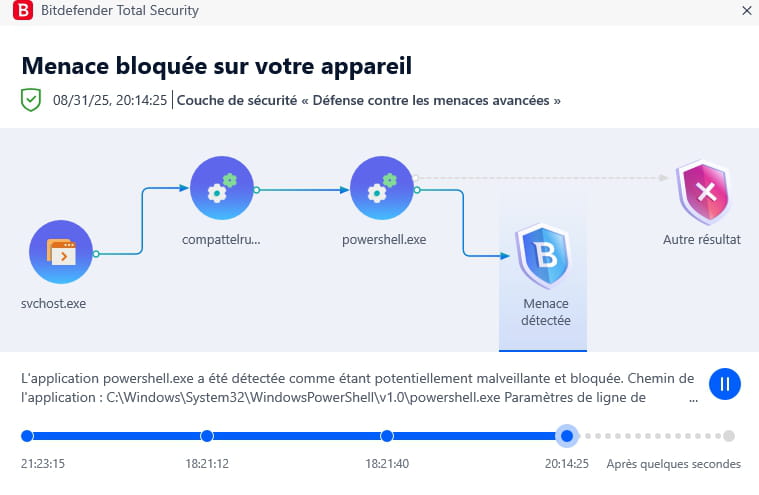
My Bitdefender is not up to date but when I start the update, the update search gets stuck at 22% and I don't dare uninstall and then reinstall Bitdefender for fear of an attack during that time.
Thank you in advance for your help.
3 answers
-
Hello,
According to your screenshots, it seems that Bitdefender is detecting suspicious behavior related to a PowerShell script that accesses and checks Windows registry keys (specifically in BagMRU, which manages folder view settings in Explorer). The code shown checks if a folder view setting is "broken" (via $isBroken), which could be related to a diagnostic tool or a legitimate script, but Bitdefender flags it as suspicious (signature AB30BF9243AD5IA0). This could be a false positive, as Bitdefender is known to generate them occasionally on normal Windows processes or harmless scripts.
Regarding the update stuck at 22%:
Issues with stuck updates in Bitdefender are common (often at 0%, 80%, or 84%, but 22% could be similar).Download the manual update tool from the Bitdefender website (bitdefender.com). Run it and see if it goes through. Sometimes, automatic updates get stuck, but the manual one works.
Some updates may seem stuck but resume after 10-15 minutes (as noted for other percentages).Uninstall safely:
Use the official Bitdefender uninstallation tool (available on their website) for a clean removal. Disconnect from the internet during the uninstallation/reinstallation if you're paranoid (it blocks network attacks).
Reinstall immediately:Once uninstalled, install the new version right away. Bitdefender protection is not completely disabled during normal updates, but for a reinstallation, it takes a few minutes max.
If you have Windows 10/11, the built-in firewall and Defender provide basic protection in the meantime.
-
Hello,
In short, PowerShell is integrated into Windows and is not inherently malicious.
It is certain scripts that can be, but some legitimate processes can use it, related or not to certain software (for example, it is the legitimate way to update the databases of my security software).
A malicious PowerShell script or not won't just drop from the sky.
It can be executed from malware embedded in an executable that we have downloaded, but otherwise, if it were to be executed online, it would need to penetrate the computer, and this time it is not the antivirus's role but that of the firewall and the security software's defense system to intercept abnormal calls to executables. -
-
-
Hello @YouXI StatusMember.
Powershell is sometimes used for infections, particularly Trojan coin miners, to check if the PC is infected, do the following.
Download FRST .
Once downloaded save FRST on the desktop then right-click on FRST and choose Run as administrator which gives this:

 Wait for the message the tool is ready to operate to appear then click on Scan.
For your information:
 If you have an alert from Microsoft Defender, disregard it, click on Additional Information then on Run anyway, see below.

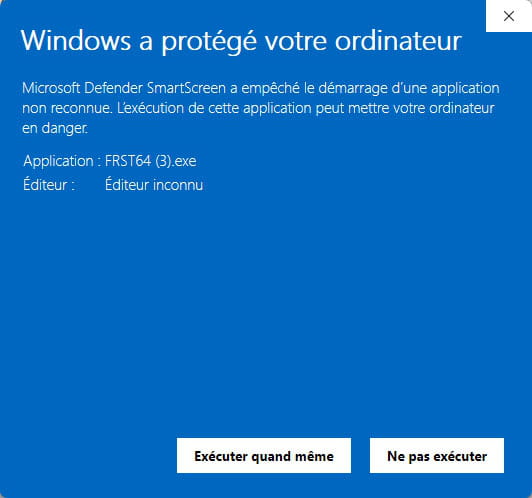
Be careful, wait for the messages that say the scan is complete to appear.


At the end of the scan, the two reports FRST and Addition will be on the desktop.


Send the FRST and ADDITION reports to https://pjjoint.malekal.com/ or https://www.catupload.com/.
Then attach the two links generated by https://pjjoint.malekal.com/ or https://www.catupload.com/ in your response.
bazfile
Moderator/Security Contributor.
a hello, a response, a thank you are always appreciated. -
Hello,
I have just reviewed your two reports.
Personally, I don't see anything suspicious.
Overall, your reports do not show any infection. The only real points of concern are:
Update Bitdefender (or reinstall it).
Clean up any remnants of Avira.
Check if you need the unsigned Brother service.

