
Display of more than 2 sheets from the same PDF on the screen
Diablo76 Posted messages 350 Registration date Status Member Last intervention -
Hello,
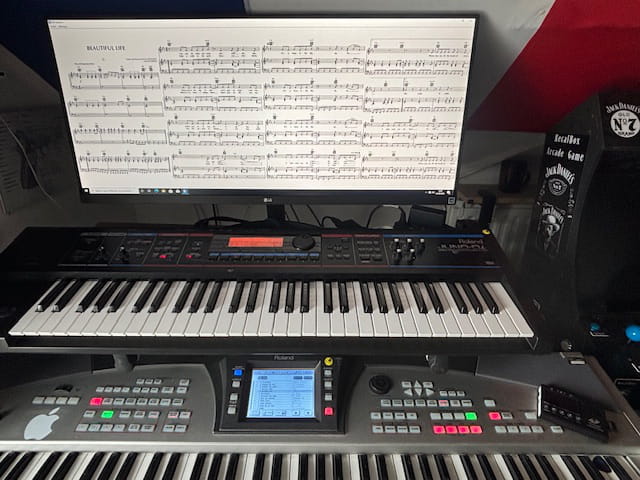
As a musician, I set up a 38-inch screen above my keyboards hoping to display my sheet music in PDF format. Most of the sheets are 4 to 5 pages long.
I would like to display them in full on the screen, but I can only show 2 pages at a time (option in Acrobat or Edge).
Does anyone know a trick or a software that could do this?
Thank you in advance
18 answers
-
Hello,
Another very simple tip:
- Split the PDF using https://www.ilovepdf.com/fr/diviser_pdf
In Acrobat DC either:
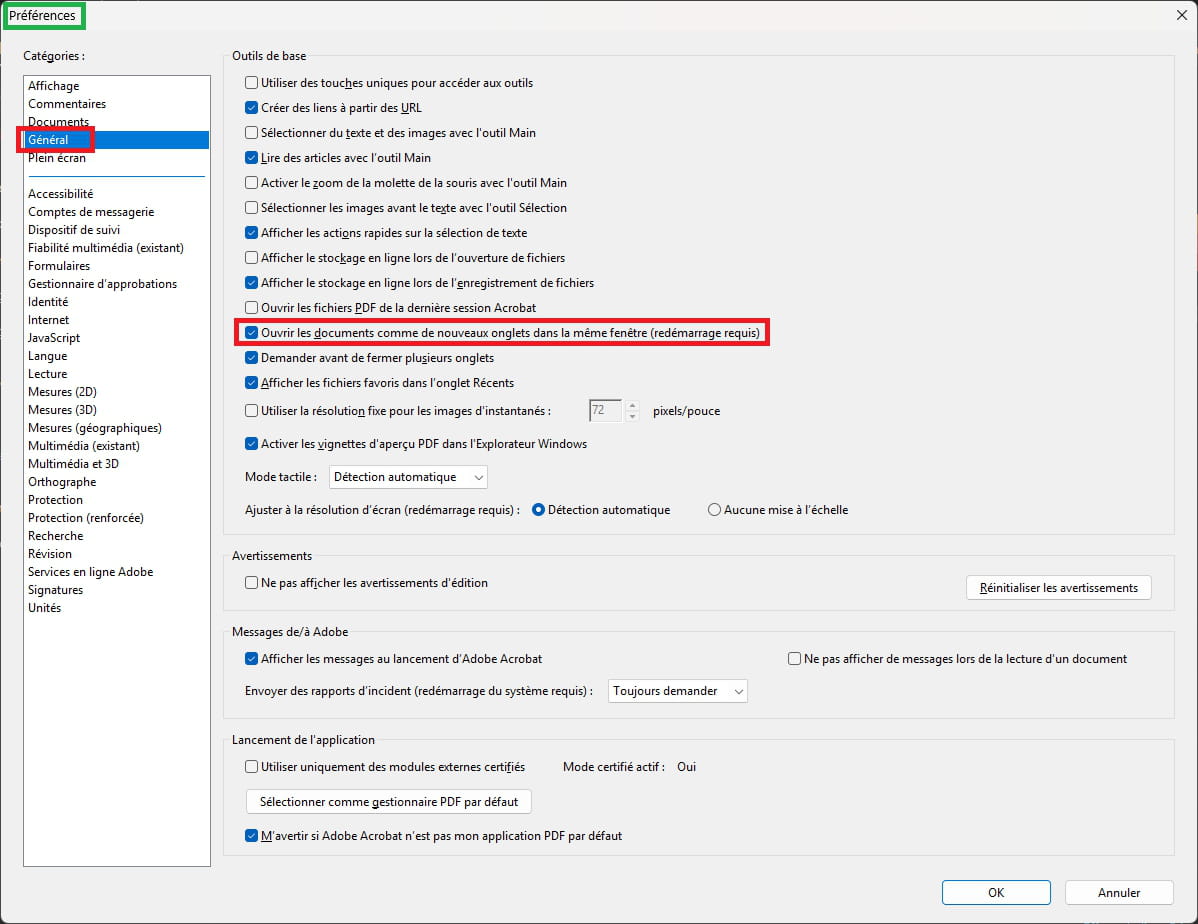
- open all the pages and drag each tab outwards, just like you do with the file explorer or Google (among others),
- Go to Edit / Preferences and uncheck Open documents in new tabs (restart Acrobat to validate). Open all the pages and arrange them in the desired order
Best regards
-
Hello,
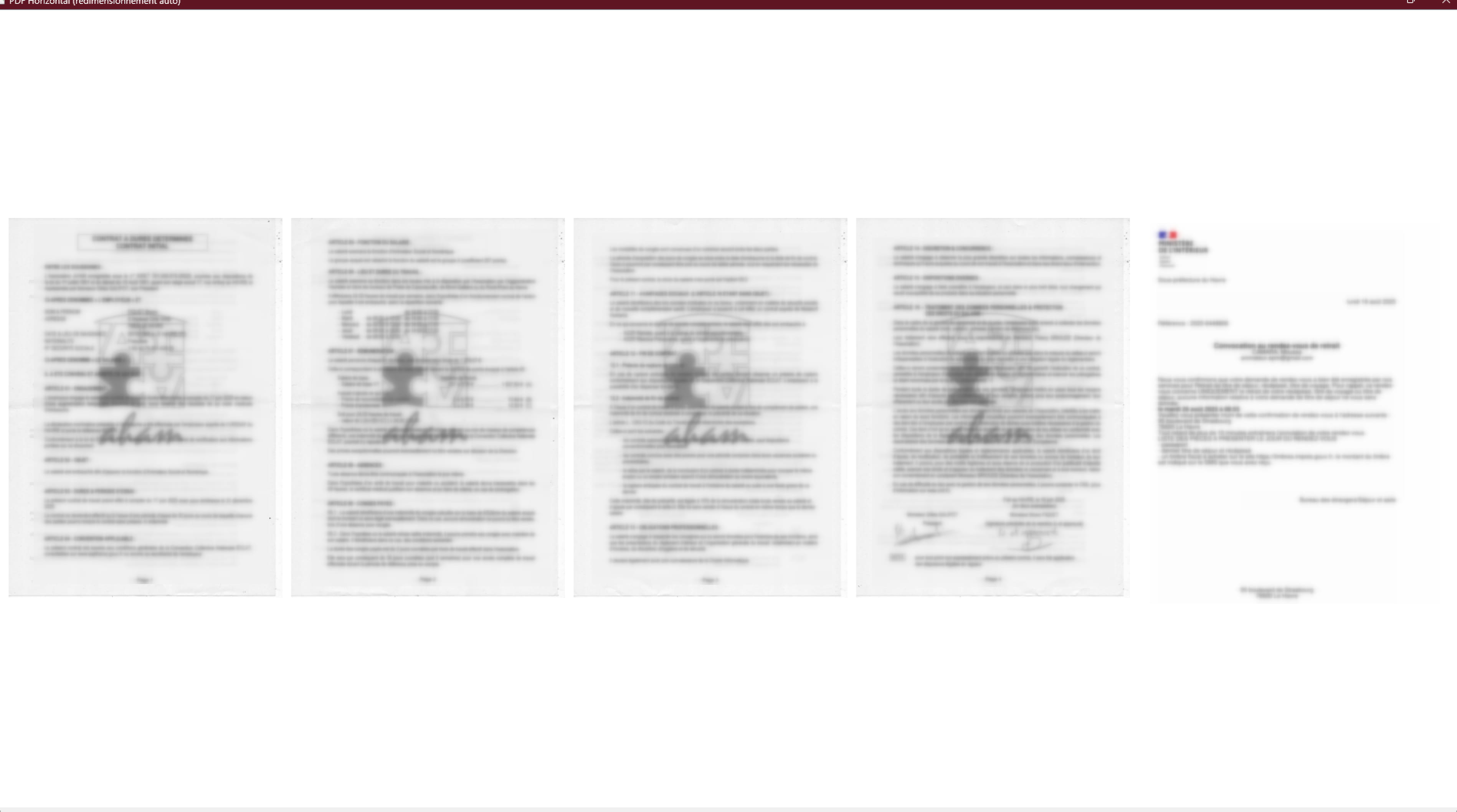
I worked on the app and here’s what it looks like in a video with a 5-page scroll:
The video is filmed on a 27" screen and it automatically adjusts the page size based on the screen size. As for the pedal, I assume it emulates certain keyboard keys so that shouldn’t be an issue.
-
Hello PapyLuc
This solution works, but it is restrictive; I have over a thousand scores
and switching from one to another while I practice is complicated.
Thank you for this tip, but I would prefer a solution without cutting manipulations.
-
Hello,
As promised, here is the link to the zip:
The keyboard shortcuts for scrolling are: up arrow, down arrow, left arrow, right arrow, and page Up and page Down. You also have a shortcut to switch from windowed mode to full screen, which is the Enter key.
-
It's really great.
Thank you very much.
If I were to abuse it, it would be nice to have the option to switch from 5 sheets to 4 sheets with a keyboard button and vice versa.
Sincerely.
-
Hello Diablo,
I haven't installed the Bluetooth pedal yet, but it will emulate the arrow, so there’s no reason it shouldn't work.
I sent you a private message to be more specific in my request, did you receive it?
-
Here is the new version that I've renamed PDF Maestro with a menu.
File
- Open PDF sheet shortcut CTRL+O
- About
- Quit
View
- Which allows you to choose the number of pages (shortcut p and m)
Shortcut Escape or Esc for Windowed or Full Screen mode.
-
Can't wait to test this at noon.
What responsiveness.
I'll give you feedback before the end of the day.
-
It works perfectly
Really, thank you, great job
-
It looks great ;-)
Feel free to come back to me if you encounter any possible bugs.
I have several friends who are interested and are already suggesting features like the ability to create a playlist.
Best regards.
As an idea for a supplement:
- Upon opening, have a history of previously opened scores. (the last 10 for example)
- I tried with books of several scores, (PDFs of about fifty pages), it would be nice to have a page forward function/page, to align the start of the score with the display of the first sheet.
In books that are compilations of sheet music, it is possible that when we want to display one of the scores that is at the beginning, it may not start on page 1 on the left side of the screen, whether we are displaying 3, 4, or 5 pages.
For example, we want to work in a 4-page view.
The first score is 6 pages long, so if we want to display the next score, it will appear on the 3rd page of the screen when we scroll through the pages.
Therefore, there should be an additional button to shift one page at a time,
to align the beginning of the score on the first page of the screen.
-
-
Hello everyone,
Following this thread, I decided to create an application, which is available on the Microsoft Store. @Harrydu08 StatusMember helped me a lot with fixing bugs and improving it, and guiding me, just for the sake of a musician, the app is exciting.
-
Hello Diablo,
sorry for not giving more news lately.
Overwhelmed with work and some health issues.
However, I'm using Maestro more and more, which is really great.
I'm controlling it with a set of 3 pedals:
- Back page
- Forward page
- Open partition selection.
And also with a trackball to navigate through the menus.
To give you some feedback.
A) I sometimes mistakenly press the pedal to go to the next page and end up pressing the file menu open key. Unfortunately, in that case, I have to manually close the menu to return to the partition.
It would be great if pressing the pedal or the key again would close the menu.
B) There should be an option to set the default directory for partitions.
C) It would be nice that when you open the partition loading menu,
it points directly to the last loaded partition and not to the first partition in the list (or have the option in the settings).
In any case, thank you as always, because the software has made my life easier.
Have a good evening.
Hello @Harrydu08 StatusMember,
Thank you for your response,
So to summarize, your 3rd pedal opens the "Open PDF partition Ctrl+O" dialog box.
The problem is that the dialog box is a native system window.
It works independently of the application and temporarily blocks its keyboard shortcuts.As long as it is open, the application cannot intercept the shortcuts to close it. This is a normal limitation of the operating system.
The only guaranteed key to close this window is ESC.
You could try a long press on the 3rd pedal by assigning it ESC.
As for the rest, it’s fine.
-
-
Hello @Harrydu08 StatusMember,
I feel like the notification system is not working properly on CCM, because I've sent you several PMs!!
-
Hello,
Apart from reducing the zoom, which might make it unreadable.
Why not use the automatic scrolling feature in Acrobat Reader:
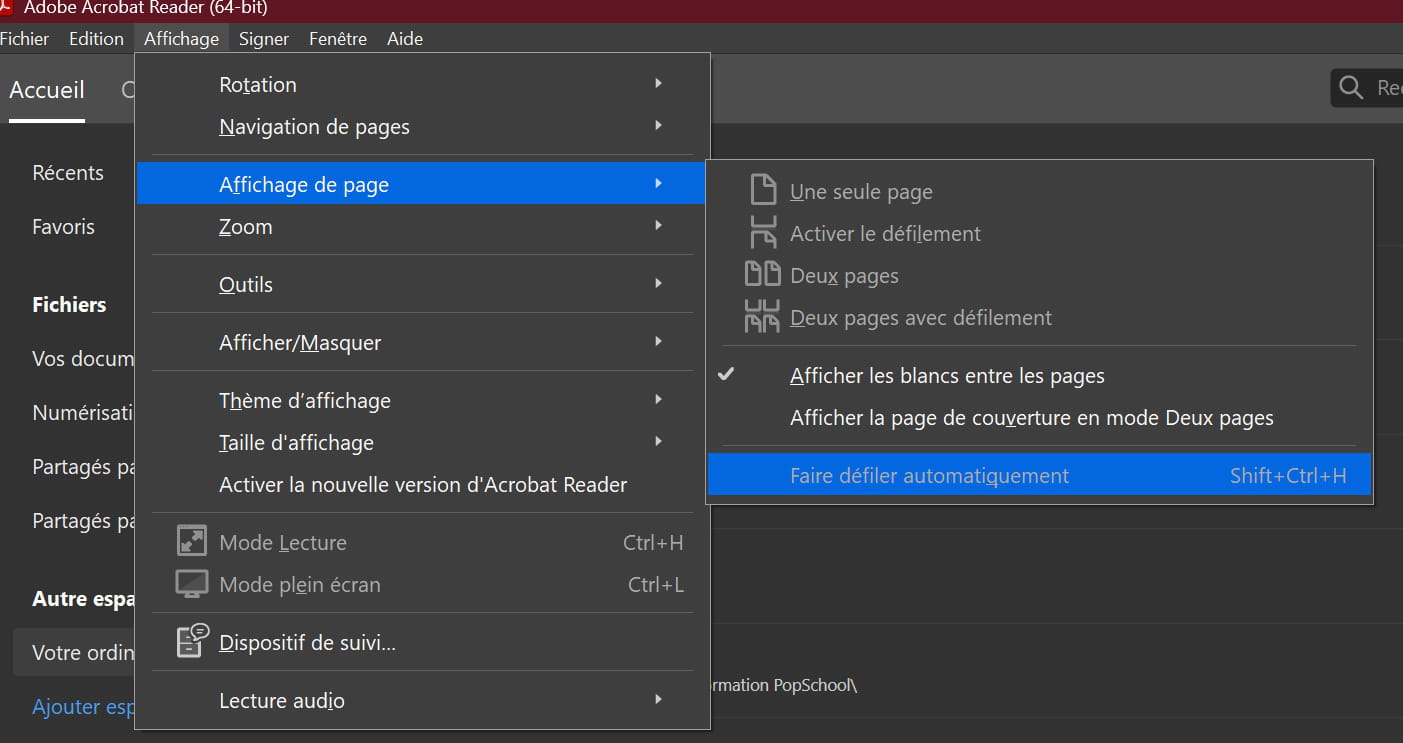
You can then adjust the speed using the Up and Down keys on your keyboard.
-
Thank you for the response,
This is not suitable
My screen is the size of 5 A4 sheets side by side.
That's why I would like to display the partition 5 sheets by 5 sheets
-
Either you impose PDF pages (it's possible but nothing is free) or you open 2 or 3 instances of Acrobat to display 2 pages in each one.
-
Hard to set up if the PDF has 5 pages, even with entities.
I suggest a small app written in Python that will display the 5 pages in full screen.
Hello Contrariness,
what do you mean by imposition?
I'm not necessarily looking for something free.
The second solution is laborious, and I want to scroll through the sheets with a Bluetooth pedal if the scores have more than 5 pages.
I reformulate my request:
I replaced my sheet music stand with a 38-inch screen, hoping to display PDF sheet music on it.
The screen can display 5 A4 pages side by side.
I'm talking about several sheets of the same piece, for example: page no. 1, no. 2, no. 3, no. 4, no. 5,
Then after pressing a key or Bluetooth pedal (for example), it shows the next ones.However, the different software I have tried, including Acrobat Reader, only allows me to display a maximum of 2 pages (book mode).
Do you know any tricks or software (free or paid) capable of doing this?For your information, I specifically got a 38-inch screen for this purpose, and having attached a strip at the bottom of the screen, it also serves as a paper sheet music stand when the screen is off.
Thank you in advance!
Hello Diablo
I haven't seen anything in DM
I've been in Toulon for work for the past 15 days
I bought the app on the store
and I'm going to test it when I get back this weekend
have a good weekend
Hello Diablo,
I can't see the PMs
But it's okay to have bought it.
I just got back from Toulon,
I'm a bit out of it, I'll test it tomorrow
-


