
I cannot open my PDF files with Adobe Reader DC.

Bocdan Posted messages 1587 Registration date Status Member Last intervention -
Hello. I have the free Adobe Reader DC application. With OpenOffice 4 and the "text document" option, I wrote a letter in PDF format, which is not showing up in my Adobe list like before.
On the OpenOffice text page, if I click on the small PDF avatar at the top, it opens my list of PDF documents. I am attaching a screenshot.
I see my PDFs, but if I click and open with Adobe Reader, it does not open my PDF text document?
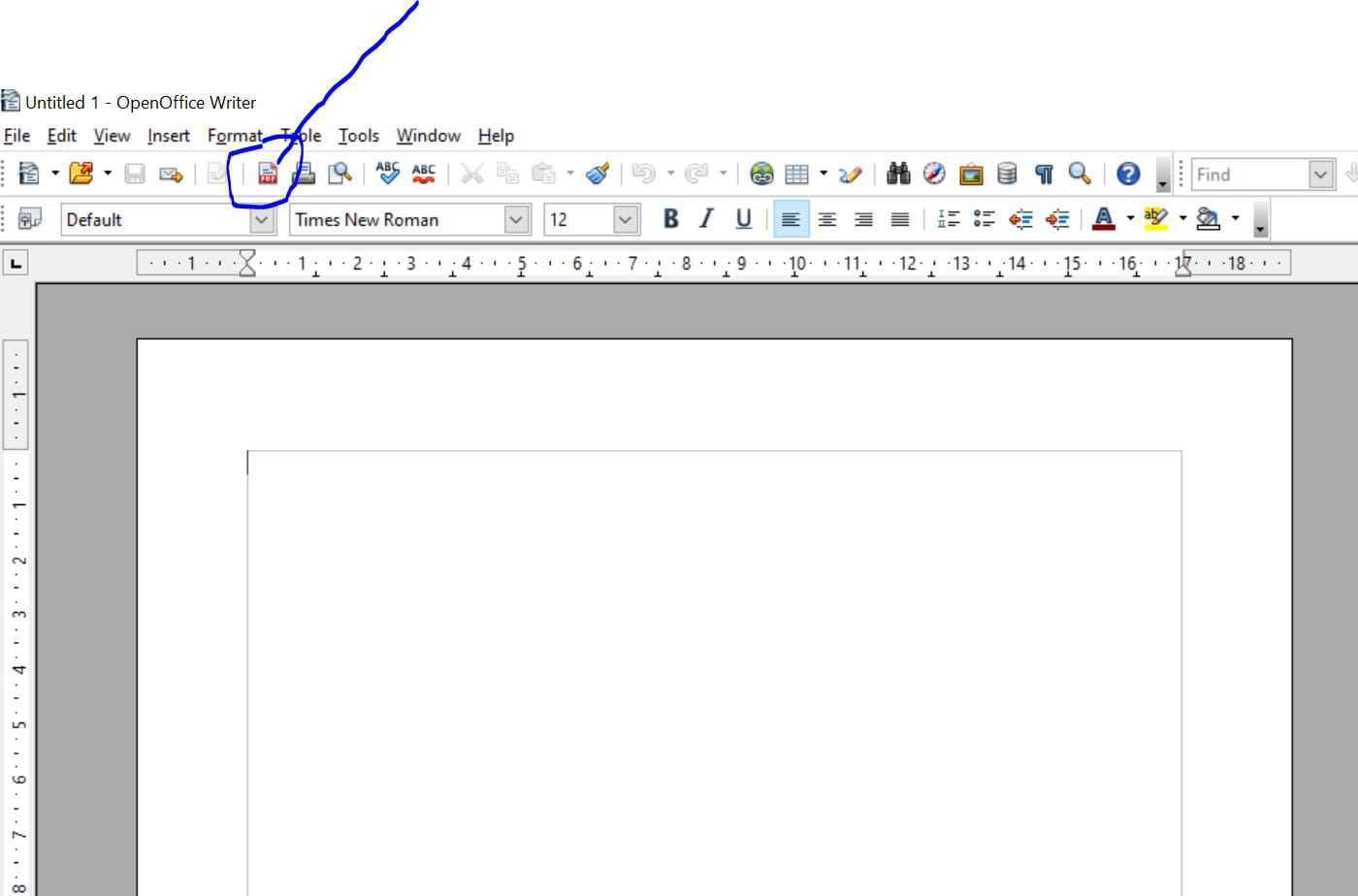
Question: what steps should I take to achieve this result?
Thank you.
14 answers
-
Hello Pierr10. Nice to hear from you. I finally managed to print but not with the application < foxit PDF viewer ... I uninstalled it ... maybe you are used to using it.!
It's a bit complicated for me, this technical computer language.
In the end, I reinstalled Adobe Acrobat Reader (64 bits) in the free version.
During the installation, I did not have the inconvenience of adding this antivirus McAfee. In conclusion, all that is said about C.C. works and happens in practice is different. Maybe it also comes from certain versions of this Adobe Reader. On this subject, by clicking on it, I went back to a previous version in the MENU page and by clicking on <<a previous version>>. I have an old Windows 10 system that is over 10 years old.
I managed this afternoon to print normally my four pages of bank PDF documents. (except that two pages were printed double-sided, which I disabled on the printer after my work) I also checked on the MENU PAGE OF MY ADOBE, and I verified that the double-sided option was disabled, which was the case. It remains for me to manage this setting properly, the chronology of my upcoming PDF documents and to be able to find them in PREVIEW on my HP Envy 5000 (normal communication between my Adobe and my printer) so that I can then print them.
You can leave me a message at my Microsoft Live address and we could communicate if you wish outside of the site. Thank you for your successive responses that have encouraged me. Friendly greetings from Bocdan.
-
Hello
try to do
- open with...
- and select edge or firefox (if installed)
-
Hello Yclick. It opens an old PDF with Edge... I made a decision on my own. Is this the right solution?
1. I uninstalled this application << Adobe Reader DC >> from my old computer and I even did an << UNINSTALL CLEANUP >> with REVO, which informed me that it created a << restore point >>.
Note: I may need to reinstall << the latest updates >> if the restore point has erased them?
My idea: I found to install an < Adobe Reader (version 2.0.0827) PDF Reader, the reference solution, Adobe Reader >
The link is as follows: https://www.adobe.com/fr/acrobat/pdf-reader.html
Image capture of this:
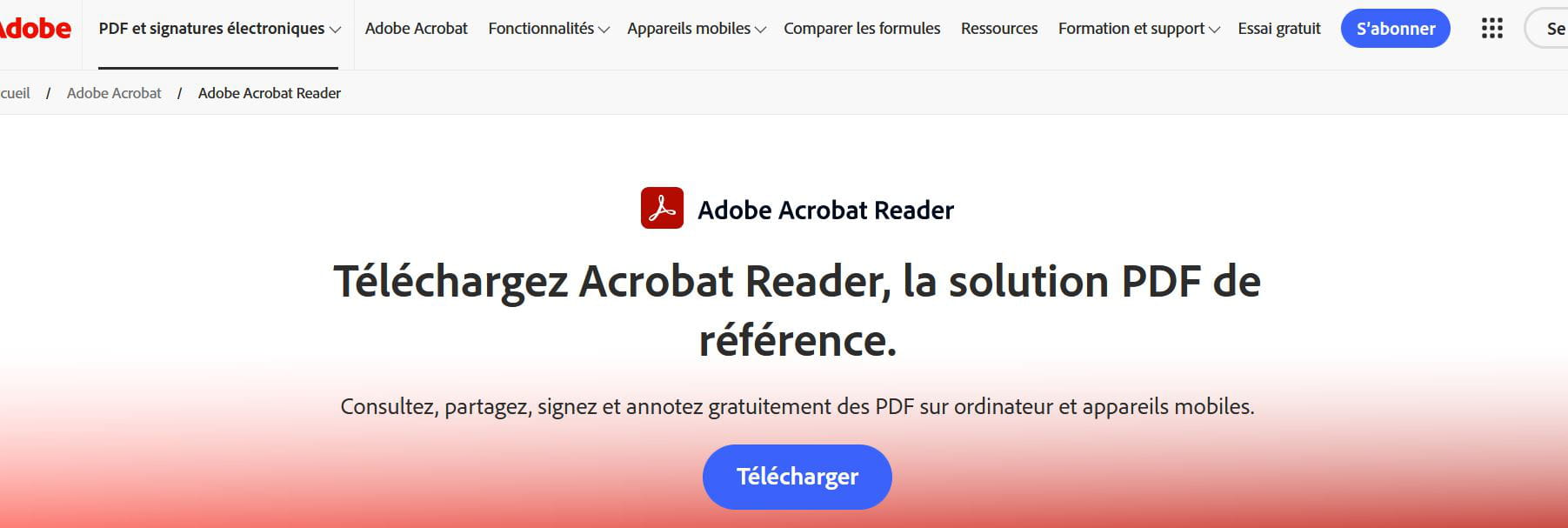
QUESTION: Are you sure this version will "function" normally on my Windows 10 system on my old PC?
Thank you.
-
Hello,
I think the icon you circled in the screenshot was added by Adobe Reader.
There's not much point in opening a PDF through OpenOffice since, in any case, OpenOffice is unable to act on a PDF (adding comments for example).So it's simpler to open the PDF directly with Adobe Reader or any other program of your choice. You can use Foxit Reader, Sumatra for example, or simply an Internet browser if you just want to read the PDF.
As for mobile devices, you will find a version of Adobe Acrobat in the Google Play Store with the classic editing tools (highlighting, comments, etc.). But if it's just to read the PDF, the current versions of Android already include a reader.
What is well conceived is clearly stated,
And the words to say it come easily.
(Boileau) -
Good evening Pierr10. In the end, it doesn't meet my wish.
QUESTION: Which version of Adobe Reader should I download for my old computer?
So that I can find my list of PDF documents on a "free Adobe Reader" and "open" them like before.
TO KNOW: I had to reinstall my Windows 10 system and I no longer had that old Adobe Reader that worked so well, and the problem is I no longer remember which one?
The Adobe Reader DC that I installed doesn’t work well (I had no list of my PDF documents). I uninstalled it this afternoon as I explained in my previous message... and I no longer have this application for now.
QUESTION 1. Do you have a reliable link to a version of Adobe Reader that works well and that I could install without problems on my Windows 10 system, and will it be able to open my PDF documents?
QUESTION 2. Do I need to install an additional PDF application to make it work together?
Thank you.
-
Hello
Do not install McAfee!
https://get.adobe.com/fr/reader
-
Question 1 : Download Acrobat Reader here. Take the free plan
Question 2 : No -
Good evening Redbart. You are offering me to download . Is there going to be linked with this application? ..
It's not very clear. Can you provide a detailed explanation?
Thank you
-
Re Pierr10. I have all sorts of responses to my topic.
I mentioned in my follow-up this application that you proposed to me, namely:
https://www.adobe.com/fr/acrobat/pdf-reader.html
Can you explain to me in a few words what I can expect from this version? With all these choices that the participants offer me without explanation, I feel a bit lost.
Thank you.
Thank you.
-
-
-
Re.Redbart. I am "hesitant" with all these kinds of applications that are suggested to me...
To know: this "Adobe Reader ("complete" and free ??... or also "Adobe Acrobat Reader free too (I doubt it's complete?) on the official site... unless all these links I discover are internet scams?
I don't know much, as you can see.
I would like to find the right choice and not make a mistake again and end up with a faulty application... as was the case, I had to uninstall and "clean" with REVO, which created a restore point for me and then had to reinstall removed updates (reminder: I use Windows 10).
Question: do you yourself use the "Adobe Reader/PDF viewer free application and is it sufficient, since you explain that the Adobe Reader application is paid and "less complete"? (less complete in what way?)
In the end, I am a bit "lost" in all the choices that the participants are suggesting to me... thank you for your understanding and follow-up.
-
Hello,
Adobe is not the only one on the market for handling pdf documents.
Free alternatives, nothing stops you from testing them.
Foxit, Sumatra...
It's up to you to decide.
Re. Kori-Kori. Back. I uninstalled < Foxit PDF Reader > because I "stupidly saved this application when I shouldn't have. I just reinstalled this application < Foxit PDF Reader >
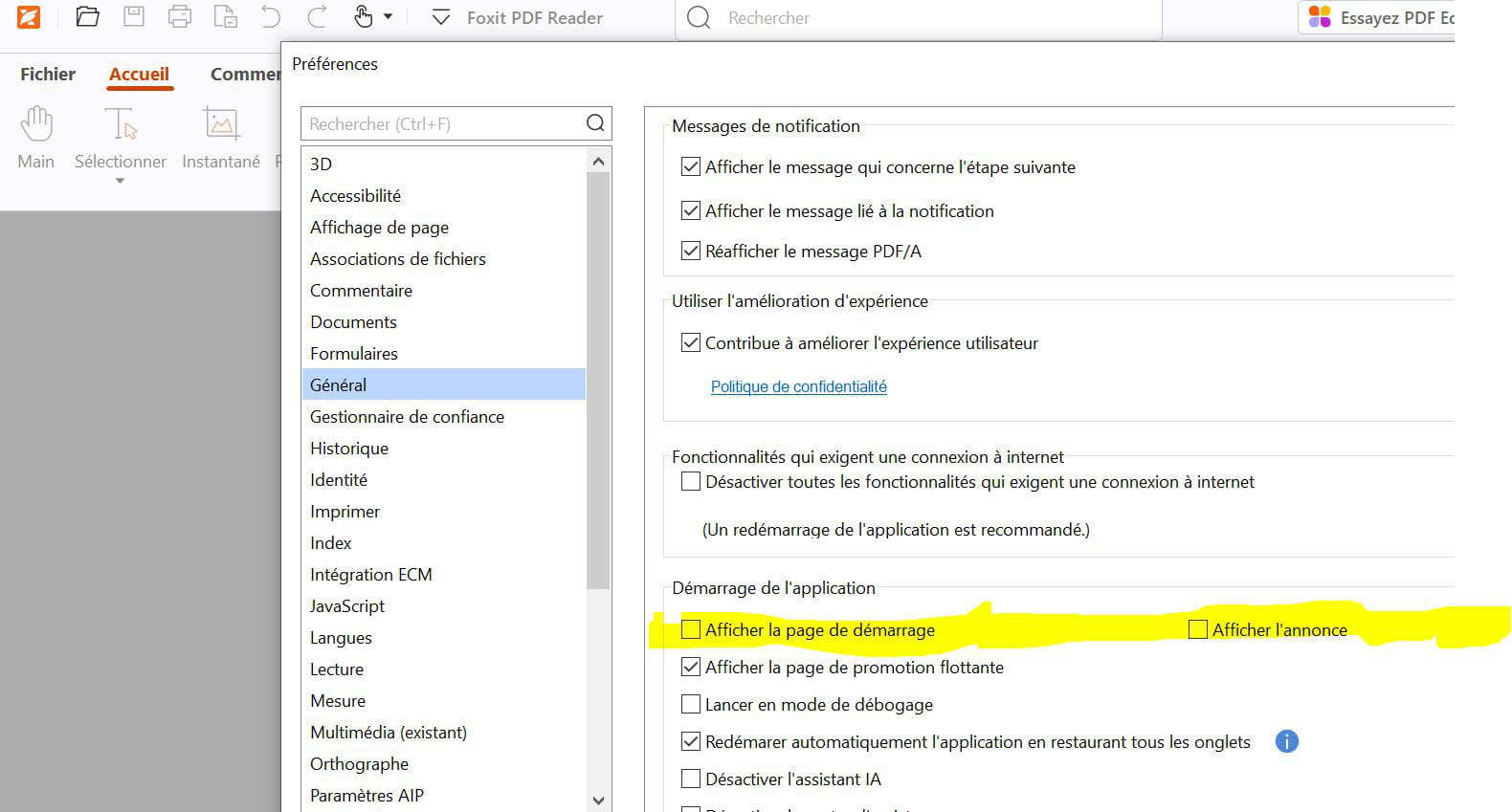
(without saving it this time) I will try to properly set the checkboxes or uncheck them. I just unchecked the ad pages in my Foxit PDF Reader application.
Image of this.
I do not see my four PDF document pages in my printer < HP Envy 500 > under < print preview >.
Question: how to make them appear, so I can print them?
If you can help me understand this. Thank you in advance.
Hello,
If I understood correctly, you are worried that a free software, therefore less comprehensive than a paid software, might be insufficient.
The main difference between the two is that the paid software allows you to edit (therefore modify) PDFs.
When you want to modify a PDF, the easiest is to work on the version that was used to create the PDF. In your case, it will likely be a .odt file obtained with OpenOffice. And then you export it as a PDF again.
Therefore, you need to keep the original .odt files.This is why the free version of PDF viewing software is more than sufficient.
However, if you are not convinced and wish to purchase a paid version, be aware that almost all software is subscription-based (even Foxit). They are therefore money traps.
What is well conceived is clearly stated,
And the words to say it come easily.
(Boileau)Re. Pierr10. It's not good. The viewer you suggest on this link:
https://www.adobe.com/fr/acrobat/pdf-reader.html ..
It's not a Microsoft application and on top of that, it installs the McAfee antivirus on me, so I don't need it...
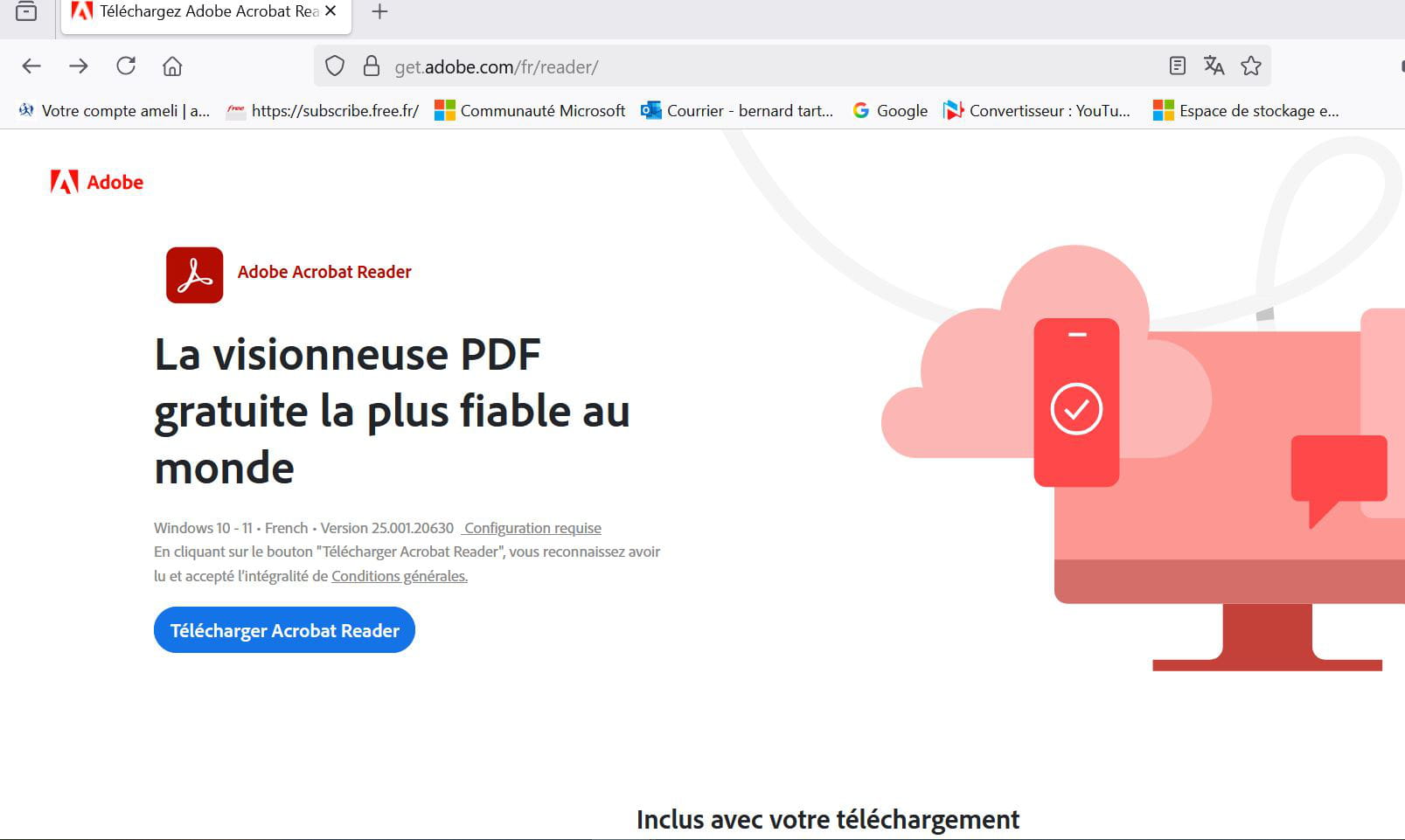
Possible solution but not easy to understand....
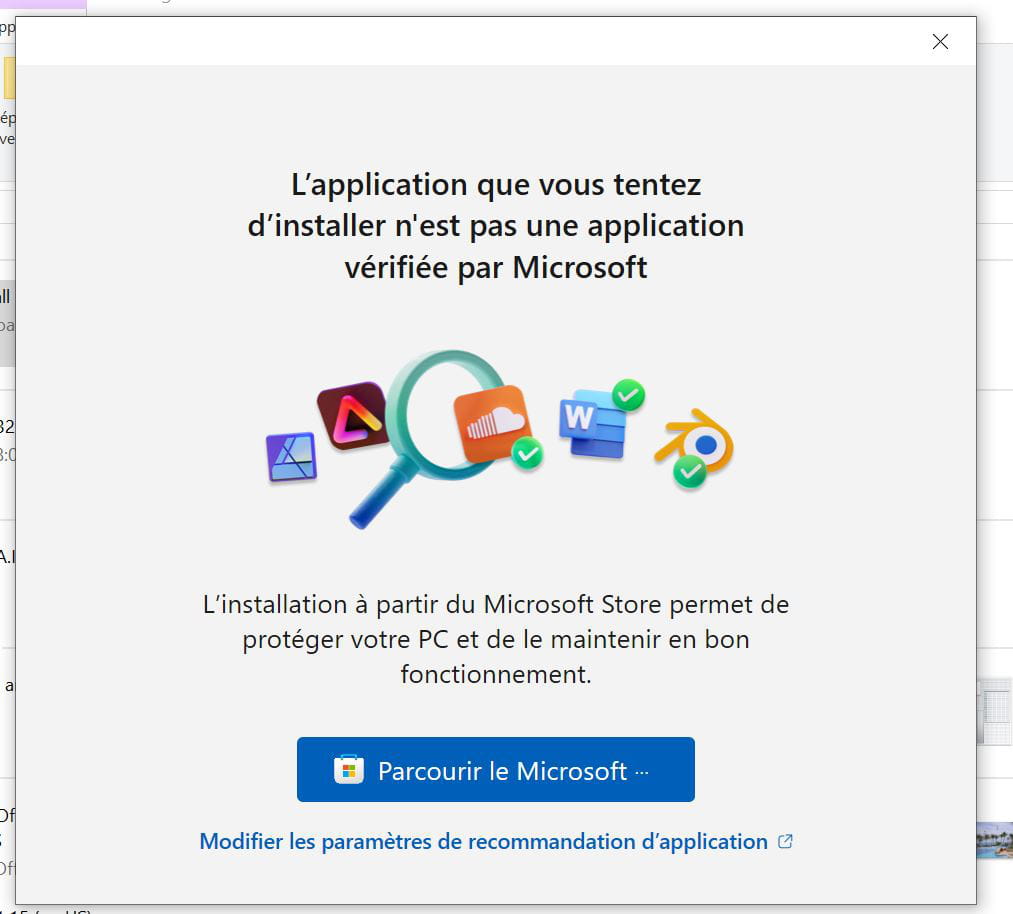
Adobe Acrobat Reader < the weakest viewer in the world >
and below it is noted in blue : << Modify application recommendation settings >> I didn't quite understand what that means.
IMAGE OF THAT:
Then I don't know what I should do.
I'll wait for your response, possibly.
But for me, it's not simple < this installation process >
As for Firefox, from where I'm operating in < tools>, I can't find the next steps to download and install this < Adobe Reader PDF viewer >...
It's not easy (laughs)
Thank you.
-
it's not a Microsoft application and on top of that, it installs the McAfee antivirusThis means that it is not a verified application by Microsoft!
In other words, you are not downloading it through the Microsoft Store and Microsoft is not happy!You still have the right to download your applications without going through the Microsoft Store, which does not allow you any freedom regarding the installation folder. So don't pay attention to this warning.
However, if you want to go through the Microsoft Store, it is indeed available there.
(The Microsoft Store can be found in the list of applications in Windows 10)
------------------------------
As for McAfee, you probably didn't uncheck the box that allows its installation. This is something unacceptable on Adobe's part. See this:
https://www.reddit.com/r/Surface/comments/1lqask7/why_is_adobe_still_trying_to_sneak_in_mcafee/?tl=en#lightbox
If you go through the Microsoft Store, you might also end up with McAfee! Be careful during the installation!
If you weren't used to Adobe Reader, I would recommend using Foxit PDF Reader. I've never had any problems with it:Hi again Pierr10. I find your explanations coherent and I trust you for that. I have therefore downloaded it on my Windows 10 system (I don't know if it will work later on Windows 11).
Your personal choice: https://www.foxit.com/fr/pdf-reader/ but then.. I come across the Microsoft page where it says
< the application I am trying to install; is not verified by Microsoft >
I clicked on < Browse Microsoft > and I came across this:
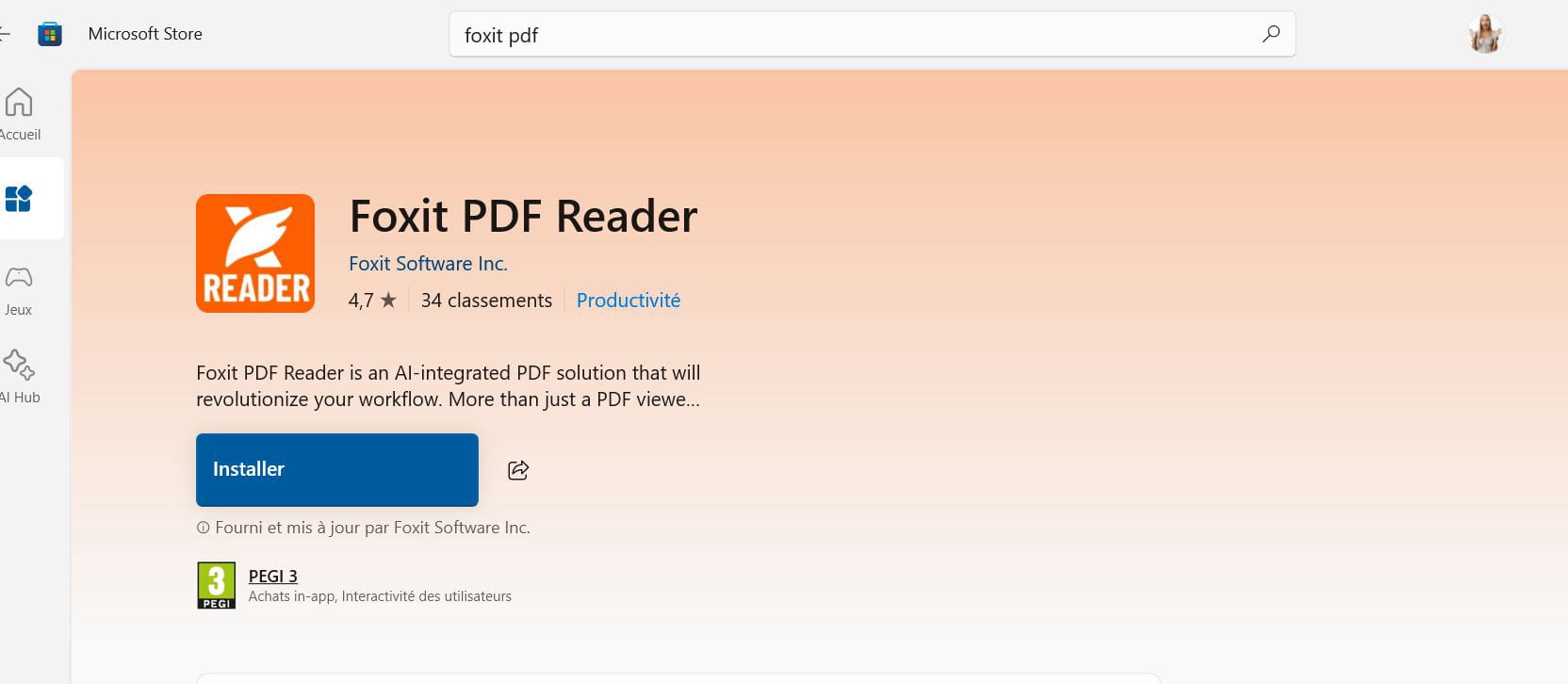
Question: should I simply click on this foxit PDF and install it or is there a hidden trick that I need to uncheck (like a McAfee antivirus bundled with the installation or some other hidden item)?
Personal info: what I'm mainly looking for is < a PDF viewer > and to have a visible list of my PDF documents so that I can possibly send them as attachments via email.
If you confirm that it's safe and that I have < the green light >, I will simply install it and keep you updated.
Thank you for your seriousness and your kind follow-up.
bocdan.
You can simply click on Install.
If you no longer want to receive this kind of warning from the Microsoft Store, go to the Settings of Windows, then to Apps & features and make the following choice: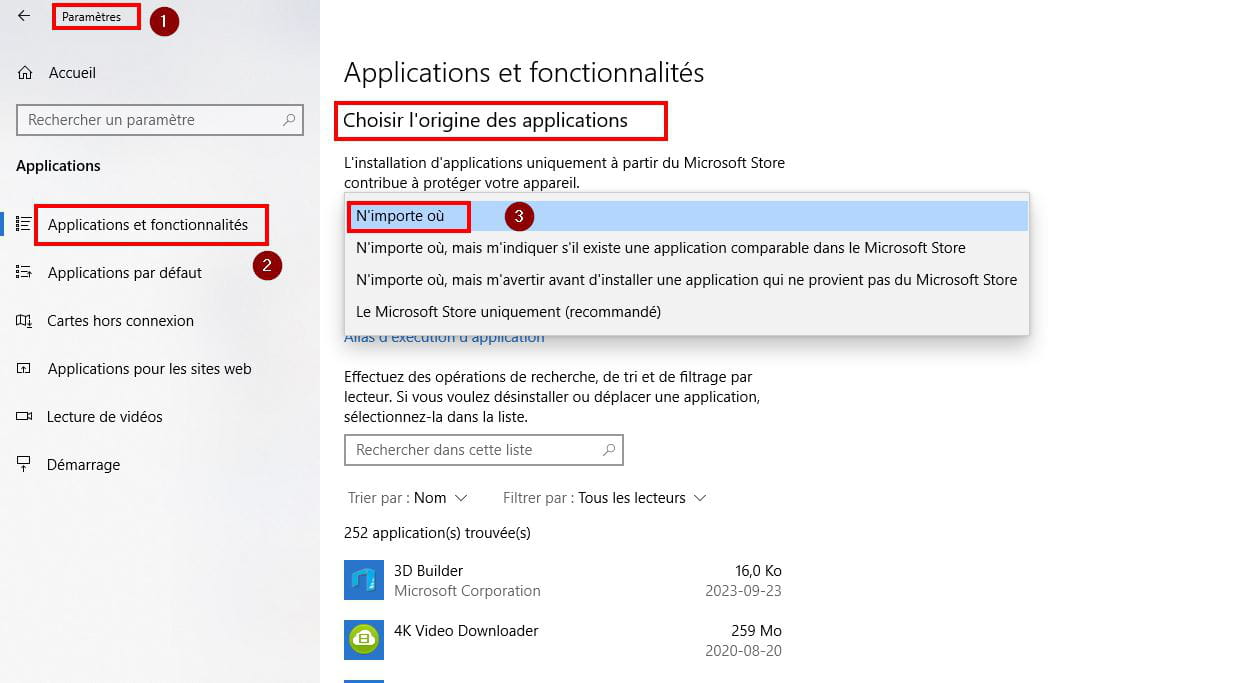
---------------------Regarding Foxit Reader, you may be understandably annoyed by the adverts on the homepage.
Go to File > Preferences > General and uncheck Show the Startup page.
To get your list of PDF documents, you will need to indicate where they are located at first. Then you will have the list of recent documents. The same applies to Adobe Reader.
When you update, don’t forget to uncheck the trial offer for PDF Editor.
If you're not convinced by the software, you can uninstall it without any problems and revert to Adobe Reader.Re. Pierr10. I noted the path you indicated. I don’t think it’s necessary to create a restaurant point just in case?
1. I installed this Foxit PDF reader and chose < sans enregistrer >
Then point by point:
I went into the SETTINGS of my Windows 10 system and on the page,
I clicked on < Settings and features > on the right in < the source of applications > below chose < anywhere >
I went to the shortcut of the Foxit file icon placed on my desktop and left-clicked on it and when the page opened, I right-clicked at the top on FILE as you explained and in the vertical list on the left clicked down on < PREFERENCES > and in GENERAL and at the bottom in < application startup > UNCHECKED: < display the startup page and on the same line to the right < show the announcement > I unchecked that as well, I think it’s better?
Should I uncheck below < automatic application restart restoring all tabs > or should I keep this choice active?
I finished these actions by clicking finally on OK...I haven’t created any PDF document for now.
You write To have the list of your PDF documents, you will need to indicate where they are located from the start >
Question: can you specify the place I need to choose and check?
For the moment, with Open Office in < Text document > I haven’t created any PDF Doc as a trial. I will wait for your reply and your confirmation before using this free FOXIT PDF reader.
I might eventually go to your private page and send you a personal message, possibly if you agree.... I wish you a good Sunday.
Thank you again for your follow-up.
-
There is no need to create a restore point.
The settings you have made are correct.
Leave "Automatically restart the application while restoring all tabs" checked.
---------------------
To open PDF documents, click on File > Open
In the second column, you can choose the location where your PDFs are stored, for example: Computer > My Documents
But the usual way to use Foxit Reader (or Adobe Reader) is to left-click on the PDF document in the file explorer.
The default reader will launch immediately.
In Foxit Reader, see Preferences > File Associations.
----------------------------
When you have made Foxit fully operational, I recommend going to the Comment tab to discover everything you can do with a PDF. Choose a file that you can tinker with, one that you don’t care about.
I also recommend reading this tutorial I created a few years ago:
https://forums.commentcamarche.net/forum/affich-37585770-ecrire-sur-un-document-pdf-avec-foxit-readerOverall it is still valid.
-------------------------
Attention! Private messaging assistance is prohibited on this forum. The principle is that the help provided should benefit all forum users, even those who are not members.
Have a good Sunday!
Re.Pierr 10...An important thing that I forgot to tell you.
When I had my Windows 10 system reinstalled by a technician friend, it was done using a USB key, which must have erased all my PDF documents...
I applied your latest advice: click at the bottom left...
A) 1. preferences 2. Documents 3. opening settings.
4. "Always open files" Choice in the tab (in a new window) click OK to validate.
B) Then in "preferences" again... choose < file associations >
choose << set default PDF viewer > and click OK to validate.
I will do a test with < Open office 4.> choose "text.document" write a document like "letter mail" and see if I can validate it as a PDF
thank you for your follow-up
Re .pierr 10. I wanted to modify my trial file which was in ODt format and after
, I got a window that offered me three choices. 1. Modify 2. Repair 3. Delete
I did the first two with open with Foxit pdf Reader, it didn't work then I chose 3. DELETE which uninstalled < foxit pdf reader >
So, I'm starting over and reinstalling Foxit pdf Reader for free.
In the meantime, I'm cleaning my disk C
That upset me but I didn't quite understand what to do. Sorry
-
Hello,
The ODT format (Open Document Text) is an open format based on XML, primarily used by LibreOffice and OpenOffice, while being compatible with Microsoft Word to some extent.
Understanding the ODT format... https://commentouvrir.com/intertech/comprendre-le-format-odt-un-guide-complet/
You can use the free application PDF-XChange Viewer.
Hello Panth33a. I don't understand why, when choosing to OPEN WITH and selecting my Foxit PDF Reader, it doesn't open this odt document (test letter created in OPEN Office 4) in PDF format. Why doesn’t it open??
It offers nonsense: 1..Modify (it's trying to "install Foxit PDF"
3..even though it is already installed). 2. Repair (no better). 4. Delete (which gives a Windows spiel that misled me. What a shame!
QUESTION: Which document should I choose on my computer to try and ultimately discover with Foxit PDF Reader... a "converted" document in PDF format?
I don't understand why, when choosing OPEN WITH and selecting my Foxit PDF Reader, it doesn't open this ODT document.I don't know. I use PDF-XChange Editor in its full version.
Hello
Simply because Foxit opens pdt files and not odt files! To each their own job!
This whole discussion is built on this rather unlikely misunderstanding.
-
There is a fundamental problem: Foxit or Acrobat are not there to create PDFs. They allow you to view them and possibly add comments.
So there's no point in uninstalling Foxit.
It's when you are in OpenOffice that you create the PDF file.
Go to File > Export as PDF
or click on the PDF icon, if it is present.
Watch the video: https://www.youtube.com/watch?v=wgJES3-MRbw
Re. Pierr 10. I reinstalled <foxit pdf="" reader=""> very easily. It is true that it is a PDF viewer that must be interesting when you know how to use it like you do.</foxit>
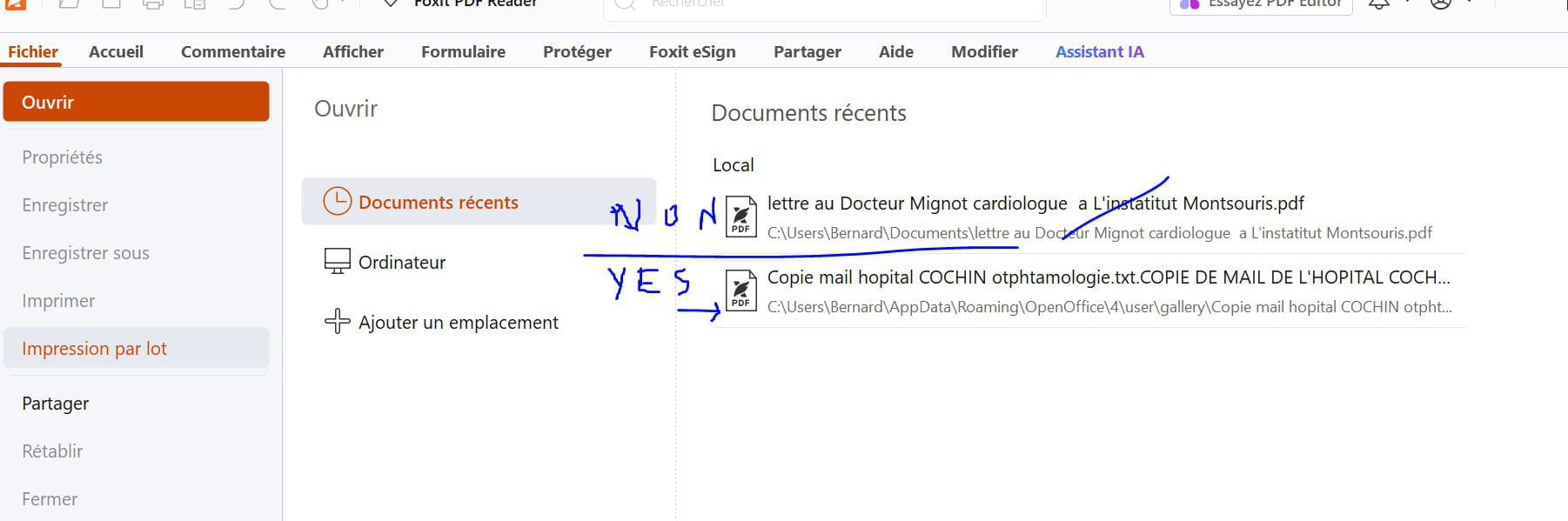
I'm going to show you a screenshot that will surprise you.
I could only open one PDF document normally? The second refuses?
So, who knows why it refuses to open?
Capture:
-
I have no explanations.
There is something abnormal about the location of one of your files: the second one is found in the AppData in a folder where it doesn't belong.
Normally when you create a .odt file and export it as pdf, both files are located in the same folder (for example, in My Documents).
Please try again:- In OpenOffice, create a text of a few words that you save as .odt in My Documents or on the Desktop for easy retrieval.
- Export the same text as pdf. It should be located in the same folder as the .odt file.
- Click on the pdf file. Normally, Foxit should launch and open the file.
Hello,
Be careful, this is the history of recent documents; if the file has been moved or deleted, that's normal.
Hello to all of you who tried to help me.. I remind you (once again) that my Windows 10 was uninstalled and reinstalled with a USB stick by a friend.
I couldn't print my PDFs with the application << foxit free PDF Reader>
I can see my four bank PDF documents in my Foxit PDF.
I would like to print the 4 PDF pages with this Foxit PDF viewer, it only prints the last page, and after that, it prints black pages that I stop to avoid running out of ink..
I checked the various settings in my Foxit PDF Reader and tried to understand...? and since I don't know much about it..
Apparently, it doesn't communicate well with my HP Envy 5000 printer since I don't see in the preview on my printer my pending documents (which I could get with my old Adobe Reader).
I don't want it anymore, especially since it imposes the McAfee antivirus upon installation (we can no longer uncheck McAfee when installing Adobe Reader, as before).
QUESTION: Do you have any idea what I could do to print the 4 PDF pages normally?
Thanks in advance
-
TEMPORARY SOLUTION FOUND at 9:00 PM. Using Edge browser, with Adobe Reader (Foxit PDF viewer does not work at all), I managed to print the four pages of my bank documents in PDF format on a single page, but the downside is that it's written very small.
Note: If you have a "better idea," please send me a possible step-by-step timeline. Thank you.
Hello,
After dozens of messages, it's still Chinese to me.
Unless you want to create a PDF and then print it, LibreOffice has nothing to do with it.
When it comes to installing different software and if Microsoft objects, as mentioned earlier, you need to accept non-Microsoft software in the settings.
If you insist on Adobe Reader, which is much heavier and doesn't add anything more for simple viewing and printing, be careful with Mac Afee and a possible subscription.
Edge or any browser capable of displaying and printing a PDF has nothing to do with any PDF viewer; the results are often better from the PDF viewer than from the browser, but it's obvious that if it allows printing 4 pages on one, they will be smaller: if the original PDF is made up of 4 pages, they are usually printed in succession; if there are 4 different PDFs, they are printed in succession.
In any case, we're overcomplicating things in what has become a delightful mess: uninstall all the PDF software that are at war with each other, and reinstall the one of your choice (I personally use Sumatra which is very lightweight, everyone does as they please).
Right-click on any PDF, always open with the chosen software, left-click on it, choose print and let's talk about something else...
Hello,
Talking about a mess is not an exaggeration!
In message <36>, Foxit is being used:I checked the various settings in my Foxit PDF reader and tried to understand ...? and since I don't know much about it .. Apparently it doesn't communicate well with my printer .HP Envy 5000.. since I don't see in preview in my printer my documents waiting ( what I could obtain with my old Adobe reader . I don't want it anymore, since it imposes the MCAfee antivirus during installation ( You can no longer uncheck McAfee when installing Adobe Reader, like before )
In the following message <37>, about 4 hours later, there is a return to Adobe:From Edge browser, with Adobe Reader (foxit PDF viewer doesn't work at all)Most users of Foxit or Adobe (it's a matter of taste) use the default settings, without asking questions, and it works.
Good evening bucine. At least it allowed me to indulge in "Javanese." I wasn't familiar with this programming language. In the end, I managed to print in PDF format with this version of Adobe Reader (without installing McAfee, by the way). I learned something. Thank you for passing through. Friendly regards. bocdan.
-






