Microsoft Word 365 stuck in compatibility mode
Solved
brucine Posted messages 25262 Registration date Status Member Last intervention -
Hello,
I can't turn off compatibility mode;
I'm confused between the tools and display options. How can I reinstall the current settings?
Thank you for your help
5 answers
-
Hello,
This means that a document is locked in an earlier version of Word, which limits certain more advanced features.
You need to open the document in Word.
Click on File > Info.
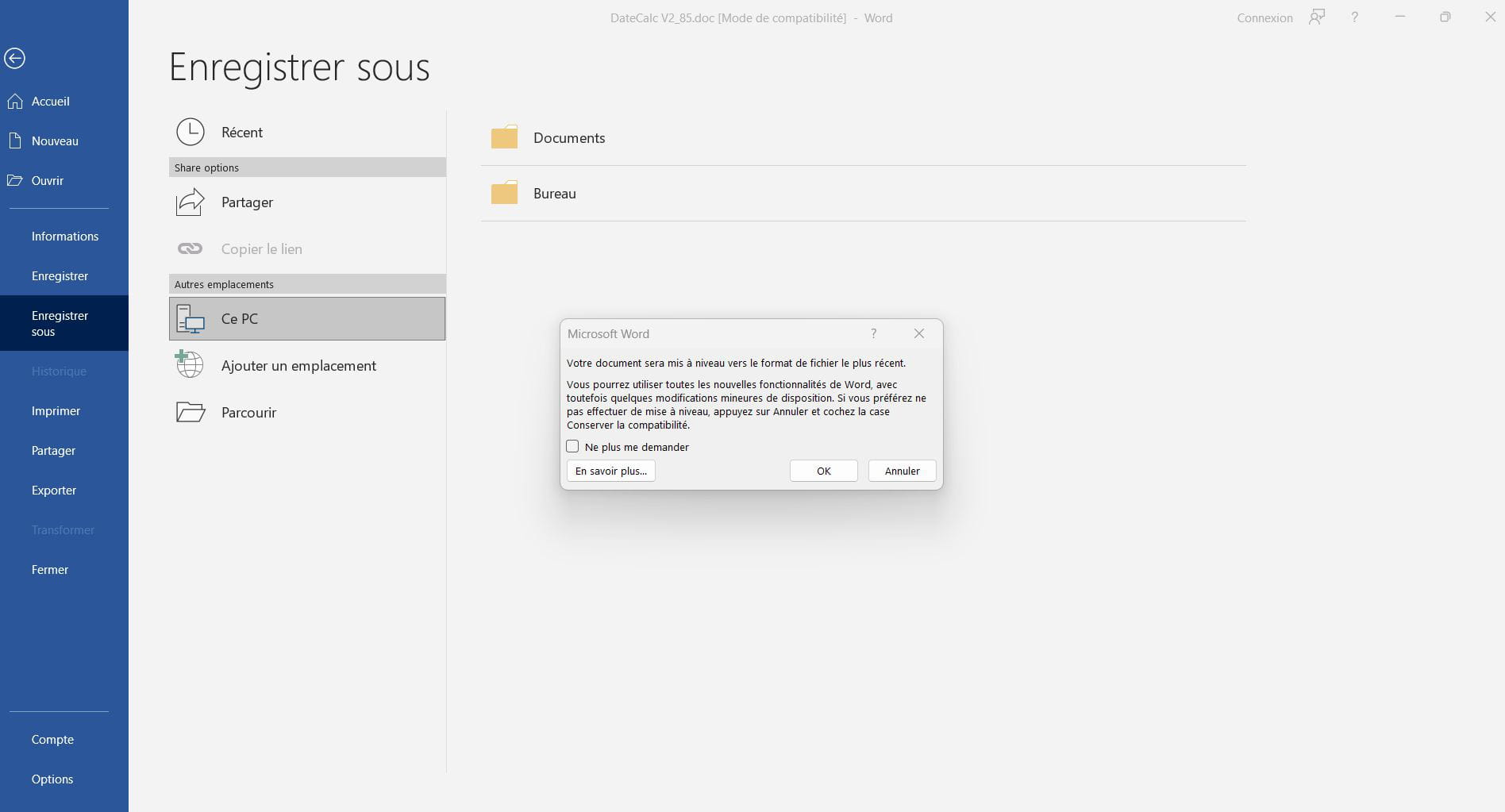
Then click on the Convert button if available.
Confirm by clicking OK or convert in the dialog box.
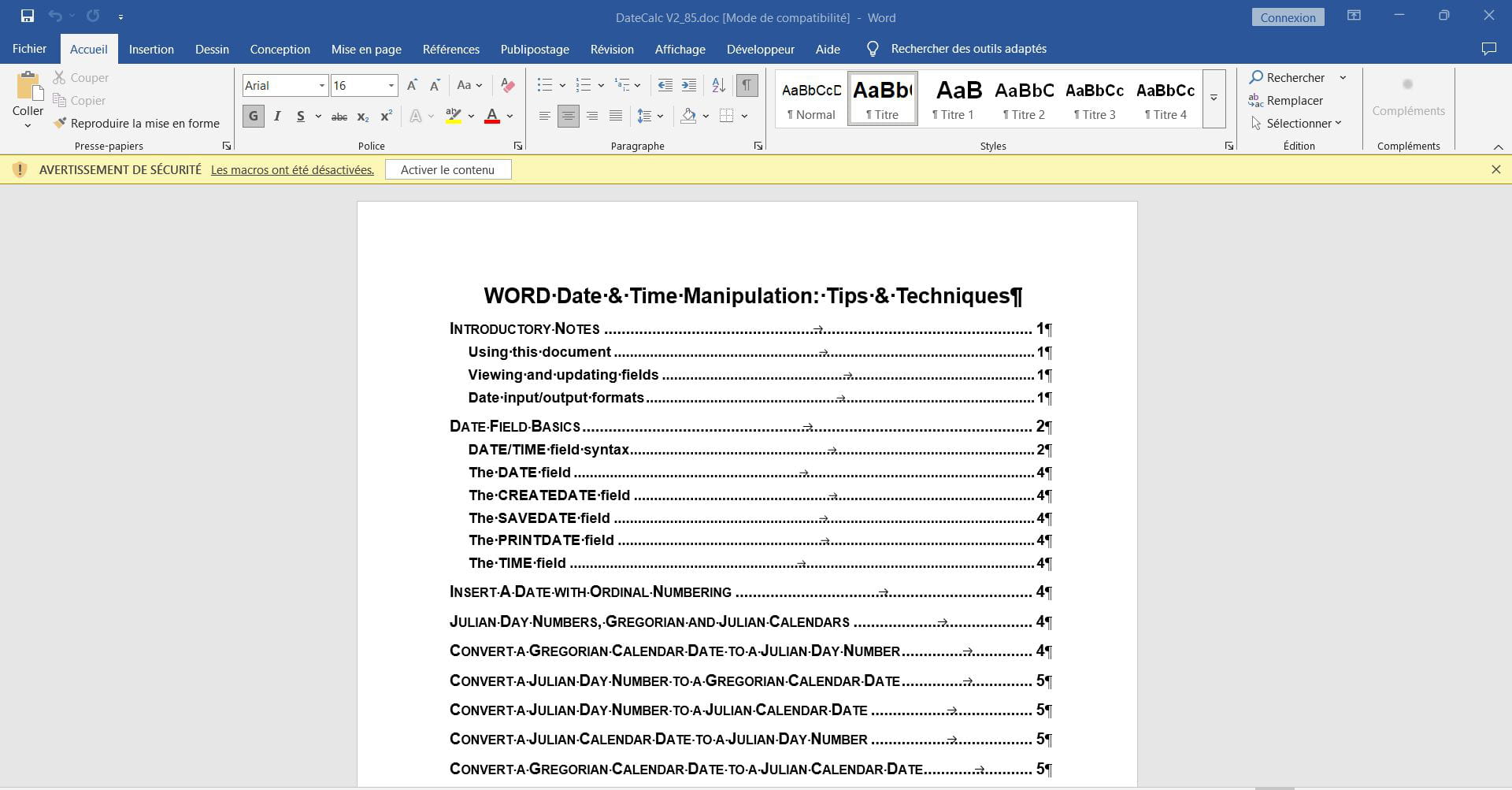
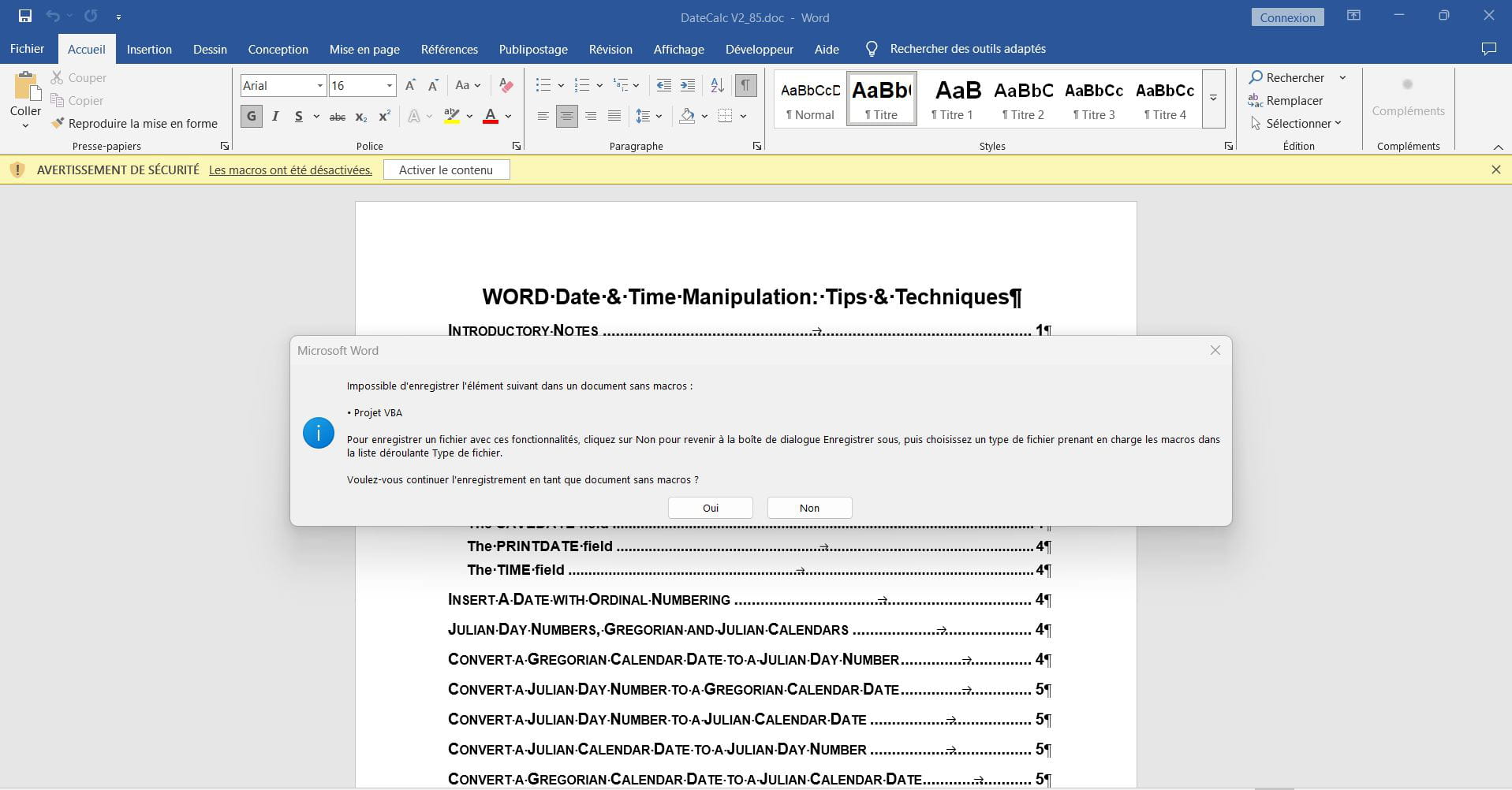
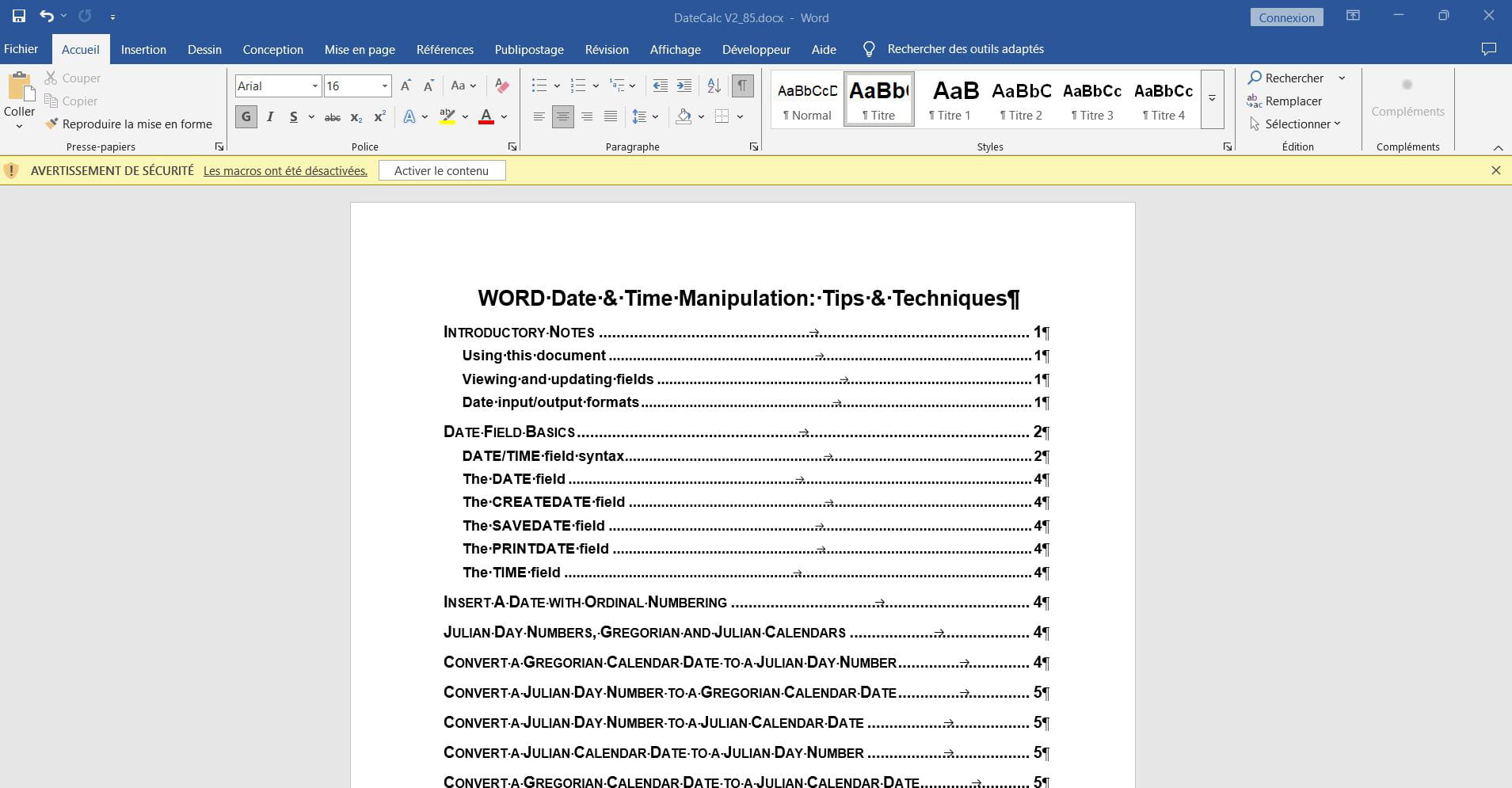
Save the document as this should update it to Word 365 format (:docx).
If the convert button does not appear, the document may already be in ;docx format
but contains legacy elements.
You can also click on File > Save As < choose a location then in the fields > Type, select > Word Document (:docx).
Enter a new name for the file and then click on: Save.
Also, check the compatibility settings, click on File > Options, go to the Trust Center > Trust Center Settings.
Also check the settings related to compatibility or opening old documents.
It goes into compatibility mode because the document was created in an older version of Word such as: Word 97-2003, downloaded or received from a system that uses the :doc format instead of ;docx.
Some group policy or security settings may also force opening in limited mode.
Have a good day.
-
Hello,
If it's an old document, save it as a docx-
Another curious vote (I know, it's a pleonasm regardless of the algebraic sign).
I wrote the same thing as in <3> but less wordy.
In the advanced options, there are many parameters depending on the origin of the file, the characters it can contain, and the captain's age, but we can't get out of it.
The risk of a direct conversion is that it can crash the original if we fail, and in any case, there’s no reason to keep files in doc format except for simple occasional consultation.
The downside of simply saving as I suggested is that you have to delete the source doc file after the operation.
In both cases, the most beautiful girl in the world only gives you what she has, and we'll get stuck if certain original contents are not convertible and we'll have to do without them.
The negative comment on my response in <1>.
Anyway, there is (I know, I’m repeating myself and I’m of that age) no point in voting up or down in general, and even more so, I know that we live in a time when emojis and SMS shorthand are replacing language, without arguing about what is debatable in a response.
Thank you, I have the same file in .doc and .docx.
Word opens them in compatibility mode.
Phew !!
Thank you all. Indeed. I had been pedaling since I downloaded a file from LinkedIn onto my Samsung and transferred it via WhatsApp to my PC.
The help word advised me to rewrite the doc in docx but didn't tell me to go through file conversion.
Thanks again.
I will keep your email safe...
(We are but a few things with the slightest click.)
The problem is solved thanks to you. How to notify? Thank you
-