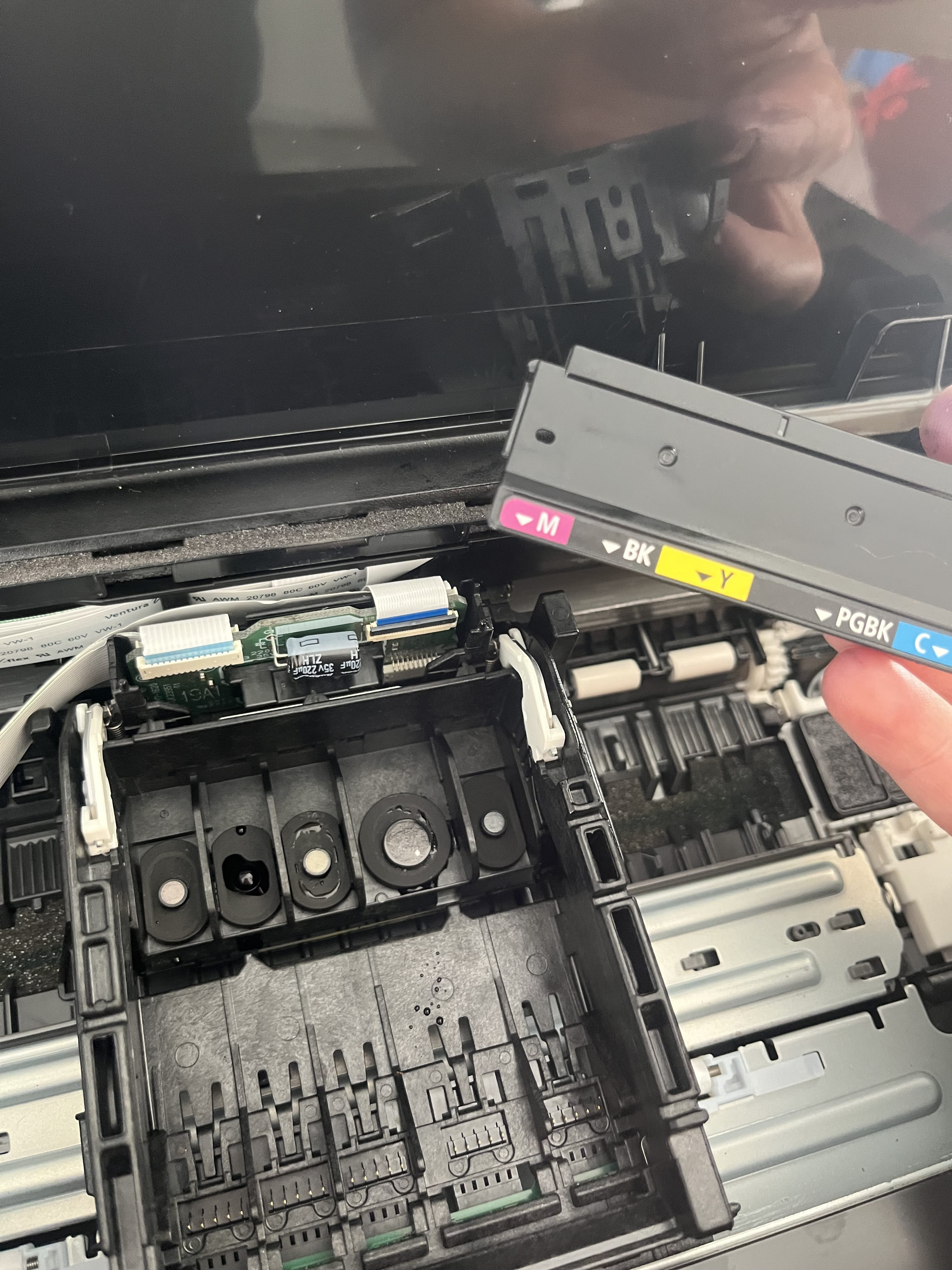
Replace Canon Pixma TS705a Print Head
hello5751
Posted messages
8
Status
Member
-
Didi64_549 Posted messages 2907 Registration date Status Member Last intervention -
Didi64_549 Posted messages 2907 Registration date Status Member Last intervention -
Hello,
My Pixma TS705a printer is not printing black ink, so I wanted to manually clean the print heads, but I removed the wrong side (the one where the cartridge colors are written)… I put it back as best as I could, but the printer is displaying error code 5100, the cause of which I found:
"Printer error. Make sure that no foreign object is obstructing the print head or the internal mechanism."
Anyway, I think I misaligned the part… there’s a ribbon behind it, and I'm afraid to damage it; should the cover go behind or in front??? I’ve tried several ways, and either I have to force it (= misaligned), or I don’t hear the click sounds…
Thank you in advance for your help ????