Samsung A26
MPMP10 Posted messages 47646 Registration date Status Member Last intervention -
Hello,
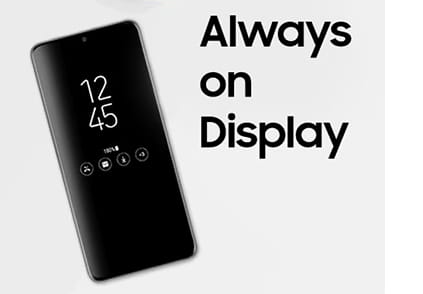
Does anyone know how to set the clock on a Samsung A26 so that it appears when the phone is turned off? (Can't find always on display),
5 answers
-
Hello,
It's on the lock screen; you can't display anything on the screen of a turned-off phone!
-
Problem: When I go to Settings and Lock screen, Always on display does not appear!
-
Hello,
The AOD function is not referenced in the user manual.
Research conducted on the internet confirms that the function is not available on the Galaxy A26.
Some suggest installing an app that will do the job.For example, this one: https://play.google.com/store/apps/details?id=com.newgen.alwayson
Be sure to read the comments; it seems that it is not without its criticisms!
What is well conceived is clearly expressed,
And the words to say it come easily.
(Boileau) -
-
Hello
Updates?
They say always-on display first, see this page?
https://www.samsung.com/africa_en/support/mobile-devices/how-to-activate-the-always-on-display-feature-on-your-galaxy-phone/
-
Hello,
On your link.
<<The Galaxy phone's screen is set to turn off when not in use and only lights up when you tap the phone's screen. However, you can set the device to display information when the screen is off. Check the guide below to configure this feature, which is the Always On Display feature.>>

This is when the screen is off on your link (kind of like a sleep mode…) but in this context, the phone is not off, and Nikestardream wants to have the clock on a turned-off phone, which is not possible on a turned-off phone.

I'm reposting part of the question here:
<<Does anyone know how to display the clock on a Samsung A26 when the phone is turned off?>>
Hello
Starting a "permanent display" function should change the "off" function of the phone a bit and add this "standby" as you say.
Yes, there are 2 settings possible on my link: display on the lock screen all the time when the phone function is off; or only when you press the screen, when the phone function is off.
In the middle of an image, it says: "tap the screen to briefly display the setting"?? (during the activation process).
They have indeed put a lock screen for when the phone function is off, a passerby can't make a call, they call it "phone off". The screen goes off but so do most of the functions.
They start by performing an update.
(It's Samsung that made 2 tutorials, I can't test them, I don't have one)
And note below for functions not available on certain models...
Afterwards, I could be wrong, but I don't see anything in the link you mentioned about it being possible on a turned-off phone!
With logic, I can't see how it would be possible to display an element like the clock on a phone that is physically turned off!
With a screenshot!
The clock and battery control seem to be the only ones activated at that moment.
And it's no longer completely off after the modification, so to speak. Because I thought like you when reading the question, but Samsung made an update: off is no longer really off.
Windows also has a function to modify what the power button does on the case, and it knows how to put what's in RAM onto disk for the "sleep" modes when the power is cut off. No more power, but Windows is not "completely off"; here it's similar, but we still turn on a few things on a "parallel" circuit, they play with words.
The update has nothing to do with the topic at hand; it is not possible to display an element on a physically turned-off device, a turned-off engine cannot consume fuel!
-