Opera : poursuivre avec "votre connexion n'est pas privée"
Solvedbrucine Posted messages 25342 Registration date Status Member Last intervention -
Hello,
When I go to a website (the GMF site in this case), Opera refuses and displays "Your connection is not private."
Of course, Chrome does the same, but it shows an "Advanced settings" button, and after clicking on it, there’s a second button "Proceed to the site anyway," which allows you to bypass the problem.
I would like to know how to do this on Opera, which does not show this option "Proceed to the site anyway."
Thank you
9 answers
-
Hello to both of you,
Nounours18200, can you check if the time and date are set correctly in the Windows settings? Go to Settings > Time and Language > Date and Time.
Enable the automatic setting for time, time zone, and daylight saving time. Then click on Synchronize now to update the clock.
-
Hello,
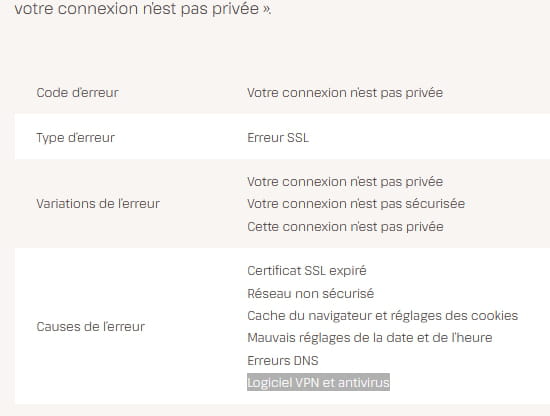
It’s possible that the blocking comes from another utility (antivirus for example) because I just tried and I'm accessing gmf.fr without any problem using Opera (which I have been using for over 20 years).
The site in question does not have the https/ prefix, hence the warning, but many sites are under the same internet protocol without posing a danger (some, on the contrary, misuse the security function attached to this prefix).
Another participant may be more precise about an effective solution.
Apart from temporarily disabling the antivirus while testing, knowing that some are known to flag false positives, I can only confirm my usage of Opera without fear for all downloads and connections on protected accounts.
-
Hello,
Disabling the antivirus doesn't change the problem, so it isn't due to the antivirus.
The website in question does not have the prefix https/, hence the warning, but many sites operate under the same internet protocol without presenting any danger.
Google indicates that the GMF client space has the following URL: https://mon-espace-societaire.gmf.fr › connexion
so it would seem to be in httpS ...
I access it by clicking from Google, so logically it should direct me to the page in httpS, unless a redirection has been set up by GMF?
Chrome reports the same message "your connection is not private" (so there is no error in the URL) but allows you to continue anyway since it offers a button of the same name "continue anyway".
We need to find out how to tell Opera to proceed despite this warning, but I don't know how to do that ???.....
-
I don't know either. Indeed, the member account address is in https/ unlike the homepage I referred to.
To my knowledge, Opera has a built-in web protection (for dubious sites, which is not the case) but I'm not sure if it can be configured by the user. In any case, I've never had to do that.
I checked access to both pages without going through Google.
However, I do have the "continue anyway ..." button (without the "advanced settings" step) for all the sites that came with a warning that I encountered.
This is all the more strange since Chrome and Opera run on the same engine since Opera was acquired by Alphabet (better known for its flagship range, Google).
Suggestions:
- either wait for someone who might have a lead.
- or uninstall Opera using Revo Uninstaller in advanced mode (to remove all traces of a "damaged" installation.
A tutorial is available on the download page:
https://www.commentcamarche.net/telecharger/utilitaires/19405-revo-uninstaller/
You should back up your favorites first (by exporting a file).
-
-
Good evening,
There is a VPN on Opera, check by disabling it if it is active!
-
By closely following the instructions from HelpIOS above, namely:
Nounours18200, can you check if the time and date are correctly set in the Windows settings? Go to Settings > Time and Language > Date and Time.
Enable the automatic setting for time, time zone, and daylight saving time. Then click Synchronize Now to update the clock.
It works perfectly!
Clearly, the last update of W11 has messed things up, as it was working perfectly before...
Moreover, other problems have arisen since the last update: access blocked to some of my network devices (which I solved with a command line thanks to Malekal's tutorial), and inability to upload programs to ARDUINO (resolved for the Nano but not for the Uno...).
In short, Microsoft had accustomed us to almost perfection with W10, but with W11, we are far from it!
Thank you, HelpIOS!
-
Hello everyone,
And congratulations, HelpIOS.
-
Thank you, I'm glad I was able to solve the problem.
-
Well, here we go again tonight! This time it's on the site "www.addic7ed.com" that I see this damn message "your connection is not private"!
I followed the same procedure as last time suggested by HelpiOS, which is to resynchronize the clock, and it still doesn't work.
Of course, I'm having the same problem with Chrome.
I checked that the Opera VPN is not active, and I tried disabling the antivirus: nothing works!
Do you have a solution?
Edit: I just tried with one of my laptops running W10 with Chrome and got the same problem. However, EDGE offers a "continue anyway to the site" button, and that allows access! Why doesn't this button appear on Chrome and Opera????
P.S.: I'm fed up with this W11... if I could, I'd go back to W10, which I might have to do if the bugs keep happening.
-
Hello,
This has nothing to do with Windows 11 or Opera unless it is unable to bypass an unsecured site if desired (you can do it with Firefox) nor with the PC's clock.
The site is indeed in https but the security certificate is expired or if there is a clock that is blocking, it's that of the server which comes down to the same thing.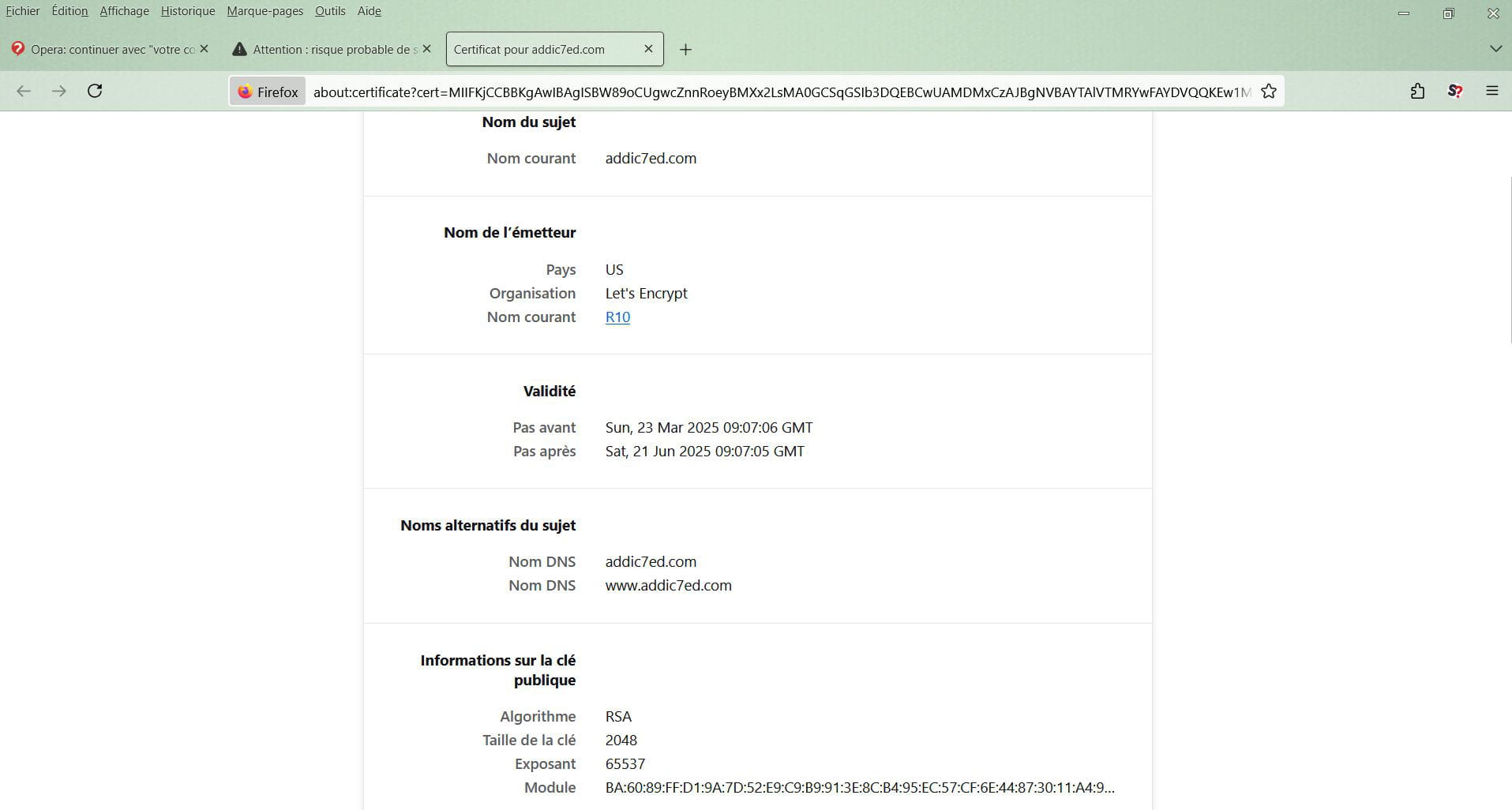
Thanks brucine: yes, I had noticed it: I went to the site at midnight and 2 minutes, and analyzing the error message like you, I saw that the certificate expired at midnight...
A few hours later, they must have done what was necessary since it’s working again.
Thanks for your reply!
P.S.: I will, however, open a new thread because EDGE displays a button allowing to bypass the warning and continue to the site anyway, whereas Opera and Chrome had offered it in the past, but I couldn't find it this time...
-
The perfect is the enemy of the good, it's hell those browsers that want to decide for people without giving them a choice.
Opera's documentation is complicated, almost always in English (but that's not the issue) and sparse; low market share means specific forums, the publisher's documentation is quite meager.
2 ways to test:
Force the connection despite the absence of a valid certificate, see here at the very bottom:
https://help.opera.com/en/opera36/be-safe-and-private/
Or by opening Opera with a configuration parameter, not being sure it works in all versions (and to be used sparingly); it would then be appropriate to create a shortcut for Opera with the switch (placed I suppose after the exe):
--allow-running-insecure-content
-