
Encoder un CD en mp3
Solvedmatou83 Posted messages 458 Registration date Status Member Last intervention -
Hello, I have tested several software programs to encode CDs into mp3 files: they all work quickly at first (audio quality set to 128), but after encoding 2 or 3 tracks, they start to slow down and I can't do anything about it, I have to stop. My first experience was with free audio converter, which encoded more than 100 tracks very quickly last night, and then this morning it started to lag. I thought the free version had ended, so I tried 3 other free methods: with Windows Media, Express Rip Extractor, VLC Media Player, all work very well and quickly at the beginning of the encoding, then they slow down until they almost stop after the 2nd or 3rd track encoded. Yet I removed all the previous ones from my music directory, and I used CCleaner to clean up, but nothing works! Is the CD drive on my computer to blame? I can still play a CD without any problem!
I should add that I had already encoded these CDs with free audio converter, which was excellent and very fast, that the CDs are not protected, but I lost the USB stick where they were. What’s most surprising is that last night it worked great and it's only this morning that it crashed!!! Are there limits to encoding???
Thank you for helping me PLEASE: since my future mini-computer doesn’t have a CD drive by default and I no longer have an external drive, I don't know what to do to encode a lot of CDs and listen to them in the car without using my phone!
Thanks in advance for your good advice which has always been strict and effective!
matou83
7 answers
-
Hello,
fre:ac is completely free and it works like a charm, without limitations (no trial period or other surprises).
Where did you get it? The official site is https://www.freac.org/
That said, I can see something might be wrong on your end. Are there other things running on your PC at the same time? Is it always on the same CD or does it hang with any CD?
When it crashes, what does the task manager say?
Later blux "The idiots will try anything.
That's how we recognize them." -
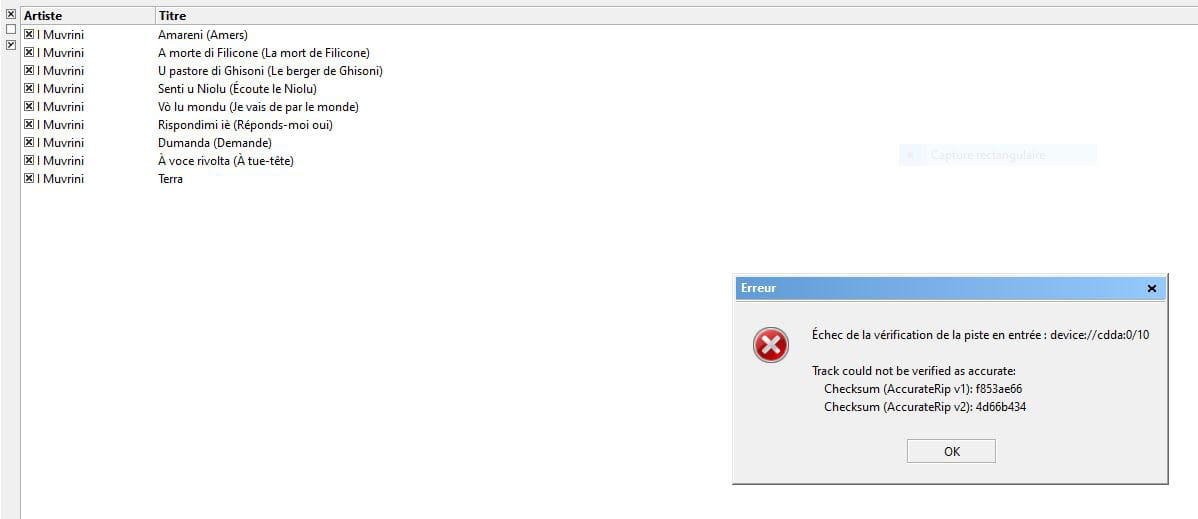
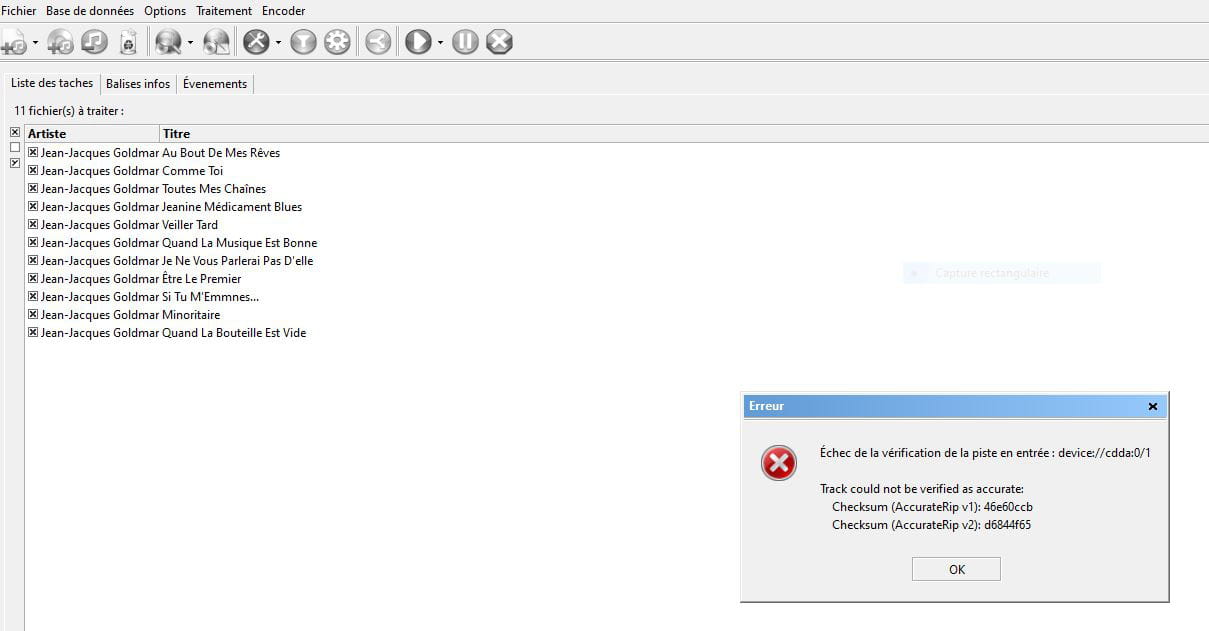
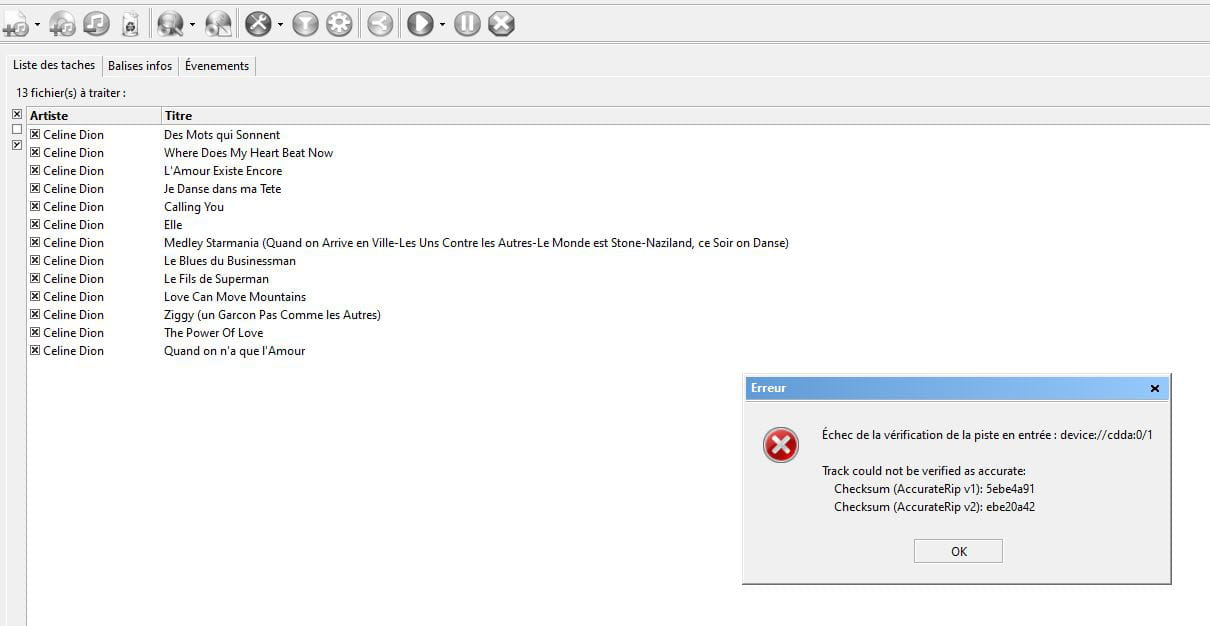
Thank you blux, actually I think it was the incessant proposals from Microsoft to upgrade to W11 instead of W10 that were blocking or slowing me down: every time I shut down, I ended up with the big blue screen of W11 proposals!! Now, thanks to the responses on this topic, no more problems EXCEPT for certain CDs where I have the messages below, what do they mean? Scratches? There are indeed some on those... Other than that, it's a software that I appreciated a lot, and even now, I re-registered it and it worked very well until these failures: Please let me know what this corresponds to.
-
You might have a .log file somewhere that precisely indicates the error. But like this, without any further information, I would say that some bits making up the signal on the CD could not be read.
It's probably negligible.
See you blux "Fools will dare anything.
It's even how we recognize them." -
But that stops my encoding, so if I uncheck the catchy title, it doesn't work, I have to restart the encoding by unchecking all the previous titles and the one that’s blocking, and it creates two files by the same author... And sometimes that's not enough, that's why I was suggesting the idea that it might be related to scratches (CDs that are quite old and have been listened to a lot!!) that block everything: on some CDs it seems quite likely, but on others, not obvious!!! Thank you already for your response, I was able to use freeac again, which is fast, simple (important for me!) and very effective.
matoiu83
-
I tried, but then nothing works anymore, it gets stuck right at the beginning!
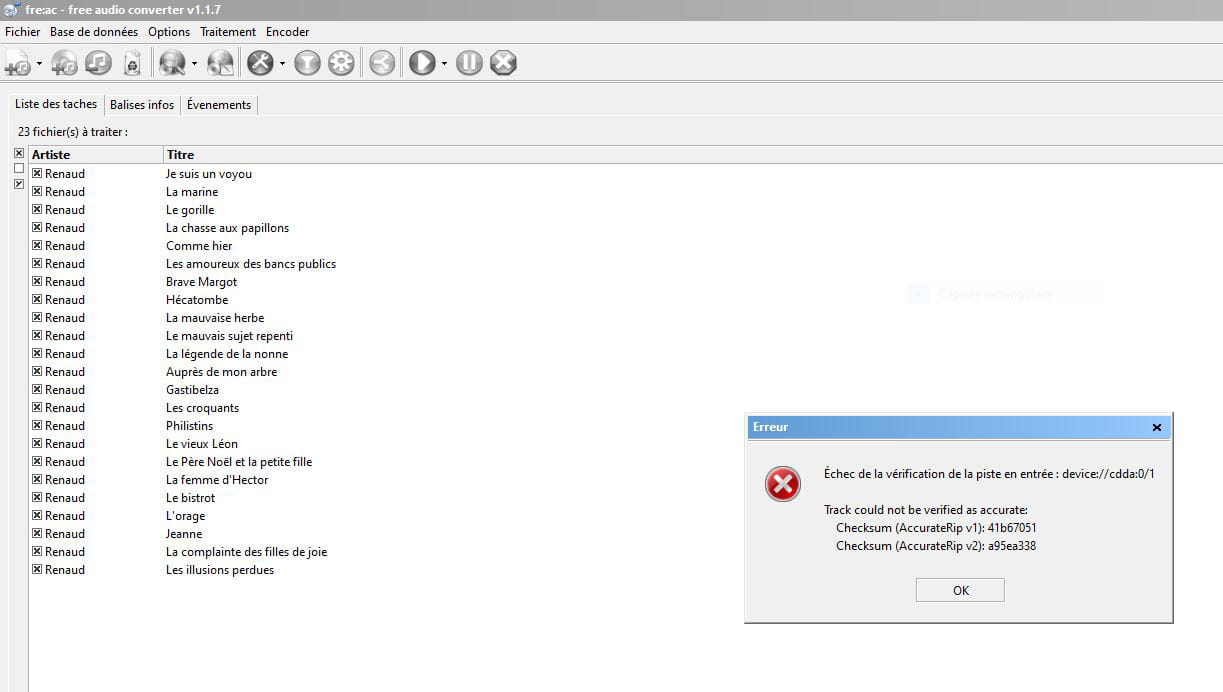
I'm going to uninstall my version and reinstall it: it worked well for 10 to 20 CDs, then it gets stuck: actually, there's no limit to the encodings in numbers???
matou83
-
I uninstalled the old version and downloaded the new one, but now there's a problem: to install it, I get the message: open microstore to get permission!
And for some time now, I've been having issues with Microsoft and their account verification method: I tried to open another one, and I'm sending the received code correctly, but then I'm asked to move a person with arrows on a chair, and that drawing is incomprehensible!!! It's atrocious!!
How can I get around this solution??
matou83
-
From the official site, do not click on the link that takes you to the Windows Store.
Instead, click on the installer link, which takes you here:
https://github.com/enzo1982/freac/releases/download/v1.1.7/freac-1.1.7-windows-x64.exe
-
-
Thank you blux, I indeed recorded free_ac on the link you provided on May 12 and it's working perfectly, I found the software I was using before, very fast and efficient. Previously, I had uninstalled the old version that wasn't working anymore, I don't know why, and now everything is OK!!! Issue resolved, thank you a thousand times! Once again, I’m really glad you are here for poor idiots in IT like me...
I avoid GitHub which has caused me problems with other software and exchanges...
matou83
