Crash Ryzen 7 5800X
epango Posted messages 36739 Registration date Status Member Last intervention -
Hello,
I recently crashed my Windows 11, corrupted system files, basically a mess. So I wanted to reinstall Windows and go back to 10. Since I tried reinstalling W10, my R7 isn't working anymore :-:
My config:
R7 5800x
A520m DS3H
Rx 5500 xt
M.2 Western Digital
RM850i
500gb ssd
32gb 3200mhz (4*8)
So I took everything out, cleaned everything, and put it back together. I turn on the PC, and the same error occurs, namely, the PC starts the motherboard POST, and then turns off immediately after. So I had fun testing each component and put my old R5 3600x back in. Since then, I have no problems. Reinstalled W10, updated BIOS to F20d. And just in case, I tried again with the R7, and it’s still the same thing.
Never dropped, never mishandled, no missing/damaged pins.
Help me???
5 answers
-
Hi
If you are sure that no pins are missing/bent, you should try your 5800x in another PC, but it indeed seems like it's the issue...
-
I think it's the motherboard. After an hour of use with the R5, it crashes by itself. I tried OCCT tests, but as soon as I click on start, it freezes immediately.
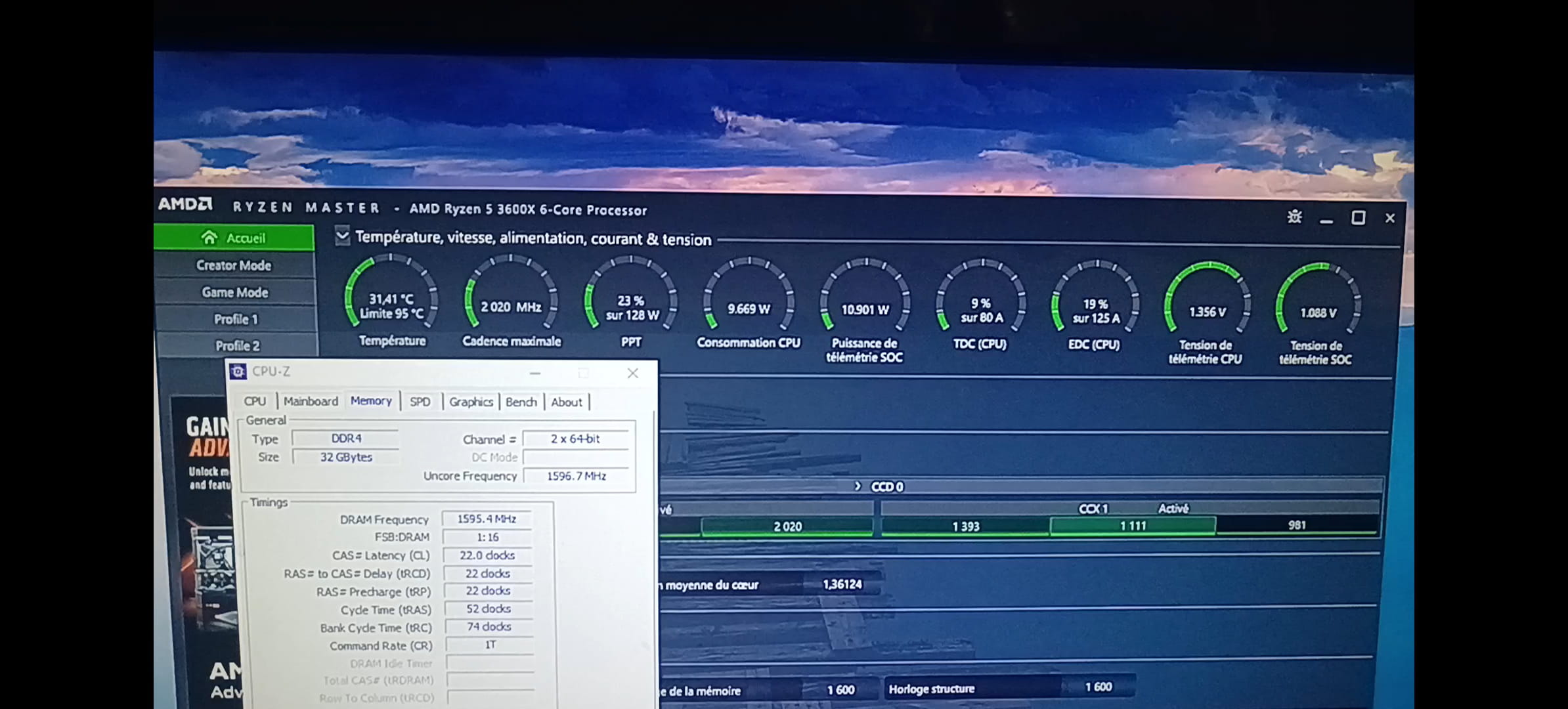
I have two photos when I launch OCCT that highlight the motherboard and its temperatures, as well as the CPU and RAM at frame - 1ms before the crash.
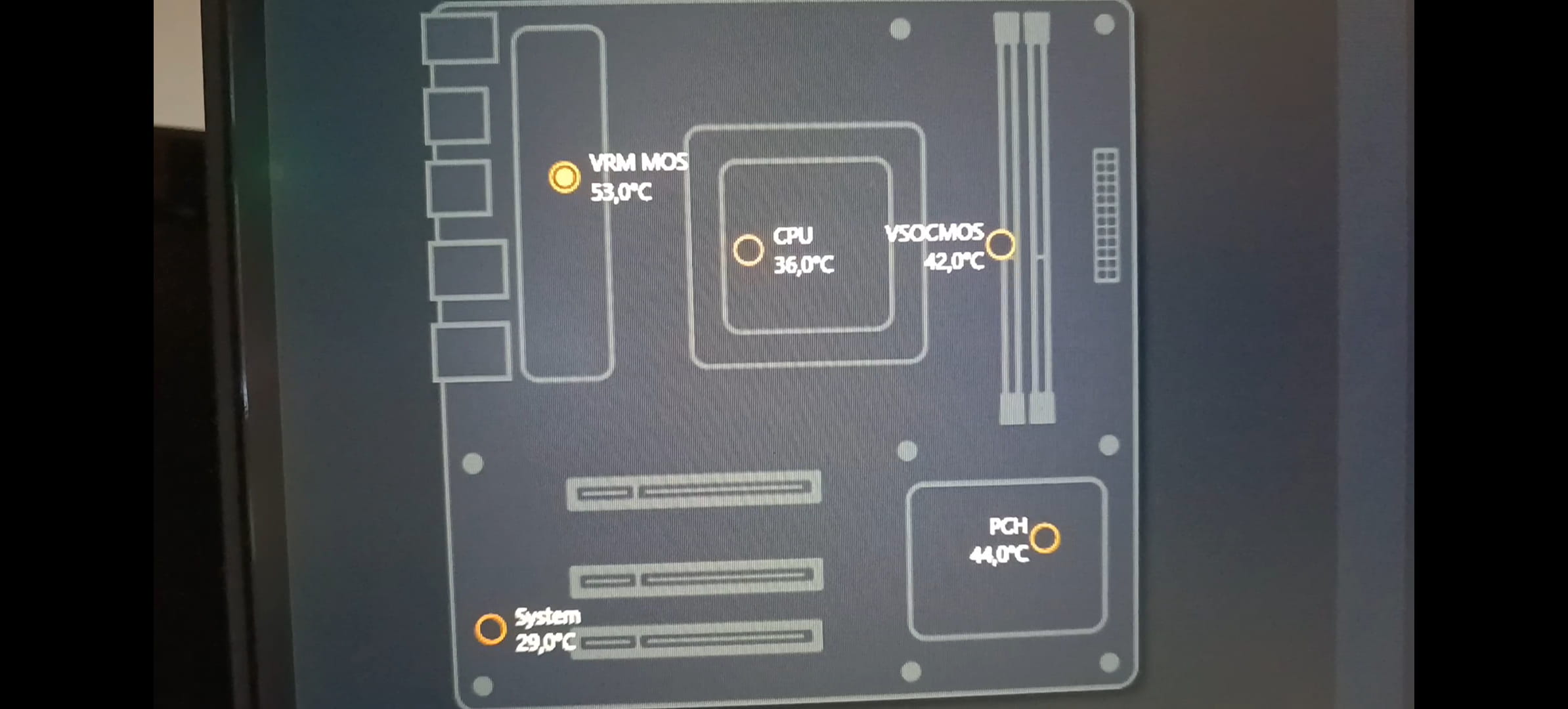
The PC crashes right when I click on start (it's not a heating problem either). Also, once it has crashed, if I restart it whether it's within minutes or hours after, it just gets stuck on the motherboard POST at startup. I have to turn it on, it stays on POST, turn it off and turn it back on from the back, and then I have access to Windows. Just like in the Windows 10 event log, there are no errors.
Hello,
If you can, it would be a good opportunity to change to a more advanced motherboard at the same time, now that prices for Ryzen 5000 motherboards are low. For example, this one if your case supports standard ATX motherboards.
To get back to your failure, what you describe may indeed be a motherboard problem, but it could also be a weakness in the power supply.
____________________________________
Just like in the Windows 10 system log, there are no errors.
Yes, that's not surprising; for hardware failures, software cannot detect anything.
___________________________________________
So he got an R9 5900X and a 4060.
With an A520 it works; let's say that if we're looking for the minor details, the ideal chipset for 5800X or 5900X is the B550, the A520 being the low-end, but well, it's not a big deal.
I doubt it's the power supply, it's a RM850i, super reliable, never hot, and when the PC crashes, the only place that's boiling is the motherboard's power supply (VRM). I think it's giving up...
So if I understand correctly, an R9 5900X on the A520 isn't ideal, but it doesn't hinder performance? I'm going to do a lot of video editing, so I'm actually worried about the VRMs on the A520 if I put in a "big" CPU.
I’m a bit lost. I don’t know if lolo who asked the initial question and loiclemason are the same person. Anyway, we might run into trouble if we put a powerful CPU that generates a lot of heat on an entry-level motherboard. Motherboards powered by the A520 chipset are generally considered entry-level. In principle, this shouldn’t affect performance, but it seems that the A520 only supports PCIe gen3.0 at most. This could limit the performance of high-end GPUs that use PCIe gen4, for example.
-