
Sound issue on my Skillkorp M34 curved monitor
seb -
Hello, since I've been using my PC, I've noticed that the sound doesn't work, while it works with a headset. I've checked the volume on my computer and manually on my monitor, they're all at 100 percent. Can someone help me? Thank you
31 answers
- 1
- 2
-
Hello,
I have often found myself in this situation, and after sometimes searching for a long time, I have found solutions.
For example,After ensuring that the (wireless) headset is working properly and the battery charge is okay:
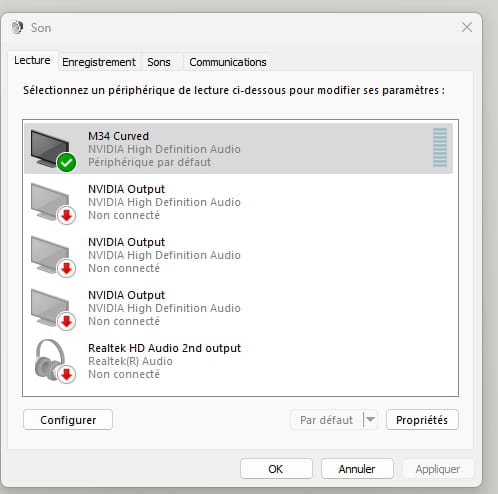
===> right-click on the sound icon at the bottom right of the screen. Access the sound settings, and select the headset output instead of the speakers.
Noticing that some links did not work, I selected one as a "test sample," which allows me not to blame the headset's functionality systematically.
Best regards
-
hi
in search, type or copy/paste ==> mmsys.cpl and click on Open
look at the default output device set
PS: post 1 screenshot of the page ==> click here
talk later
-
-
-
hi
right click on Start ==> Device Manager
check if you have 1 alert in the Device Manager
post 1 screenshot of your Device Manager
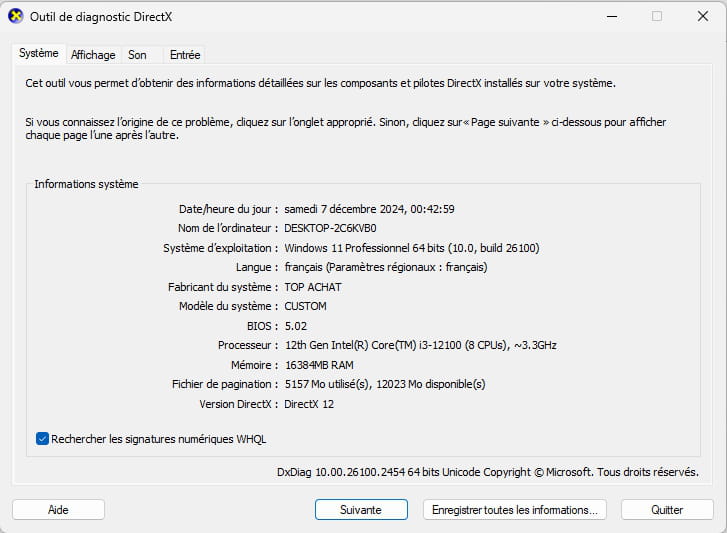
PS: also provide the specifications of your PC (brand, model, operating system)
in search type DXDIAG and click on Open
post 1 screenshot of the page
see you later
-
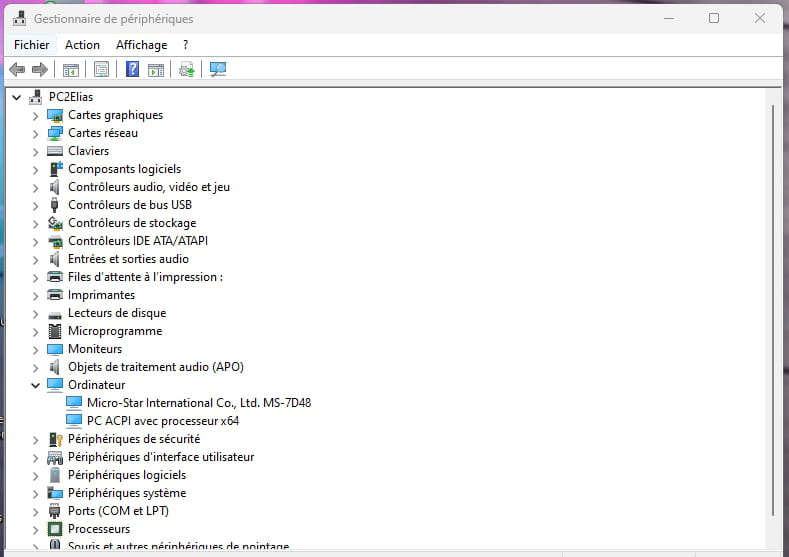
i5-14400f
RTX 4060Ti
Windows 11
When I ran DXDIAG, I was told that all my drivers were up to date
-
re
When I ran DXDIAG, I was told that all my drivers were up to date
DXDIAG has nothing to do with updating drivers
example:
@+
-
-
-
Hello,
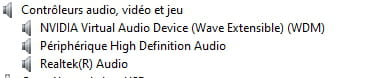
For the device manager, expand the audio, video and game controllers menu.
Example image: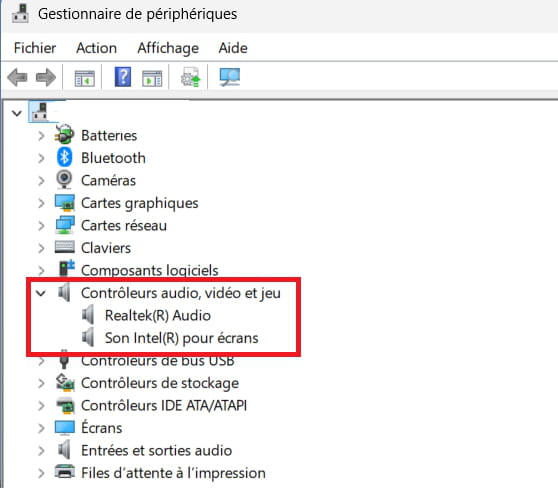
-
Hello everyone.
Stupid question, but who knows!
Have you enabled the speakers in the monitor menu?
The manual doesn't specify, so I'm not sure if adjusting the volume and enabling or disabling the speakers is done through the same command.
Extract from the manual (page 7 of the pdf)
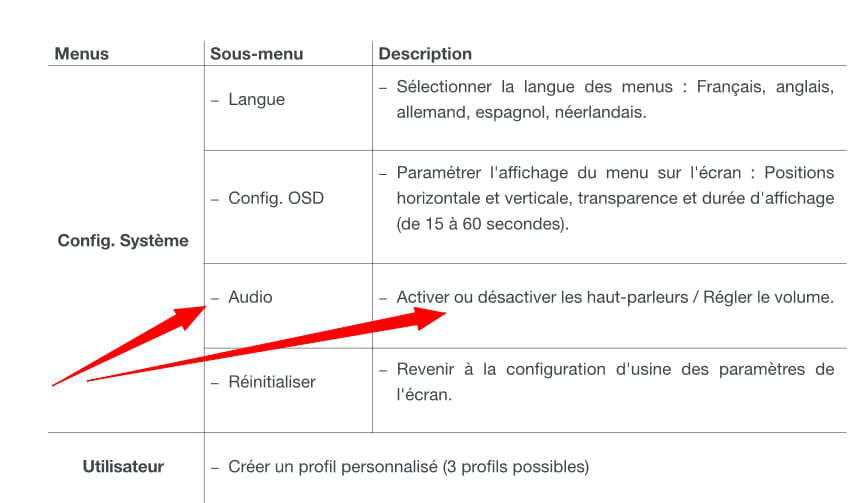
Edit... Although the manual talks about speakers in the settings, nowhere else in the specifications do we find any description of their presence, power, or anything else?
Are there speakers???
Very difficult to catch a black cat in a dark room.
Especially when it's not there... -
-
Hello,
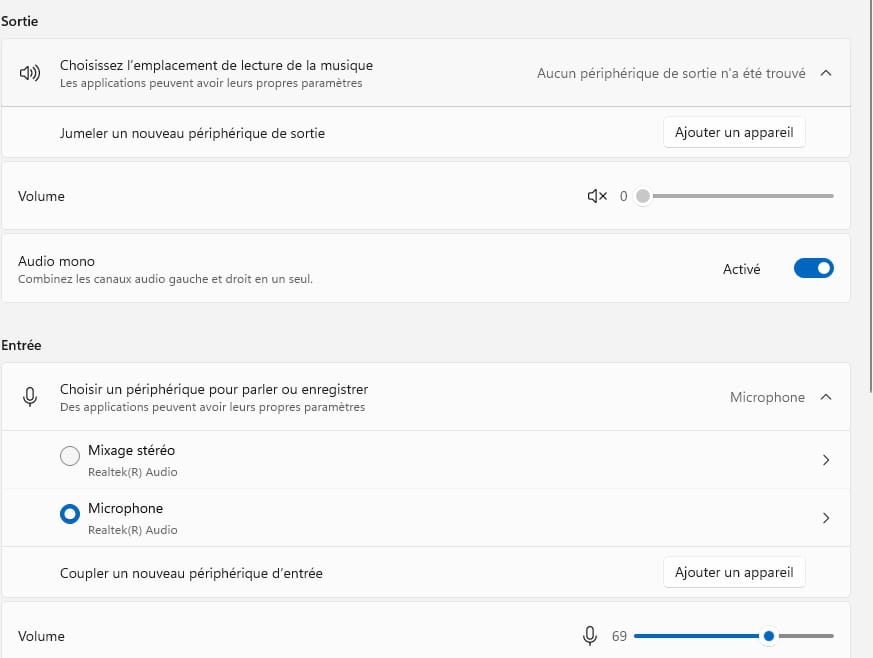
In the device manager, I do have 2 devices installed, but in the computer settings, it tells me
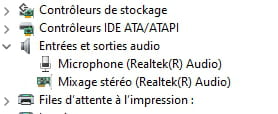
that there is no input device
-
What does it give for the menu --> Audio, video and game controllers?
-
-
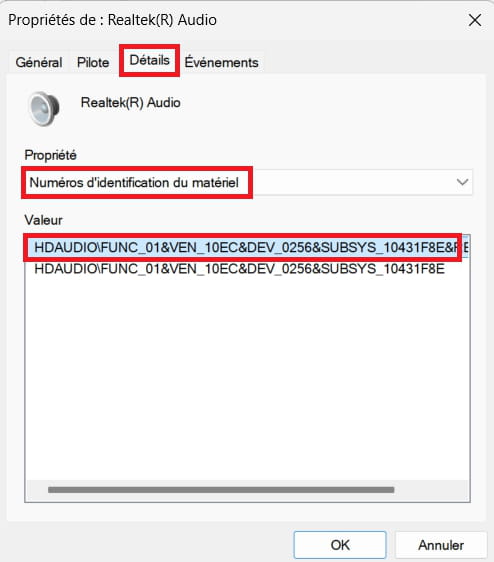
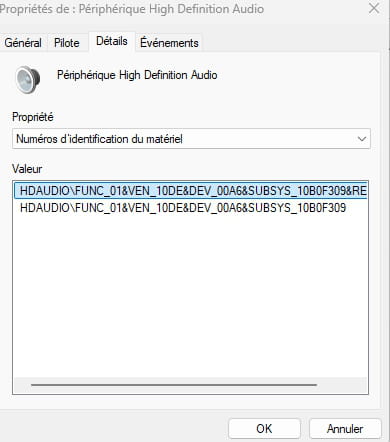
Post the hardware identification number of the --> High Definition Audio Device
Right-click on the device
Properties
1- Details tab
2- In Property, select --> Hardware identification numbers
3- In Value, post this hardware identification number.
Example image:
-
-
Hello
Note: a plugged-in headset cuts off sound to other audio outputs
https://www.hp.com/fr-fr/shop/product.aspx?id=3B1W4AA&opt=ABB&sel=MTO
-
-
Download and install --> 7Zip 64 bits
Download this driver --> nVidia
Right-click on the driver --> NVIDIA-Quadro-.....exe
Select --> 7Zip
Choose --> extract to "NVIDIA-Quadro-.....\"Go to the device manager
Right-click on the --> High Definition Audio Device
Update the driver
-->> Browse my computer for driver software <<--
-->> Choose from a list of device drivers... <<--
-->> Have Disk <<--
-->> Browse <<--
Go to the unzipped driver folder --> NVIDIA-Quadro-.....
Folder --> HDAudio
Select the file --> nvhda.inf and OK.
Restart.





- 1
- 2