W11 startup bug, I'm getting a blank page

pistouri Posted messages 19010 Registration date Status Contributor Last intervention -
Hello,
Following the installation of Windows 11 24H2, I have a blank screen for several seconds at each startup. Apparently, it's a bug with the Windows welcome screen after the update.
I have tried various methods to resolve this issue:
- Disabling notifications in additional settings (welcome experience...)
- Chkdsk
- sfc /scannow
- Resetting the PC while keeping software and files
Do you have any other solution to test?

3 answers
-
pistouri Posted messages 19010 Registration date Status Contributor Last intervention Ambassador 8 732
Hello,
I have faced this blank page twice.
It reminds me of the welcome experience after a Windows Update.
1/ First time:
Wait for the upcoming update.
2/ Second time
Repair your account (profiles) with ==► Account Profile Fixer

The procedure is relatively quick, but afterwards you will need to reinstall some personal applications.
Account repaired:

During the second restart, you will need to configure the welcome experience:
(Accept or decline).

@+
-
pistouri Posted messages 19010 Registration date Status Contributor Last intervention Ambassador 8 732
The principle of account repair is similar to a Windows reset.
As in your statement:
Resetting the PC while keeping software and files
Some non-Microsoft software or applications will be removed:
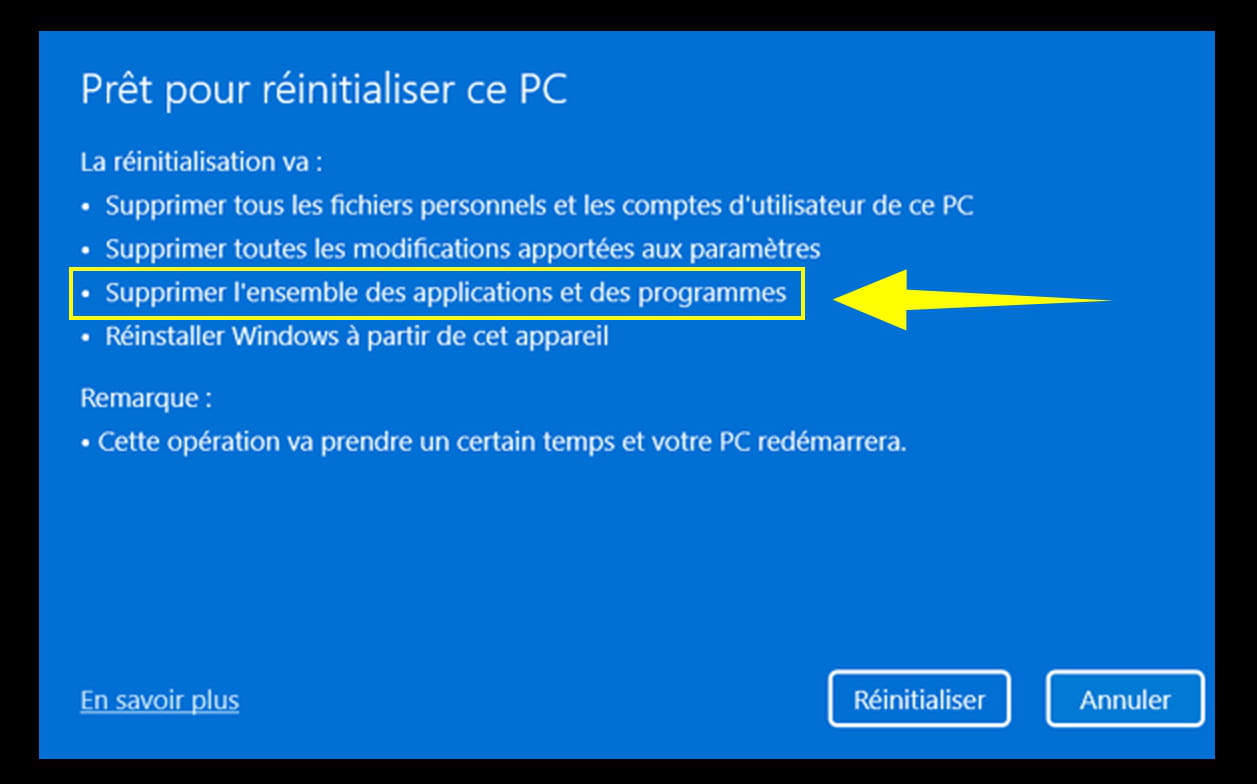
And we can find out which software or applications will be uninstalled.
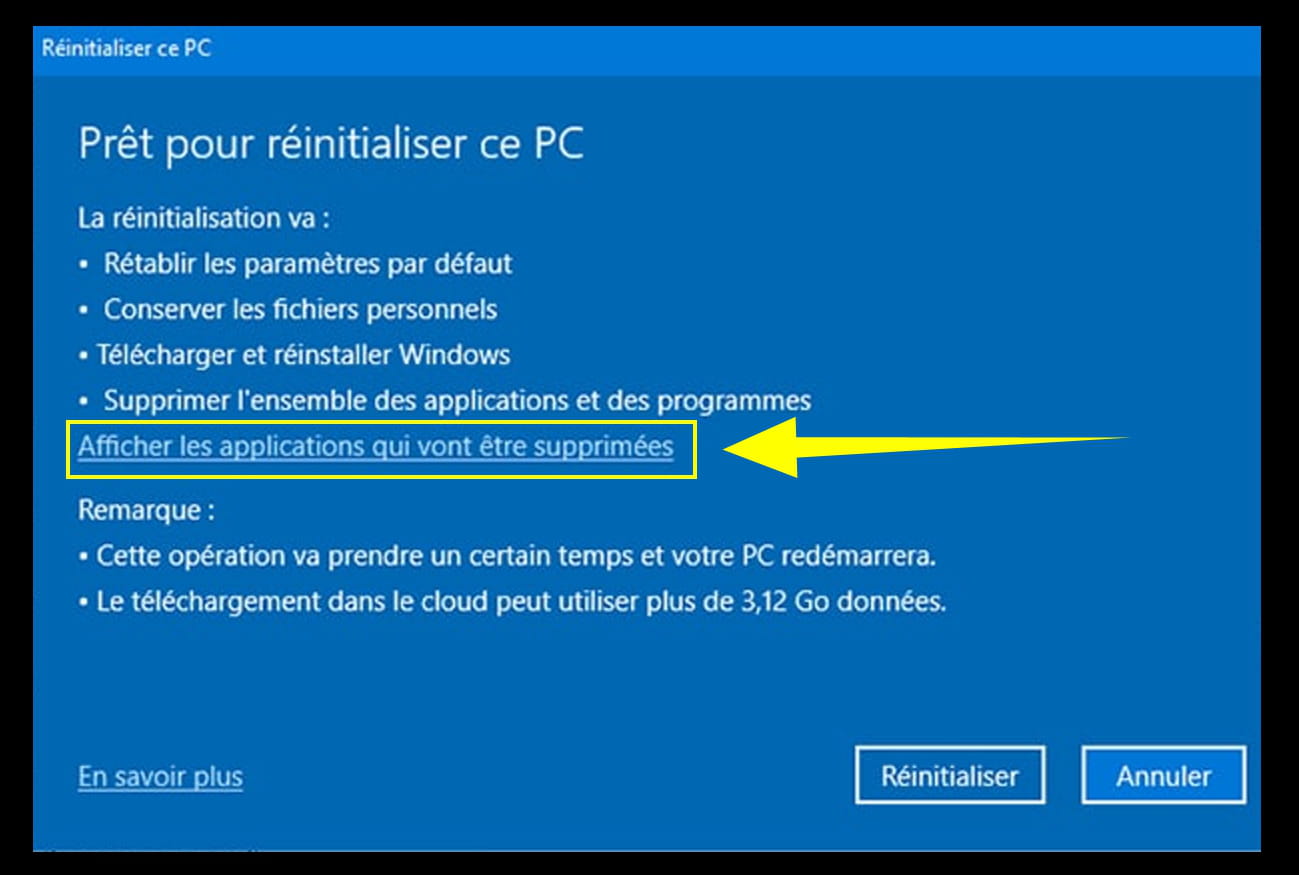
Account Repair: Account Profile Fixer
Some applications will be uninstalled, but it's minimal (not many).
During setup, you will be asked to log in with your Microsoft account and your password or your PIN (which may cause that white page/rectangle after an update, because Windows Hello is poorly configured, as well as the user account settings).
It's best to have all your Microsoft account data on hand (username, password, and PIN, which is also Windows Hello).
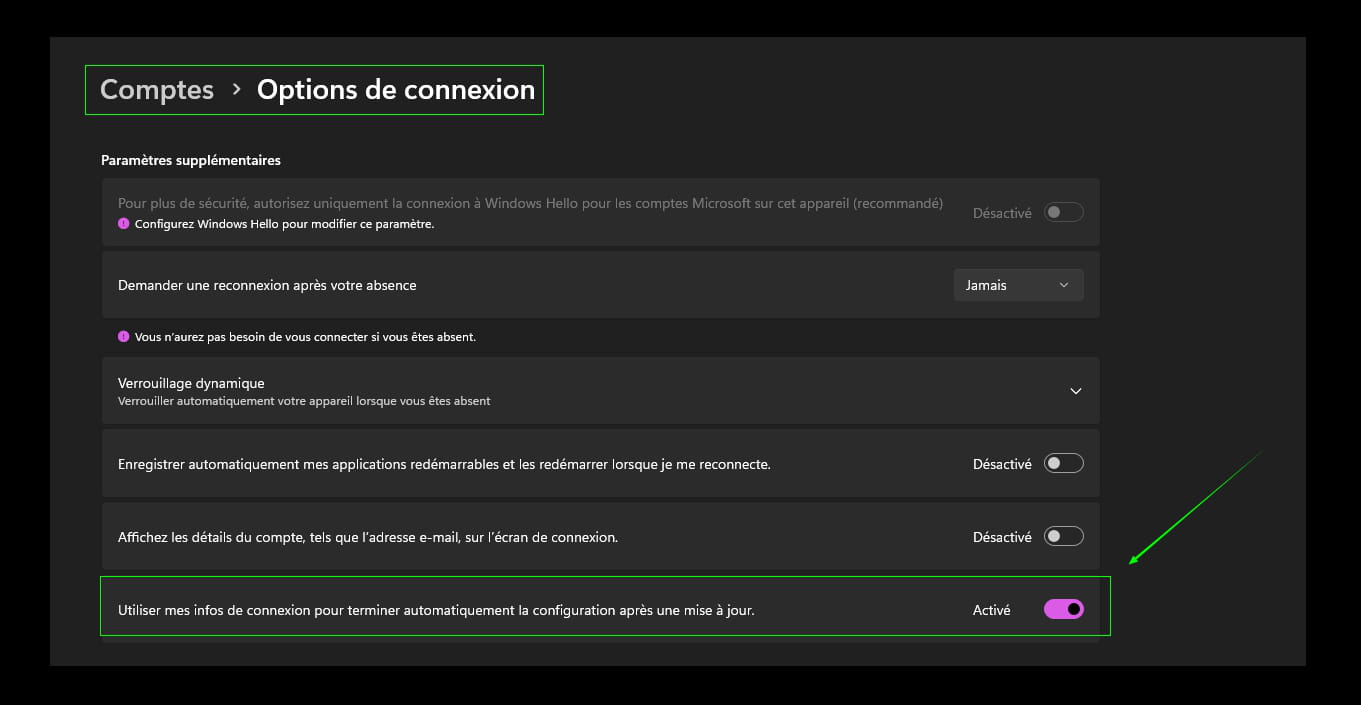
Later on, it will be possible to switch to a local account based on your preferences.
My advice would be to stick with a Microsoft account.
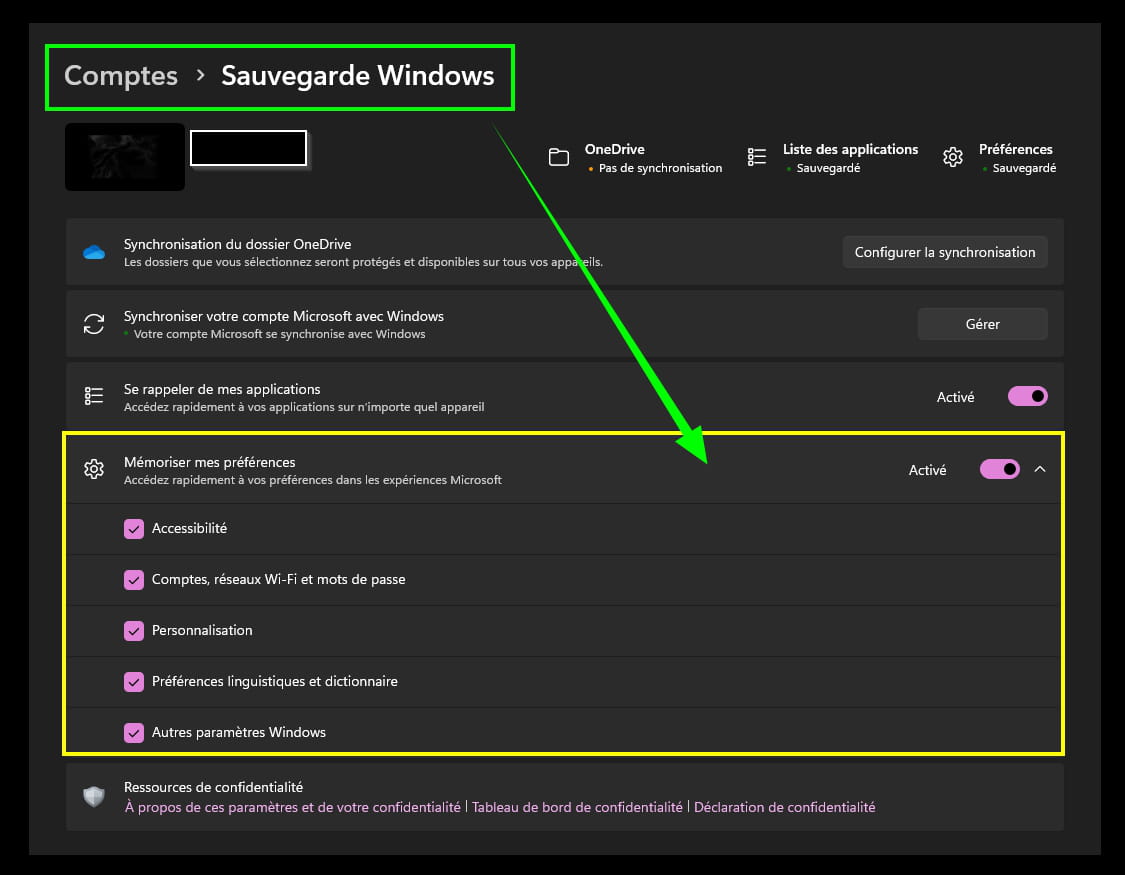
And enable backup for Account Settings.
OneDrive as well, which is not my case, I do not use it to save disk space.
@+
-
pistouri Posted messages 19010 Registration date Status Contributor Last intervention Ambassador 8 732
Hello,
In the absence of--► Account Profile Fixer
It helps a lot....
Or:
Try this:
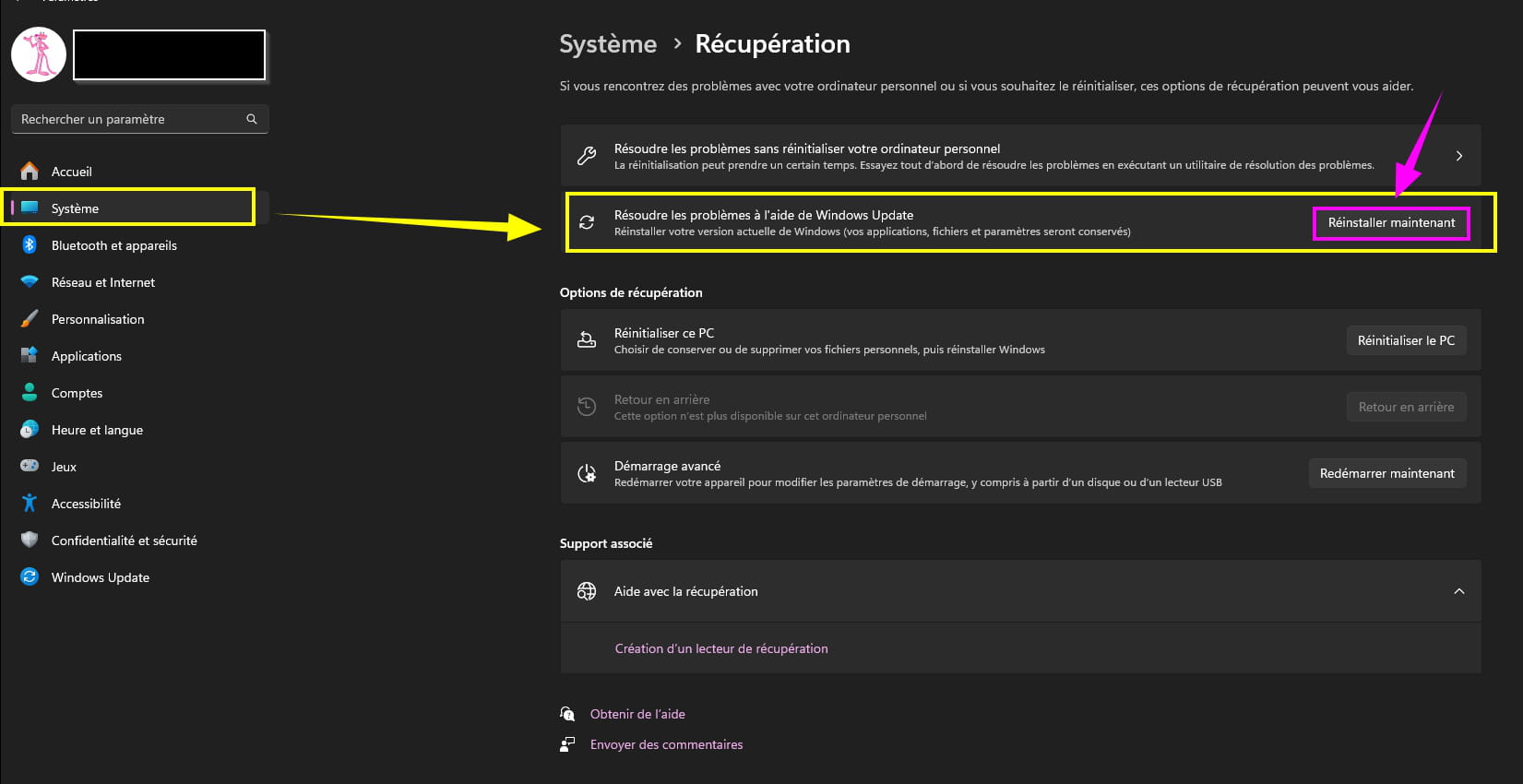
It can also help.
-
Thank you, your last method was effective.
The taskbar appears a bit slower than with 23H2. I will now analyze the startup applications.
For the taskbar that takes a little while to display, this happens on PCs that are not compatible with Windows 11, installed as a workaround.
One of my incompatible PCs has this display lag for the taskbar, I attribute this to the completely incompatible processor, and yet version 24h2 runs very well, it's smooth.
Of course, there are other possible causes.
For example, the Windows Store that automatically updates (at startup, that's what I think).
-