
Logitech G502 mouse not recognized
Skuvinio
Posted messages
7
Status
Member
-
Skuvinio Posted messages 7 Status Member -
Skuvinio Posted messages 7 Status Member -
Hello everyone, I hope you're doing well. My G502 mouse is not recognized, which means I can't use it.
So I can't access my computer this morning, while it was working perfectly yesterday.
Can you please help me?

4 answers
-
Hello,
Have you tried changing the USB port?
-
Hello,
yes, but nothing works! I also restarted, but nothing happens.
-
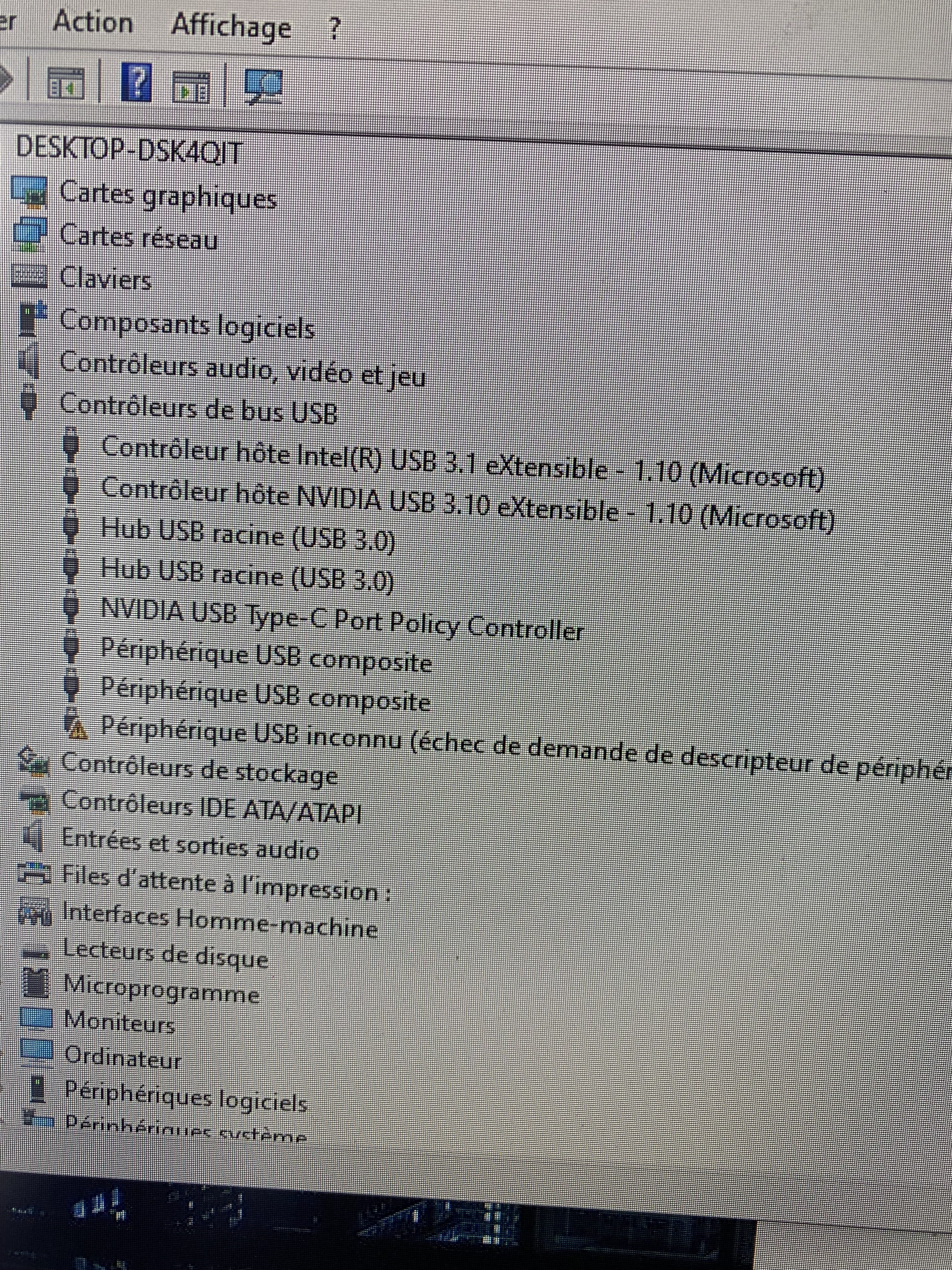
Error code 43
Failed device request from the device manager..
in the control panel
-
After several searches, here is the manipulation that just worked:
with the tab key (because it’s complicated without a mouse): manage to disable and uninstall the device.
Alt and F4 then: restart!
and the magic: everything returns to normal.
thank you for your help, and have a great day everyone!