
Game driver issue
jorislopez Posted messages 38 Status Member -
Hello,
I installed the game Doom Eternal
But as soon as I launch it, it tells me this
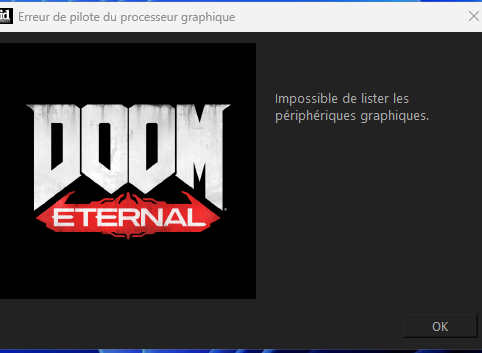
All my drivers are up to date
I even did a DDU to uninstall/reinstall the NVIDIA & AMD driver
nothing works
1 answer
-
It is possible that the error message "Unable to list graphic devices" in Doom Eternal is caused by corrupt or missing graphics drivers. Here are some steps you can try to resolve this issue:
-
Make sure your system meets the minimum requirements for Doom Eternal in terms of hardware configuration. You can check the requirements on the Steam store page for the game.
-
Update your graphics card drivers to the latest version available on the manufacturer's website.
-
If updating the drivers does not resolve the issue, try completely reinstalling your graphics card drivers using the DDU (Display Driver Uninstaller) utility. Restart your computer and reinstall the latest drivers for your graphics card.
-
Ensure that your operating system is also up to date with the latest security and compatibility updates.
-
If none of these steps resolve the issue, you can try contacting Doom Eternal technical support for further assistance.
By following these steps, you should be able to resolve the "Unable to list graphic devices" issue in Doom Eternal.
-